What are the different layers of open source cloud? Think of a cloud like a building with floors: hardware at the bottom, apps at the top, and security running through every floor like the wiring. Each floor has good open source tools.
In one minute
- A cloud is built in layers, each one resting on the one below.
- Almost every layer now has a mature open source option.
- Security and monitoring are not one floor, they must cover every floor.

Why Layers Help
When we discussed the options for getting an open source cloud, the head of engineering drew a big box on the whiteboard labelled “cloud” and said: “This box scares people. Can we cut it into pieces?” Layers do exactly that. Each layer has one job, and you can understand, choose and replace each one separately.
The Layers, From the Ground Up
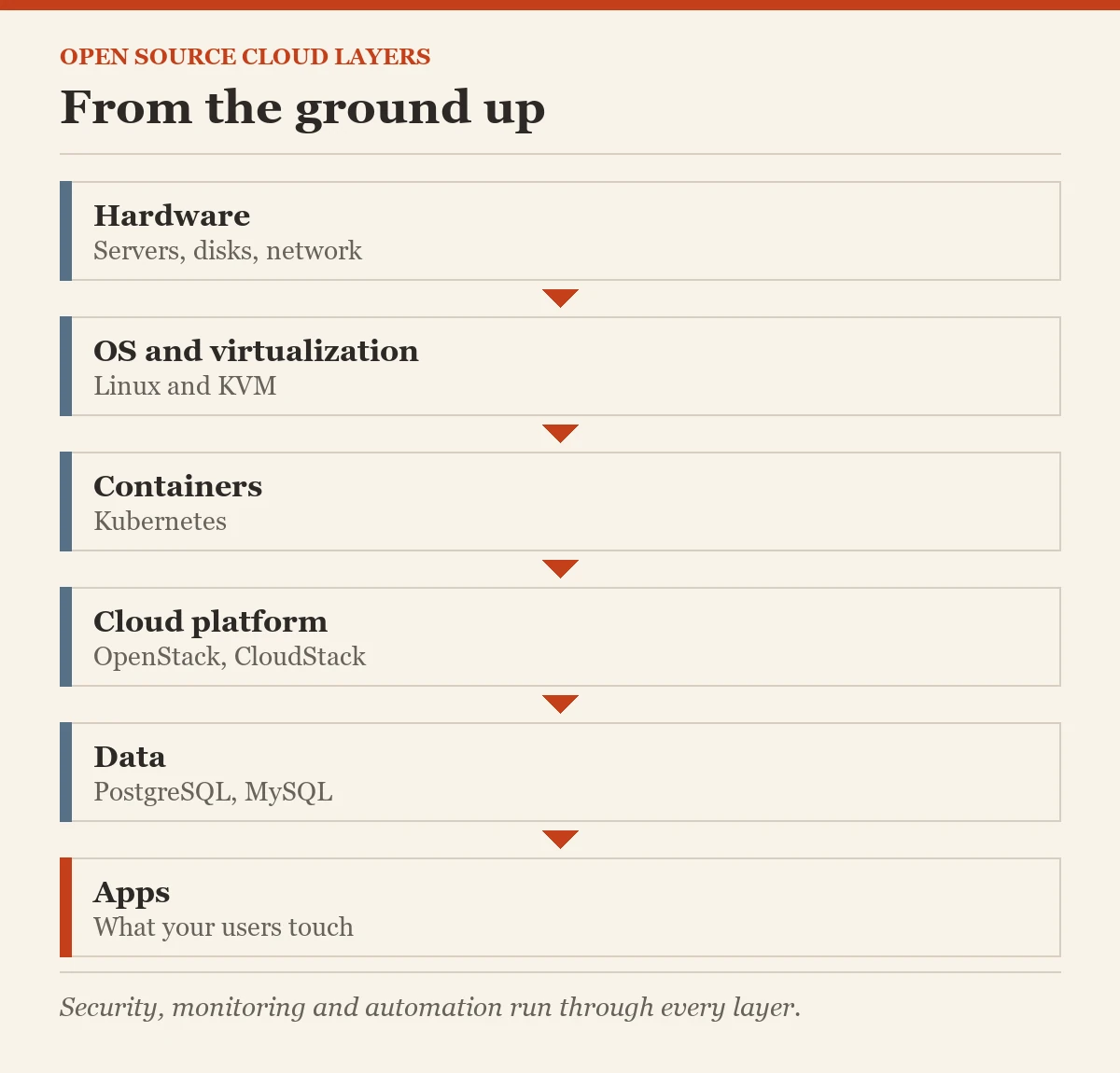
1. Hardware
The physical servers, disks and network switches. This layer is the same for open and closed source clouds. You buy it from hardware makers or rent it from a provider.
2. Operating System
The base software every server runs. Linux, in its many versions such as Ubuntu, Debian or Rocky Linux, is the open source choice almost every cloud is built on.
3. Virtualization
The layer that splits one physical machine into many virtual ones, as we saw in the cloud computing post. KVM is the best known open source tool here.
4. Containers and Orchestration
Containers package an app with everything it needs so it runs the same everywhere. Kubernetes starts, stops, heals and scales those containers. Today this is the busiest and most important layer in most new clouds.
5. Cloud Platform
The software that turns all the lower layers into a self-service cloud with a portal and an API. OpenStack and Apache CloudStack do this for infrastructure, and Cloud Foundry does it for developers.
6. Data
Where your information lives. PostgreSQL and MySQL are popular open source relational databases. Other open source data stores serve special needs, such as search or caching.
7. Apps and Services
The software your users actually touch, from web servers to office tools. This is what the business sees. Everything below exists to keep this layer fast and reliable.
Running Through Every Layer: Security, Monitoring and Automation
These are not a floor of their own. They are like the wiring and plumbing of the building. Open standards such as OAuth 2.0 and OpenID Connect handle sign-in, Prometheus and Grafana watch how everything is doing, and automation tools such as Ansible and OpenTofu set everything up the same way every time.
How to Use This Map
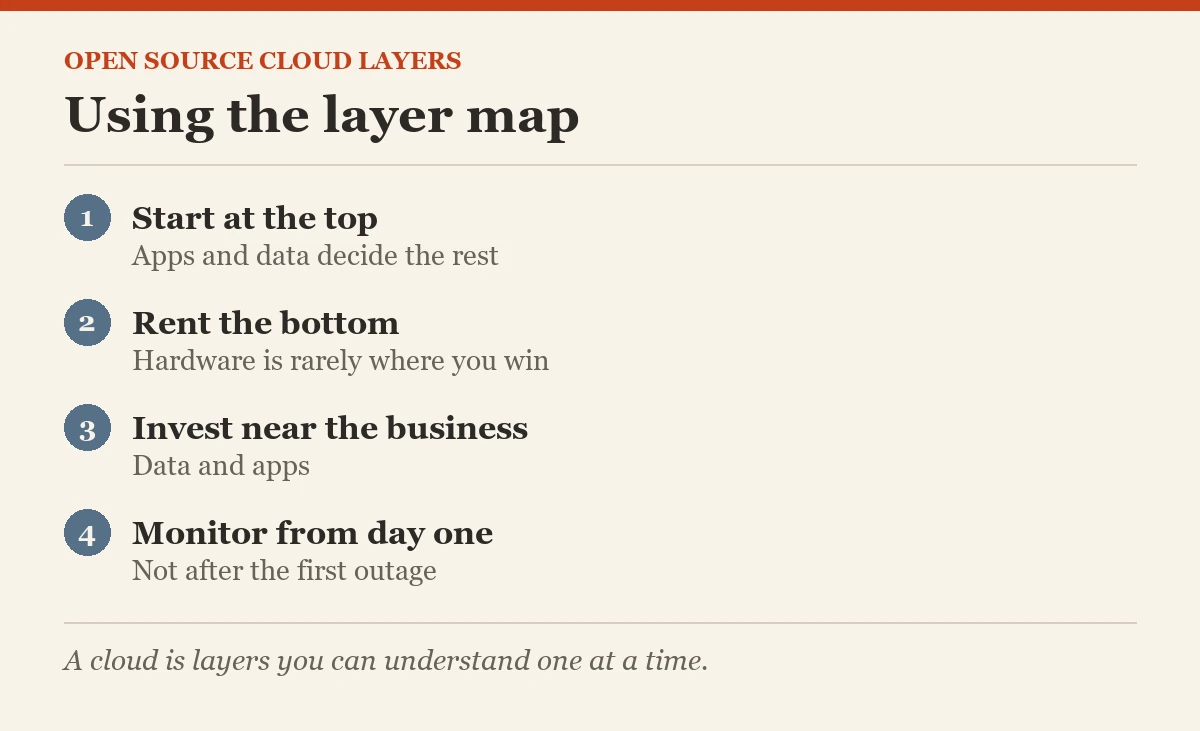
- Start at the top. Decide what your apps and data need first, then choose the layers underneath to support them.
- Buy or rent the lower layers if you can. Hardware and virtualization are rarely where you win.
- Spend your team’s energy on the layers closest to your business: data and apps.
Words to Know
- Layer: one part of the cloud with one job
- Orchestration: software that manages many containers automatically
- API: a way for programs to ask the cloud for things
- Monitoring: watching how systems are doing, all the time
Common Mistakes Beginners Make
- Treating security as the last layer. It must be planned in every layer from the start.
- Choosing a different tool for every layer just because you can. Fewer, well known tools are easier to run.
- Forgetting monitoring until something breaks. Set it up on day one.
What Comes Next
Now you can see the whole building. Next is the checklist I give leaders to judge any open source cloud before they commit.
Open Source Cloud series, part 7 of 10
- What is the Cloud?
- What is Cloud Computing?
- What are the Different Types of Cloud Deployments?
- What is Open Source?
- What is Open Source Cloud?
- Open Source Cloud: Different Options
- What are the Different Layers of Open Source Cloud? (you are here)
- Checklist for the Best Open Source Cloud
- The CXO Role in Implementing Open Source Cloud
- Open Source Cloud: Final Post
Previous: Open Source Cloud: Different Options | Next: Checklist for the Best Open Source Cloud
A cloud is not one big product, it is a stack of layers you can understand one at a time.
Published by Pinal Dave on SQLAuthority. More of my work at pinaldave.com.
Discover more from SQL Authority with Pinal Dave
Subscribe to get the latest posts sent to your email.