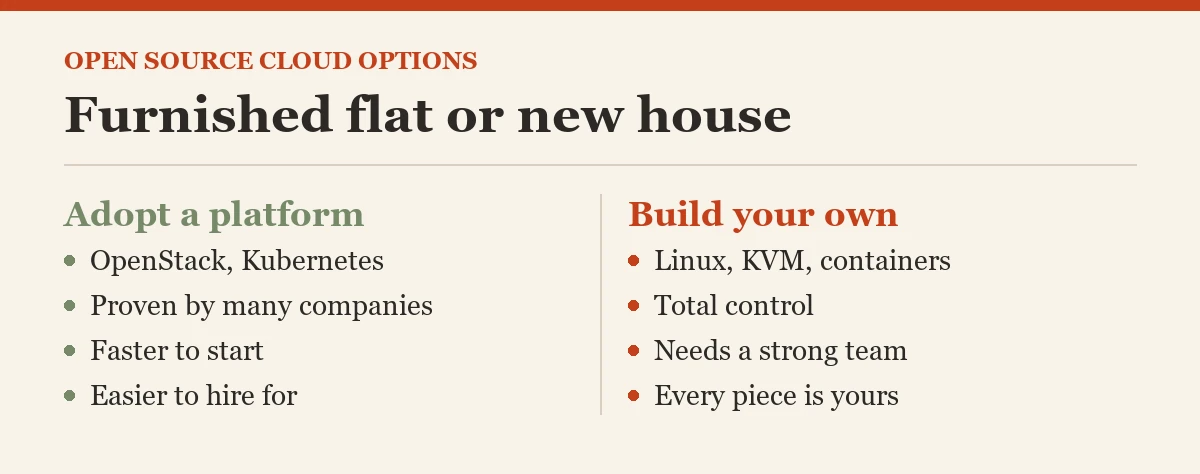
There are two main open source cloud options: adopt a ready-made open source platform, or build your own cloud from open source parts. It is like choosing between a furnished flat and building a house brick by brick.
In one minute
- Option 1: adopt a proven platform such as OpenStack, Kubernetes or Cloud Foundry.
- Option 2: build your own from parts such as Linux, KVM, containers and automation tools.
- Most teams should start with option 1 and only build what the platform does not give them.

From “What” to “How”
After we defined an open source cloud, the COO asked the practical question: “Fine, we like the idea. How do we actually get one?” There are two roads, and they suit very different teams.
Option 1: Adopt a Ready-Made Platform
This is the furnished flat. Someone has already put the pieces together, tested them and built a community around them. You install it, or ask a partner to run it, and start using it.
Why most organizations start here: it is faster, it has been proven by many other companies, and it is much easier to hire people who already know a popular platform.
Some well known choices, each good at a different job:
- OpenStack (IaaS): started in 2010 by Rackspace and NASA. It gives you your own infrastructure cloud: virtual machines, storage and networks, run in your own data center. Many telecom companies and large enterprises use it.
- Kubernetes (container platform): the open source system for running containers, now the most common foundation for modern cloud apps. Every major public provider offers it as a managed service, and it also runs in your own building.
- Cloud Foundry (PaaS): lets developers push their code and have it run without thinking about servers.
- Apache CloudStack (IaaS): another way to build a private infrastructure cloud, known for being simpler to set up.
Option 2: Build Your Own From Open Source Parts
This is building the house brick by brick. You pick each piece yourself: Linux as the operating system, KVM for virtual machines, containers for packaging apps, and automation tools such as Ansible or OpenTofu to set everything up the same way every time.
This path gives you total control and a cloud shaped exactly to your needs. It also needs a strong, experienced team, and every piece becomes your responsibility to update and secure. I only recommend it when a ready platform truly cannot do what you need.
How to Choose Between the Two
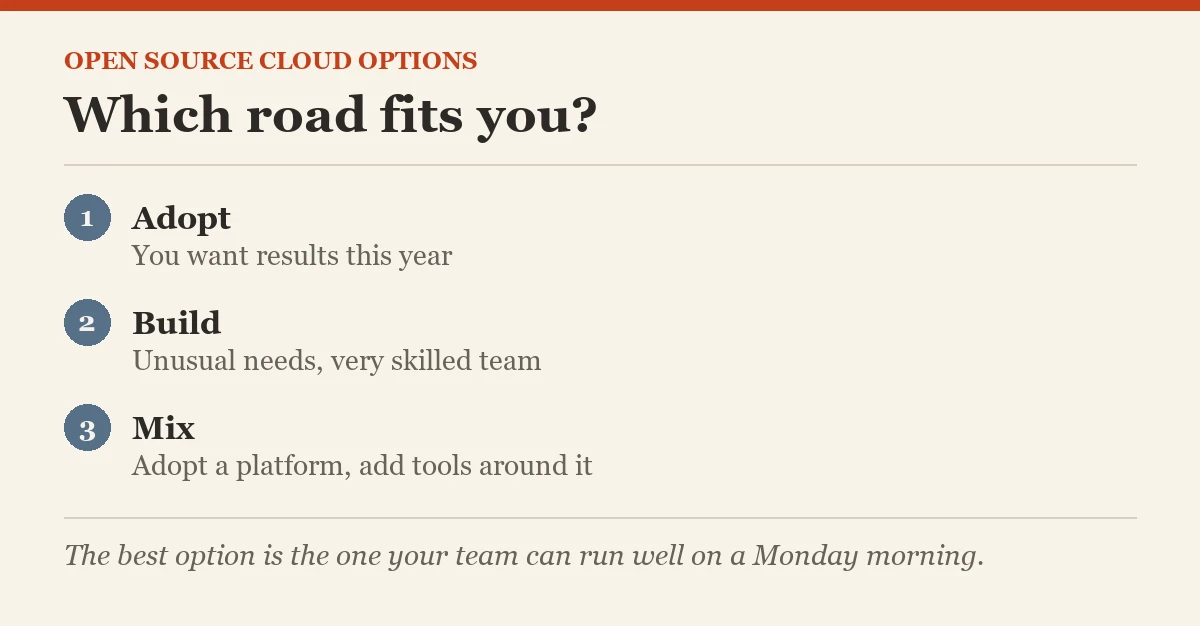
- Pick a ready platform if you want results this year, have a normal size team, or are new to running a cloud.
- Build your own only if you have unusual needs, a very skilled team, and time to keep maintaining it.
- Mix the two, which is what most teams actually do: adopt a platform like Kubernetes, then add a few open source tools around it for monitoring, security and automation.
Words to Know
- Platform: a ready set of tools that work together
- OpenStack: open source software for running your own infrastructure cloud
- Kubernetes: open source software that runs containers
- Automation: tools that set up systems the same way every time
Common Mistakes Beginners Make
- Building everything from scratch to “save money”. The people cost of maintaining it usually wipes out the saving.
- Choosing a platform nobody on the team knows. Popularity matters because it decides who you can hire.
- Skipping automation. Setting up servers by hand leads to small differences that cause big problems later.
What Comes Next
Whichever road you choose, your cloud will have layers, from hardware at the bottom to apps at the top. Next we walk through each layer and the open source tools that fill it.
Open Source Cloud series, part 6 of 10
- What is the Cloud?
- What is Cloud Computing?
- What are the Different Types of Cloud Deployments?
- What is Open Source?
- What is Open Source Cloud?
- Open Source Cloud: Different Options (you are here)
- What are the Different Layers of Open Source Cloud?
- Checklist for the Best Open Source Cloud
- The CXO Role in Implementing Open Source Cloud
- Open Source Cloud: Final Post
Previous: What is Open Source Cloud? | Next: What are the Different Layers of Open Source Cloud?
The best open source cloud option is not the most flexible one, it is the one your team can run well on a Monday morning.
Published by Pinal Dave on SQLAuthority. More of my work at pinaldave.com.
Discover more from SQL Authority with Pinal Dave
Subscribe to get the latest posts sent to your email.