
What is cloud computing? It is the trick that lets one giant pool of machines act like thousands of separate computers, each one yours for as long as you need it. The trick has a name: virtualization.
In one minute
- Virtualization splits one big physical machine into many smaller virtual ones.
- That is why the cloud can give you a server in minutes and take it back later.
- You choose how much you manage yourself: IaaS, PaaS, SaaS or serverless.

Picking Up Where We Left Off
In the first post we learned that the cloud is someone else’s computer that you rent. The CXOs I was working with liked that. Then the technology head asked a very fair question: “How can one company rent the same machines to thousands of customers at once, without everyone getting in each other’s way?” The answer is the heart of cloud computing.
The Big Idea: Virtualization
Imagine a large office building. The owner does not rent the whole building to one company. They divide each floor into separate offices with their own doors and locks. Each tenant feels like they have their own space, even though everyone shares the same building, lifts and electricity.
Virtualization does the same thing with a computer. Special software splits one powerful physical machine into many smaller virtual machines. Each virtual machine has its own operating system, its own memory and its own disk. It behaves exactly like a real computer, and it cannot see its neighbours.
Because the machines are virtual, the provider can create one in minutes, move it to another physical machine, make it bigger, or remove it. That flexibility is what makes the cloud feel instant.
Why Virtualization Makes Scaling Easy
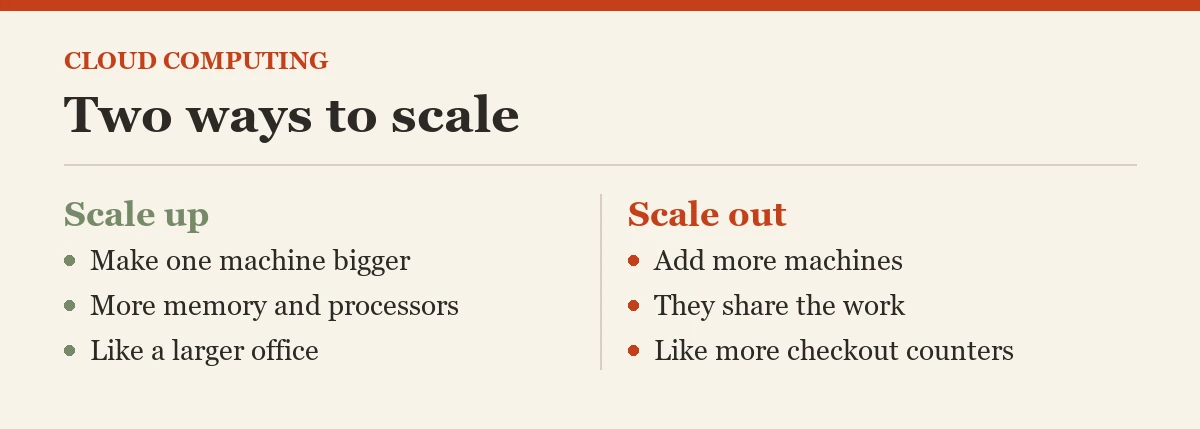
Scaling simply means changing how much computing power you use. There are two ways to do it, and both are easy in the cloud.
- Scale up: make one machine bigger, with more memory or more processors. Like moving your team to a larger office.
- Scale out: add more machines that share the work. Like opening more checkout counters when the supermarket gets busy.
On your own hardware, both take weeks, because someone must order, deliver and install new equipment. In the cloud they take minutes, because the pool of hardware already exists and only needs to be shared out differently.
The Four Service Models, Explained With Pizza
Cloud computing comes in different “levels of help”. The easiest way to remember them is to think about how you can get a pizza for dinner.
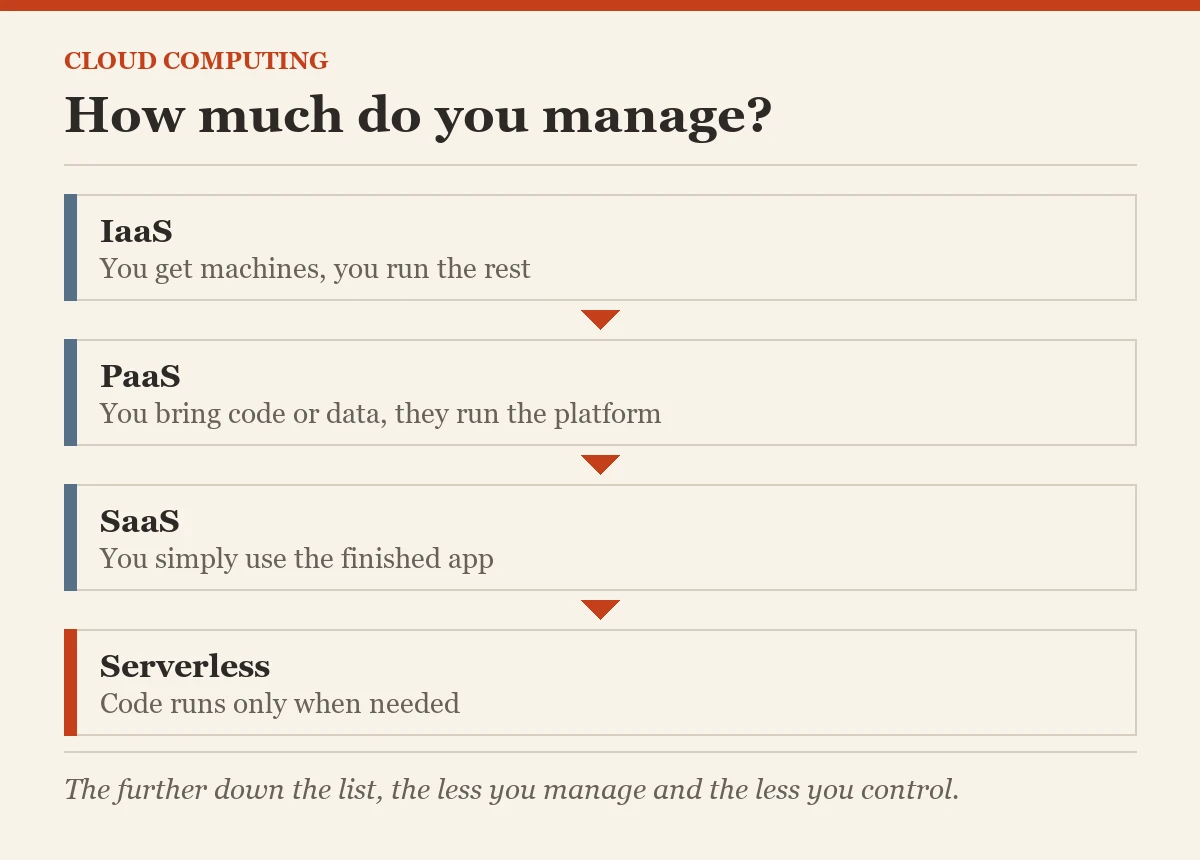
- IaaS, Infrastructure as a Service: you get the kitchen and the oven, and you cook everything yourself. You rent virtual machines, storage and networks, and you manage the operating system, database and apps on top.
- PaaS, Platform as a Service: you get the base and the oven ready, you only add your toppings. You bring your code or your data, and the provider runs the platform, like a managed database or an app hosting service.
- SaaS, Software as a Service: the pizza is delivered, ready to eat. You simply use a finished application through a browser, like email or an office suite.
- Serverless, often called FaaS (Function as a Service): you pay only for the slice you eat, at the moment you eat it. You upload small pieces of code that run only when something happens, and you pay only while they run.
The further you go down this list, the less you manage and the less you control. Neither end is better. The right choice depends on how much control your team needs and how much work it wants to hand over.
Words to Know
- Virtual machine: a computer made of software, running inside a real one
- Virtualization: the software that splits one machine into many
- Scale up: make one machine bigger
- Scale out: add more machines
- IaaS, PaaS, SaaS: how much of the stack the provider runs for you
Common Mistakes Beginners Make
- Buying the biggest machine “just in case”. In the cloud you can grow later in minutes. Start sensible and watch your numbers.
- Forgetting to switch things off. A test server left running all weekend still costs money. Tag every resource with an owner.
- Choosing IaaS for everything. If a managed service does the job, you save your team hours of patching and backups every month.
- Thinking serverless means no servers. The servers are still there. You just never see or manage them.
What Comes Next
Now you know how cloud computing works inside. Next we look at where a cloud can live: in your own building, at a public provider, or a mix of both.
Open Source Cloud series, part 2 of 10
- What is the Cloud?
- What is Cloud Computing? (you are here)
- What are the Different Types of Cloud Deployments?
- What is Open Source?
- What is Open Source Cloud?
- Open Source Cloud: Different Options
- What are the Different Layers of Open Source Cloud?
- Checklist for the Best Open Source Cloud
- The CXO Role in Implementing Open Source Cloud
- Open Source Cloud: Final Post
Previous: What is the Cloud? | Next: What are the Different Types of Cloud Deployments?
Cloud computing is not magic hardware, it is ordinary hardware shared out cleverly.
Published by Pinal Dave on SQLAuthority. More of my work at pinaldave.com.
Discover more from SQL Authority with Pinal Dave
Subscribe to get the latest posts sent to your email.



1 Comment. Leave new
Awesome Pinal. Beautifully explained. Will appreciate more blogs on the topic of cloud computing & Azure SQL.