

My most of the Comprehensive Database Performance Health Check consulting engagement I do are online and I enjoy working on them when I am at home office and I have multiple monitors. However, I often travel to the customer’s location when my client wants me to mix SQL Server Performance Tuning Practical Workshop with Health Check. This is when I doing a presentation on my laptop and I need every single real estate on my small laptop screen. Let see a neat trick, I use to Maximizing Query Execution Plans On Screen.

SQL SERVER – Script to Enable PAGE and ROW Level Compression – Disable Compression
Comprehensive Database Performance Health Check Client sent me an SOS message for help . The entire issue was about Page and Row level compression.
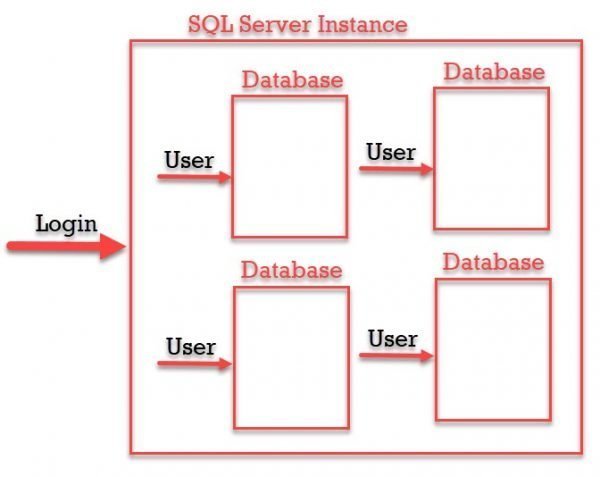
SQL SERVER – Difference Between Login Vs User – Security Concepts
In this blog post, we discuss the difference between Login Vs User – Security Concepts. They look the same but actually, they are totally different.
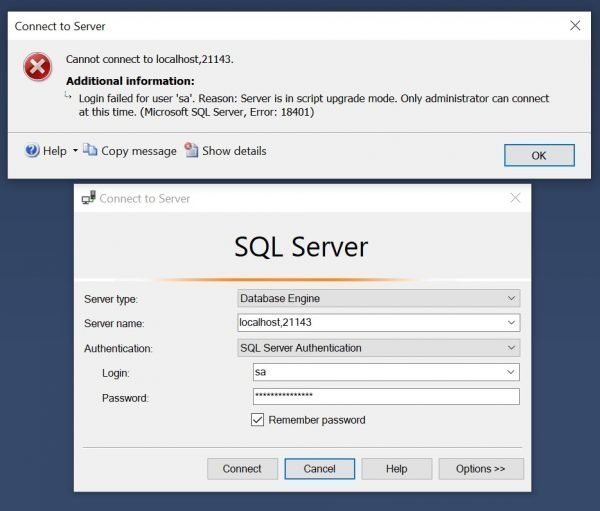

When Was SQL Server Last Restarted? – Interview Question of the Week #225
Question: When Was SQL Server Last Restarted?

Docker – Running SQL Server Image Without Running Pull Command
I have been using Docker for a while to run the latest CTP of SQL Server 2019 and it has been so far amazing ride to use the product. Every time when new CTP is released, I learn something new with Docker. This time I learn that I can just run SQL Server Image without running pull command. Let us discuss it in this blog post.

SQL SERVER – Download and Install SQL Server Sample Databases (Updated Post for 2019)
My primary task is to do consultation for SQL Server Performance Tuning. I always use Microsoft provided sample databases for my demonstrations.

SQL SERVER – Stored Procedure sp_datatype_info to Get Supported Data Types
I get to work with various different versions and environment when I am busy with my clients with Comprehensive Database Performance Health Check. While I work with different customers often I forget what data type is supported by which version of SQL Server. Here is a small quick trick, I use all the time when I need to know what are the different data types supported by the version I am working with.


SQL SERVER – T-SQL Script to List Automatic Seeding of Always On Availability Group
I love blog post which just solves a simple point and immediately gets us the necessary answer. Recently during one of the consulting engagement Comprehensive Database Performance Health Check at one of my customer place we identified a wait statistics which was related to SQL Server Always On Availability Group. The wait statistics issue was VDI_CLIENT_OTHER and the way to solve is blogged here SQL SERVER – Many BACKGROUND Threads with Command VDI_CLIENT_WORKER. We needed to remove automatic seeding to reduce the said wait statistics.