
Object Dependencies in SSMS helps you inspect relationships recorded in SQL Server metadata. Before I change a table, I check what references it. The View Dependencies dialog provides a useful starting point.
Open View Dependencies
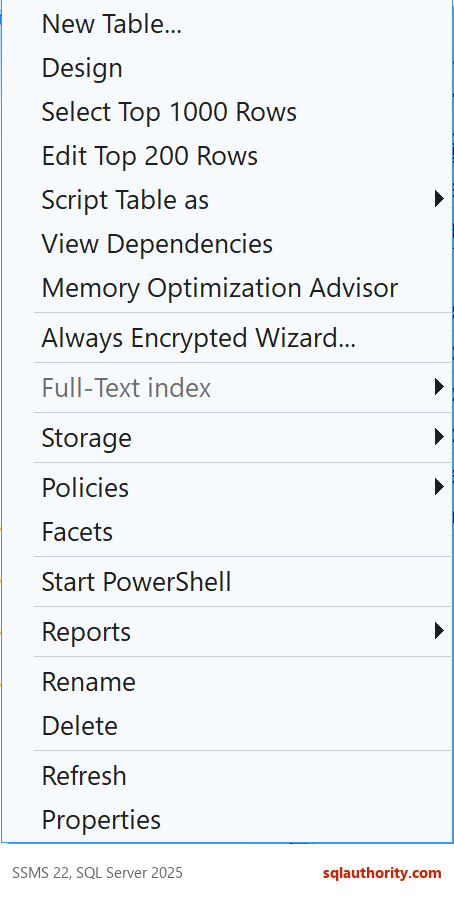
In Object Explorer, expand your database and its Tables folder. Right-click the table you want to inspect. Select View Dependencies from its context menu.
Read Both Directions
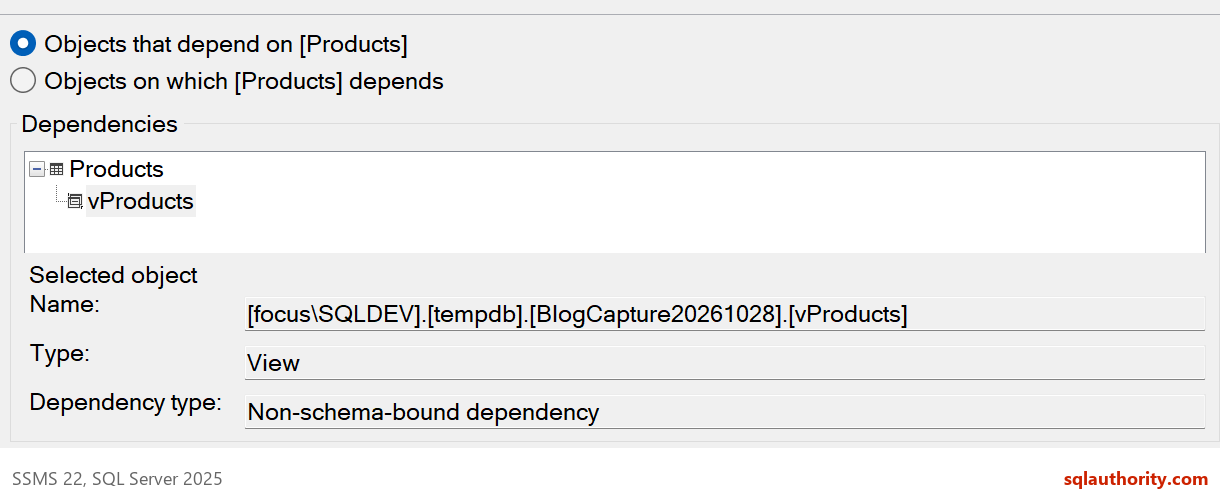
The dialog offers two directions. Objects that depend on the selected object shows objects that reference it. For example, a view that reads a table depends on that table.
Objects on which the selected object depends shows the objects it references. Select a view to investigate the tables it reads. Changing the direction changes the question you ask.
The demonstration uses a Products table and a vProducts view that reads it. Looking from Products shows the dependent view. Looking from vProducts in the opposite direction identifies the referenced table.
Watch the Original Video
The original 2014 SQL in Sixty Seconds #071 video remains below. It demonstrates the same View Dependencies task. The pictures above show the current demonstration separately.
The Same Answer in T-SQL
The dialog reads metadata that you can query yourself. I built the demonstration objects on SQL Server 2025: a Products table, the vProducts view and two procedures. One procedure reads the view. The other reads the table.
CREATE TABLE dbo.Products (ProductId int PRIMARY KEY, ProductName varchar(30) NOT NULL, ListPrice decimal(8,2) NOT NULL);
INSERT dbo.Products VALUES (1, 'Green tea', 4.50), (2, 'Rooibos', 5.25);
GO
CREATE VIEW dbo.vProducts AS SELECT ProductId, ProductName FROM dbo.Products;
GO
CREATE PROCEDURE dbo.GetProductNames AS SELECT ProductName FROM dbo.vProducts ORDER BY ProductName;
GO
CREATE PROCEDURE dbo.GetPrices AS SELECT ProductName, ListPrice FROM dbo.Products;
The first query answers the question Objects that depend on asks. The second answers Objects on which. The third goes down to the columns that the view reads.
SELECT OBJECT_SCHEMA_NAME(d.referencing_id) + N'.' + OBJECT_NAME(d.referencing_id) AS ReferencingObject,
       o.type_desc AS ReferencingType
FROM sys.sql_expression_dependencies AS d
JOIN sys.objects AS o ON o.object_id = d.referencing_id
WHERE d.referenced_id = OBJECT_ID(N'dbo.Products')
ORDER BY ReferencingObject;
SELECT d.referenced_schema_name + N'.' + d.referenced_entity_name AS ReferencedObject, d.is_ambiguous
FROM sys.sql_expression_dependencies AS d
WHERE d.referencing_id = OBJECT_ID(N'dbo.vProducts');
SELECT d.referenced_entity_name AS TableName, d.referenced_minor_name AS ColumnName
FROM sys.dm_sql_referenced_entities(N'dbo.vProducts', N'OBJECT') AS d
WHERE d.referenced_minor_name IS NOT NULL
ORDER BY d.referenced_minor_id;
Products has two dependents, the GetPrices procedure and the vProducts view. The view reads Products and no ambiguous name. At column level it reads ProductId and ProductName, and not ListPrice. The GetProductNames procedure depends on the view. It has no direct row for the table, so follow the chain.
Follow the Chain
The dialog shows one level at a time. A recursive query follows the chain to the end, so you see every object that stands behind the table. The procedure that reads only the view now appears, one level down.
WITH Chain AS
(
    SELECT d.referencing_id, 1 AS Depth
    FROM sys.sql_expression_dependencies AS d
    WHERE d.referenced_id = OBJECT_ID(N'dbo.Products')
    UNION ALL
    SELECT d.referencing_id, c.Depth + 1
    FROM sys.sql_expression_dependencies AS d
    JOIN Chain AS c ON d.referenced_id = c.referencing_id
)
SELECT OBJECT_SCHEMA_NAME(referencing_id) + N'.' + OBJECT_NAME(referencing_id) AS DependentObject, MIN(Depth) AS Depth
FROM Chain
GROUP BY referencing_id
ORDER BY MIN(Depth), DependentObject;
GetPrices and vProducts came back at depth 1. GetProductNames came back at depth 2, through the view. Use the chain before you rename a table, because a change to the view’s inputs reaches the procedure too.
What the Dialog Cannot See
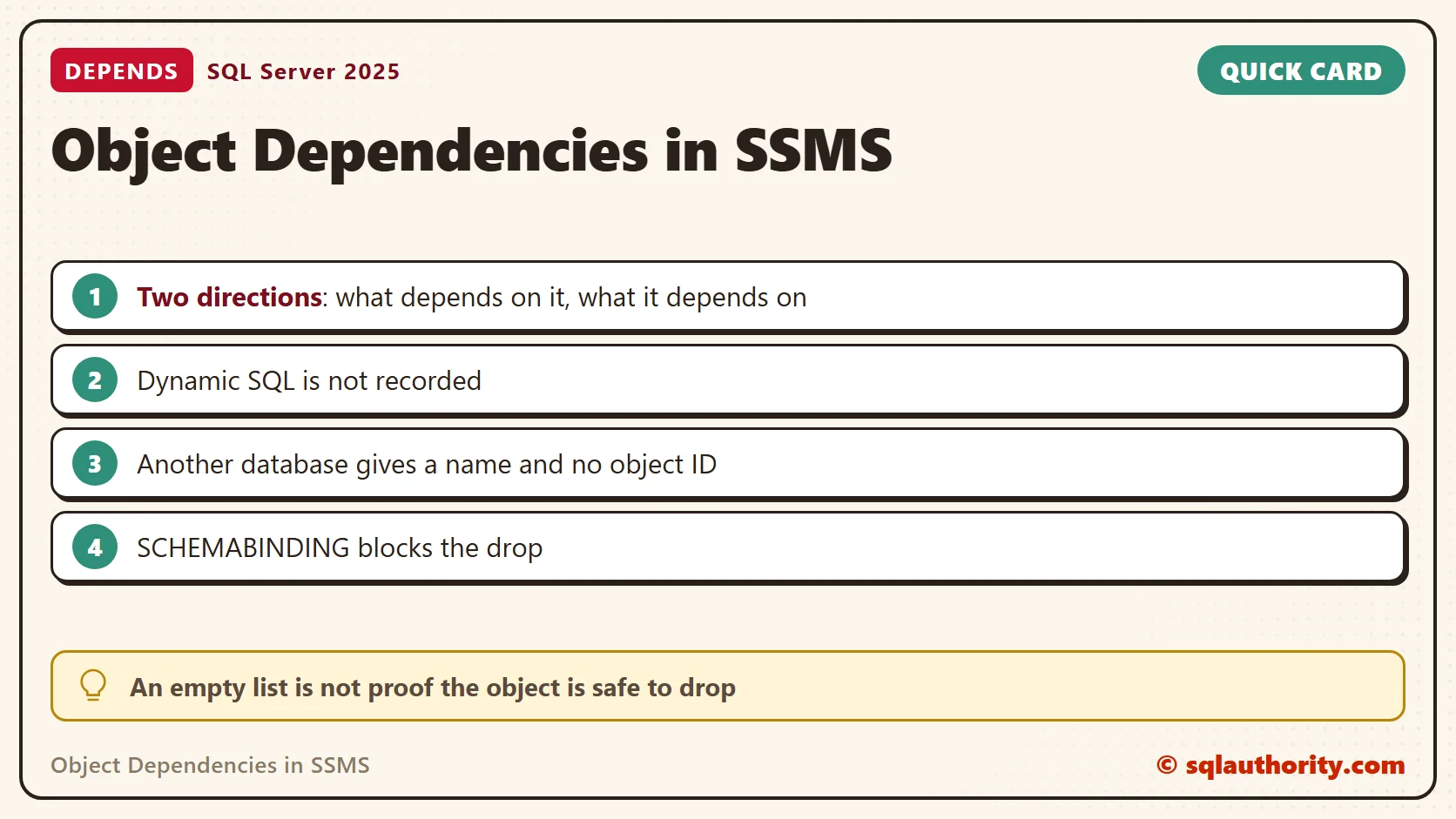
An empty list does not prove that an object is safe to drop. SQL assembled dynamically is not recorded, because SQL Server only sees a string. I added a procedure that runs the same query through EXEC and listed the dependents of Products again. The new procedure did not appear.
CREATE PROCEDURE dbo.GetPricesDynamic AS EXEC (N'SELECT ProductName, ListPrice FROM dbo.Products');
GO
SELECT OBJECT_NAME(referencing_id) AS ReferencingObject
FROM sys.sql_expression_dependencies
WHERE referenced_id = OBJECT_ID(N'dbo.Products')
ORDER BY 1;
References from application code need a separate search, and permissions also affect the metadata you can inspect. Cross-database references need care too. I created a view on a table in msdb. The metadata recorded the database, schema and table name, and the object ID stayed NULL.
CREATE VIEW dbo.vMsdbJobs AS SELECT TOP (1) name FROM msdb.dbo.sysjobs;
GO
SELECT referenced_database_name, referenced_schema_name, referenced_entity_name, referenced_id
FROM sys.sql_expression_dependencies
WHERE referencing_id = OBJECT_ID(N'dbo.vMsdbJobs');
A Table Can Disappear Under a View
The dependency list is a warning, not a lock. SQL Server let me drop a table that a view reads. The view then failed with errors 208 and 4413. Its dependency row kept the name Gone and lost the object ID. WITH SCHEMABINDING turns the warning into a block. The drop failed with error 3729, and dropping a column failed with error 4922.
CREATE TABLE dbo.Gone (Id int);
INSERT dbo.Gone VALUES (1);
GO
CREATE VIEW dbo.vGone AS SELECT Id FROM dbo.Gone;
GO
DROP TABLE dbo.Gone;
GO
SELECT * FROM dbo.vGone;
GO
SELECT referenced_entity_name, referenced_id FROM sys.sql_expression_dependencies WHERE referencing_id = OBJECT_ID(N'dbo.vGone');
GO
CREATE VIEW dbo.vBound WITH SCHEMABINDING AS SELECT ProductId, ProductName FROM dbo.Products;
GO
DROP TABLE dbo.Products;
GO
ALTER TABLE dbo.Products DROP COLUMN ProductName;
Keep the Limits in Mind
Treat this dialog as one source of evidence before you change an object. Search your application code and your scheduled jobs too. Then test the change in a copy of the database.
More SSMS Tips
These related posts cover other SSMS tasks:
- SSMS: Memory Consumption Report
- Enable SQLCMD Mode in SSMS: SQL in Sixty Seconds #048
- Remove a Cached Connection in SSMS: SQL in Sixty Seconds #049
- SSMS: Scheduler Health Report
- AutoRecover Settings in SSMS: Protect Your Unsaved Queries
A dependency list is not a complete change review, it is a useful place to begin.
Published by Pinal Dave on SQLAuthority. More of my work at pinaldave.com.
Discover more from SQL Authority with Pinal Dave
Subscribe to get the latest posts sent to your email.



1 Comment. Leave new
Please remember, that access from dynamic SQL statements in Stored Procedures (using e.g. EXEC or sp_executesql) will NOT show up as a dependency.
For example:
SET @query = ‘SELECT ‘ + @columns + ‘ FROM Customers WHERE City = ‘ + @city
EXEC (@query)
If you look at the dependencies of the table Customers there will be no reference to the above code, as the SQL server cannot predict whatever possible combination will end up in the @query variable.