
Optimized locking wait stats are the new lock waits SQL Server 2025 shows when optimized locking is on. Their names contain XACT, and they mean a task is waiting for another transaction to finish. The feature cuts a lot of lock waiting on busy tables. It doesn’t make a long transaction short.

This post is part of my wait stats series, told as one story at the Clipboard Diner. Every post is listed in the series guide.
Night 24 at the Clipboard Diner
The pie case was full again. After watching Jules cross the street for every slice, Casey had the bakery send whole pies each morning. So Night 24 began quietly, with cherry pie in the case and fresh coffee in the pot.
At 5:30 PM a state inspector left a thin booklet on the counter. It was the new diner code, and it was optional. Under the old code, a party put a Reserved card on every booth it touched. It kept every card until it paid, so one family reunion could hold five booths all evening.
The new code swapped the cards for one paper wristband per party. A booth only carried a small note saying which wristband had used it last. A cook who needed that booth asked one question: has that wristband paid yet? And before asking for a booth, a cook checked the settled seating chart to see if it fit the order.
The fine print asked for two things first. Casey had to post a settled seating chart on the wall and learn a faster way to cancel an order. Casey did both before the dinner rush, then switched to the new code.
By 8 PM the cards were gone, and the booths turned over faster. Then a party in booth 7 ordered a third round of milkshakes and stayed, wristband 41 still on. Jesse’s next ticket needed booth 7, so Jesse stood at the pass and waited for wristband 41 to pay.
Casey watched for a few minutes. The new code had removed a hundred small waits, but it hadn’t moved the party in booth 7. Casey wrote one line: No more cards. Still waiting on wristband 41.
What Optimized Locking Changes
That’s what SQL Server 2025 does when you turn on optimized locking. It has two parts, and the diner’s new code has both of them.
Transaction ID locking (TID locking) is the wristband. Every row a transaction changes carries that transaction’s ID. The transaction holds one lock on its own ID until it commits. Row locks still happen, but each one is released right after the row changes. So a big update no longer holds thousands of row locks to the end. That’s true under the default read committed level. Under REPEATABLE READ or SERIALIZABLE, row and page locks still last until commit.
Lock after qualification (LAQ) is the seating chart. An eligible UPDATE or DELETE first checks each row against its last committed version, without taking locks. Only the rows that match the WHERE clause get locked. LAQ works only under read committed with read committed snapshot isolation (RCSI) on. Locking hints and a few other cases skip it.
Together they bring fewer lock waits, less memory spent on locks, and far less lock escalation. Escalation is when SQL Server trades thousands of row locks for one table lock. With so few locks held, there’s rarely anything to escalate. Locks kept by hints or a stricter isolation level can still escalate.
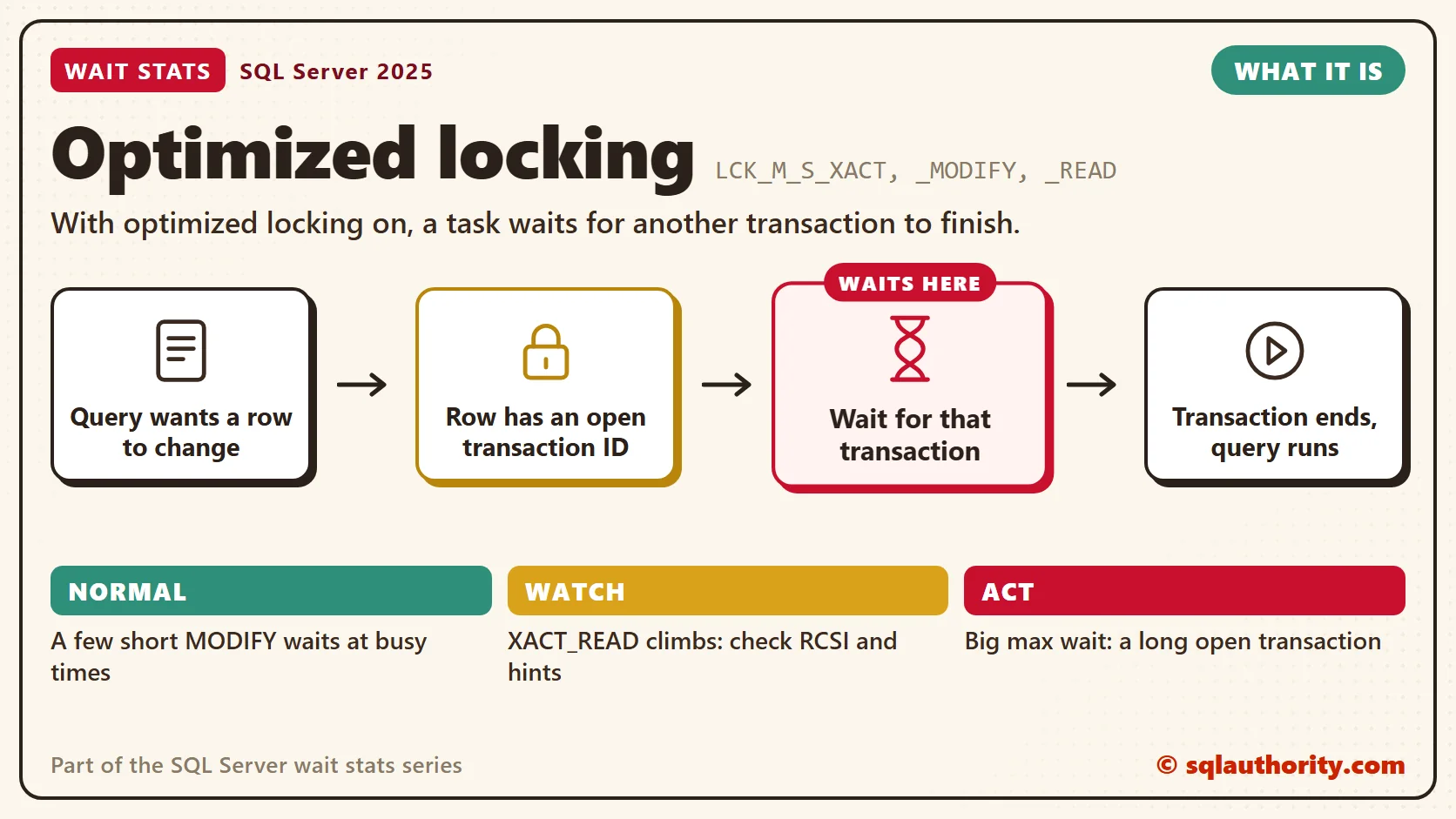
The New Lock Waits
Without optimized locking, a writer that hits a busy row waits with LCK_M_U or LCK_M_X on that row’s key. The LCK_M Wait Stats post covers those. With optimized locking on, the wait moves. The task asks for a shared lock on the other transaction’s ID. It waits until that transaction commits or rolls back.
- LCK_M_S_XACT_MODIFY: waiting on a transaction ID, with the intent to change the row.
- LCK_M_S_XACT_READ: waiting on a transaction ID, with the intent to read the row.
- LCK_M_S_XACT: waiting on a transaction ID when SQL Server can’t tell the intent. This one is rare.
Read all three the same way. Some transaction changed the row I want, and it hasn’t finished. I’m not waiting for the row. I’m waiting for that transaction. That’s Jesse at the pass, watching wristband 41.
Turning It On
Optimized locking is off by default, and it’s set per database. Accelerated database recovery (ADR) must be on first. TID locking works without RCSI, but LAQ needs it, so I turn on both. The feature is in Standard and Enterprise editions, not Express.
Here’s the order on a test database called SalesDemo. Run each change when no other connections are open to that database.
-- Changes database settings: test server first, with no other connections open
ALTER DATABASE SalesDemo SET ACCELERATED_DATABASE_RECOVERY = ON;
ALTER DATABASE SalesDemo SET READ_COMMITTED_SNAPSHOT ON;
ALTER DATABASE SalesDemo SET OPTIMIZED_LOCKING = ON;
Then check it from inside the database. A 1 in the first column means optimized locking is on.
-- Is optimized locking on here, and are both conditions met?
SELECT DATABASEPROPERTYEX(DB_NAME(), 'IsOptimizedLockingOn') AS optimized_locking,
       d.is_accelerated_database_recovery_on AS adr_on,
       d.is_read_committed_snapshot_on AS rcsi_on
FROM sys.databases AS d
WHERE d.database_id = DB_ID();
Three warnings before production. RCSI changes what readers see: they read the last committed version instead of waiting for writers. ADR keeps those row versions inside the user database, so leave room for them.
The first warning is the easy one to miss. A common slip is turning on RCSI and forgetting a month-end report that always waited for the last writer. Now it doesn’t wait, so its totals are right but a few seconds older than the team expects. Test every report before you switch.
The third warning is about writers. LAQ changes how two of them meet. An UPDATE that once waited for another writer can now judge the row by its committed value. It can then skip a row it would have changed before. Code that depends on that order needs testing, and sometimes an UPDLOCK hint or a stricter isolation level.
Normal or a Problem?
| Situation | What it means | What to do |
|---|---|---|
| A few short LCK_M_S_XACT_MODIFY waits at busy times | Two writers wanted the same row. Normal. | Nothing. |
| LCK_M_S_XACT waits with a high max_wait_time_ms | A long open transaction is holding its ID. | Find the head blocker and its open transaction. |
| LCK_M_S_XACT_READ keeps climbing | Readers take locks instead of reading row versions. | Check RCSI, the isolation level and locking hints. |
| LCK_M_U and LCK_M_X still show up | Short row locks still exist. LAQ needs RCSI, and REPEATABLE READ or SERIALIZABLE keep row locks to the end. | Run the check query above. |
| No XACT waits at all | The feature is off, or nobody collides. | Run the check query, then relax. |
See It on Your Server
This first query shows the whole lock family from the clipboard, old waits and new. After you turn on optimized locking, compare it with a reading from before.
-- Lock waits since the last restart, old and new
SELECT wait_type,
       waiting_tasks_count,
       wait_time_ms,
       max_wait_time_ms,
       CAST(1.0 * wait_time_ms / NULLIF(waiting_tasks_count, 0) AS decimal(18,2)) AS avg_wait_ms
FROM sys.dm_os_wait_stats
WHERE wait_type LIKE N'LCK[_]M[_]%'
  AND waiting_tasks_count > 0
ORDER BY wait_time_ms DESC;
Look at the XACT rows first. A low average with a few huge max values points at one long transaction, not at the feature. The square brackets keep the underscores literal in LIKE.
The second query catches the waiting in the act. It lists every request stuck on a lock right now, with the session that blocks it.
-- Who waits on a lock right now, and is the blocker idle?
SELECT r.session_id,
       r.wait_type,
       r.wait_time AS wait_ms,
       r.wait_resource,
       r.blocking_session_id,
       b.status AS blocker_status,
       b.open_transaction_count AS blocker_open_tran,
       b.last_request_end_time AS blocker_last_request_end
FROM sys.dm_exec_requests AS r
LEFT JOIN sys.dm_exec_sessions AS b
    ON b.session_id = r.blocking_session_id
WHERE r.wait_type LIKE N'LCK[_]M[_]%'
ORDER BY r.wait_time DESC;
A blocker that’s sleeping with an open transaction is the party in booth 7. It finished its last request a while ago and never committed. The last_request_end_time column tells you how long it’s been sitting there.
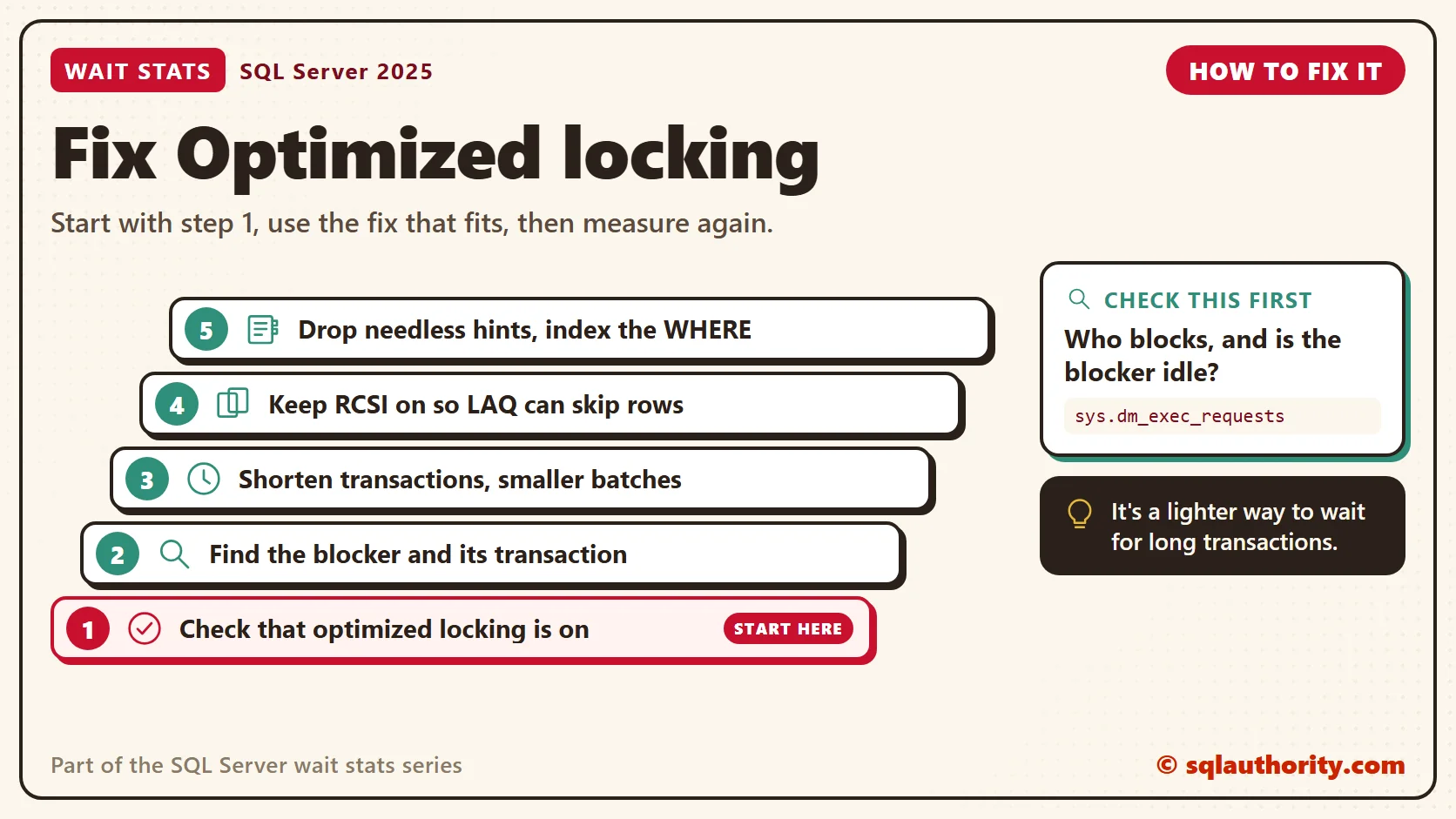
Fix It
You could say optimized locking should end blocking for good. Fair point, it removes a lot of it. But two writers still can’t change the same row at the same time. When a transaction stays open for ten minutes, anyone who needs its rows waits ten minutes. So the fixes look a lot like the ones for classic blocking.
- Run the check query, so you know which waits you’re reading.
- Find the head blocker with blocking_session_id. The Live Wait Stats post shows how to follow the chain.
- Look at the blocker’s open transaction. A sleeping session with an open transaction usually means the application forgot to commit.
- Shorten the transaction: commit sooner, never wait for user input inside one, and change rows in smaller batches.
- Keep RCSI on, so LAQ can skip rows that don’t match.
- Remove locking hints and higher isolation levels that the code doesn’t need.
- Index the WHERE clause, so writers touch fewer rows.
New in SQL Server 2022 and 2025
Everything on this page is new in SQL Server 2025. On older versions, lock waits look the way the LCK_M Wait Stats post describes. I go deeper into the blocking behavior in my post on optimized locking in SQL Server 2025.
Related Reading
- Optimized Locking in SQL Server 2025: What Changes for Blocking
- Simple Example of Snapshot Isolation to Reduce Blocking
The Clipboard Diner, a wait stats series. Previous: OLEDB Wait Stats: Linked Servers and Remote Calls. Next: RESOURCE_SEMAPHORE Wait Stats: Memory Grant Waits. Every post is listed in the series guide.
Tomorrow night, a wedding party claims the whole counter before the first plate is made.
Optimized locking is not a cure for long transactions, it is a lighter way to wait for them.
Published by Pinal Dave on SQLAuthority. More of my work at pinaldave.com.
Discover more from SQL Authority with Pinal Dave
Subscribe to get the latest posts sent to your email.




3 Comments. Leave new
T-sql command should be given here??
we ‘re missing the command, gain the knowledge only ,so how to perform