
OLEDB wait stats measure the time SQL Server spends in calls to an OLE DB provider. Most of the time, that provider serves a linked server. A query asked another server for data and waited for the answer. The fix starts with asking for less, less often.

This post is part of my wait stats series, told as one story at the Clipboard Diner. Every post is listed in the series guide.
Night 23 at the Clipboard Diner
The phone line to Elm Street was clear tonight, and every “Got it” came back in a second. Then the pie ran out. Nobody had placed the morning pie order, and by 7 PM the case held crumbs. Jules taped a card to the glass, Back with pie, and crossed the highway to the bakery.
The first trip went badly. Jules asked for “the pies” and came back with all twelve, stacked to the chin. The plan was to pick the cherry one at the diner counter. Eleven pies went back across the road.
After that Jules went one slice at a time. Apple for booth 2. Cherry for the trucker at the counter. Pecan for table 9. Each trip took four minutes: the crosswalk light, the bakery bell, the line at their register, the walk back. Tickets with pie on them sat on the spike until Jules came through the door with cold ears.
By 10 PM Jules had crossed the road nine times. Casey counted the trips and wrote: Nine slices, nine walks. Buy pies at dawn.
What OLEDB Means
That’s what SQL Server does when a query reads data through a linked server. A linked server lets one SQL Server query another data source through a driver called an OLE DB provider. Every call into that provider is timed as OLEDB.
OLEDB isn’t a wait for a lock or a page. It’s the length of each call to the provider. That time includes the network trip and the work the remote server does. A slow remote query, a slow link and a chatty fetch pattern all add to it.
OLEDB also shows up without any linked server. SQL Server uses the same plumbing for some internal work, such as DBCC CHECKDB and certain DMVs. A monitoring tool that polls DMVs all day can keep a little OLEDB going. That happens even with no linked servers at all. You’ll sometimes see PREEMPTIVE_OLEDBOPS next to it too. That’s the same kind of call seen from the PREEMPTIVE Wait Stats side.
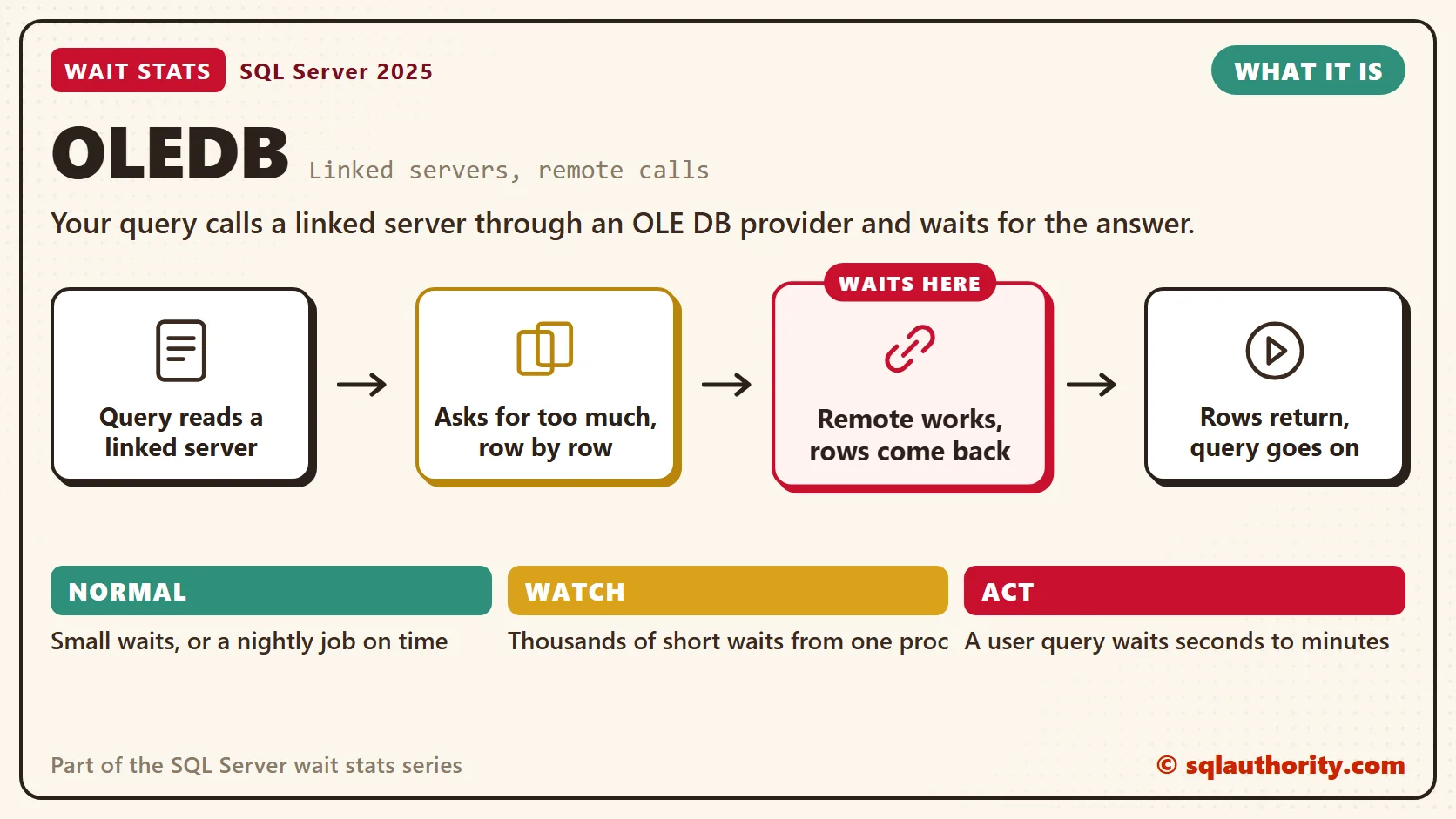
Two patterns cause most of the pain. The first is the twelve pies. With a four-part name such as RemoteSrv.SalesDB.dbo.Orders, the local server decides how much work to send across. A join to a local table can pull the whole remote table back first.
The second is one slice per walk. A cursor, a loop or a scalar function can query the linked server once per row. That’s one trip per row. Each trip is short, but there are thousands of them.
Normal or a Problem?
| Situation | What it means | What to do |
|---|---|---|
| Small OLEDB waits on a server with no linked servers | Internal use by DBCC checks or monitoring DMVs. | Normal. Leave it alone. |
| OLEDB grows while a nightly job pulls data over a linked server | The job’s own run time. | Fine if it ends in its window. |
| A user query waits on OLEDB for seconds or minutes | The remote query is slow, or too much data crosses. | Find the statement and look at the remote side. |
| Thousands of short OLEDB waits from one procedure | Row-by-row remote calls. | Rewrite as one set-based remote query. |
See It on Your Server
The first query shows sessions waiting on a provider call right now, with the exact statement that’s running.
-- Sessions waiting on an OLE DB call right now
SELECT r.session_id,
       r.wait_time AS wait_ms,
       r.total_elapsed_time AS elapsed_ms,
       s.program_name,
       s.login_name,
       SUBSTRING(t.text, r.statement_start_offset / 2 + 1,
           (CASE WHEN r.statement_end_offset = -1
                 THEN DATALENGTH(t.text)
                 ELSE r.statement_end_offset END
            - r.statement_start_offset) / 2 + 1) AS running_statement
FROM sys.dm_exec_requests AS r
JOIN sys.dm_exec_sessions AS s
    ON s.session_id = r.session_id
CROSS APPLY sys.dm_exec_sql_text(r.sql_handle) AS t
WHERE r.wait_type = N'OLEDB';
Look for four-part names and OPENQUERY in running_statement. The wait_ms column is the current call, and elapsed_ms is the whole request. A long request that shows a short OLEDB wait every time you look points at many small trips. Confirm it in the plan and on the remote server.
The second query gives the shape of OLEDB since the last restart.
-- OLEDB totals since the last restart
SELECT wait_type,
       waiting_tasks_count,
       wait_time_ms,
       max_wait_time_ms,
       CAST(1.0 * wait_time_ms / NULLIF(waiting_tasks_count, 0) AS decimal(18, 2)) AS avg_wait_ms
FROM sys.dm_os_wait_stats
WHERE wait_type = N'OLEDB';
A huge count with a tiny average points at row-by-row calls or a polling tool. A small count with a long average points at big remote queries.
Ask the Bakery to Filter
OPENQUERY sends your query text to the remote server and runs it there. The remote server filters, and only the rows you asked for cross the road. Here’s the same request written both ways.
-- Four-part name: the local server decides what crosses the network
SELECT o.OrderID, o.Total
FROM RemoteSrv.SalesDB.dbo.Orders AS o
JOIN dbo.Customers AS c
    ON c.CustomerID = o.CustomerID
WHERE o.OrderDate >= '20261001';

-- OPENQUERY: the remote server filters, only matching rows come back
SELECT o.OrderID, o.Total
FROM OPENQUERY(RemoteSrv,
    'SELECT OrderID, CustomerID, Total
     FROM SalesDB.dbo.Orders
     WHERE OrderDate >= ''20261001''') AS o
JOIN dbo.Customers AS c
    ON c.CustomerID = o.CustomerID;
Compare the two actual execution plans before you choose. The query text inside OPENQUERY must be a fixed string, so it can’t take a variable directly.
You could say linked servers are trouble and should be banned. I don’t go that far. A linked server is fine for a small, filtered read now and then. The trouble starts when it becomes the main road for a busy app.
The slow version is easy to write by accident. Picture a local table joined to a remote one with a four-part name. A ten-row result can take a minute. The plan shows every remote row crossing the network before the join.
Fix It
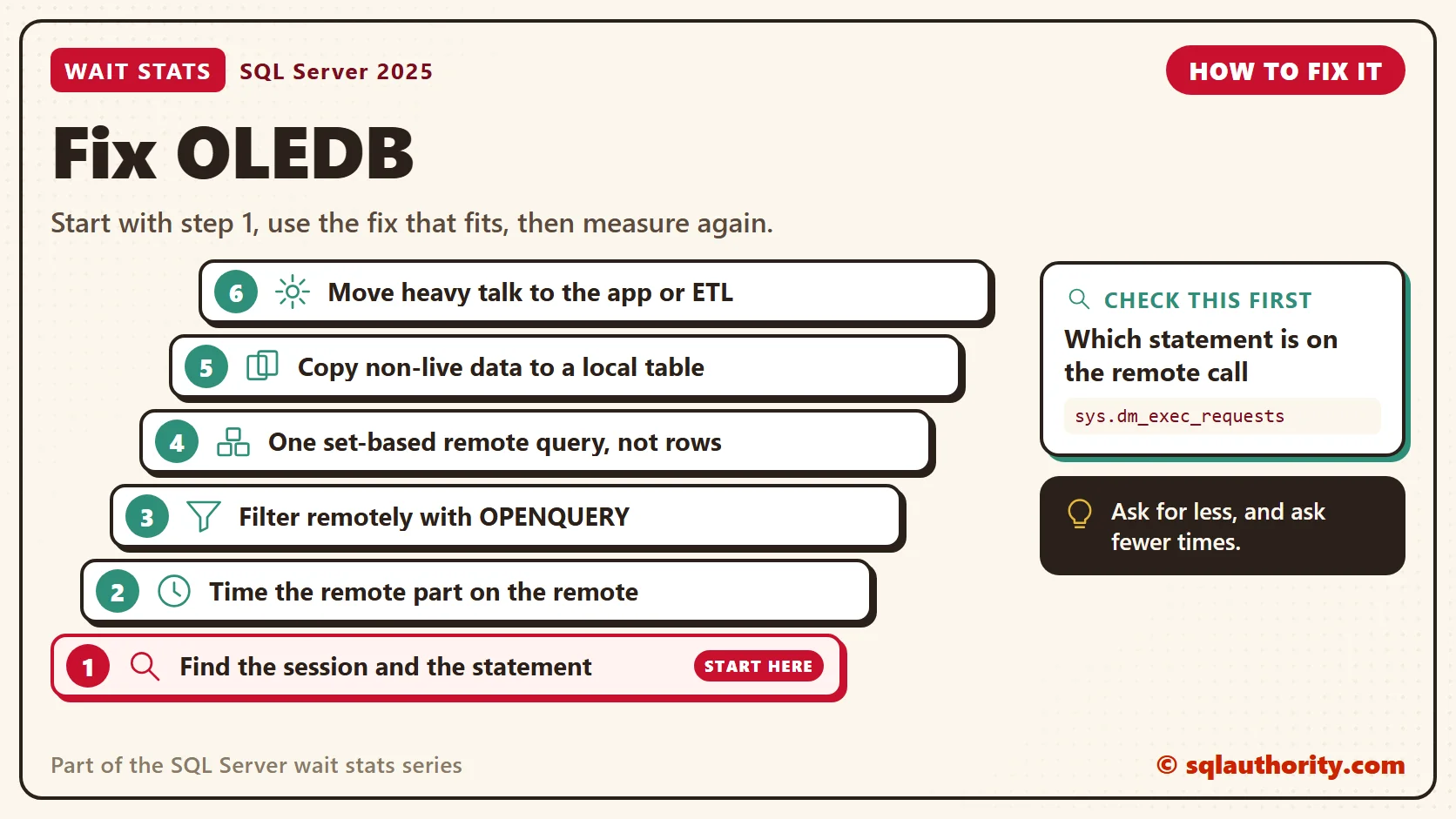
- Find the session and the statement with the first query.
- Run the remote part on the remote server and time it there. If it’s slow there, tune it there.
- Send the filter to the remote side with OPENQUERY, and ask only for the columns you need.
- Replace row-by-row remote calls with one set-based remote query. Load the rows into a local temp table, then work locally.
- Copy data that doesn’t need to be live into a local table on a schedule, with a SQL Server Agent job. Then queries never cross the road.
- When two systems talk all day, move the integration into the application or an ETL tool.
New in SQL Server 2022 and 2025
Nothing in SQL Server 2022 or 2025 changes what OLEDB means. It still times calls to the provider. Linked server speed still depends on how much data you ask for and how often you ask.
One 2025 change can close the road to the bakery. In SQL Server 2025, linked servers on the MSOLEDBSQL provider use version 19 of the Microsoft OLE DB driver. That version makes encryption mandatory by default, so the remote server needs a valid certificate.
After an upgrade, an old linked server can fail to connect at all. That shows up as an error, not as a wait. The fix is a trusted certificate on the remote server. Encrypt=Optional in the linked server’s provider string gets old connections working again. If you can’t change the linked server, trace flag 17600 keeps the version 18 defaults. Both give up the new encryption default, so use them for a short time, with your security team’s OK.
Related Reading
The Clipboard Diner, a wait stats series. Previous: HADR_SYNC_COMMIT Wait Stats: Availability Group Commits. Next: Optimized Locking Wait Stats: New Lock Waits in SQL Server 2025. Every post is listed in the series guide.
A state inspector drops by next with a new rule for every booth in the diner.
A linked server is not a local table, it is a walk across the street every time you ask.
Published by Pinal Dave on SQLAuthority. More of my work at pinaldave.com.
Discover more from SQL Authority with Pinal Dave
Subscribe to get the latest posts sent to your email.




8 Comments. Leave new
possibly its REMOTE QUERY…(Remove Query P2, L1)
I see it on one of our servers which was rebooted 3 days ago, with a wait time of 20530 seconds, which is quite a lot.
This is a SQL server in which big financial transactions are loaded every day to scan them for fraud. It seems indeed to go together with Buffer IO high wait types, which account for 17% of total system waits compared to the OLEDB wait (5,05%).
I see this waittype a lot, if I run SQL Traces (SQL Server 2008).
I’m not able to find any informations about wich spid is involved in an OLEDB wait (i.e. in sys.dm_os_waiting_tasks).
The only way is to quit the SQL Traces and check the wait_stats again.
Do you now how to find the spids involved in OLEDB wait?
You can use the next query:
SELECT p.SPID, Blocked_By = p.Blocked, p.Status, p.LogiName, p.HostName,
Program = coalesce(‘Job: ‘ + j.name, p.program_name), DBName = db_name(p.dbid),
Command = p.cmd, CPUTime = p.cpu, DiskIO = p.physical_io, LastBatch = p.Last_Batch,
LastQuery = coalesce((select [text]
from sys.dm_exec_sql_text(p.sql_handle)),”), p.WaitTime, p.LastWaitType, LoginTime = p.Login_Time, RunDate = GetDate(),
[Server] = serverproperty(‘machinename’), [Duration(s)] = datediff(second, p.last_batch, getdate())
FROM master..sysprocesses p
left outer join msdb.dbo.sysjobs j on substring(p.program_name,32,32) = substring(sys.fn_varbintohexstr(j.job_id),3,100)
where p.spid > 50 and p.status ‘sleeping’ and p.spid @@spid order by p.spid
Hi, i have question. Why if i run “select * from linked_server.master.dbo.syslogins”
i get ROLLBACK TRANSACTION in Profiler?
I mention that i don’t have any logon trigger’s on server and i get the result of the select.
I believe my high OLEDB wait time is due to OpenXML calls, which show up in the execution plan as remote scans, and they are very slow.
Hi pinal, This may be due to the more use of DMVs, because DMVs also use OLEDB for internal use.