

One of the most popular question on this blog is about how to shrink the log file. I have previously written about that subject on the following blogs. However, today we are not going to talk about Shrinking the log file but rather going to talk about how to monitor free log space in SQL Server.


SQL SERVER – Split Comma Separated Value String in a Column Using STRING_SPLIT
In this blog post, we will learn about STRING_SPLIT function which was earlier introduced in SQL Server 2016 but still not widely adopted in the industry. We will learn today how to Split Comma Separated Value String in a Column Using STRING_SPLIT.
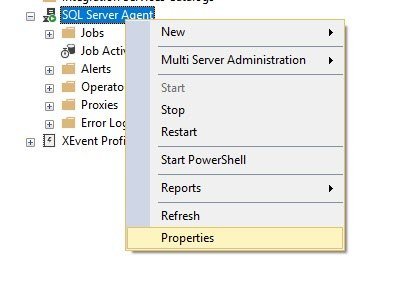
SQL SERVER – How to Get SQL Server Agent Properties?
During Comprehensive Database Performance Health Check we always go over various SQL Server properties. Lots of people do not know that there are quite a few SQL Server settings which can help us improve our SQL Server performance many folds. While I was discussing SQL Server properties, someone asked me if there are similar settings for SQL Server Agent available which users can tune.

PowerShell – Get Maximum Memory of Server with dbatools
Yesterday I blogged about the very famous Powershell free community tool dbatools. After writing this blog post, I received some interesting emails. I think lots of people confused this with native PowerShell. Well, actually dbatools is build using PowerShell scripts and runs under the hood script of PowerShell. The biggest advantage of the PowerShell is that it helps us to do multiple operations like finding the maximum memory of the server.

PowerShell – How to Install dbatools?
One of the most popular questions any PowerShell expert would receive is how to install the most popular dbatools based on Powershell scripts?

SQL SERVER – Script – Transaction Log Backups Based on Growth / Size
While doing a comprehensive health check of the SQL Server, one of the things I check is the backup plan for the production databases. Many times, I have run into a situation where a customer says ” Transaction log file of the database has grown more than expected. I want to know the reason why and how to reclaim space and how to avoid such situations”. Let’s break it down into two parts and then