SQLAuthority News – SQL Server 2012 Service Pack 2 is Available
SQL SERVER – How to Get SQL Server Restart Notification?
SQL SERVER – SQL Server High Availability Options – Notes from the Field #032
SQL SERVER – Attach or Detach Database – SQL in Sixty Seconds #068
When we have to move a database from one server to another server or when we have to move a database from one file to another file, we commonly use Database Attach or Detach process. I have been doing this for quite a while as well. Recently, when I was visiting an organization I found that in this organization lots of developers are still using an older version of the code to attach the database. I quickly pointed that out to them the new method to attach the database, however it was really interesting to find out that they really did not know that sp_attach_db is now a deprecated method to attach the database. This really made me to do today’s SQL in Sixty Seconds. I demonstrate in this SQL in Sixty Seconds how to attach or detach the database using a new method of attaching database. Let us learn about Attach or Detach Database.
MySQL – Video Course – MySQL Backup and Recovery Fundamentals
SQL SERVER – How to Recover SQL Database Data Deleted by Accident
In Repair a SQL Server database using a transaction log explorer, I showed how to use ApexSQL Log, a SQL Server transaction log viewer, to recover a SQL Server database after a disaster. In this blog, I’ll show you how to use another SQL Server disaster recovery tool from ApexSQL in a situation when data is accidentally deleted. You can download ApexSQL Recover here, install, and play along. Let us learn about How to Recover SQL Database Data Deleted by Accident.
Developer’s Life – Every Developer is a Batman
MySQL – Introduction to CONCAT and CONCAT_WS functions
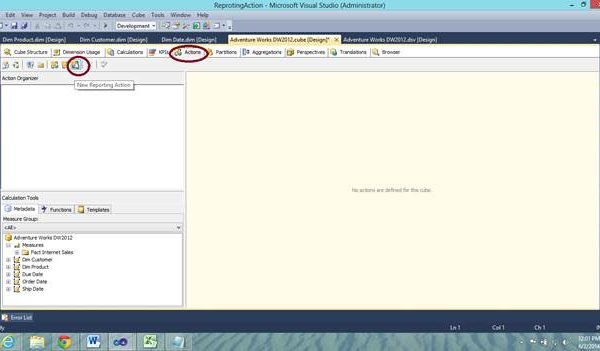
SQL SERVER – What are Actions in SSAS and How to Make a Reporting Action
Actions are used for customized browsing and drilling of data for the end-user. It’s an event that a user can raise while accessing the cube data. They are used in cube browsers like excel and are triggered when a user with a client tool clicks on a particular member, level, dimension, cells or may be the cube itself. For example a user might be able to see a reporting services report, open a web page or drill through to detailed information related to the cube data. Let us learn about how make a reporting action.