

Want to catch errors while inserting values into a table? Use TRY…CATCH. This simple example captures the error number and message.

SQL SERVER – How to Find Running Total in SQL Server
There are two ways to find a running total in SQL Server: the costly one for 2008 R2 and earlier, and the cleaner OVER ORDER BY ROWS method in SQL Server 2012.

SQL SERVER – GROUP BY Columns with XMLPATH – Comma Delimit Multiple Rows
How do you group by a column and comma delimit multiple rows of names into one value? It is a popular question, and I answer it with FOR XML PATH.
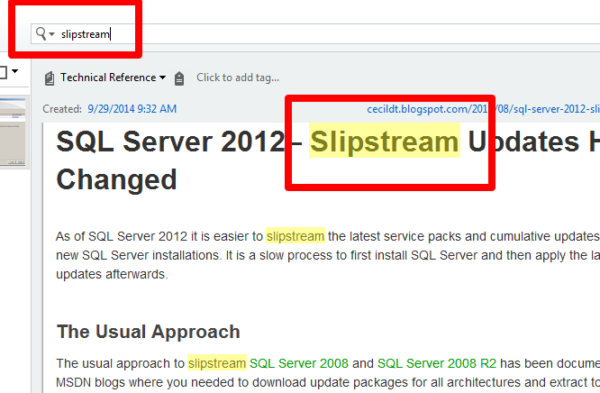
SQL SERVER – Building Technical Reference Library – Notes from the Field #048
Brian Kelley explains how to build a technical reference library: your own notes, code, settings and bugs you have hit, so help is always close at hand.

SQL SERVER – A Practical Use of Backup Encryption
A backup in the wrong hands is a data leak waiting to happen. Here is a practical example of Backup Encryption in SQL Server 2014 to keep your backups safe.

SQL SERVER – UPDATE FROM SELECT Statement with Condition
An old college friend asked how to UPDATE one table from another with a condition. Here is his sample and the UPDATE FROM SELECT statement that solves it.
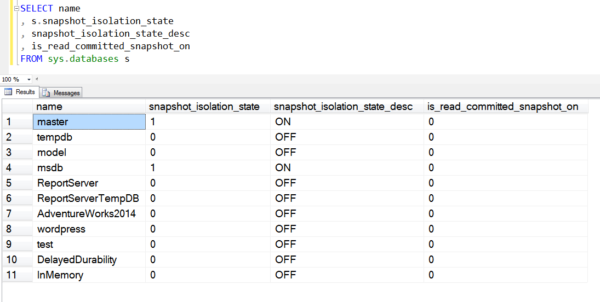
SQL SERVER – How to Check Snapshot Isolation State of Database
A quick script to check the snapshot isolation state of every database, plus a note on when to pick READ COMMITTED SNAPSHOT over SNAPSHOT.

What Is a Data Type, and Why the Wrong One Costs You
A data type decides what a column holds, what it costs in bytes, and how SQL Server compares it. Why NVARCHAR doubles your storage, why float will not compare cleanly, and the conversion that quietly kills an index.

SQL SERVER – Extension of the SQL Server Natively Compiled Stored Procedures
What are the .c, .dll, .obj and .pdb files created for Natively Compiled Stored Procedures in SQL Server 2014? A quick list of each extension and what it does.
SQL SERVER – Performance Dashboard – Historic Information
Travels with my daughter taught me the value of history. The Historic Information section of Performance Dashboard does the same for your SQL Server.