
LOGBUFFER wait stats mean a task is waiting for free space in the log buffer to write a log record. The buffer sits in memory, but the problem almost never does. A full buffer means the log file on disk can’t keep up with the log your workload produces.

This post is part of my wait stats series, told as one story at the Clipboard Diner. Every post is listed in the series guide.
Night 18 at the Clipboard Diner
Pat kept the ballpoint from last night, and the truckers shared one ticket without being asked. Pat also had a system. Each sale goes on a small spiral notepad first, quick and messy. When a page fills, Pat copies the whole page into the order book in one go. One trip to the book for many sales is much faster than one trip per sale.
At nine the volunteer fire department finished its car wash fundraiser down the road. Forty people came in at once, hungry and generous. Every sale was a big one: two dinners, three slices, a whole pie to go. The notepad filled a page a minute. Pat copied as fast as the book allowed, and it wasn’t fast enough.
At 9:12 every page of the notepad was full and waiting to be copied. Quinn stood at the register with a new sale and nowhere to write it. So did the next person, and the next. Nothing could be sold until Pat finished copying a page and tore it off.
Kit leaned out of the kitchen. “Buy Pat a bigger notepad.” Casey thought about it and said no. A bigger pad would fill too, five minutes later, because the book was the slow part. Casey wrote: Notepad full at 9:12. The book is the bottleneck, not the pad.
What LOGBUFFER Means
That’s what SQL Server does when log records arrive faster than the log file can absorb them. A change has a log record to write, and there’s no room in the buffer to put it.
Every change in SQL Server creates log records. They go into the log buffer in memory first, which is Pat’s notepad. SQL Server then writes the buffer to the log file in log blocks. A log block is at most 60 KB. That write is a log flush, the same flush from the WRITELOG Wait Stats post.
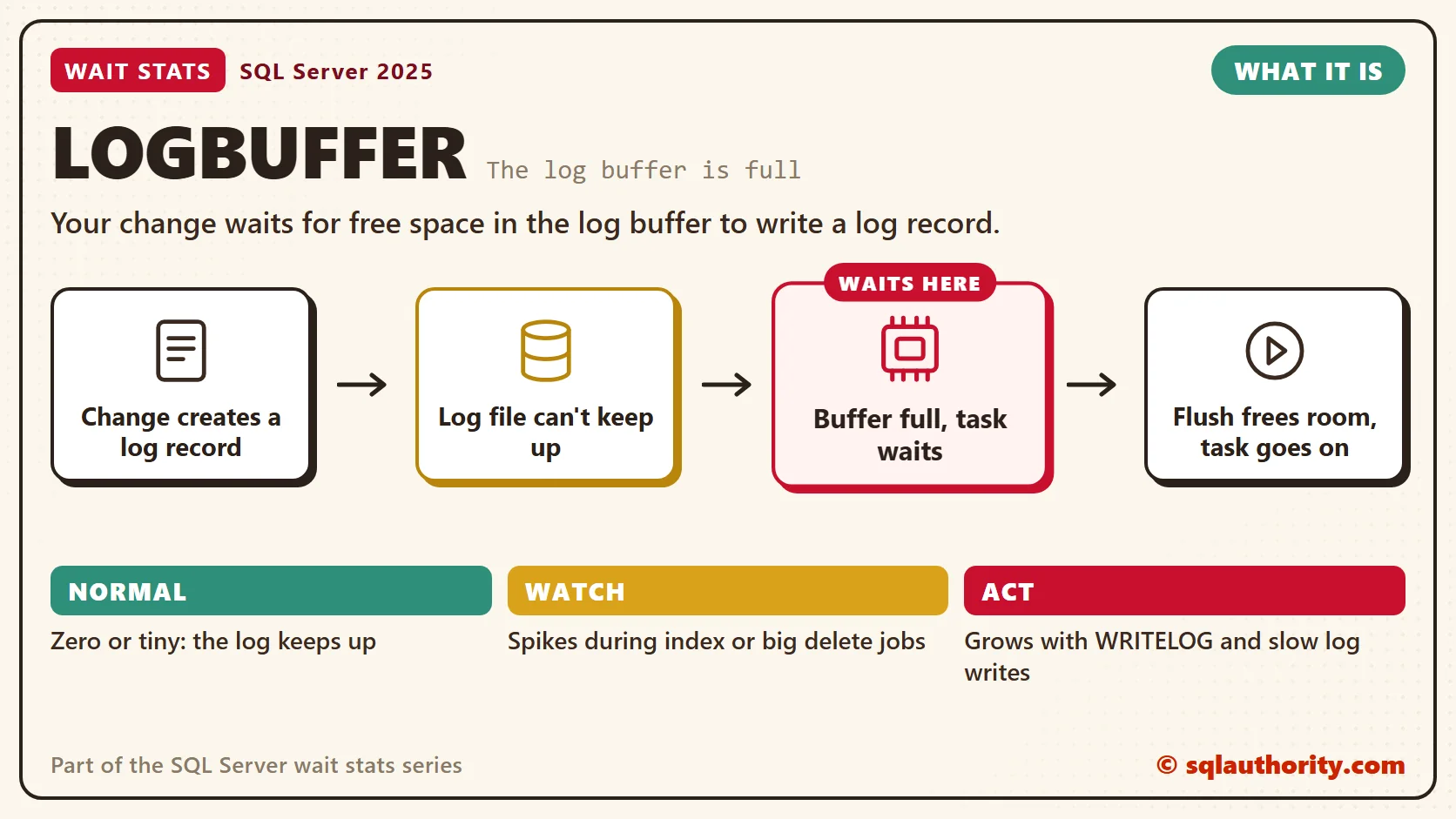
Space in the buffer frees up only when a flush finishes. Sometimes flushes are slow, or a burst of changes produces a flood of log. Then every slot fills with blocks waiting to be written. The next log record has nowhere to go, and its task waits with LOGBUFFER.
Notice the difference from WRITELOG. WRITELOG waits for a log flush to finish, and most flushes come from commits. LOGBUFFER waits for room to store a log record, so it can hit any change. An INSERT, an UPDATE or an index rebuild can stall halfway through a statement. That’s why LOGBUFFER rarely shows up alone. When I see it, WRITELOG is almost always somewhere near it on the list.
Normal or a Problem?
| Situation | What it means | What to do |
|---|---|---|
| LOGBUFFER is zero or tiny | Normal. The log keeps up. | Nothing. |
| LOGBUFFER grows with WRITELOG and slow log writes | The log storage can’t keep up. | Fix log storage, as in the WRITELOG post. |
| LOGBUFFER spikes during index maintenance or big deletes | A burst of log from one job. | Batch the work and spread the jobs out. |
| LOGBUFFER during large data loads | Fully logged loads flood the log. | Use minimal logging where your restore plan allows it. |
| Several busy databases keep their logs on one volume | Their flushes compete for the same disk. | Give the busiest logs their own storage. |
See It on Your Server
Start by putting the two log waits side by side. Each average is per recorded wait. One shows the wait for room, the other the wait for a flush.
-- Room in the buffer or the flush itself: which log wait costs more?
SELECT wait_type,
       waiting_tasks_count,
       wait_time_ms,
       max_wait_time_ms,
       CAST(wait_time_ms * 1.0 / NULLIF(waiting_tasks_count, 0) AS decimal(12, 2)) AS avg_wait_ms
FROM sys.dm_os_wait_stats
WHERE wait_type IN (N'LOGBUFFER', N'WRITELOG')
ORDER BY wait_time_ms DESC;
Next, find out how much log each database writes. These counters only grow, so the script reads them twice, ten seconds apart. Run it during the slow period.
-- Which database flushes the most log, and in big or small pieces? (10 second sample)
DECLARE @first TABLE (database_name nvarchar(128), counter_name nvarchar(128), cntr_value bigint);
DECLARE @started datetime2 = SYSDATETIME(), @sec decimal(9, 3);
INSERT INTO @first (database_name, counter_name, cntr_value)
SELECT RTRIM(instance_name), RTRIM(counter_name), cntr_value
FROM sys.dm_os_performance_counters
WHERE object_name LIKE N'%:Databases%'
  AND counter_name IN (N'Log Flushes/sec', N'Log Bytes Flushed/sec');
WAITFOR DELAY '00:00:10';
-- WAITFOR can run long on a busy server, so measure the real gap
SET @sec = DATEDIFF(MILLISECOND, @started, SYSDATETIME()) / 1000.0;
SELECT d.database_name,
       CAST(d.flushes / @sec AS decimal(18, 1)) AS flushes_per_sec,
       CAST(d.log_bytes / 1024.0 / @sec AS decimal(18, 1)) AS log_kb_per_sec,
       CAST(d.log_bytes / 1024.0 / NULLIF(d.flushes, 0) AS decimal(10, 1)) AS avg_flush_kb
FROM (SELECT f.database_name,
             SUM(IIF(f.counter_name = N'Log Flushes/sec', p.cntr_value - f.cntr_value, 0)) AS flushes,
             SUM(IIF(f.counter_name = N'Log Bytes Flushed/sec', p.cntr_value - f.cntr_value, 0)) AS log_bytes
      FROM sys.dm_os_performance_counters AS p
      JOIN @first AS f
          ON f.database_name = RTRIM(p.instance_name)
         AND f.counter_name = RTRIM(p.counter_name)
      WHERE p.object_name LIKE N'%:Databases%'
      GROUP BY f.database_name) AS d
WHERE d.log_bytes > 0
ORDER BY d.log_bytes DESC;
The _Total row is the whole server. The next row down, with the biggest log_kb_per_sec, is your fire department crowd. The avg_flush_kb column divides its bytes by its flushes for you. Big flushes point to a burst of heavy work. Many small ones point to tiny commits.
Fix It
A tidy schedule can make this worse. Put every index rebuild in the same 2 AM window, and the log volume can’t keep up. LOGBUFFER jumps, and the nightly batch jobs crawl until sunrise. Spread big log work across the week instead.
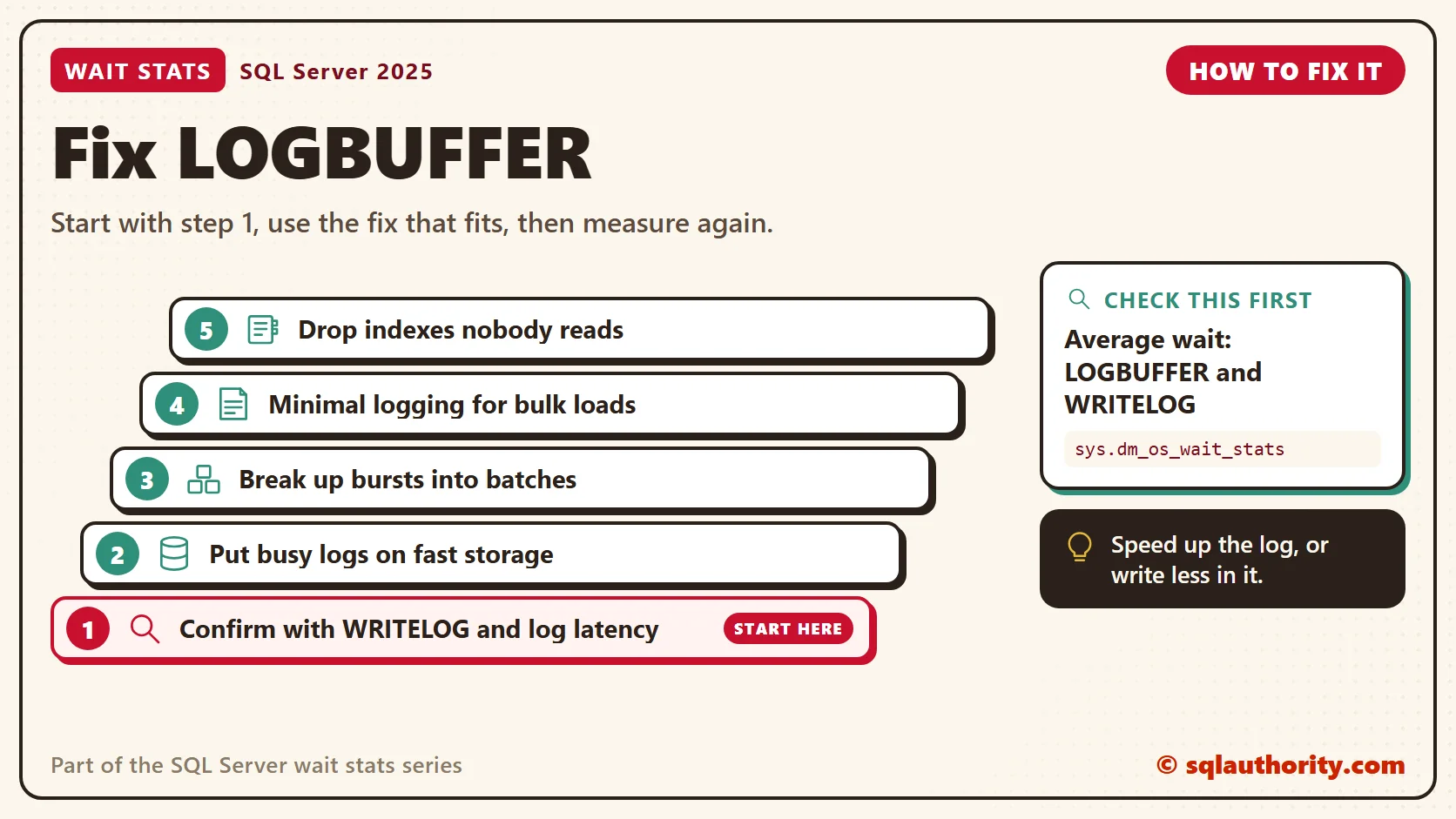
- Confirm it’s the log. Check WRITELOG and the log file latency from the WRITELOG post. LOGBUFFER and slow log writes together settle it.
- Speed up the log storage. Put busy logs on fast, low-latency storage, away from data files and from each other.
- Break up the bursts. Update or delete in batches, rebuild only the indexes that need it, and don’t stack big jobs in the same window.
- Use minimal logging for bulk loads. Under the simple or bulk-logged recovery model, with conditions such as a TABLOCK hint, loads write far less log. Ask whoever owns your restores first, because bulk-logged changes affect point-in-time restore.
- Write less log every day. Every index that a change touches adds its own log records, so drop indexes nobody reads.
You could say the obvious fix is Kit’s: a bigger log buffer. Fair point, it sounds right. But I know of no setting that sizes it, and a bigger buffer would only delay the moment it fills. When the log file can’t keep up, the buffer is the messenger. Speed up the book, or write less in it.
New in SQL Server 2022 and 2025
Nothing in SQL Server 2022 or 2025 changes what LOGBUFFER means. What still matters is the same as before. How fast does the log file write, and how much log does your workload produce? Measure both before you change anything.
Related Reading
- WRITELOG Waits: Finding What Slows Transaction Log Writes
- Impact of Recovery Model on Insert Workload Stress Test and Wait Statistics
The Clipboard Diner, a wait stats series. Previous: WRITELOG Wait Stats: Transaction Log Flush Waits. Next: PREEMPTIVE Wait Stats: Calls Outside SQL Server. Every post is listed in the series guide.
Tomorrow night, Kit picks up the wall phone to call town hall, and the kitchen’s rules stop applying to Kit.
A full log buffer is not a memory problem, it is a log file that can’t keep up.
Published by Pinal Dave on SQLAuthority. More of my work at pinaldave.com.
Discover more from SQL Authority with Pinal Dave
Subscribe to get the latest posts sent to your email.




2 Comments. Leave new
I have seen this wait type recently at the times VMWare had experienced a LUN reset which upsets the connectivity.The SPIDs that were performing an Update at the time became suspended with a Log Buffer wait.
We have similar issue going on where delete command is running from 2 days. Due to this log file is growing too much around 200 gb.