Show Clipboard History in SSMS 22 sits on the Edit menu with the Ctrl+Shift+V shortcut. The 2020 video demonstrates the older Cycle Clipboard Ring command, which helps you reuse earlier copied selections. Check your installed version before you assume the same command exists.

Watch the Original Demonstration
The SQL in Sixty Seconds #129 video was published in 2020. It demonstrates the SSMS editor feature, including its original shortcut. The feature belongs to the query editor, not to the SQL Server engine.
What SSMS 22 Shows
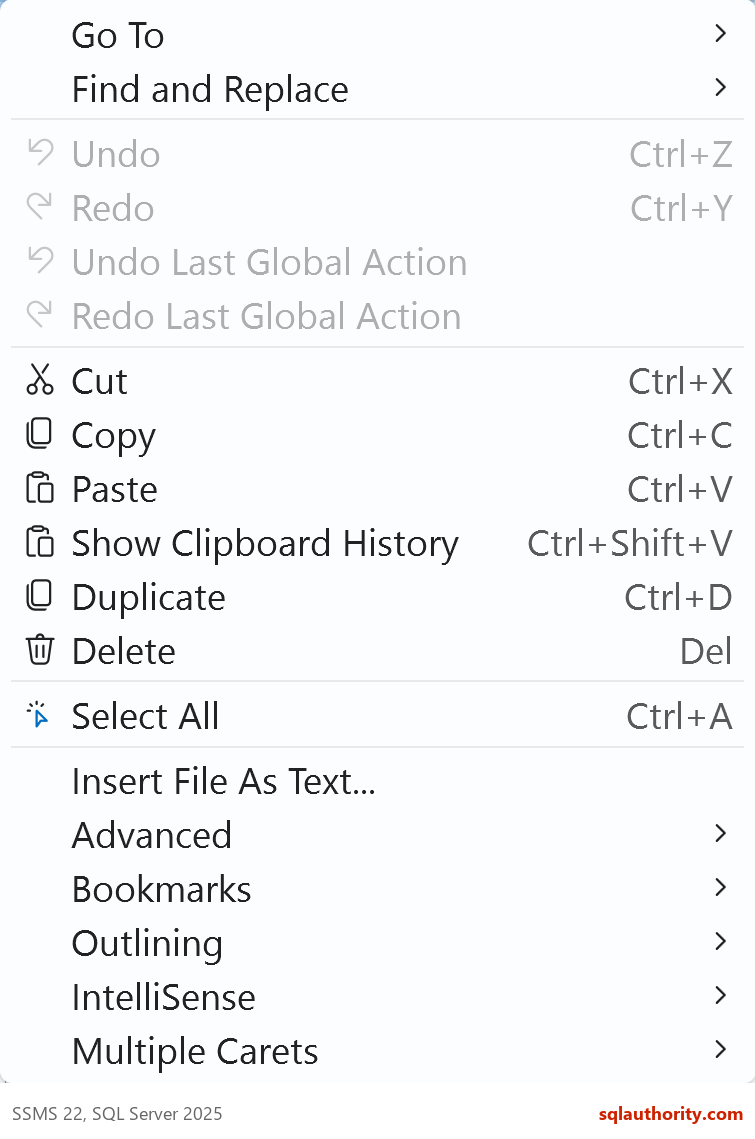
In SSMS 22, the Edit menu shows Show Clipboard History with Ctrl+Shift+V. The original 2020 video demonstrates the older Cycle Clipboard Ring command. Follow the command available in your installed version.
The Older Clipboard Ring Workflow
For older versions that offer Cycle Clipboard Ring, copy two harmless snippets separately with Ctrl+C. Place the cursor in a scratch query tab. Invoke Cycle Clipboard Ring, then repeat the command to cycle through the retained snippets. The original video demonstrates this older workflow.
Use a scratch query tab for the demonstration. These snippets are enough to test copying and pasting. You do not need to run them:
SELECT 1 AS FirstSnippet;

SELECT 2 AS SecondSnippet;
Open Edit and inspect the command shown in your installed SSMS version. Keyboard schemes can change shortcuts. Matching shortcuts do not guarantee the same behavior across versions.
What I Tested
I could not drive the SSMS editor from a script. I did not test the ring or the history window. Everything below is T-SQL that builds text worth pasting. I ran all of it on SQL Server 2025. The idea is simple: copy one generated result, then keep it on hand while you copy the next.
Let the Catalog Write a Row Count Script
A row count for every table is a query nobody wants to type. This setup has three small tables, one with a space in its name. The generator returns one SELECT COUNT(*) per table, joined with UNION ALL.
CREATE TABLE dbo.Teas (TeaId int PRIMARY KEY, TeaName varchar(30) NOT NULL);
CREATE TABLE dbo.Customers (CustomerId int PRIMARY KEY, CustomerName varchar(30) NOT NULL);
CREATE TABLE dbo.[Order Lines] (LineId int PRIMARY KEY, TeaId int NOT NULL, Quantity int NOT NULL);
INSERT dbo.Teas VALUES (1, 'Assam'), (2, 'Rooibos'), (3, 'Sencha');
INSERT dbo.Customers VALUES (1, 'Asha'), (2, 'Ravi');
INSERT dbo.[Order Lines] VALUES (1, 1, 2), (2, 3, 1), (3, 3, 4), (4, 2, 5);
CREATE INDEX IX_OrderLines_Tea ON dbo.[Order Lines] (TeaId);
GO
SELECT STRING_AGG(CAST(CONCAT(N'SELECT N''', s.name, N'.', t.name, N''' AS TableName, COUNT(*) AS Rows FROM ', QUOTENAME(s.name), N'.', QUOTENAME(t.name)) AS nvarchar(max)),
                  CONCAT(CHAR(10), N'UNION ALL', CHAR(10)))
       WITHIN GROUP (ORDER BY s.name, t.name) AS RowCountScript
FROM sys.tables AS t JOIN sys.schemas AS s ON s.schema_id = t.schema_id;
The result is one cell with three lines of SQL. Copy that cell, paste it into a new tab and run it. To prove the text works, I ran the generated script through sp_executesql. It returned 2 customers, 4 order lines and 3 teas.
DECLARE @script nvarchar(max);
SELECT @script = STRING_AGG(CAST(CONCAT(N'SELECT N''', s.name, N'.', t.name, N''' AS TableName, COUNT(*) AS Rows FROM ', QUOTENAME(s.name), N'.', QUOTENAME(t.name)) AS nvarchar(max)),
                  CONCAT(CHAR(10), N'UNION ALL', CHAR(10)))
       WITHIN GROUP (ORDER BY s.name, t.name)
FROM sys.tables AS t JOIN sys.schemas AS s ON s.schema_id = t.schema_id;
EXEC sys.sp_executesql @script;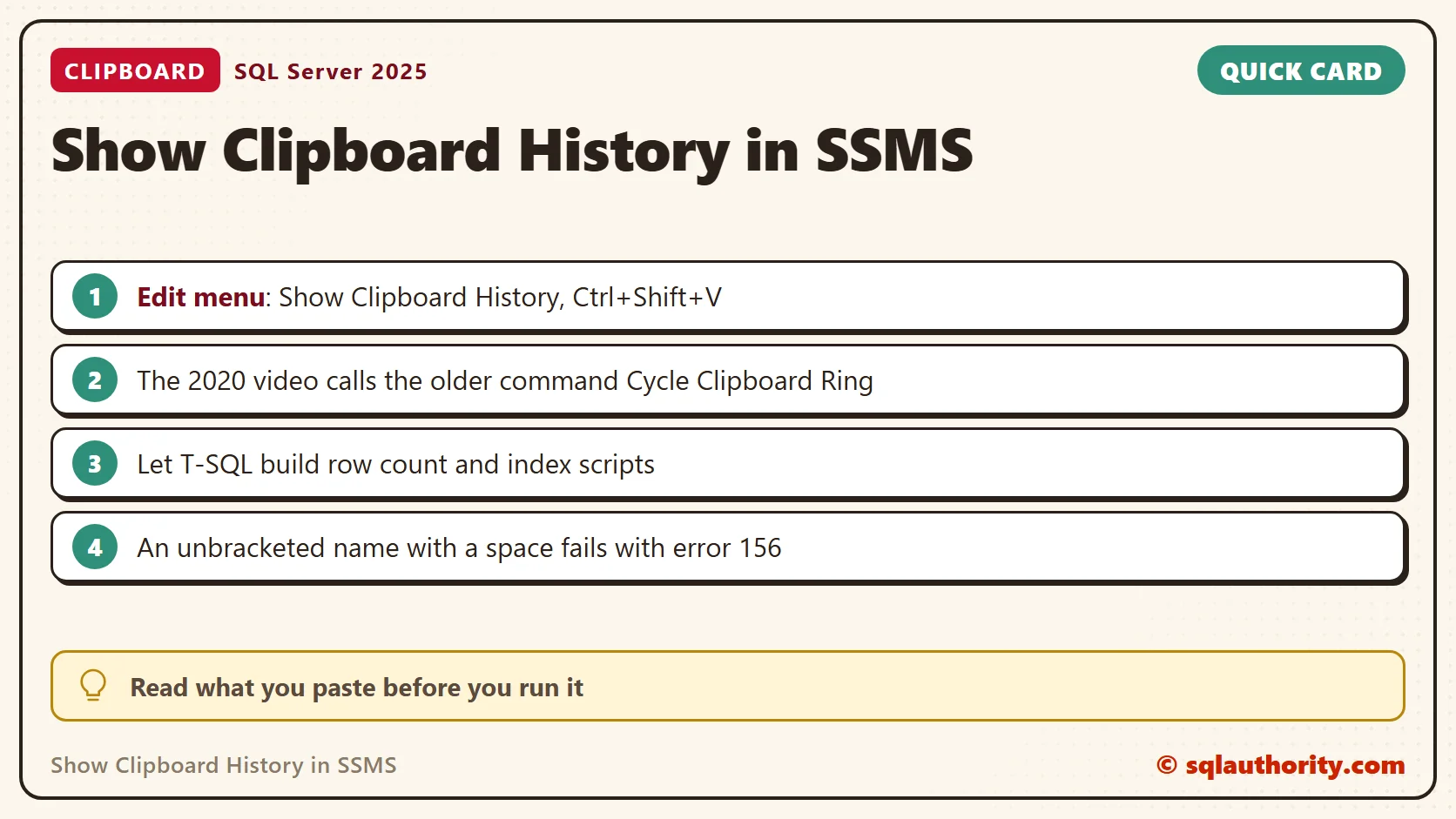
Generate Maintenance Statements
The same pattern writes maintenance statements. This query builds an index rebuild for each nonclustered index. The statement names both the index and the table, so the paste is ready to run.
SELECT CONCAT(N'ALTER INDEX ', QUOTENAME(i.name), N' ON ', QUOTENAME(s.name), N'.', QUOTENAME(t.name), N' REBUILD;') AS RebuildStatement
FROM sys.indexes AS i
JOIN sys.tables AS t ON t.object_id = i.object_id
JOIN sys.schemas AS s ON s.schema_id = t.schema_id
WHERE i.type_desc = N'NONCLUSTERED'
ORDER BY t.name, i.name;
GO
ALTER INDEX [IX_OrderLines_Tea] ON [dbo].[Order Lines] REBUILD;
The query returned ALTER INDEX [IX_OrderLines_Tea] ON [dbo].[Order Lines] REBUILD;. I pasted that text and ran it without an error. Read generated maintenance statements before you run them on a production server. A rebuild takes locks and resources.
Why a Pasted Name Needs Brackets
A name with a space breaks when you type it by hand. The same rebuild with Order Lines unbracketed failed with error 156, incorrect syntax near the keyword Order. The QUOTENAME function in the generator adds the brackets for you.
ALTER INDEX IX_OrderLines_Tea ON dbo.Order Lines REBUILD;
Copy a Procedure and Change It
To edit a stored procedure in a new tab, copy its text from the catalog. OBJECT_DEFINITION returns the complete CREATE PROCEDURE text. A REPLACE turns it into an ALTER PROCEDURE statement that you can paste and edit.
CREATE PROCEDURE dbo.TeaNames AS SELECT TeaName FROM dbo.Teas ORDER BY TeaName;
GO
SELECT REPLACE(OBJECT_DEFINITION(OBJECT_ID(N'dbo.TeaNames')), N'CREATE PROCEDURE', N'ALTER PROCEDURE') AS AlterText;
Habits for Reusing Copied Text
Read what you paste before you run it. An older entry in the history can replace the one you wanted. Keep passwords and keys out of anything you copy. Windows clipboard history, opened with Win+V, is a separate feature from the SSMS editor.
More SQL in Sixty Seconds Videos
You can find more tips on my YouTube channel. These related episodes cover other SQL Server and SSMS tasks:
- Cycle Clipboard Ring in SSMS: SQL in Sixty Seconds #045
- CONCAT and NULL: SQL in Sixty Seconds #123
- Sleeping vs Suspended Process: SQL in Sixty Seconds #122
- Pinned Tab, an SSMS Efficiency Tip: SQL in Sixty Seconds #121
- Split Screen for SSMS Efficiency: SQL in Sixty Seconds #120
- Nonclustered Primary Key: SQL in Sixty Seconds #119
- Recent Execution of Stored Procedure: SQL in Sixty Seconds #118
- Full-Screen Execution Plan: SQL in Sixty Seconds #117
- Recover Crashed Query in SSMS: SQL in Sixty Seconds #116
- Watch a Running Query: Live Plan From Activity Monitor
- Email an Execution Plan: SQL in Sixty Seconds #114
- Execution Plan, Estimated vs Actual: SQL in Sixty Seconds #113
- Who Dropped Your Table? SQL in Sixty Seconds #112
- Single Column Single Row and TABLE SCAN: SQL in Sixty Seconds #111
- Dirty Read with NOLOCK: SQL in Sixty Seconds #110
A clipboard history is not a place to keep secrets, it is a tool for reusing working text.
Published by Pinal Dave on SQLAuthority. More of my work at pinaldave.com.
Discover more from SQL Authority with Pinal Dave
Subscribe to get the latest posts sent to your email.