
Question: How can I find out who deleted a file from a SQL Server installation folder?

A client called when SQL Server would not start. We eventually found files missing from the instance’s Binn directory. It was the second time, so restoring the files was only half the job. The client wanted to know which account and process had removed them.
This is a Windows file-system question, not a SQL Server table audit. SQL Server Audit for database activity will not reconstruct a deletion that Windows never recorded. Enable Windows file-system auditing before the next incident, and limit it to the directory and rights you need to investigate.
Enable the Windows audit policy
On the server, use Advanced Audit Policy Configuration, then Object Access, then Audit File System. Enable success auditing for a confirmed deletion. Failure auditing is optional if you also need denied attempts. In a domain, check the effective Group Policy, because a local change can be overwritten. Make this change with the server’s security administrator and confirm the Security log has enough capacity for the added events.
Add a narrowly scoped audit entry to the folder
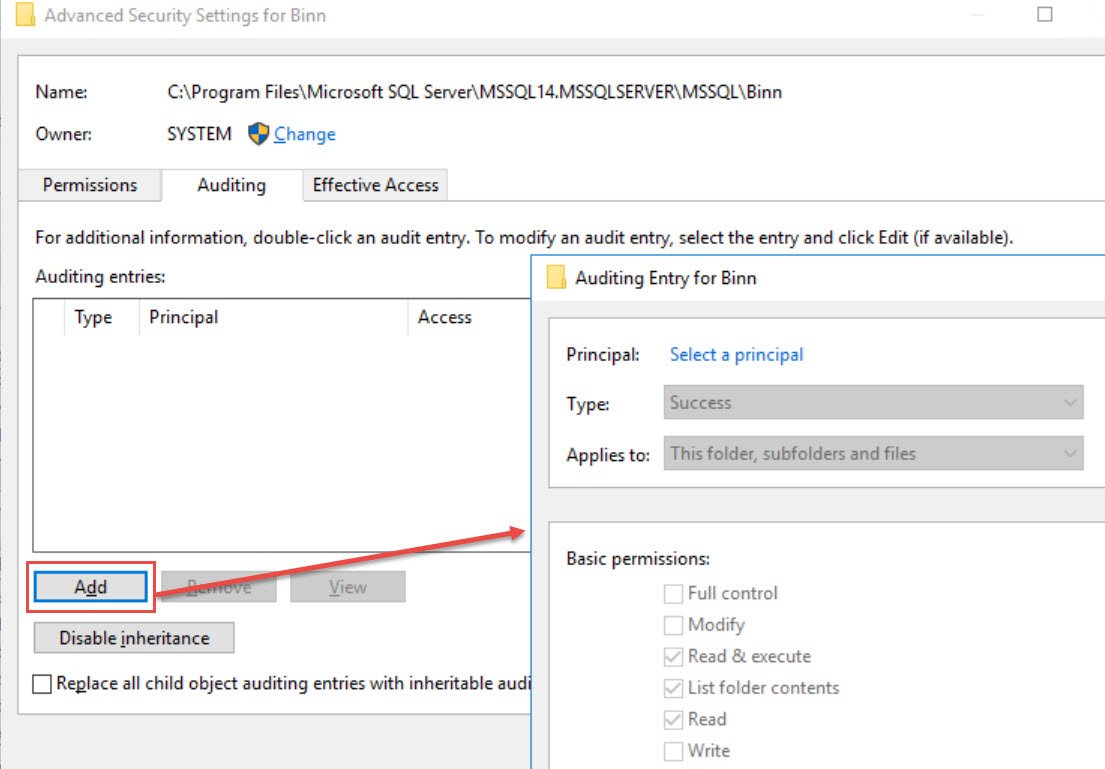
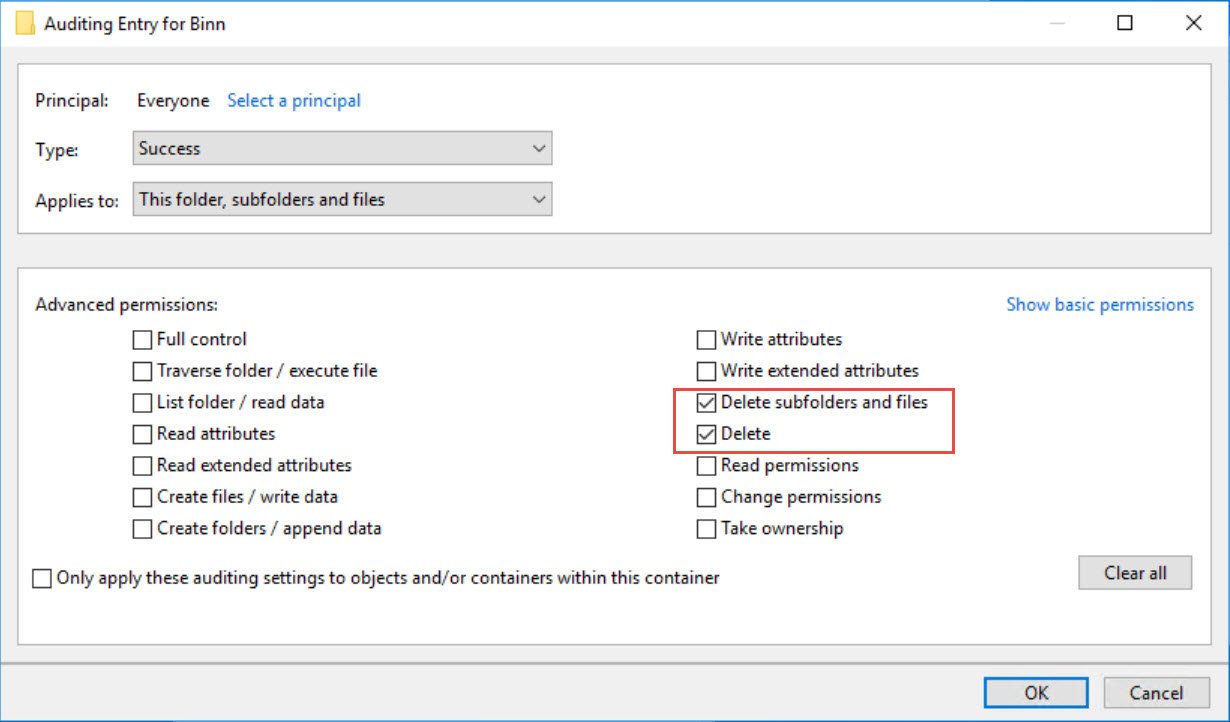
Open the target directory’s Properties, Security, Advanced, Auditing. Add an entry for the relevant principal and choose the folder, subfolders and files scope that matches the investigation. Under advanced permissions, select Delete and Delete subfolders and files. Avoid auditing every right for every account indefinitely: the Security log can grow rapidly.
Read the Security event and corroborate it
Filter the Windows Security log for Event ID 4663. Look for the target path in Object Name, DELETE (access mask 0x10000) in Accesses, and the account and process fields. Event 4663 reports use of an audited access right; it is evidence to investigate, not by itself proof of the final file state. Correlate time, handle and process information with Event 4660 when available, the file’s actual absence, and any deployment or security software activity. A rename can also involve delete rights, so do not accuse a person based on one line.
When you save an event for investigation, retain the full path, account, process and time in your incident record. Redact private server and account details before sharing it outside your organization.
The practical lesson from my client’s incident is to configure the audit before the next startup failure. Once the files are gone, an audit policy added afterward cannot tell you who removed the earlier ones.
Published by Pinal Dave on SQLAuthority. More of my work at pinaldave.com.
Discover more from SQL Authority with Pinal Dave
Subscribe to get the latest posts sent to your email.



2 Comments. Leave new
HI Pinal
Very good solution as always
In my opinion , I think preventing this issue from happening is a better option. I normally restrict access to the SQL server folder to only the SQL Server service accounts , in this way there should be no delete taking place. Unless there is a SQL server job that’s deleting the files accidently or some malicious activity is happening, or the process/person that’s deleting the files is using NT Authority. This is also an external audit requirement for us to prevent access to the SQL server folder or drive. This is something that’s audited on a yearly basis by an external audit firm.
Nice!