Delayed transaction durability lets a commit return before its log record reaches the disk. That makes small transactions much faster, and it adds one risk: a crash can lose the last few commits. This post explains the idea, measures the gain on SQL Server 2025, and shows the risk with numbers.

Full Durability First
Durability is the D in ACID. It means a committed transaction survives a crash. By default, SQL Server keeps that promise with full durability. A commit does not return until its log record is written to the disk.
The log record is the key. SQL Server writes every change to the transaction log first. The data pages follow later, at a checkpoint. After a crash, recovery replays the log to rebuild what the data pages missed. A change with no log record on disk cannot be rebuilt.
The cost is a wait. Every commit waits for one disk write. With 10,000 tiny transactions, that is 10,000 waits in a row. A fast disk shortens each wait but never removes it.
Here is my sixty second video on the idea.
What Delayed Durability Changes
With delayed transaction durability, a commit returns as soon as the log record sits in the log buffer in memory. SQL Server writes the buffer to disk later. Three events trigger the write. The buffer fills, a fully durable transaction commits in the same database, or you run sys.sp_flush_log.
Think of the buffer as a shuttle bus. Full durability sends the bus after every single passenger. Delayed durability waits until the bus fills up, so one trip carries many commits.
Nothing else changes. The transaction is still atomic, consistent and isolated. After a crash, the database recovers cleanly. The only difference is that the newest commits can be missing. They vanish as a whole, as if they never ran.
Three Settings
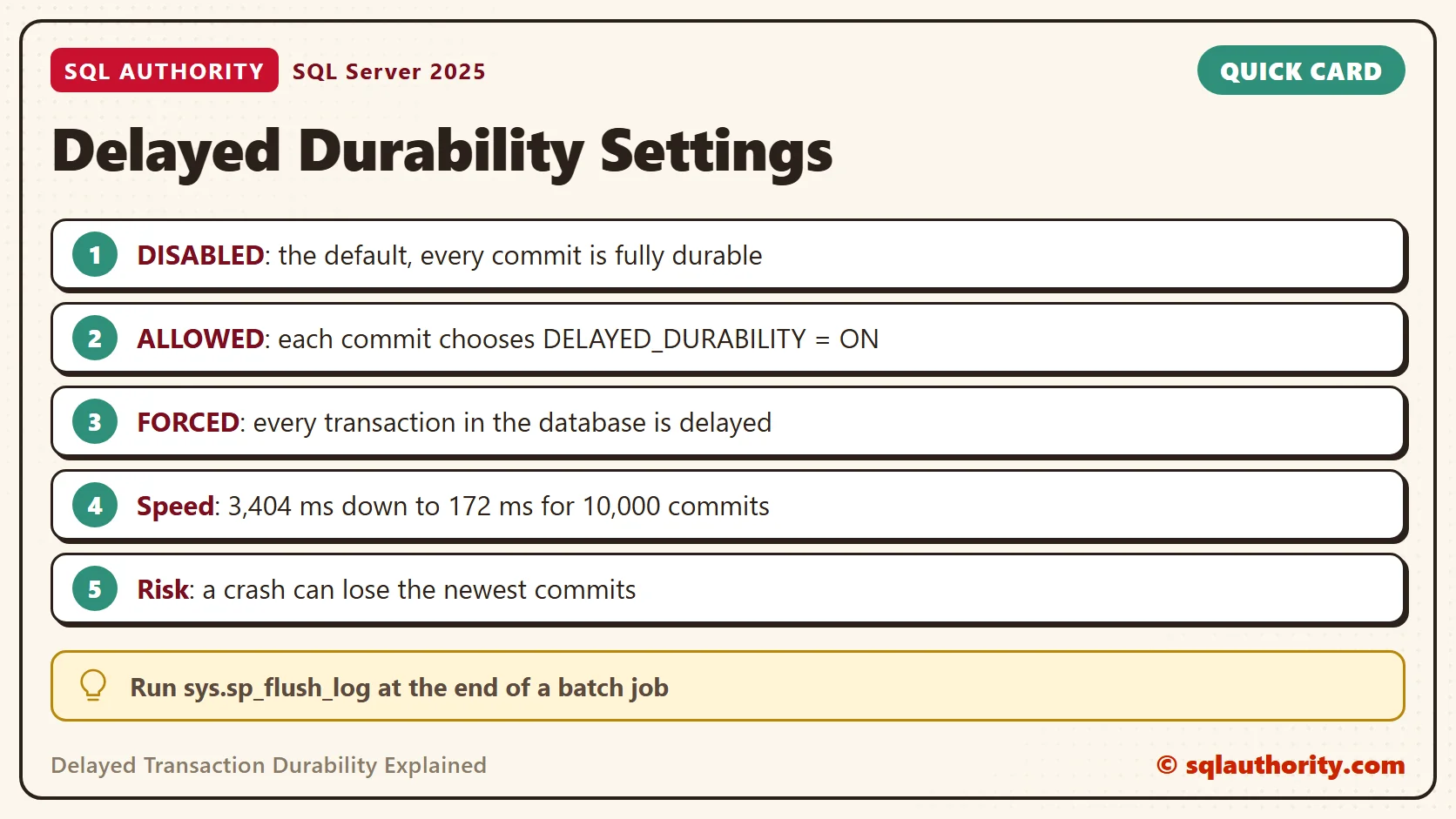
The database option DELAYED_DURABILITY has three values. DISABLED is the default, and every commit stays fully durable. ALLOWED lets each transaction choose, with the clause COMMIT TRANSACTION WITH (DELAYED_DURABILITY = ON). FORCED makes every transaction in the database delayed. It even overrides a commit that asks for full durability.
A Small Test
The test uses one table and one procedure. The procedure inserts rows, one transaction per row. That shape is common in an application that logs one row for every request. When it ends, it reports the elapsed milliseconds and the number of writes to the log file. The writes come from sys.dm_io_virtual_file_stats. File 2 is the log file in a new database.
IF DB_ID(N'SqlDurabilityDemo') IS NULL CREATE DATABASE SqlDurabilityDemo;
GO
USE SqlDurabilityDemo;
GO
DROP TABLE IF EXISTS dbo.Clicks;
CREATE TABLE dbo.Clicks (ClickID int IDENTITY(1,1) PRIMARY KEY, Page varchar(20) NOT NULL);
GO
CREATE OR ALTER PROCEDURE dbo.AddClicks @Rows int, @Delayed bit = 0
AS
BEGIN
    SET NOCOUNT ON;
    DECLARE @i int = 1, @start datetime2 = SYSDATETIME();
    DECLARE @writes0 bigint = (SELECT num_of_writes FROM sys.dm_io_virtual_file_stats(DB_ID(), 2));
    WHILE @i <= @Rows
    BEGIN
        BEGIN TRANSACTION;
        INSERT INTO dbo.Clicks (Page) VALUES ('home');
        IF @Delayed = 1
            COMMIT TRANSACTION WITH (DELAYED_DURABILITY = ON);
        ELSE
            COMMIT TRANSACTION;
        SET @i += 1;
    END;
    SELECT DATEDIFF(MILLISECOND, @start, SYSDATETIME()) AS ElapsedMs,
           (SELECT num_of_writes FROM sys.dm_io_virtual_file_stats(DB_ID(), 2)) - @writes0 AS LogWrites;
END;
Now run 10,000 inserts under four setups. The first is the default. The second allows delayed commits but still uses plain ones. The third marks each commit as delayed. The fourth forces the whole database.
ALTER DATABASE SqlDurabilityDemo SET DELAYED_DURABILITY = DISABLED;
EXEC dbo.AddClicks @Rows = 10000;
ALTER DATABASE SqlDurabilityDemo SET DELAYED_DURABILITY = ALLOWED;
EXEC dbo.AddClicks @Rows = 10000;
EXEC dbo.AddClicks @Rows = 10000, @Delayed = 1;
ALTER DATABASE SqlDurabilityDemo SET DELAYED_DURABILITY = FORCED;
EXEC dbo.AddClicks @Rows = 10000;
| Setting and commit | Elapsed (ms) | Log writes |
|---|---|---|
| DISABLED, plain commit | 3,404 | 10,000 |
| ALLOWED, plain commit | 3,277 | 10,000 |
| ALLOWED, delayed commit | 172 | 627 |
| FORCED, plain commit | 165 | 262 |
The table shows the median of five runs. My test server shares its disk with other work, so single runs swung widely. Full durability took from 1.2 to 220 seconds in different runs. Every delayed run finished in under a second.
Full durability wrote to the log once per commit, so 10,000 commits meant about 10,000 writes. ALLOWED alone changed nothing, because the transactions still asked for full durability. A delayed commit let many log records share one write. The run finished about 20 times faster, with a small fraction of the writes. The database setting reads back from sys.databases.
SELECT name, delayed_durability_desc FROM sys.databases WHERE name = DB_NAME();
| name | delayed_durability_desc |
|---|---|
| SqlDurabilityDemo | FORCED |
It shows FORCED here because the last setup in the test was the forced one.
The Risk, Measured
Speed is not free. The next batch commits one delayed transaction and counts the log writes before and after. Then it flushes the log by hand.
ALTER DATABASE SqlDurabilityDemo SET DELAYED_DURABILITY = ALLOWED;
GO
DECLARE @w0 bigint, @w1 bigint, @w2 bigint;
SELECT @w0 = num_of_writes FROM sys.dm_io_virtual_file_stats(DB_ID(), 2);
BEGIN TRANSACTION;
INSERT INTO dbo.Clicks (Page) VALUES ('cart');
COMMIT TRANSACTION WITH (DELAYED_DURABILITY = ON);
SELECT @w1 = num_of_writes FROM sys.dm_io_virtual_file_stats(DB_ID(), 2);
EXEC sys.sp_flush_log;
SELECT @w2 = num_of_writes FROM sys.dm_io_virtual_file_stats(DB_ID(), 2);
SELECT @w1 - @w0 AS WritesAfterCommit, @w2 - @w1 AS WritesAfterFlush;| WritesAfterCommit | WritesAfterFlush |
|---|---|
| 0 | 1 |
The commit returned, and the application was told the work succeeded. Yet zero log writes had happened. The record reached the disk only when sys.sp_flush_log ran. A power cut between those two moments loses the commit, and nothing reports an error. Write the trade as one sentence before you accept it. For example: we accept losing the last moments of click data after a crash.
Who Can Accept That
Delayed transaction durability fits data you can rebuild or replay. Staging loads, click logs, counters and cache tables are good examples. It does not fit payments, orders or anything a user has been told is saved. Ask two questions before you turn it on. Can the data be replayed from another source? Does any person or system act on the commit before the flush? If the answer to the first is no, or to the second is yes, keep full durability.
A fully durable commit in the same database also flushes the buffer. One important commit therefore puts the delayed commits before it on disk.
You could say faster storage solves the wait with no risk. Fair point, and it is the first thing to try. Delayed durability helps when the log disk is the limit and you cannot change it. A shared or rented volume is a common case.
A Simple Rule
Prefer ALLOWED over FORCED when you use delayed transaction durability. With ALLOWED, each place that accepts the risk shows up in the code, one commit at a time. FORCED applies to every transaction in the database, including those you never reviewed. At the end of a batch job, run sys.sp_flush_log, so the last commits are on disk before you report success.
When you finish testing, remove the example database.
USE master;
GO
ALTER DATABASE SqlDurabilityDemo SET SINGLE_USER WITH ROLLBACK IMMEDIATE;
DROP DATABASE SqlDurabilityDemo;
Delayed durability is not a faster disk, it is a loan against your last few commits.
Published by Pinal Dave on SQLAuthority. More of my work at pinaldave.com.
Discover more from SQL Authority with Pinal Dave
Subscribe to get the latest posts sent to your email.