
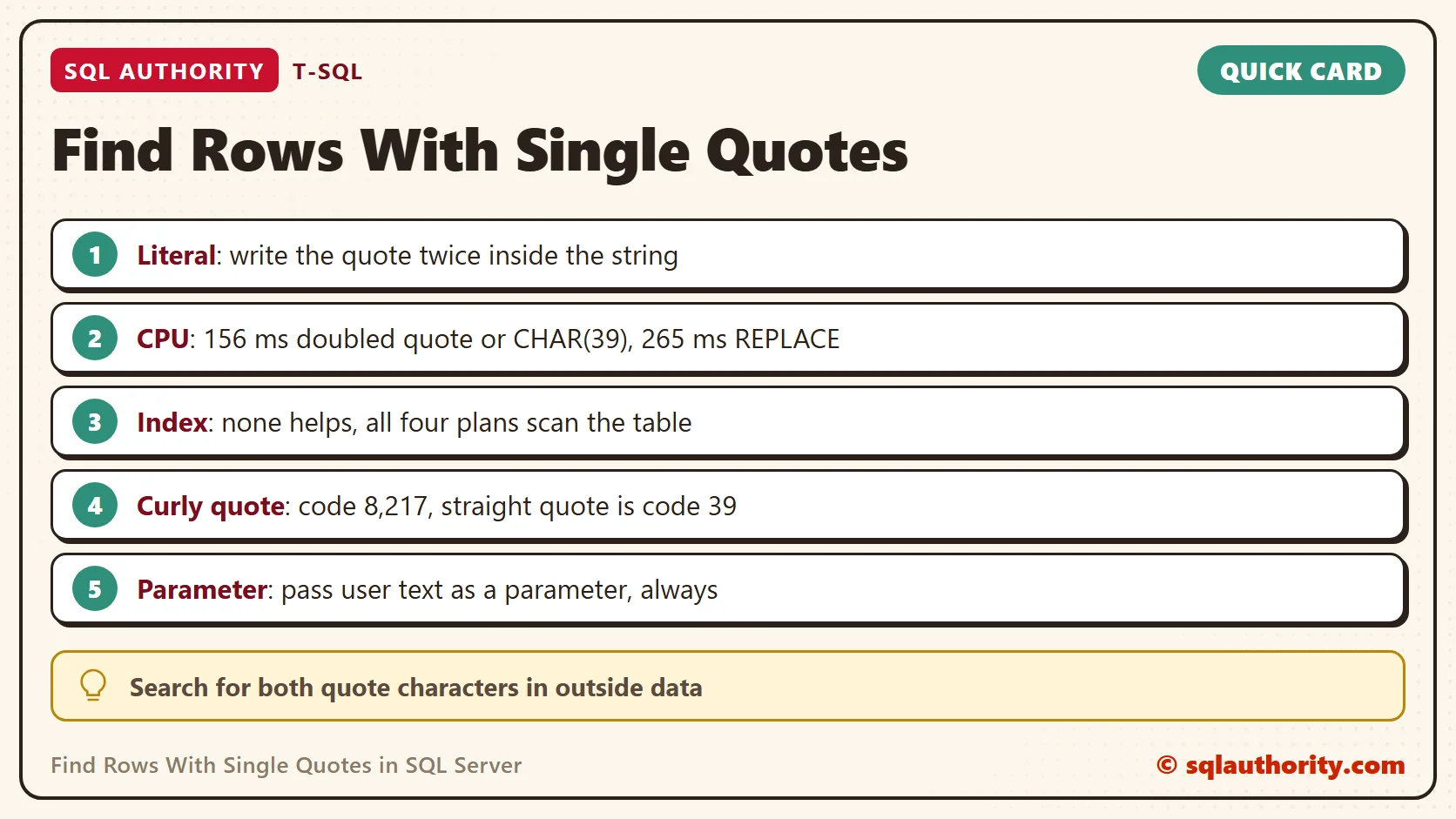
To find rows with single quotes, write the quote twice inside the search string. SQL Server reads two quotes in a row as one quote character. Four patterns do this job, and I timed all four on one million rows.

Why the Quote Is Special
A string literal in T-SQL starts and ends with a single quote. A quote inside the text would end the string too early. The fix is to double it: ‘O”Brien’ is the name O’Brien. The same rule applies in INSERT, UPDATE and WHERE.
SELECT 'O''Brien' AS Stored, LEN('O''Brien') AS Letters;| Stored | Letters |
|---|---|
| O’Brien | 7 |
The literal in the code shows two quotes, but the stored value holds one. LEN counts seven characters, so the doubled quote is only a way to type the real one.
The test table holds one million contacts. Most names are plain. Three names contain a straight apostrophe, and one name contains a curly one. That last name matters later.
Here is my sixty second video on the search.
IF DB_ID(N'SqlQuoteDemo') IS NULL CREATE DATABASE SqlQuoteDemo;
GO
USE SqlQuoteDemo;
GO
DROP TABLE IF EXISTS dbo.Contacts;
CREATE TABLE dbo.Contacts
(
    ContactID int IDENTITY(1,1) PRIMARY KEY,
    FullName varchar(60) NOT NULL
);
INSERT INTO dbo.Contacts (FullName)
SELECT CASE
         WHEN s.value % 500 = 0 THEN 'Maya O''Brien'
         WHEN s.value % 500 = 1 THEN 'Dev D''Souza'
         WHEN s.value % 500 = 2 THEN 'Rita O''Neil'
         WHEN s.value % 5000 = 3 THEN 'Sam O' + NCHAR(8217) + 'Hara'
         ELSE CONCAT(CHOOSE(s.value % 8 + 1, 'Asha', 'Ben', 'Chen', 'Dara', 'Eli', 'Farah', 'Gita', 'Hugo'),
                     ' ', CHOOSE(s.value % 7 + 1, 'Patel', 'Garcia', 'Nguyen', 'Smith', 'Khan', 'Lopez', 'Brown'))
       END
FROM GENERATE_SERIES(1, 1000000) AS s;
Four Ways to Search
Each query below tries to find rows with single quotes by counting the rows that contain a straight apostrophe. The first uses a doubled quote. The second builds the quote from its character code, because CHAR(39) is the apostrophe. The third uses CHARINDEX, and the fourth removes every quote with REPLACE and checks whether the text changed.
SET STATISTICS TIME ON;
SELECT COUNT(*) AS DoubledQuote FROM dbo.Contacts WHERE FullName LIKE '%''%';
SELECT COUNT(*) AS Char39 FROM dbo.Contacts WHERE FullName LIKE '%' + CHAR(39) + '%';
SELECT COUNT(*) AS CharIndexSearch FROM dbo.Contacts WHERE CHARINDEX('''', FullName) > 0;
SELECT COUNT(*) AS ReplaceSearch FROM dbo.Contacts WHERE REPLACE(FullName, '''', '') <> FullName;
All four return 6,000 rows. Here is the CPU time of each, as the median of nine runs.
| Method | CPU time (ms) |
|---|---|
| Doubled quote | 156 |
| CHAR(39) | 156 |
| CHARINDEX | 203 |
| REPLACE | 265 |
The first two are the same query. The plan shows the same test for both. SQL Server turns CHAR(39) into a plain quote before it runs anything. Pick whichever one your team reads more easily.
The last two cost more. REPLACE builds a new string for every row and then compares it with the old one. That extra work made it about 1.7 times as expensive as the doubled quote. CHARINDEX sits in the middle. Elapsed time swung widely on my shared test server in earlier runs, so I compare CPU time only. Run the queries yourself and read the CPU time in the Messages tab. Elapsed time includes the wait for the disk, and that wait hides the real difference between the patterns.
No Index Rescues the Search
All four plans scan the whole table. An index is sorted by the start of the value. A search for a character in the middle cannot seek into it. The only way to skip the scan is to skip the search. For example, store a flag column when the row is written.
The Curly Quote Trap
Text pasted from a word processor or a web page can hold a curly apostrophe. It looks the same, but it is a different character. The straight one has code 39. The curly one has code 8,217.
SELECT UNICODE('''') AS Straight, UNICODE(NCHAR(8217)) AS Curly;
SELECT COUNT(*) AS StraightSearch FROM dbo.Contacts WHERE FullName LIKE '%''%';
SELECT COUNT(*) AS CurlySearch FROM dbo.Contacts WHERE FullName LIKE N'%' + NCHAR(8217) + N'%';
SELECT COUNT(*) AS EitherSearch FROM dbo.Contacts WHERE FullName LIKE N'%[' + NCHAR(39) + NCHAR(8217) + N']%';| Straight | Curly |
|---|---|
| 39 | 8217 |
| StraightSearch | CurlySearch | EitherSearch |
|---|---|---|
| 6,000 | 200 | 6,200 |
The straight search never saw the 200 rows with a curly quote. To find rows with single quotes in mixed data, you need both characters. If your data came from many sources, search for both characters, as the last query does.
A cleaner fix is to store one kind of quote. Preview the change with a SELECT first. It shows the value the rows would have after the replace.
SELECT DISTINCT REPLACE(FullName, NCHAR(8217), '''') AS Cleaned
FROM dbo.Contacts WHERE FullName LIKE N'%' + NCHAR(8217) + N'%';
| Cleaned |
|---|
| Sam O’Hara |
When the preview looks right, run the same REPLACE inside an UPDATE, on a copy of the data first. After that, one search finds every row.
Other Characters That Need Care
The quote is not the only special character. Inside a LIKE pattern, the percent sign, the underscore and the opening bracket are wildcards. To search for one of them as plain text, wrap it in brackets or declare an escape character. Both queries below use a four row list that needs no table.
SELECT v AS Value FROM (VALUES ('100% cotton'), ('50 cotton'), ('A_B code'), ('AXB code')) AS t (v) WHERE v LIKE '%[%]%';
SELECT v AS Value FROM (VALUES ('100% cotton'), ('50 cotton'), ('A_B code'), ('AXB code')) AS t (v) WHERE v LIKE '%\_%' ESCAPE '\';
The first query returns only 100% cotton. The second returns only A_B code. Without the brackets or the escape, the bare underscore matches any single character, and all four rows come back.
When the Value Comes From a User
Names such as O’Brien break any code that builds SQL by gluing text together. The next batch puts the name into an EXEC string.
DECLARE @Name varchar(60) = 'Maya O''Brien';
DECLARE @Sql varchar(200) = 'SELECT COUNT(*) FROM dbo.Contacts WHERE FullName = ''' + @Name + '''';
EXEC (@Sql);
The quote inside the name closes the literal early, and SQL Server answers with two errors.
Msg 102, Level 15, State 1, Line 1
Incorrect syntax near 'Brien'.
Msg 105, Level 15, State 1, Line 1
Unclosed quotation mark after the character string ''.
A failed search is the mild outcome. The same gap lets a user type their own SQL into your query, which is called SQL injection. Pass the value as a parameter, and the quote needs no special care.
EXEC sys.sp_executesql N'SELECT COUNT(*) AS Matches FROM dbo.Contacts WHERE FullName = @Name',
     N'@Name varchar(60)', @Name = 'Maya O''Brien';
The query returns 2,000 matches, and the name never touches the SQL text. In an application, the database driver does this for you when you use parameters.
Sometimes you must build the text, for example when a table name varies. Then let QUOTENAME add the quotes and double the inner ones. It returns NULL when the input is longer than 128 characters. The whole text then becomes NULL, and nothing runs.
DECLARE @Name varchar(60) = 'Maya O''Brien';
DECLARE @Sql varchar(200) = 'SELECT COUNT(*) AS Matches FROM dbo.Contacts WHERE FullName = ' + QUOTENAME(@Name, '''');
EXEC (@Sql);
This version also returns 2,000 matches. Still, a parameter is the better tool for values, and QUOTENAME is the fallback for names of objects.
A Simple Rule
You could say that a difference of a tenth of a second does not matter. Fair point for a one-time cleanup. A search that runs on every page load adds that cost up fast. The cheaper pattern costs nothing extra to write.
To find rows with single quotes, use the doubled quote in short searches. Use CHAR(39) in long scripts where quotes pile up. Skip REPLACE tricks. Check for the curly quote when the data came from outside. Pass user text as a parameter, always.
When you finish testing, remove the example database.
USE master;
GO
ALTER DATABASE SqlQuoteDemo SET SINGLE_USER WITH ROLLBACK IMMEDIATE;
DROP DATABASE SqlQuoteDemo;
A single quote in your data is not a bug, it is a character that needs to be said twice.
Published by Pinal Dave on SQLAuthority. More of my work at pinaldave.com.
Discover more from SQL Authority with Pinal Dave
Subscribe to get the latest posts sent to your email.



1 Comment. Leave new
Hello Pinal, You said Though I had clarified that all the methods displayed in these two blog posts have the exact same performance, I kept on getting question on this subject, again and again!a To compare performance of different methods on such a small data set can result in very accurate conclusions. Looking at this method: SELECT [ProductModelID] ,[Name] FROM [AdventureWorks2014].[Production].[ProductModel] WHERE [Name] REPLACE(name, ””,”) I would never execute this over a large data set because it is not only scanning the field ânamea for a character (which any method will have to do, but which should be sufficient), it will then replace the character, and it will then compare the whole field character by character with the value as it was before the change! If you were to run this over a data set of a million records, I would guess that this would take at least twice as long to execute as one of the simpler methods. Ren A Valencourt, CCP, MCTS Senior Programmer/Analyst IS Department [phone number removed for privacy reasons] (FAX) CTB CTB, Inc. A Berkshire Hathaway Company