The nodes() method turns each element at a path into one row you can query. It returns a table with a single column. You read that column with query() or value(). This post builds a small catalog of books and reviewers, and shows each rule, including the errors.
The Sample Document
The catalog holds three books. Two of them have two reviewers, and one has a single reviewer. To keep each example short, the document is stored once in a table and read into @Doc. Run this in any test database. Every result in this post comes from SQL Server 2025.
CREATE TABLE Catalog (CatalogID INT NOT NULL PRIMARY KEY, Doc XML NOT NULL);
GO

INSERT INTO Catalog (CatalogID, Doc) VALUES (1, N'<Library>
  <Book BookID="101">
    <Writer>Mira Okafor</Writer>
    <Title>The Tea Garden Year</Title>
    <Reviewer Rank="1"><Name>Open Shelf Club</Name></Reviewer>
    <Reviewer Rank="2"><Name>Sunday Readers</Name></Reviewer>
  </Book>
  <Book BookID="102">
    <Writer>Tomas Lindqvist</Writer>
    <Title>Maps of Small Towns</Title>
    <Reviewer Rank="1"><Name>Corner Library</Name></Reviewer>
  </Book>
  <Book BookID="103">
    <Writer>Priya Raman</Writer>
    <Title>Kites in Winter</Title>
    <Reviewer Rank="1"><Name>Garden Circle</Name></Reviewer>
    <Reviewer Rank="2"><Name>Open Shelf Club</Name></Reviewer>
  </Book>
</Library>');
GO
A Table With One Column
nodes() takes an XPath and returns one row for each element it finds. You name the row set and its one column with an alias. In Books(BookRow), Books is the table alias and BookRow is the column alias. Leave the alias out, and SQL Server refuses.
DECLARE @Doc XML = (SELECT Doc FROM Catalog WHERE CatalogID = 1);
SELECT BookRow.query('Title') FROM @Doc.nodes('/Library/Book');
That’s Msg 318: the table returned by the method needs an alias. The column can’t be selected on its own either, because it points to an element and isn’t a value.
DECLARE @Doc XML = (SELECT Doc FROM Catalog WHERE CatalogID = 1);
SELECT * FROM @Doc.nodes('/Library/Book') AS Books(BookRow);
Msg 493 says to use the column only with exist(), nodes(), query() or value(), or in an IS NULL check.
query() Returns Fragments
query() returns the element as XML. This returns each Title, tags included.
DECLARE @Doc XML = (SELECT Doc FROM Catalog WHERE CatalogID = 1);
SELECT BookRow.query('Title') AS TitleFragment
FROM @Doc.nodes('/Library/Book') AS Books(BookRow);
Three rows come back, one for each book. Each holds a small XML fragment, such as <Title>The Tea Garden Year</Title>.
value() Returns Typed Values
value() takes a path and a data type, and returns a plain value. The path starts at the current row, so Title means the Title child of the current Book.
DECLARE @Doc XML = (SELECT Doc FROM Catalog WHERE CatalogID = 1);
SELECT BookRow.value('@BookID', 'INT') AS BookID,
  BookRow.value('Title[1]', 'VARCHAR(100)') AS Title,
  BookRow.value('Writer[1]', 'VARCHAR(100)') AS Writer
FROM @Doc.nodes('/Library/Book') AS Books(BookRow);
BookID is an attribute, so the path ‘@BookID’ needs no extra mark. An attribute can appear only once on an element. The element paths end with [1], which tells SQL Server to take the first match. Leave it out, and you get an error.
DECLARE @Doc XML = (SELECT Doc FROM Catalog WHERE CatalogID = 1);
SELECT BookRow.value('Title', 'VARCHAR(100)') AS Title
FROM @Doc.nodes('/Library/Book') AS Books(BookRow);
That’s Msg 2389: value() requires a singleton. SQL Server can’t prove that a book has only one Title, even though each of these does.
Reaching Down to a Child
The Reviewer elements sit one level below Book. A path such as Reviewer[1]/Name[1] reaches the first reviewer name.
DECLARE @Doc XML = (SELECT Doc FROM Catalog WHERE CatalogID = 1);
SELECT BookRow.value('@BookID', 'INT') AS BookID,
  BookRow.value('Reviewer[1]/Name[1]', 'VARCHAR(100)') AS FirstReviewer
FROM @Doc.nodes('/Library/Book') AS Books(BookRow);
Three rows come back, one reviewer each. The catalog holds 5 reviews, though. Sunday Readers and Open Shelf Club, the second reviewers, are missing, because [1] takes only the first.
The Row Pattern Decides the Rows
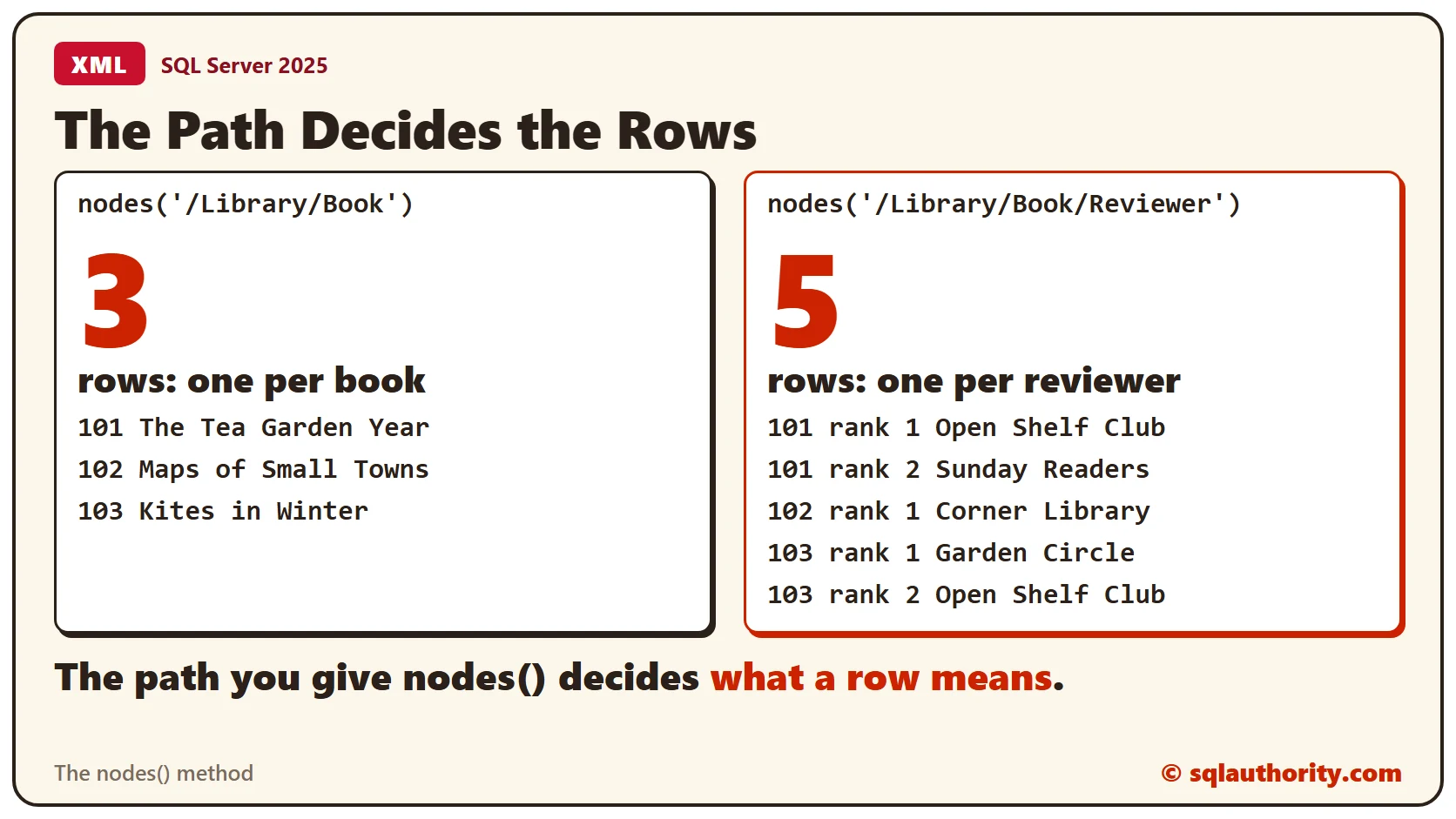
The path you give nodes() decides what a row means. Point it one level lower, and each row is a reviewer. This query counts the rows for three paths.
DECLARE @Doc XML = (SELECT Doc FROM Catalog WHERE CatalogID = 1);
SELECT (SELECT COUNT(*) FROM @Doc.nodes('/Library/Book') AS t(r)) AS BookRows,
  (SELECT COUNT(*) FROM @Doc.nodes('/Library/Book/Reviewer') AS t(r)) AS ReviewerRows,
  (SELECT COUNT(*) FROM @Doc.nodes('/library/book') AS t(r)) AS WrongCaseRows;
The path /Library/Book returns 3 rows, and /Library/Book/Reviewer returns 5. The third path has the wrong case. XML is case sensitive, so it matches nothing, and it returns 0 rows with no error.
With reviewers as rows, read the book through the parent step, two dots.
DECLARE @Doc XML = (SELECT Doc FROM Catalog WHERE CatalogID = 1);
SELECT ReviewerRow.value('../@BookID', 'INT') AS BookID,
  ReviewerRow.value('@Rank', 'INT') AS Rank,
  ReviewerRow.value('Name[1]', 'VARCHAR(100)') AS Reviewer
FROM @Doc.nodes('/Library/Book/Reviewer') AS Reviewers(ReviewerRow)
ORDER BY BookID, Rank;
All 5 reviews appear, each with its BookID.
Two Levels With CROSS APPLY
To show book columns and reviewer columns together, call nodes() a second time. Start from the book row, and apply nodes() to it.
DECLARE @Doc XML = (SELECT Doc FROM Catalog WHERE CatalogID = 1);
SELECT BookRow.value('@BookID', 'INT') AS BookID,
  BookRow.value('Title[1]', 'VARCHAR(100)') AS Title,
  ReviewerRow.value('@Rank', 'INT') AS Rank,
  ReviewerRow.value('Name[1]', 'VARCHAR(100)') AS Reviewer
FROM @Doc.nodes('/Library/Book') AS Books(BookRow)
CROSS APPLY BookRow.nodes('Reviewer') AS Reviewers(ReviewerRow)
ORDER BY BookID, Rank;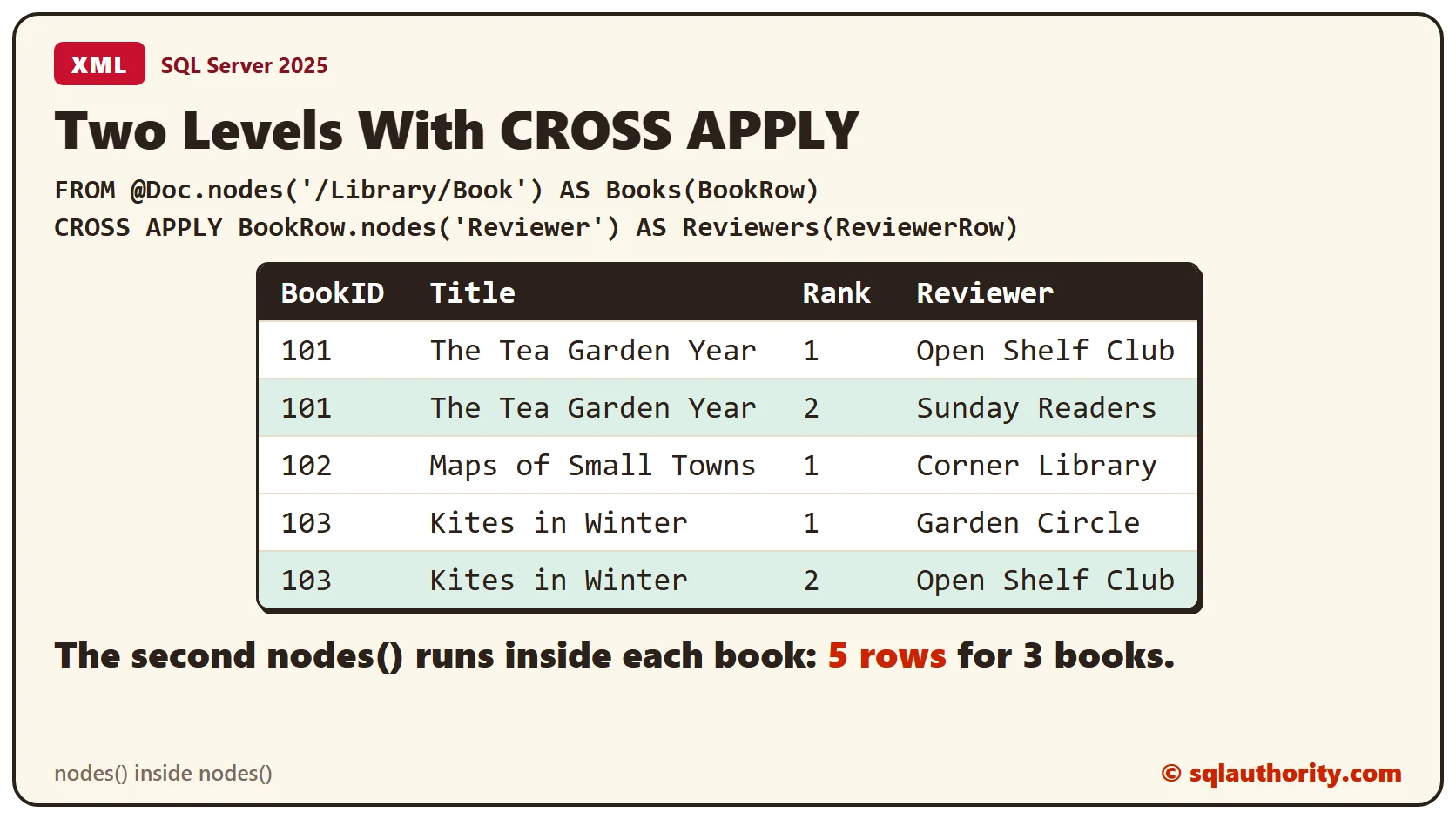
The query returns 5 rows. Books 101 and 103 appear twice, once for each reviewer, and book 102 appears once. The first nodes() makes the books, and the second runs inside each book.
Where OPENXML Fits
Older code uses OPENXML. It needs a prepare call before the query and a release call after it, with a handle in between. nodes() works on an xml variable or column directly and needs no handle. The prepare and release steps are covered in sp_xml_preparedocument: Prepare XML in Memory and Always Release It. The row pattern idea is covered in OPENXML Rowpattern in SQL Server: Search Every Level and Read the Parent.
Clean Up
Remove the sample table when you finish.
DROP TABLE Catalog;What to Remember
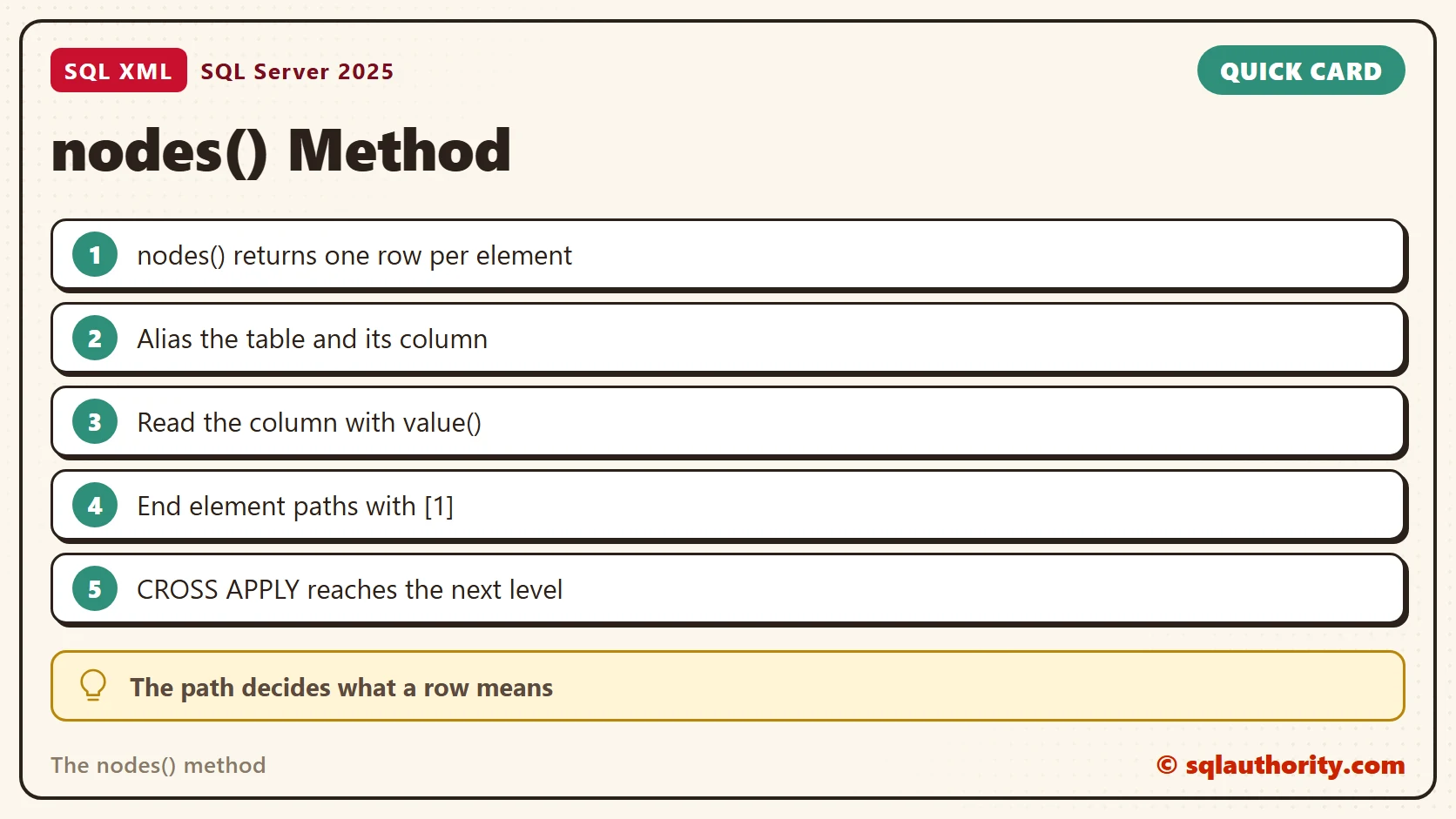
Alias the table and its column. Read the column with query() or value(), and end element paths with [1]. Choose the row pattern by what a row should mean. Add a second nodes() with CROSS APPLY for the next level.
To go further, read XML nodes: Turn Repeated Elements Into Rows, Shredding XML in SQL Server: Turn XML Back Into Rows and XML value: Select One Typed Scalar.
A node is not a value, it is a pointer you read with value() or query().
Published by Pinal Dave on SQLAuthority. More of my work at pinaldave.com.
Discover more from SQL Authority with Pinal Dave
Subscribe to get the latest posts sent to your email.