
Shredding XML means turning XML back into rows and columns. FOR XML goes from a table to a document. Shredding is the trip home. SQL Server does it with two methods of the xml data type, nodes() and value().
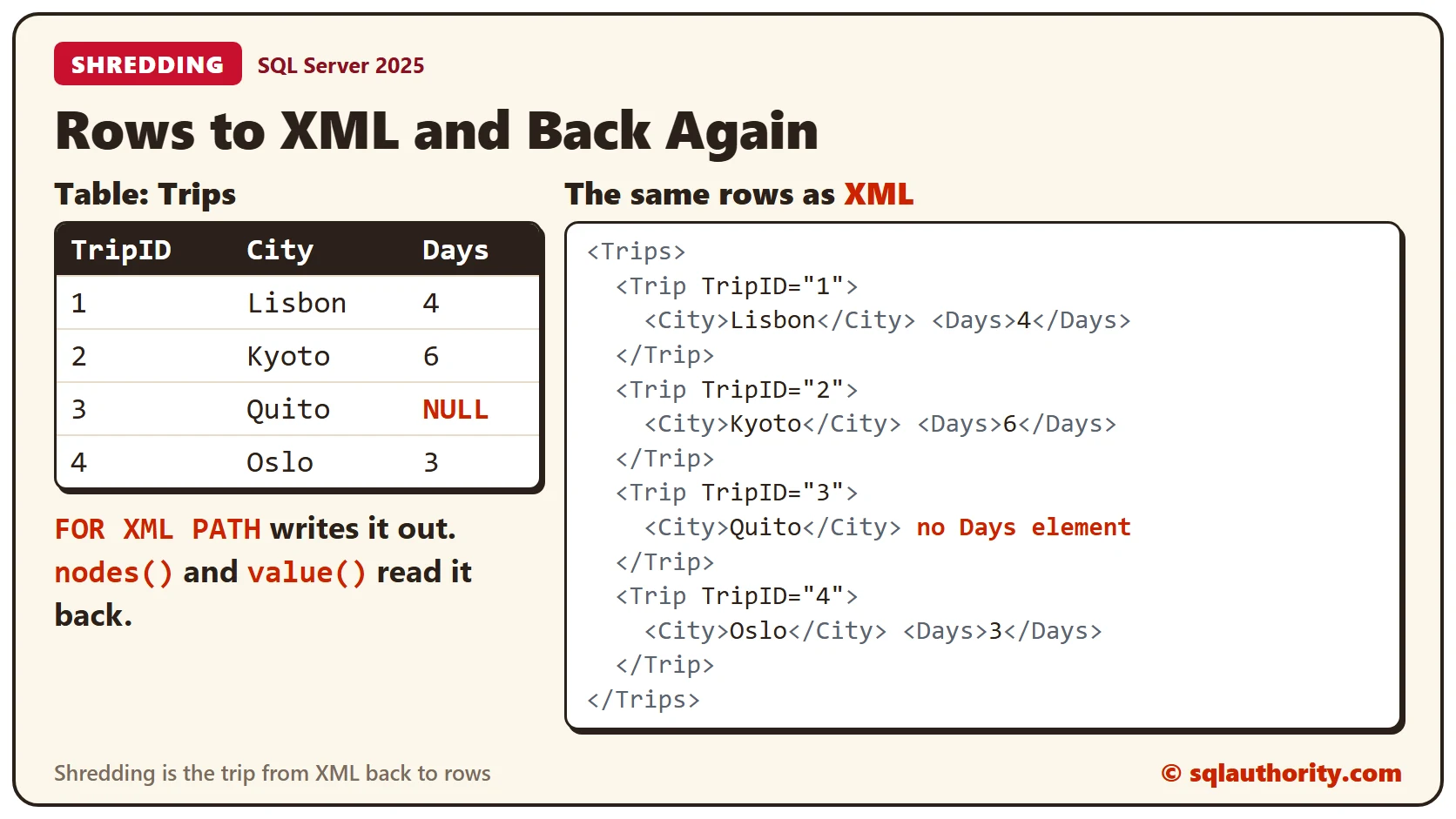
The Sample Table
Four trips and the number of days for each. Quito has no day count yet, so Days is NULL. Run this in any test database. Every result in this post comes from SQL Server 2025.
CREATE TABLE Trips (TripID INT PRIMARY KEY, City VARCHAR(20) NOT NULL, Days INT NULL);
INSERT INTO Trips (TripID, City, Days) VALUES (1, 'Lisbon', 4), (2, 'Kyoto', 6), (3, 'Quito', NULL), (4, 'Oslo', 3);
GO
From Rows to XML
First write the table out as XML. The query below returns the xml data type, because of TYPE. Look at the Quito element: there is no Days element, because a NULL column produces no element.
DECLARE @Doc xml = (SELECT TripID AS [@TripID], City, Days FROM Trips ORDER BY TripID FOR XML PATH('Trip'), ROOT('Trips'), TYPE);
SELECT @Doc AS TripsXml;
From XML Back to Rows
Two methods do the work. nodes() takes a path and returns one row for each matching element. value() reads one typed value from that row, through a path of its own.
The path ‘/Trips/Trip’ finds every Trip element. The path ‘@TripID’ reads an attribute, and ‘(City/text())[1]’ reads the text of the City child. The [1] at the end is required, and a later section shows why.
DECLARE @Doc xml = (SELECT TripID AS [@TripID], City, Days FROM Trips ORDER BY TripID FOR XML PATH('Trip'), ROOT('Trips'), TYPE);
SELECT
  t.n.value('@TripID', 'int') AS TripID,
  t.n.value('(City/text())[1]', 'varchar(20)') AS City,
  t.n.value('(Days/text())[1]', 'int') AS Days
FROM @Doc.nodes('/Trips/Trip') AS t(n)
ORDER BY TripID;
Four rows came back, and Quito’s Days is NULL. The missing element turned into NULL again, which is what the table held.
Shred Into a Table
Most of the time you want the rows stored, not only displayed. This script creates a copy of the table and fills it from the XML with INSERT and SELECT.
CREATE TABLE TripCopy (TripID INT PRIMARY KEY, City VARCHAR(20) NOT NULL, Days INT NULL);
GO

DECLARE @Doc xml = (SELECT TripID AS [@TripID], City, Days FROM Trips ORDER BY TripID FOR XML PATH('Trip'), ROOT('Trips'), TYPE);
INSERT INTO TripCopy (TripID, City, Days)
SELECT
  t.n.value('@TripID', 'int'),
  t.n.value('(City/text())[1]', 'varchar(20)'),
  t.n.value('(Days/text())[1]', 'int')
FROM @Doc.nodes('/Trips/Trip') AS t(n);
Check the Round Trip
Don’t trust a copy by eye. EXCEPT returns the rows found on one side and not the other. It treats two NULLs as equal. The query counts the rows of the copy and the rows missing in each direction.
SELECT
  (SELECT COUNT(*) FROM TripCopy) AS CopyRows,
  (SELECT COUNT(*) FROM (SELECT TripID, City, Days FROM Trips EXCEPT SELECT TripID, City, Days FROM TripCopy) AS a) AS OnlyInTrips,
  (SELECT COUNT(*) FROM (SELECT TripID, City, Days FROM TripCopy EXCEPT SELECT TripID, City, Days FROM Trips) AS b) AS OnlyInCopy;
The copy has 4 rows, and both differences are 0. The trip out and back lost nothing.
![The four shredded rows with the Quito Days value NULL, the result 4 rows in the copy and 0 and 0 rows that differ, and two mistakes: a lowercase path returns NULL in all 4 rows, and a path without [1] fails with message 2389](https://blog.sqlauthority.com/wp-content/uploads/2026/10/shredding-xml-in-sql-server-turn-xml-back-into-rows-checks.webp)
Two Easy Mistakes
XML is case sensitive, and so are the paths. A lowercase city path matches nothing. It doesn’t raise an error. It returns NULL for every row, which is easy to miss.
DECLARE @Doc xml = (SELECT TripID AS [@TripID], City, Days FROM Trips ORDER BY TripID FOR XML PATH('Trip'), ROOT('Trips'), TYPE);
SELECT t.n.value('(city/text())[1]', 'varchar(20)') AS City
FROM @Doc.nodes('/Trips/Trip') AS t(n);
The second mistake does raise an error. value() must receive exactly one value. SQL Server can’t prove that ‘(City/text())’ returns only one. Add [1] to the path, as in the earlier queries.
DECLARE @Doc xml = (SELECT TripID AS [@TripID], City, Days FROM Trips ORDER BY TripID FOR XML PATH('Trip'), ROOT('Trips'), TYPE);
SELECT t.n.value('(City/text())', 'varchar(20)') AS City
FROM @Doc.nodes('/Trips/Trip') AS t(n);
The error is message 2389. It says value() requires a singleton.
XML Stored in a Column
Real XML usually lives in a table column. Then you shred it with CROSS APPLY. The script below stores the trips as two small documents, two trips each, and shreds both in one query.
CREATE TABLE TripFiles (FileID INT PRIMARY KEY, Doc xml NOT NULL);
GO

INSERT INTO TripFiles (FileID, Doc)
SELECT 1, (SELECT TripID AS [@TripID], City, Days FROM Trips WHERE TripID <= 2 ORDER BY TripID FOR XML PATH('Trip'), ROOT('Trips'), TYPE)
UNION ALL
SELECT 2, (SELECT TripID AS [@TripID], City, Days FROM Trips WHERE TripID >= 3 ORDER BY TripID FOR XML PATH('Trip'), ROOT('Trips'), TYPE);
GO

SELECT f.FileID, t.n.value('@TripID', 'int') AS TripID, t.n.value('(City/text())[1]', 'varchar(20)') AS City
FROM TripFiles AS f
CROSS APPLY f.Doc.nodes('/Trips/Trip') AS t(n)
ORDER BY TripID;
Four rows come back, two from each document, and each row still knows which file it came from. nodes() runs once for every row of TripFiles.
The Older Way
Older code uses OPENXML. It reads a prepared document. That needs a prepare step before the query and a release step after it. nodes() works directly on an xml variable or column and needs neither. Use nodes() for new code.
Clean Up
Remove the sample tables when you finish.
DROP TABLE TripFiles;
DROP TABLE TripCopy;
DROP TABLE Trips;
What to Remember
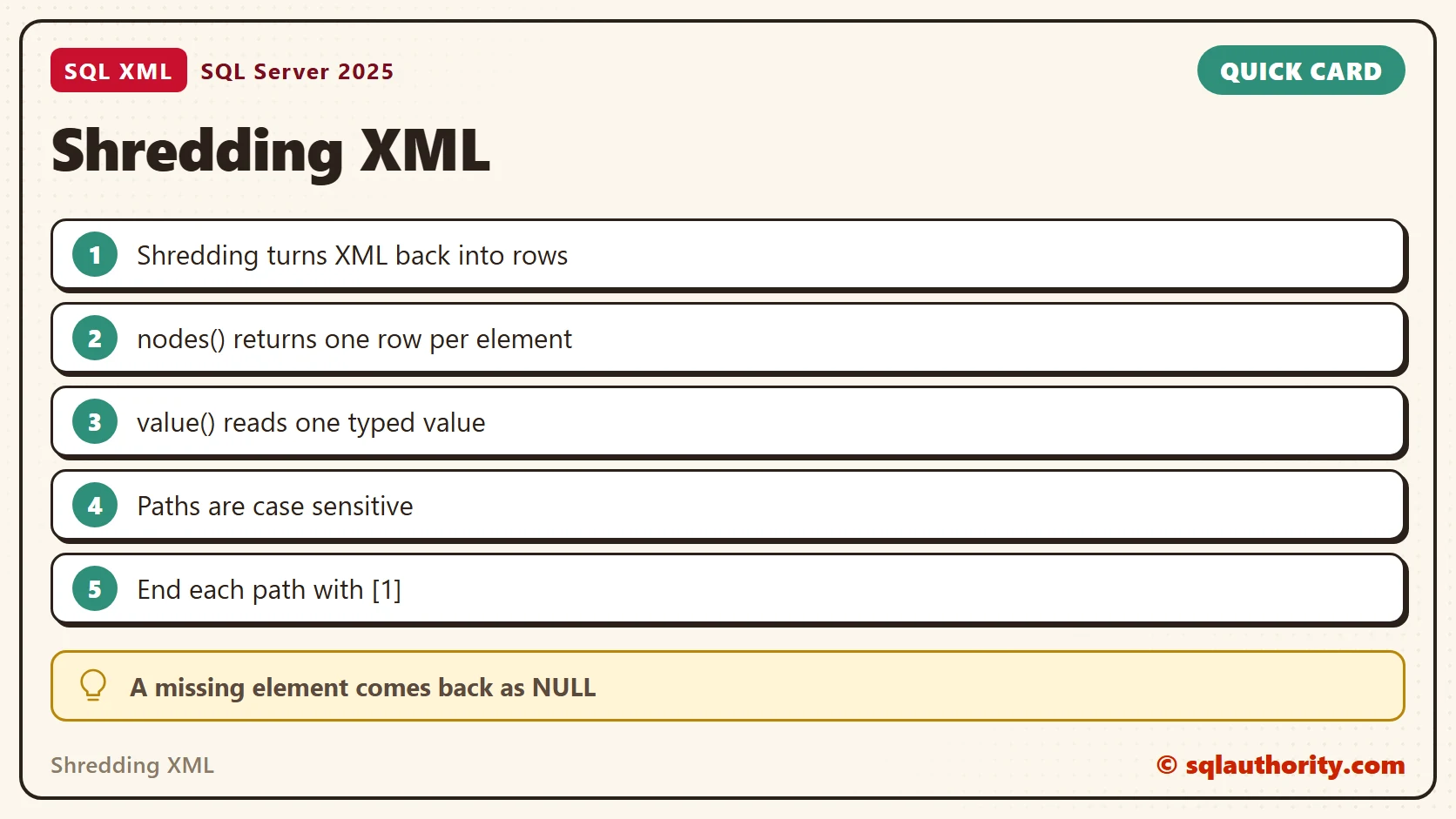
Shredding is nodes() for the rows and value() for the columns. Match the case of every path and end each value() path with [1]. Compare the copy with the original before you rely on it.
To go further, read XML nodes: Turn Repeated Elements Into Rows, XML value: Select One Typed Scalar and Introduction to Discovering XML Data Type Methods.
Shredding is not parsing for its own sake, it is getting rows back without losing a NULL.
Published by Pinal Dave on SQLAuthority. More of my work at pinaldave.com.
Discover more from SQL Authority with Pinal Dave
Subscribe to get the latest posts sent to your email.



3 Comments. Leave new
Ans: 1
1. Shredding
:India
How to achieve this :
————————————————————-
Declare @testXml xml ;
select @testXml =
(
select top(10) CustomerID, CustomerName, GeographyID from CustomersDetails
for xML path(‘Customer’), root(‘CustomerInformation’)
)
—————————
select
testXmlTable.value(‘CustomerID[1]’, ‘varchar(7)’) AS CustomerID
,testXmlTable.value(‘CustomerName[1]’, ‘varchar(100)’) AS CustomerName
FROM @testXml.nodes(‘//Customer’) AS R(testXmlTable)
————————————————————————————
————————————————————————————
if in your production database you already have XML column and want to perform Shredding on that use the “CROSS APPLY”
e.g.
select top(10)
testXml.value(‘cdm_ID[1]’,’varchar(7)’) AS CustomerID
,testXml.value(‘cdm_Name[1]’, ‘varchar(7)’) AS CustomerName
from CustomersDetails
CROSS APPLY CustomerXml.nodes(‘//dtCustomerDetails’) AS R(testXml)
The correct answer for the above question is Option #1 – Shredding.
The process of converting XML data into a format that can be used by a relational database is called ‘Shredding”, or decomposition. One can either use the NODES method on an XML data type or, from a Document Object Model (DOM), use the OpenXML function. OpenXML is retained in SQL 2005, but the NODES method is generally preferable because of its simplicity and performance.
Diljeet Kumari
Country : INDIA
Hi Pinal,
whenever a transaction log is full, what is the primary step do we need to take inorder to continue the further transactions on the database?
please give reply to my question as soon as possible.