
An OPENXML rowpattern decides which XML elements become rows, and two small tricks make it far more useful. A double slash searches every level. A ../ in a column pattern reads the parent. Both are tested here on a small team tree.
The Sample Document
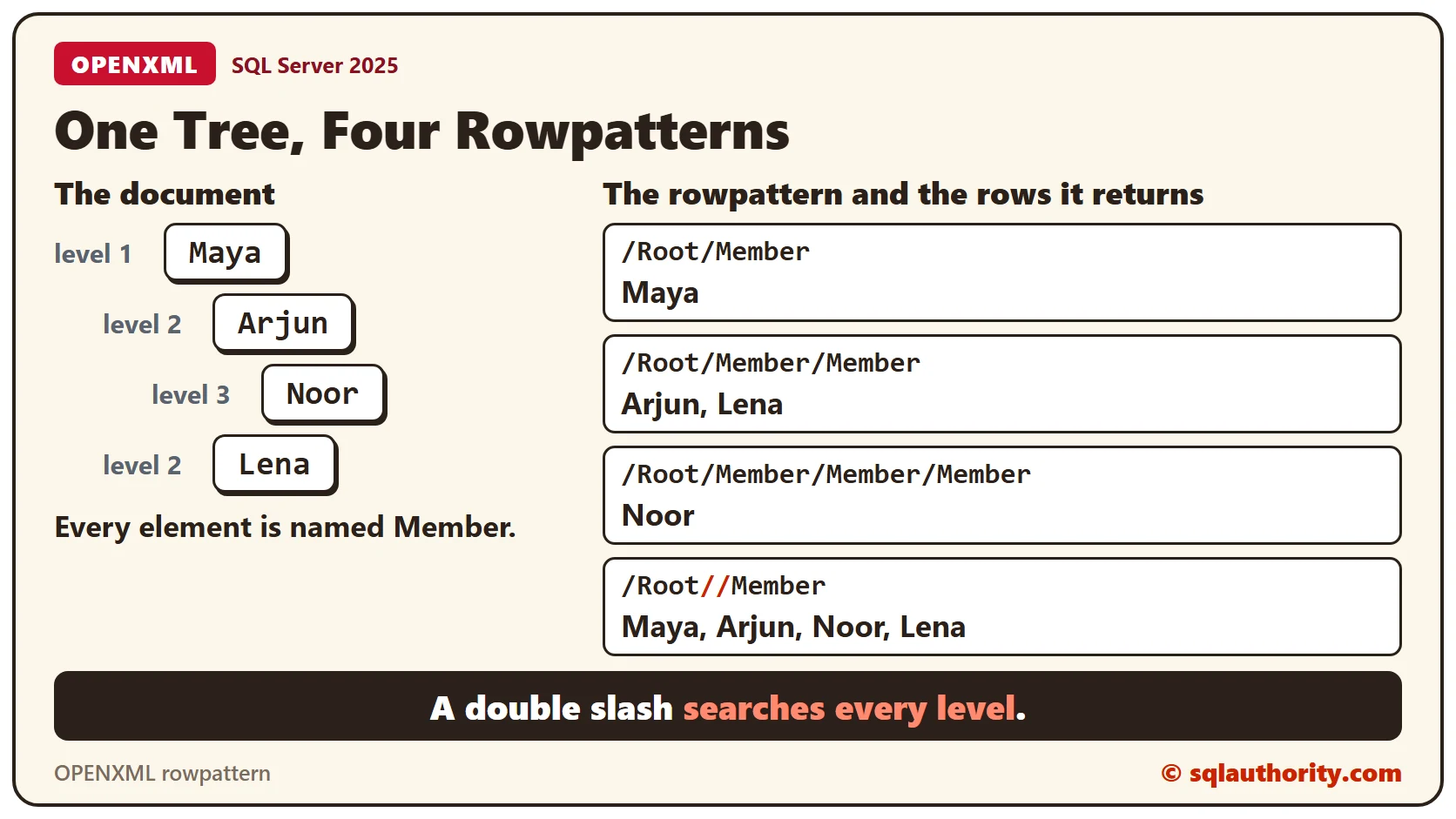
The document is a small team with four members. One sits at the top and two sit under them. One more sits under one of those. Every element is named Member, and the name sits in an attribute. Every result in this post comes from SQL Server 2025.
Run the blocks in order, in one batch, because the handle and @Doc live in the batch. The first block prepares the document.
DECLARE @Doc xml = N'<Root>
  <Member Name="Maya">
    <Member Name="Arjun">
      <Member Name="Noor"/>
    </Member>
    <Member Name="Lena"/>
  </Member>
</Root>';
DECLARE @Handle int;
EXEC sys.sp_xml_preparedocument @Handle OUTPUT, @Doc;
Absolute Rowpatterns
An absolute rowpattern names every level from the root. Each query below goes one level deeper, and each returns only the members at that exact level.
SELECT Name FROM OPENXML(@Handle, '/Root/Member', 1) WITH (Name varchar(20) '@Name');

SELECT Name FROM OPENXML(@Handle, '/Root/Member/Member', 1) WITH (Name varchar(20) '@Name');

SELECT Name FROM OPENXML(@Handle, '/Root/Member/Member/Member', 1) WITH (Name varchar(20) '@Name');
The first query returns Maya, the second returns Arjun and Lena, and the third returns Noor. Maya isn’t in the second result, because Maya sits one level up.
Search Every Level With Two Slashes
A double slash means any depth below that point. The pattern ‘/Root//Member’ returns every Member under Root, whatever its level. A pattern that starts with // searches the whole document.
SELECT Name FROM OPENXML(@Handle, '/Root//Member', 1) WITH (Name varchar(20) '@Name');

SELECT Name FROM OPENXML(@Handle, '//Member', 1) WITH (Name varchar(20) '@Name');
Both queries return four rows, in document order. Use the double slash when the element name matters more than its level. An org chart is a good example, because every person is a Member.
Paths are case sensitive. A lowercase member in the pattern below matches nothing, and SQL Server doesn’t raise an error. The query returns zero rows.
SELECT Name FROM OPENXML(@Handle, '/Root/member', 1) WITH (Name varchar(20) '@Name');Read the Parent With ../
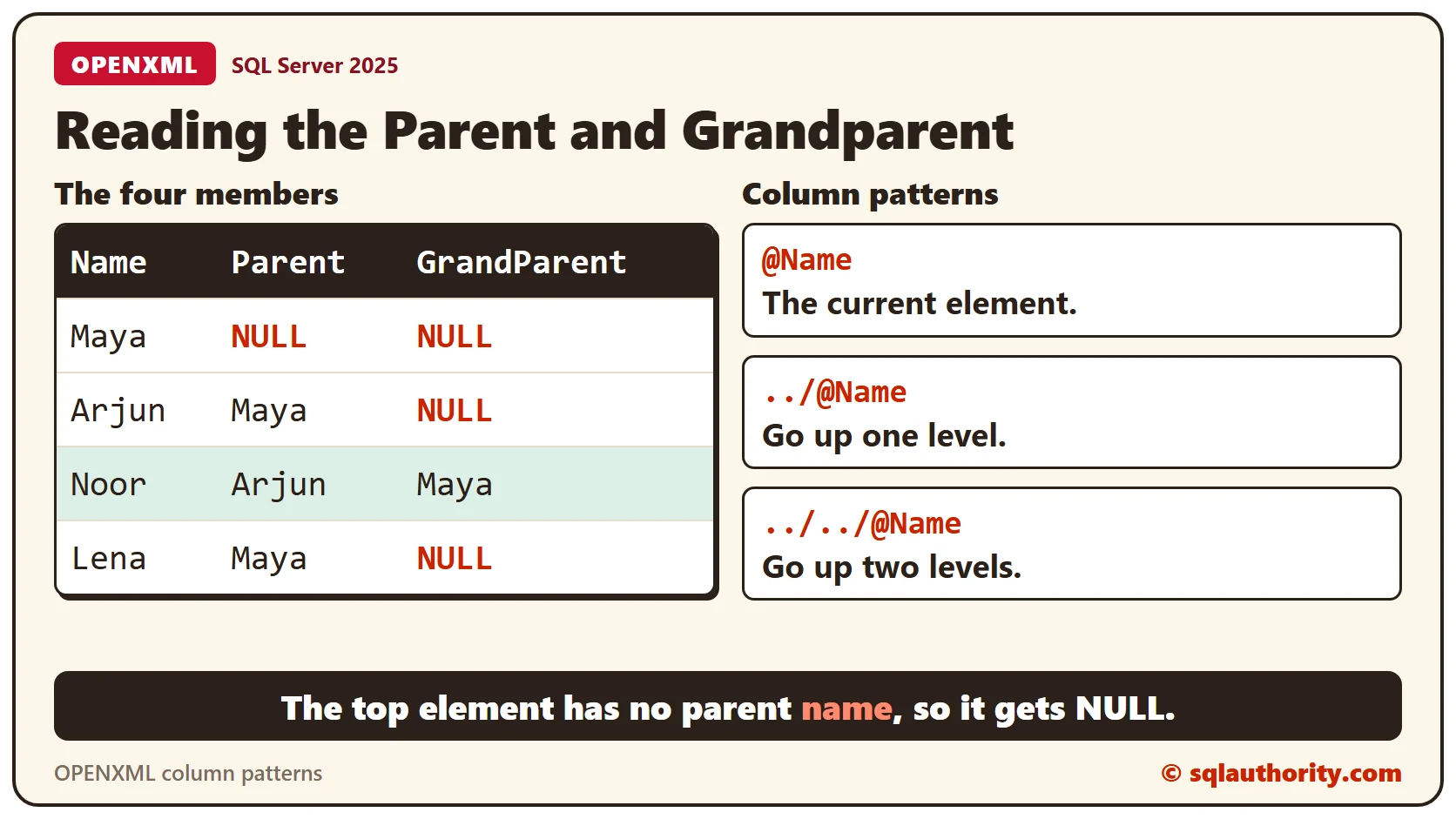
A column pattern is relative to the element the rowpattern found. ../ steps up one level, and ../../ steps up two. This query returns each member next to their parent and grandparent.
SELECT Name, Parent, GrandParent
FROM OPENXML(@Handle, '/Root//Member', 1)
WITH (Name varchar(20) '@Name', Parent varchar(20) '../@Name', GrandParent varchar(20) '../../@Name');
Maya has no parent member. The parent element is Root, and Root has no Name attribute, so both columns are NULL. Noor shows Arjun as the parent and Maya as the grandparent.
The Same Result With nodes()
The same paths work with the nodes() and value() methods. The next query uses the @Doc variable from the first block and needs no handle.
SELECT
  m.n.value('@Name', 'varchar(20)') AS Name,
  m.n.value('(../@Name)[1]', 'varchar(20)') AS Parent,
  m.n.value('(../../@Name)[1]', 'varchar(20)') AS GrandParent
FROM @Doc.nodes('/Root//Member') AS m(n);
It returns the same four rows. Prefer this form in new code, and keep OPENXML for scripts that already use it.
What the Flags Value Does
The third argument of OPENXML is the flags value. The query below leaves out the column patterns, so the flags decide where the Name column comes from.
SELECT 'flags 0' AS Setting, Name FROM OPENXML(@Handle, '/Root/Member', 0) WITH (Name varchar(20))
UNION ALL
SELECT 'flags 1', Name FROM OPENXML(@Handle, '/Root/Member', 1) WITH (Name varchar(20))
UNION ALL
SELECT 'flags 2', Name FROM OPENXML(@Handle, '/Root/Member', 2) WITH (Name varchar(20));
Flags 0 and 1 both read attributes, so both return Maya. Flags 2 reads child elements. Maya has no child element named Name, so that row is NULL.
Release the Handle
Release the document when you finish.
EXEC sys.sp_xml_removedocument @Handle;What to Remember
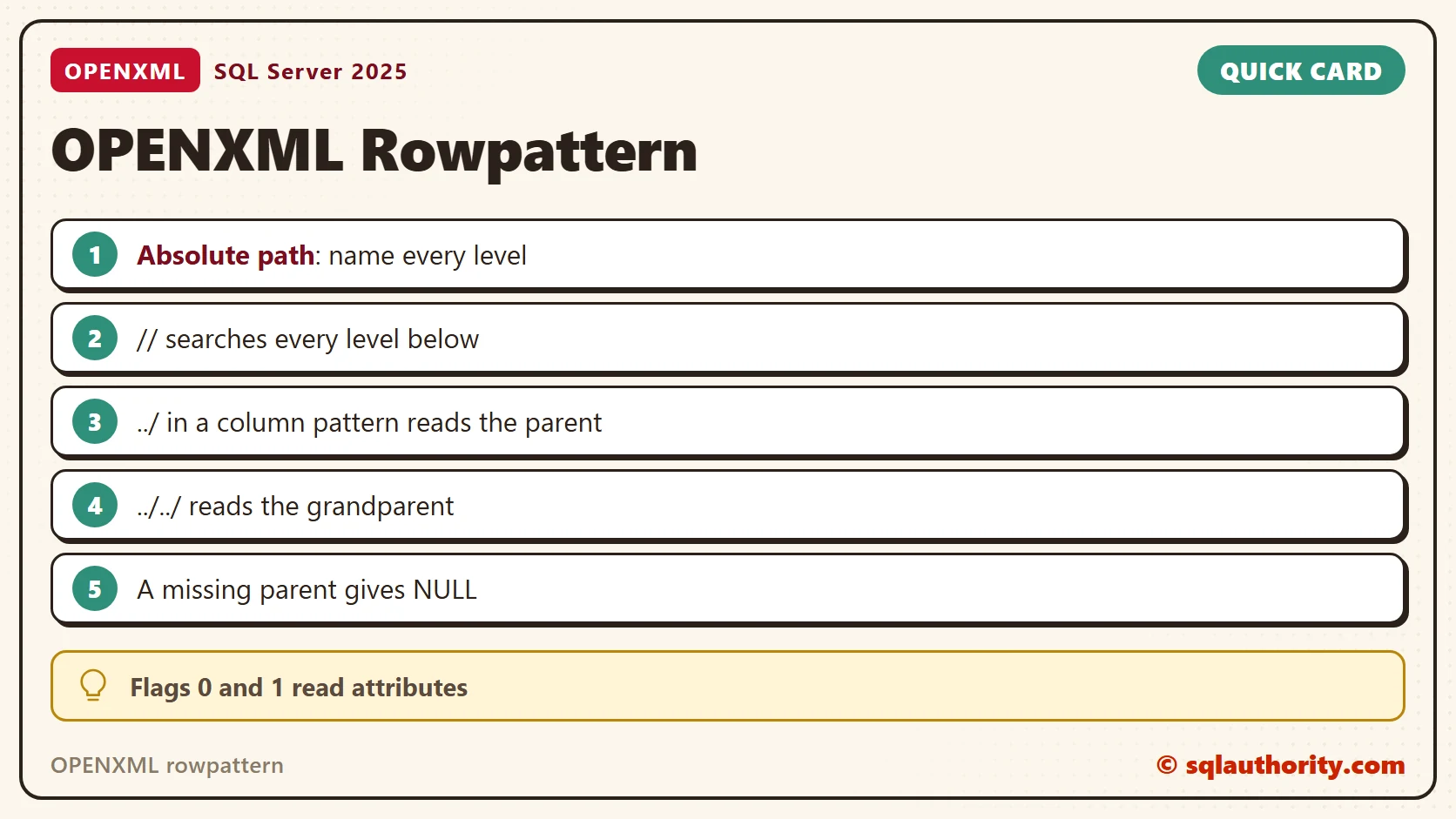
Name every level for an absolute rowpattern, or use // to search every level. Use ../ in a column pattern to reach the parent. A missing parent gives NULL, not an error.
To go further, read XML nodes: Turn Repeated Elements Into Rows, XML value: Select One Typed Scalar and XML exist: A Present Boolean Expression Still Exists.
A rowpattern is not a filter on names, it is a path through the tree.
Published by Pinal Dave on SQLAuthority. More of my work at pinaldave.com.
Discover more from SQL Authority with Pinal Dave
Subscribe to get the latest posts sent to your email.




1 Comment. Leave new
Can somebody explain the difference between flag 0 argument & flag 1 argument
, of OPENXML function