
To copy data from one table to another, use INSERT…SELECT or SELECT…INTO. After my earlier article on INSERT INTO SELECT, readers asked for a video and an AdventureWorks example. This episode answers both, and the tests below go further.

A Source Table to Practice On
The recording used the AdventureWorks2012 sample database. This script builds a small table of its own, so it runs on any server. If you want the sample data instead, see Install AdventureWorks and WideWorldImporters. Run everything in a scratch database.
The table has an identity column, a primary key, a default, a check constraint and an extra index. That gives us something to look for in the copy. One in three people has EmailPromotion = 2.
CREATE TABLE dbo.Customers
(
    CustomerId int IDENTITY(100,5) NOT NULL CONSTRAINT PK_Customers PRIMARY KEY,
    FirstName varchar(50) NOT NULL,
    LastName varchar(50) NOT NULL,
    EmailPromotion tinyint NOT NULL CONSTRAINT DF_Customers_Promo DEFAULT (0)
        CONSTRAINT CK_Customers_Promo CHECK (EmailPromotion BETWEEN 0 AND 2),
    City varchar(30) NULL
);
CREATE INDEX IX_Customers_LastName ON dbo.Customers (LastName);
WITH n AS (SELECT TOP (10000) ROW_NUMBER() OVER (ORDER BY (SELECT NULL)) AS rn
           FROM sys.all_objects a CROSS JOIN sys.all_objects b)
INSERT dbo.Customers (FirstName, LastName, EmailPromotion, City)
SELECT CONCAT('First', rn), CONCAT('Last', rn % 500), rn % 3, CASE WHEN rn % 7 = 0 THEN NULL ELSE 'Austin' END
FROM n;
Method 1: INSERT…SELECT
Create the destination first, then fill it. You control every column, type and name. This copied 3,333 rows.
CREATE TABLE dbo.PromoCopy1 (FirstName varchar(50) NOT NULL, LastName varchar(50) NOT NULL);
INSERT INTO dbo.PromoCopy1 (FirstName, LastName)
SELECT FirstName, LastName FROM dbo.Customers WHERE EmailPromotion = 2;
Method 2: SELECT…INTO
One statement creates the table and fills it. It also copied 3,333 rows.
SELECT CustomerId, FirstName, LastName, EmailPromotion, City
INTO dbo.PromoCopy2
FROM dbo.Customers WHERE EmailPromotion = 2;
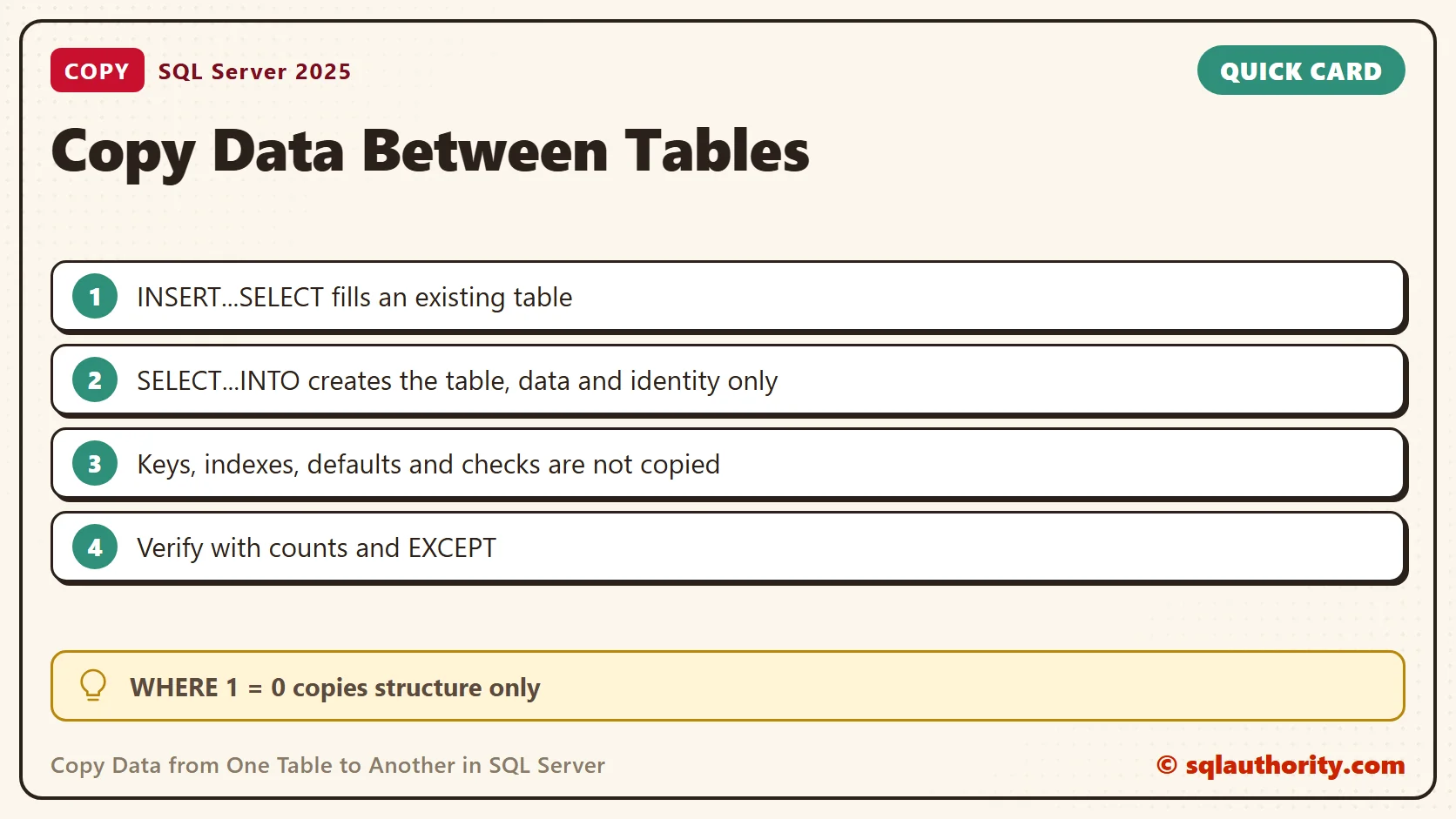
What SELECT…INTO Copies and What It Drops
The new table got the same column types, lengths and nullability. It also kept the identity property, with seed 100 and increment 5. The existing values were copied as they are, not renumbered, so the first ids were 105, 120 and 135. It dropped everything else.
| Table | Indexes | Key constraints | Check constraints | Default constraints |
|---|---|---|---|---|
| dbo.Customers | 2 | 1 | 1 | 1 |
| dbo.PromoCopy2 | 0 | 0 | 0 | 0 |
Add the missing pieces yourself when the copy needs them.
ALTER TABLE dbo.PromoCopy2 ADD CONSTRAINT PK_PromoCopy2 PRIMARY KEY (CustomerId);
CREATE INDEX IX_PromoCopy2_LastName ON dbo.PromoCopy2 (LastName);
After those two statements the copy had two indexes. To copy only the structure, add a condition that is never true. WHERE 1 = 0 created the table with zero rows.
Errors You Can Hit
Each of these failed in my tests. Know the message before you meet it at a bad moment.
| Mistake | Result |
|---|---|
| SELECT…INTO a table that exists | Msg 2714: There is already an object named ‘PromoCopy2’ in the database. |
| Explicit values into an identity column | Msg 544: Cannot insert explicit value for identity column when IDENTITY_INSERT is set to OFF. |
| Select list longer than the column list | Msg 121: The select list for the INSERT statement contains more items than the insert list. |
| NULL into a NOT NULL column | Msg 515: Cannot insert the value NULL into column ‘LastName’. The statement copied nothing. |
For the identity case, turn the setting on around the copy. The next script copied the 3,333 rows with ids from 105 to 50085.
CREATE TABLE dbo.PromoCopy3 (CustomerId int IDENTITY(1,1) PRIMARY KEY, FirstName varchar(50) NOT NULL, LastName varchar(50) NOT NULL);
SET IDENTITY_INSERT dbo.PromoCopy3 ON;
INSERT INTO dbo.PromoCopy3 (CustomerId, FirstName, LastName)
SELECT CustomerId, FirstName, LastName FROM dbo.Customers WHERE EmailPromotion = 2;
SET IDENTITY_INSERT dbo.PromoCopy3 OFF;
Copy Into Another Database
Use a three-part name for the destination. This copied 3,333 rows into a table in a second database.
SELECT FirstName, LastName
INTO ArchiveDb.dbo.PromoElsewhere
FROM dbo.Customers WHERE EmailPromotion = 2;
Change the Data While You Copy
The SELECT can reshape the data on the way. This copy joins the names into one column and writes the city in capital letters. Expression columns get types from the expression, so check them afterwards.
SELECT CONCAT(FirstName, ' ', LastName) AS FullName, UPPER(City) AS City, EmailPromotion
INTO dbo.PromoNames
FROM dbo.Customers WHERE EmailPromotion = 2;
The new table held 3,333 rows. FullName came out as varchar(101), which is 50 plus 50 plus the space. Because the sources were NOT NULL, it is NOT NULL too. City stayed nullable, so a missing city stayed missing instead of becoming empty text.
Check the Copy
A copy is only done when you have compared it with the source. Compare the counts, then use EXCEPT to look for rows that did not arrive.
SELECT (SELECT COUNT(*) FROM dbo.Customers WHERE EmailPromotion = 2) AS SourceCount,
       (SELECT COUNT(*) FROM dbo.PromoCopy1) AS Copy1Count,
       (SELECT COUNT(*) FROM dbo.PromoCopy2) AS Copy2Count;
SELECT COUNT(*) AS MissingFromCopy
FROM (SELECT FirstName, LastName FROM dbo.Customers WHERE EmailPromotion = 2
      EXCEPT
      SELECT FirstName, LastName FROM dbo.PromoCopy1) AS x;
All three counts were 3,333 and nothing was missing. Remember that EXCEPT ignores duplicate rows, so the count check still matters.
A Quick Backup Before a Change
SELECT...INTO is a fast way to keep the old rows before an update or a delete. Copy the rows you are about to change into a new table. Run the change. If the result looks wrong, compare the two tables. Drop the backup table when the change is final.
Which Method to Use
Use INSERT...SELECT when the destination already exists or has rules you want to keep. Use SELECT...INTO for a quick working copy, a staging table or a backup of rows before a change. Plan the keys and indexes of that copy yourself.
Related Reading
- SQL SERVER – Insert Data From One Table to Another Table – INSERT INTO SELECT – SELECT INTO TABLE
- Powershell – Importing CSV File Into Database – Video
- SQL SERVER – Import CSV File into Database Table Using SSIS
- SQL SERVER – Import CSV File Into SQL Server Using Bulk Insert – Load Comma Delimited File Into SQL Server
- SQL SERVER – 2005 – Generate Script with Data from Database – Database Publishing Wizard
A copy is not done when the rows arrive, it is done when you have checked them.
Published by Pinal Dave on SQLAuthority. More of my work at pinaldave.com.
Discover more from SQL Authority with Pinal Dave
Subscribe to get the latest posts sent to your email.




20 Comments. Leave new
Hi, Pinal. This is a nice way to copy data from one table to another, but wouldn’t it create problems when the source and destination tables have identity turned on?
I guess, we have to turn off the identity off on the destination table, copy the data and then turn on the identity on again.
Is there an easy way to do this ?
Thanks.
Look at SET IDENTITY_INSERT
It allows you to insert identities.
I would like to meet those developers personaly who were using cursor to copy data from one table to another table.
Hi,
I would like to meet those developers personaly who were using cursor to copy data from one table to another table.
Thanks,
Akash
Hi Pinal ,
with select into method I dont get the original table structure such as the key /primay .
We have Sql server 2008 R2 and i would like to set up my new test server and copy production DB to new test Server
We are taking back up – differential back up daily and during week end we take full back up.
We have 4-6 DB on one server and couple of them kind of Data Warehousing (Dimensional and Fact Table).
We don’t have that much sensitive data and we have only couple developers.
Could you please let me know that i am taking correct steps?
1) Will install Sql server 2008 R2 on new server
2) Copy latest back up files for all the databases into new server
3) Restored one by one database backup into new server
4) Collect login script from source server and run into target server to handle orphan logins
5) Run DBCC check command to verify the restore
Fast and easy approach, Thanks Pinal..
iamAkashSingh
I would like to meet those developers personaly who were using cursor to copy data from one table to another table
The best comment :))))
Hi Pinal, can u help me out to get the query to copy table (WIth all constraints) to a diff scema with same tablename and in same db?
…Sanjeeb
Hi, Pinal, what if the table is large, I mean some million records? server hangs… “insufficient disk space” because the tempdb… how to deal with that? thanks
Great article
Hi Pinal
I want to insert data in table A from table B .
Both the tables have unique column ID .
Can I do this bulk insertion operation based on condition “Where A.ID=B.ID”.
Pinal,
I am always pleased to see your articles when they come up in searches. Usually very helpful. Thank you for all the great articles.
Option #1 although good from the point of minimal logging and giving the option to add table locks if needed. It does not do one key thing the option #2 does,
One of the prime reasons I use option #2 is to copy a table structure and data without knowing the source table structure.
Is there a better option when the table structures are dynamic or unknown and have the advantages of option #1 of minimal logging?
Thanks,
Rahul
very clear explanation, thank u so much boss,
cheers
how if the 2 tables are not in the same database ? thx in advance
Thank u sir …thank you so much
Hello, what to do to create table from another table with specific collumn in mssql
Use tempdb
go
Create table SourceTable (i int, j char(10), k char(10))
go
insert into SourceTable values (1,’Pinal’,’Dave’)
go
Select i, j into DestinationTable from SourceTable
go
Select * from DestinationTable
Hello Sir,
Can u tell me how to copy 1 core data into the same structure table 1 table 5 core data and another table blank how to move 1 core data in to anoter table fast.
you can use partition switching
ALTER TABLE Table1 SWITCH PARTITION x TO Table2