
To concat strings in SQL Server, use the + operator or the CONCAT function. This is episode 35 of SQL in Sixty Seconds. The video shows five examples, and the tests below show what each one does with NULL, numbers and long text.

The Five Examples
The original recording read the AdventureWorks2012 sample database. These examples use a small table instead, so they run on any server. If you want the sample data, see Install AdventureWorks and WideWorldImporters. Create the table first.
CREATE TABLE dbo.Person (PersonId int PRIMARY KEY, FirstName varchar(30) NOT NULL, MiddleName varchar(30) NULL, LastName varchar(30) NOT NULL);
INSERT dbo.Person VALUES (1,'Asha','Rani','Patel'), (2,'Ravi',NULL,'Shah'), (3,'Meera','Devi','Joshi'), (4,'Kiran',NULL,'Mehta'),
  (5,'Nikhil','Kumar','Desai'), (6,'Anita',NULL,'Trivedi'), (7,'Sohan',NULL,'Vyas'), (8,'Leela','Lal','Parekh');
-- 1: two strings
SELECT 'FirstName' + ' ' + 'LastName' AS FullName;
-- 2: two numbers, made into text first
SELECT CAST(1 AS varchar(10)) + ' ' + CAST(2 AS varchar(10)) AS TwoNumbersAsText;
-- 3: columns of a table
SELECT FirstName + ' ' + LastName AS FullName FROM dbo.Person ORDER BY PersonId;
-- 4: the CONCAT function
SELECT CONCAT('FirstName', ' ', 'LastName') AS FullName;
-- 5: CONCAT with a number
SELECT CONCAT('FirstName', ' ', 1) AS FullName;
Results one, two, four and five were FirstName LastName, 1 2, FirstName LastName and FirstName 1. Example three returned names such as Asha Patel.
The + Operator Also Adds
The plus sign adds numbers and joins text. SQL Server decides by data type. Joining text with a number fails, because the text tries to become a number. 'Order ' + 1 stopped with Msg 245. The message reads Conversion failed when converting the varchar value ‘Order ‘ to data type int.
Two more results show the same rule. 1 + '1' returned 2, an int, because the text became a number. '1' + '1' returned 11, because both are text. Cast the number to text, or let CONCAT do it.
What Happens With NULL
Real names have missing parts. Four of my eight people have no middle name. This query joins all three parts both ways.
SELECT PersonId,
       FirstName + ' ' + MiddleName + ' ' + LastName AS WithPlus,
       CONCAT(FirstName, ' ', MiddleName, ' ', LastName) AS WithConcat,
       CONCAT_WS(' ', FirstName, MiddleName, LastName) AS WithConcatWs
FROM dbo.Person
WHERE PersonId IN (1, 2)
ORDER BY PersonId;| PersonId | WithPlus | WithConcat | WithConcatWs |
|---|---|---|---|
| 1 | Asha Rani Patel | Asha Rani Patel | Asha Rani Patel |
| 2 | NULL | Ravi Shah | Ravi Shah |
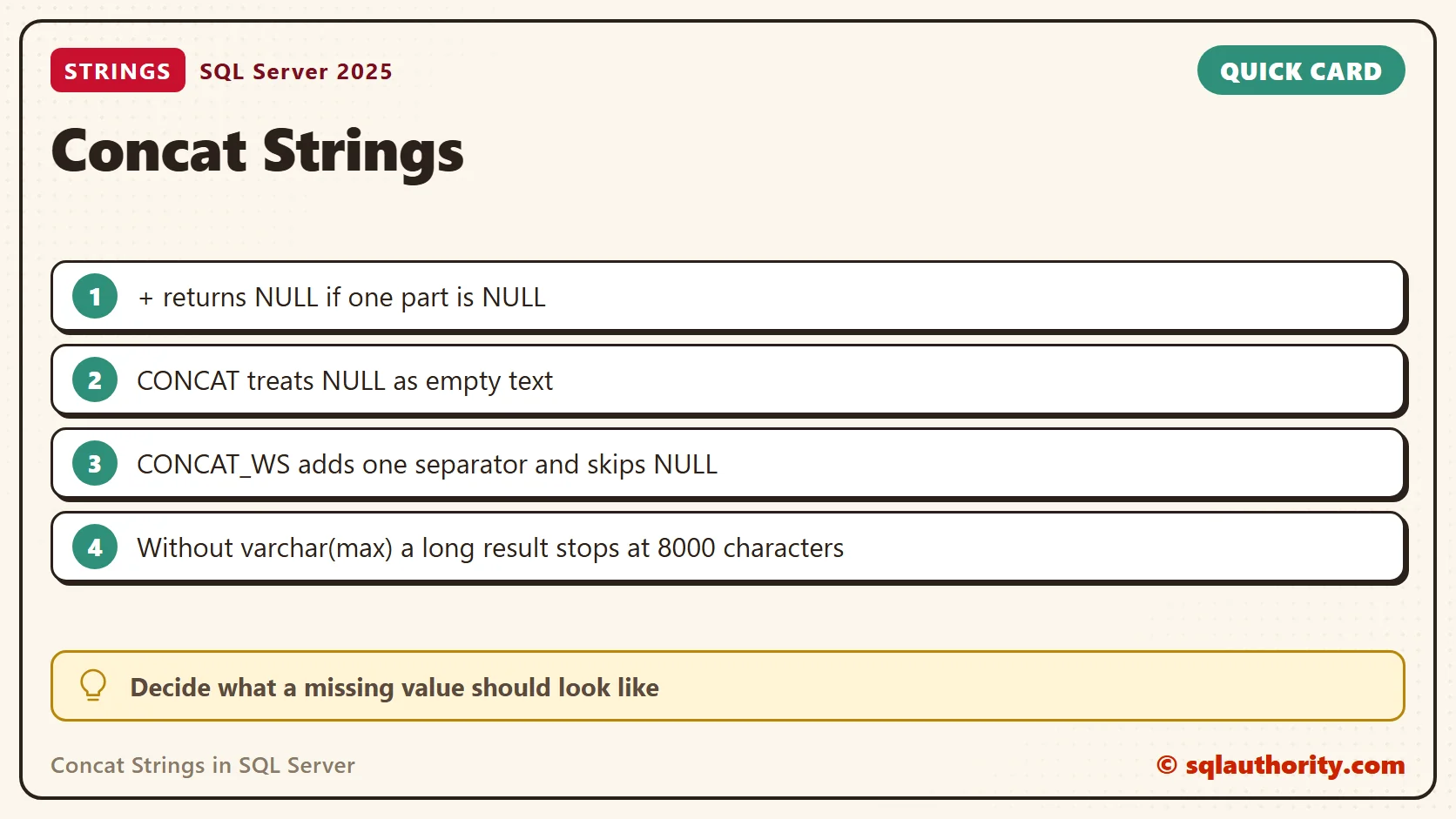
The plus sign returned NULL for all four people without a middle name. CONCAT returned no NULL, but it left a double space in Ravi Shah. CONCAT_WS takes the separator first, skips NULL values and adds one separator between the rest. It exists since SQL Server 2017.
An empty string is not NULL. CONCAT_WS(', ', 'Austin', '', 'Texas') returned Austin, , Texas, while the same call with NULL returned Austin, Texas.
The Old Setting for NULL
The plus sign returns NULL because of the session setting CONCAT_NULL_YIELDS_NULL. Some sources say this setting has been always ON since SQL Server 2017. On SQL Server 2025 I could still switch it OFF, and 'a' + NULL returned a. With the setting ON it returned NULL.
Leave the setting ON, and treat OFF as a feature on its way out. Code that relies on OFF breaks when the option goes away. State the NULL rule in the query itself with CONCAT or ISNULL.
The 8000 Character Cut
When no input is varchar(max), the result stops at 8000 characters. I joined 5000 x characters and 5000 y characters. Both CONCAT and the plus sign returned 8000. Casting one input to varchar(max) returned all 10000.
SELECT LEN(CONCAT(REPLICATE('x', 5000), REPLICATE('y', 5000))) AS NoMax,
       LEN(CONCAT(REPLICATE(CAST('x' AS varchar(max)), 5000), REPLICATE('y', 5000))) AS WithMax;
The first column returned 8000 and the second 10000. No error warns you about the cut.
Numbers and Dates Inside CONCAT
CONCAT converts every argument to text. A number keeps its digits, so 12.50 stays 12.50. A date arrives in year-month-day form. A datetime arrives in the older style Oct 28 2026 2:07PM. Convert a datetime with an explicit style when the format matters.
Many Rows Into One String
The functions above join values in one row. To join values from many rows, use STRING_AGG, added in SQL Server 2017. It ignores NULL values, and WITHIN GROUP sets the order.
CREATE TABLE dbo.Teas (TeaId int PRIMARY KEY, TeaName varchar(30) NOT NULL, Category varchar(10) NOT NULL);
INSERT dbo.Teas VALUES (1,'Assam','Black'), (2,'Darjeeling','Black'), (3,'Sencha','Green'), (4,'Jasmine','Green'),
  (5,'Rooibos','Herbal'), (6,'Chamomile','Herbal'), (7,'Peppermint','Herbal');
SELECT Category, STRING_AGG(TeaName, ', ') WITHIN GROUP (ORDER BY TeaName) AS Teas
FROM dbo.Teas
GROUP BY Category
ORDER BY Category;
| Category | Teas |
|---|---|
| Black | Assam, Darjeeling |
| Green | Jasmine, Sencha |
| Herbal | Chamomile, Peppermint, Rooibos |
What I Use
For a name with an optional middle part, I use CONCAT_WS. For a message that mixes text, numbers and dates, I use CONCAT. For many rows, I use STRING_AGG. I keep the plus sign for short fixed strings, where I know that nothing is NULL.
Related Reading
- SQL SERVER – Concat Function in SQL Server – SQL Concatenation
- String Function – CONCAT() – A Quick Introduction
- 2012 Functions – FORMAT() and CONCAT() – An Interesting Usage
- A Quick Trick about SQL Server 2012 CONCAT Function – PRINT
- A Quick Trick about SQL Server 2012 CONCAT function
Concatenation is not a way to hide missing data, it is the place where you decide what missing means.
Published by Pinal Dave on SQLAuthority. More of my work at pinaldave.com.
Discover more from SQL Authority with Pinal Dave
Subscribe to get the latest posts sent to your email.



5 Comments. Leave new
Cool !
Thanks Pinal for this info!
It’s my understanding that the SQL 2012 CONCAT() function eliminates the need to set CONCAT_NULL_YIELDS_NULL off. Can you confirm if this is correct?
In your method #5, is there any overhead in the execution plan from an implicit datatype conversion?
Thanks,
Andre Ranieri
This helps alot. Thanks alot.
Just a note that if you are doing a FIELD1+FIELD2 as FIELD3 when either one of the fields are NULL then it will not work probably. You will need to perform a isnull(FIELD1,”)+isnull(FIELD2,”) as FIELD3