
The Database Publishing Wizard scripted schema and data for SQL Server 2005-era transfers. I keep that workflow separate from current SSMS instructions.

Readers of my schema-copy article wanted the rows as well. The historical wizard could script schema, data, or both. Its .NET 2.0 and SQL Server 2005 SMO prerequisites and version-90 installation folder belong to that period.
The historical command-line workflow
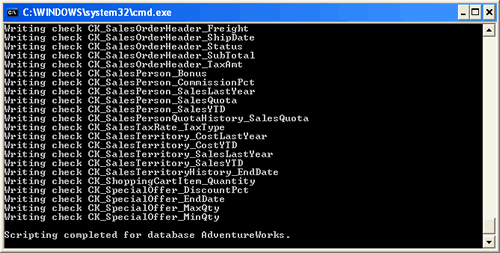
"C:\Program Files\Microsoft SQL Server\90\Tools\Publishing\sqlpubwiz.exe" script -d AdventureWorks "C:\AdventureWorks.sql"
"C:\Program Files\Microsoft SQL Server\90\Tools\Publishing\sqlpubwiz.exe" script -d AdventureWorks "C:\AdventureWorks.sql" -schemaonly
"C:\Program Files\Microsoft SQL Server\90\Tools\Publishing\sqlpubwiz.exe" script -d AdventureWorks "C:\AdventureWorks.sql" -dataonly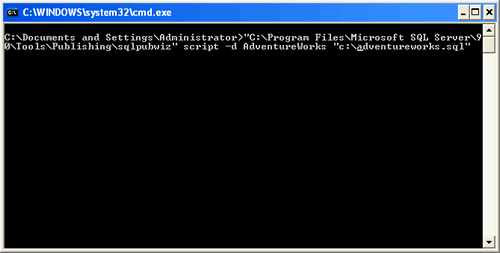
The current SSMS route
- Right-click the intended database and select Tasks > Generate Scripts.
- Select the required objects and choose a file destination.
- In Advanced scripting options, set Types of data to script to schema only, data only, or schema and data.
- Review the target version and other options, then inspect the generated script before executing it.
Permissions and encrypted definitions limit what can be scripted. Instance-level dependencies, sensitive row values, and file locations need separate review. Generating a script does not prove it recreates every aspect of the database.
Data scripts can become very large. A tested backup/restore or another supported transfer method may fit a large database better. The original 100 MB suggestion was a small-test recommendation, not a guaranteed safe file size.
Reference: SSMS Generate Scripts Wizard.
Related reading
Original video
A generated script is not a validated migration, it is an artifact that still needs a recreation test.
Published by Pinal Dave on SQLAuthority. More of my work at pinaldave.com.
Discover more from SQL Authority with Pinal Dave
Subscribe to get the latest posts sent to your email.



69 Comments. Leave new
Hi All,I want to publish database to godaddy using database publishing wizard but when i connect with server name and windows authentication it does not show all databases.it shows only master,msdb and tempdb.I am totally new to it can somebody help.
thank you
How do i Generate scripts for a database form sql 2000 to sql 2014
The script generated in sql server 2005 is support in sql server 2014