This month's discount Comprehensive Database Performance Health Check · Testimonials
SQLAuthority with Pinal Dave
Home
  • Consulting
    • Health Check
  • Free Videos
  • All Articles
    • AI
    • SQL Performance
    • SQL Tips and Tricks
    • Interview Questions and Answers
    • SQL Puzzle
    • SQL Video
    • SQLAuthority News
    • Personal
  • Books
  • Consulting
SQL SERVER - SSMS 2012 Reset Keyboard Shortcuts to Default

SQL SERVER – SSMS 2012 Reset Keyboard Shortcuts to Default

November 5, 2011
Pinal Dave
SQL Tips and Tricks
SQL Server, SQL Server Management Studio

Someone changed the keyboard shortcuts in my SSMS 2012 at a conference. Here is how to reset keyboard shortcuts back to the default settings.
Read More
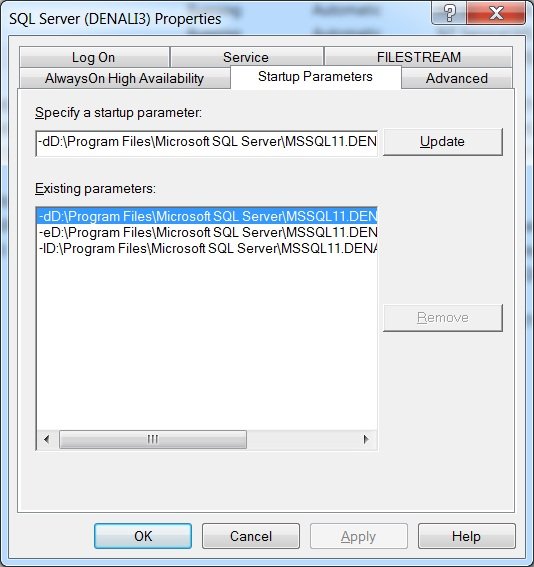
Configure sql server startup parameters.

SQL SERVER – Denali – Startup Parameters Easy to Configure

September 26, 2011
Pinal Dave
SQL Tips and Tricks
SQL Server Management Studio

SQL Server Denali makes startup parameters easy to change. Here is the quick path in SQL Server Configuration Manager to the startup parameters screen.

Read More
SQL SERVER - 2012 - Zoom Query Editor

SQL SERVER – 2012 – Zoom Query Editor

March 20, 2011
Pinal Dave
SQL Tips and Tricks
SQL Server, SQL Server Management Studio

The zoom query editor feature in SQL Server 2012 makes code large enough for presentations, group discussions or anyone who prefers big fonts.
Read More
SQL SERVER - Denali - Clipboard Ring - CTRL+SHIFT+V

SQL SERVER – Denali – Clipboard Ring – CTRL+SHIFT+V

January 25, 2011
Pinal Dave
SQL Tips and Tricks
SQL Server Management Studio

SQL Server Denali brings the clipboard ring from Visual Studio to SSMS. Copy a few items, then press CTRL+SHIFT+V to cycle through what you copied.
Read More
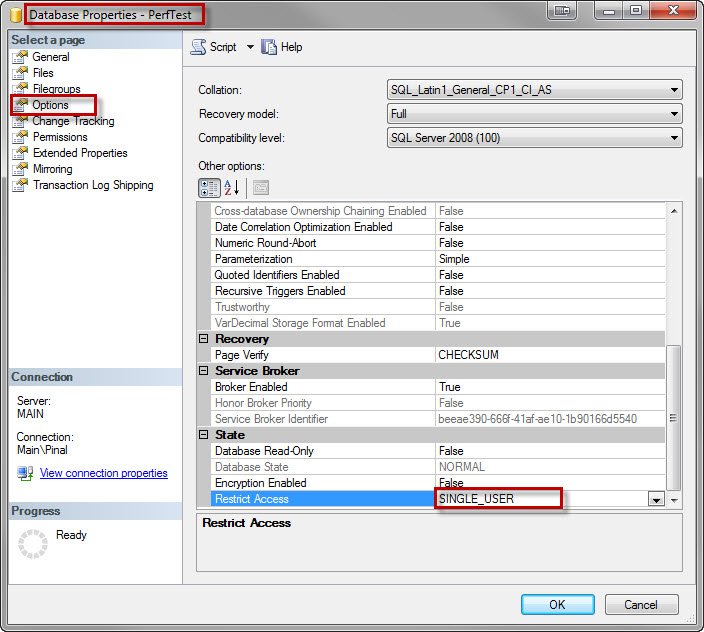
Database Properties - Perftest.

SQL SERVER – Change Database Access to Single User Mode Using SSMS

November 21, 2010
Pinal Dave
SQL Tips and Tricks
SQL Server Management Studio

I showed before how to set single user mode with T-SQL before a backup. You can also set single user mode using SSMS, from the database properties page.
Read More
SQL SERVER - Upper Case Shortcut SQL Server Management Studio

SQL SERVER – Upper Case Shortcut SQL Server Management Studio

July 7, 2010
Pinal Dave
SQL Tips and Tricks
SQL Scripts, SQL Server Management Studio

Want an upper case shortcut in SSMS? Select a keyword and press CTRL+SHIFT+U to make it upper case, or CTRL+SHIFT+L to make it lower case.
Read More
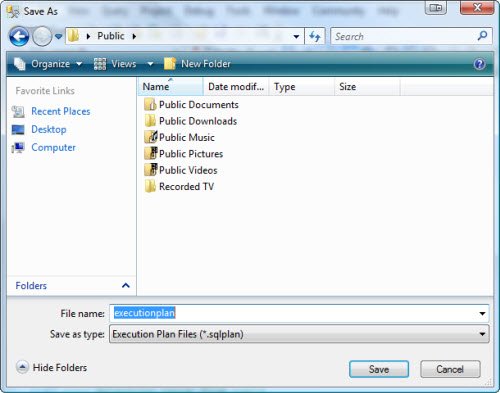
Save As dialog box.

SQL SERVER – View XML Query Plans in SSMS as Graphical Execution Plan

July 3, 2010
Pinal Dave
SQL Tips and Tricks
Execution Plan, SQL Scripts, SQL Server Management Studio, SQL XML

Want to share a graphical execution plan? Save it as a .sqlplan file and send it. Anyone can open it in SSMS without the tables or indexes behind it.

Read More
Previous 1 … 41 42 43 44 45 46 47 … 50 Next
  • Books
  • Testimonials
  • Privacy Policy

© 2006 – 2026 All rights reserved. pinal @ SQLAuthority.com