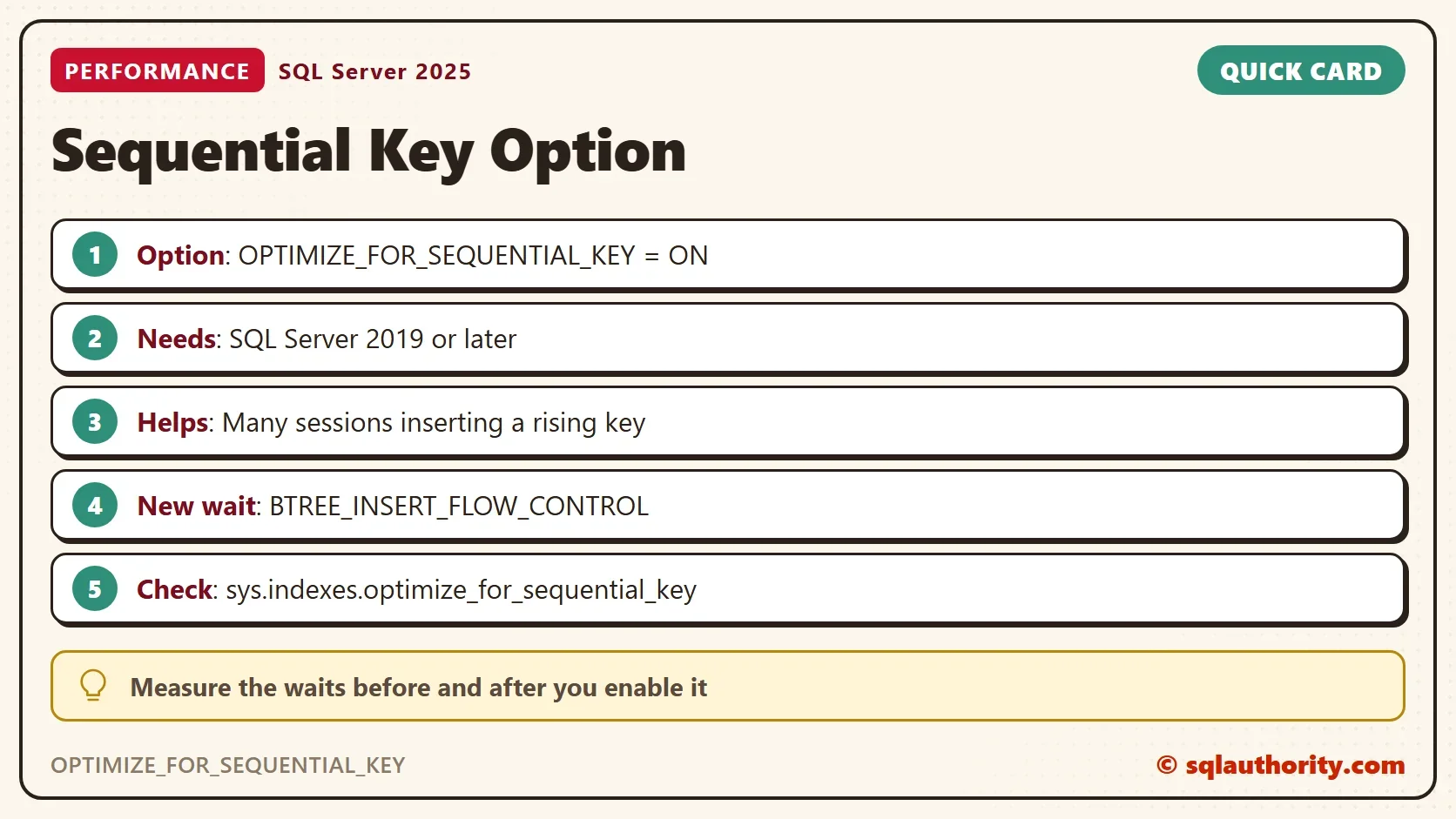
OPTIMIZE_FOR_SEQUENTIAL_KEY is an index option, new in SQL Server 2019, that targets last page insert contention.

The Problem the Option Targets
A clustered index on an identity column sends every new row to its last page. Each insert needs an exclusive latch on that page, so many sessions queue for one page. The wait is PAGELATCH_EX. Last Page Insert PAGELATCH_EX Contention Due to Identity Column explains how to spot it. Read Insert Workload Waits: WRITELOG and PAGELATCH_EX to see it in a test.
In client work, a table with heavy inserts gained clearly from this option. A table with light inserts gained nothing, and in rare cases the option made things worse. Those three outcomes are the reason to test before you enable it.
What the Option Does
With the option on, SQL Server controls how inserts approach the last page. Microsoft describes it this way: fewer threads fight for the latch, and the rest wait in a short queue. That queue has its own wait type, BTREE_INSERT_FLOW_CONTROL. The option needs SQL Server 2019 or later. Microsoft aims it at high-concurrency inserts into an index with a sequential key.
Build the Test
The test table has one clustered primary key on an identity column, which is the textbook case. The worker tables keep each session’s numbers, and the summary table keeps one row per round. The files are sized up front, so growth doesn’t distort a run.
IF DB_ID(N'SequentialKeyDemo') IS NULL CREATE DATABASE SequentialKeyDemo;
GO
ALTER DATABASE SequentialKeyDemo MODIFY FILE (NAME = SequentialKeyDemo, SIZE = 256MB);
ALTER DATABASE SequentialKeyDemo MODIFY FILE (NAME = SequentialKeyDemo_log, SIZE = 256MB);
GO
USE SequentialKeyDemo;
GO
DROP TABLE IF EXISTS dbo.GateLog, dbo.WorkerRuns, dbo.WorkerWaits, dbo.RunSummary, dbo.VisitLog;
CREATE TABLE dbo.GateLog (
    GateLogId int          IDENTITY(1,1) NOT NULL CONSTRAINT PK_GateLog PRIMARY KEY CLUSTERED,
    Note      varchar(500) NOT NULL CONSTRAINT DF_GateLog_Note DEFAULT ('Visitor counted at the gate')
);
CREATE TABLE dbo.WorkerRuns  (Setting varchar(3) NOT NULL, SessionId int NOT NULL, StartedAt datetime2(3) NOT NULL, EndedAt datetime2(3) NULL);
CREATE TABLE dbo.WorkerWaits (Setting varchar(3) NOT NULL, SessionId int NOT NULL, WaitType nvarchar(60) NOT NULL, WaitMs bigint NOT NULL);
CREATE TABLE dbo.RunSummary (
    RunNo              int          IDENTITY(1,1) NOT NULL,
    Setting            varchar(3)   NOT NULL,
    ElapsedSeconds     decimal(8,1) NOT NULL,
    PageLatchSeconds   decimal(8,1) NOT NULL,
    FlowControlSeconds decimal(8,1) NOT NULL,
    WriteLogSeconds    decimal(8,1) NOT NULL
);
For a new table, add the option to the primary key. For an existing index, use ALTER INDEX. Then read the setting from sys.indexes.
CREATE TABLE dbo.VisitLog (
    VisitLogId int IDENTITY(1,1) NOT NULL,
    Note       varchar(500) NOT NULL,
    CONSTRAINT PK_VisitLog PRIMARY KEY CLUSTERED (VisitLogId)
        WITH (OPTIMIZE_FOR_SEQUENTIAL_KEY = ON)
);
Each worker reads the setting of the primary key when it starts, so every result carries its own label. It inserts 5,000 rows, one per transaction, and copies its waits from the session wait view. Save this file as worker.sql.
SET NOCOUNT ON;
INSERT dbo.WorkerRuns (Setting, SessionId, StartedAt)
SELECT CASE i.optimize_for_sequential_key WHEN 1 THEN 'ON' ELSE 'OFF' END, @@SPID, SYSDATETIME()
FROM sys.indexes AS i
WHERE i.object_id = OBJECT_ID(N'dbo.GateLog') AND i.is_primary_key = 1;
GO
INSERT dbo.GateLog DEFAULT VALUES;
GO 5000
UPDATE dbo.WorkerRuns SET EndedAt = SYSDATETIME() WHERE SessionId = @@SPID AND EndedAt IS NULL;
INSERT dbo.WorkerWaits (Setting, SessionId, WaitType, WaitMs)
SELECT (SELECT TOP (1) r.Setting FROM dbo.WorkerRuns AS r WHERE r.SessionId = @@SPID ORDER BY r.StartedAt DESC),
       @@SPID, w.wait_type, w.wait_time_ms
FROM sys.dm_exec_session_wait_stats AS w
WHERE w.session_id = @@SPID;
A round has three steps. Set the option, run 32 workers at once and save the numbers. Start with the option off.
ALTER INDEX PK_GateLog ON dbo.GateLog SET (OPTIMIZE_FOR_SEQUENTIAL_KEY = OFF);
$server  = '.\SQLDEV'
$workers = 32
$watch = [Diagnostics.Stopwatch]::StartNew()
1..$workers | ForEach-Object {
    Start-Process sqlcmd -ArgumentList "-S $server -E -C -d SequentialKeyDemo -i worker.sql -o NUL" -WindowStyle Hidden -PassThru
} | Wait-Process
'{0:N1} seconds with {1} workers' -f $watch.Elapsed.TotalSeconds, $workers
INSERT dbo.RunSummary (Setting, ElapsedSeconds, PageLatchSeconds, FlowControlSeconds, WriteLogSeconds)
SELECT TOP (1) r.Setting,
       DATEDIFF(MILLISECOND, MIN(r.StartedAt) OVER (), MAX(r.EndedAt) OVER ()) / 1000.0,
       (SELECT COALESCE(SUM(WaitMs), 0) / 1000.0 FROM dbo.WorkerWaits WHERE WaitType = N'PAGELATCH_EX'),
       (SELECT COALESCE(SUM(WaitMs), 0) / 1000.0 FROM dbo.WorkerWaits WHERE WaitType = N'BTREE_INSERT_FLOW_CONTROL'),
       (SELECT COALESCE(SUM(WaitMs), 0) / 1000.0 FROM dbo.WorkerWaits WHERE WaitType = N'WRITELOG')
FROM dbo.WorkerRuns AS r;
TRUNCATE TABLE dbo.WorkerRuns;
TRUNCATE TABLE dbo.WorkerWaits;
TRUNCATE TABLE dbo.GateLog;
Then switch the option on, and repeat the launch and the save. The check below confirms the setting, and the last step reads all rounds. The test ran off, on, off and on, so the order matters less.
ALTER INDEX PK_GateLog ON dbo.GateLog SET (OPTIMIZE_FOR_SEQUENTIAL_KEY = ON);
SELECT i.name AS IndexName, i.optimize_for_sequential_key AS OptimizeForSequentialKey
FROM sys.indexes AS i
WHERE i.object_id = OBJECT_ID(N'dbo.GateLog') AND i.is_primary_key = 1;
| IndexName | OptimizeForSequentialKey |
|---|---|
| PK_GateLog | 1 |
SELECT RunNo, Setting, ElapsedSeconds, PageLatchSeconds, FlowControlSeconds, WriteLogSeconds
FROM dbo.RunSummary
ORDER BY RunNo;
The Result
| RunNo | Setting | ElapsedSeconds | PageLatchSeconds | FlowControlSeconds | WriteLogSeconds |
|---|---|---|---|---|---|
| 1 | OFF | 14.5 | 188.4 | 0.0 | 56.3 |
| 2 | ON | 9.6 | 78.4 | 55.3 | 56.6 |
| 3 | OFF | 10.9 | 93.1 | 0.0 | 81.9 |
| 4 | ON | 21.3 | 110.5 | 82.4 | 161.8 |
The wait seconds add up across 32 sessions. One result is clear. BTREE_INSERT_FLOW_CONTROL shows up only when the option is on, with 55 and 82 seconds in the two ON rounds.
The rest is mixed. PAGELATCH_EX fell from 188 to 78 seconds in the first pair. In the second pair it rose from 93 to 110. The elapsed time was faster with the option in one pair and slower in the other. WRITELOG took 56 to 162 seconds, and PAGELATCH_EX was larger in three of the four rounds. In this test the latch and the log both limited the run.
The test server also ran other work, so the elapsed times moved by more than the setting could explain. The honest reading is that the option changed the kind of waiting. It did not give a repeatable speed gain at 32 sessions.
How to Decide
Look at your own waits first. If PAGELATCH_EX leads on a table with many concurrent inserts, test OPTIMIZE_FOR_SEQUENTIAL_KEY on a copy of that table. If WRITELOG leads, the option can’t help, because the log is the limit. A faster log drive or fewer commits comes first.
If the waits don’t improve, turn the option off again with the same ALTER INDEX statement. Switching the option is a single statement, so it is easy to test and easy to undo.
You could argue that BTREE_INSERT_FLOW_CONTROL is the same waiting under a new name. In this test, partly it is. The combined PAGELATCH_EX and flow control wait was not consistently lower with the option on. The option trades a fight for the latch for an orderly queue. An earlier test with 100 threads showed a clear gain. This test, with 32 sessions, did not repeat it. Microsoft documents the option for high-concurrency inserts, so test at your own concurrency.
When the key itself is the problem, a different layout can remove the hot page. That is the subject of Nonclustered Primary Key Test: Last Page Insert Waits.
What to Remember
OPTIMIZE_FOR_SEQUENTIAL_KEY adds a new wait, BTREE_INSERT_FLOW_CONTROL. In this test, PAGELATCH_EX fell in one pair of rounds and rose in the other. Enable it for an index that shows heavy last page contention, and measure before and after. Turn it off again when the numbers don’t improve.
When you finish, drop the demo database.
USE master;
GO
ALTER DATABASE SequentialKeyDemo SET SINGLE_USER WITH ROLLBACK IMMEDIATE;
DROP DATABASE SequentialKeyDemo;
A hot last page is not a bug, it is a queue the option manages.
Published by Pinal Dave on SQLAuthority. More of my work at pinaldave.com.
Discover more from SQL Authority with Pinal Dave
Subscribe to get the latest posts sent to your email.