
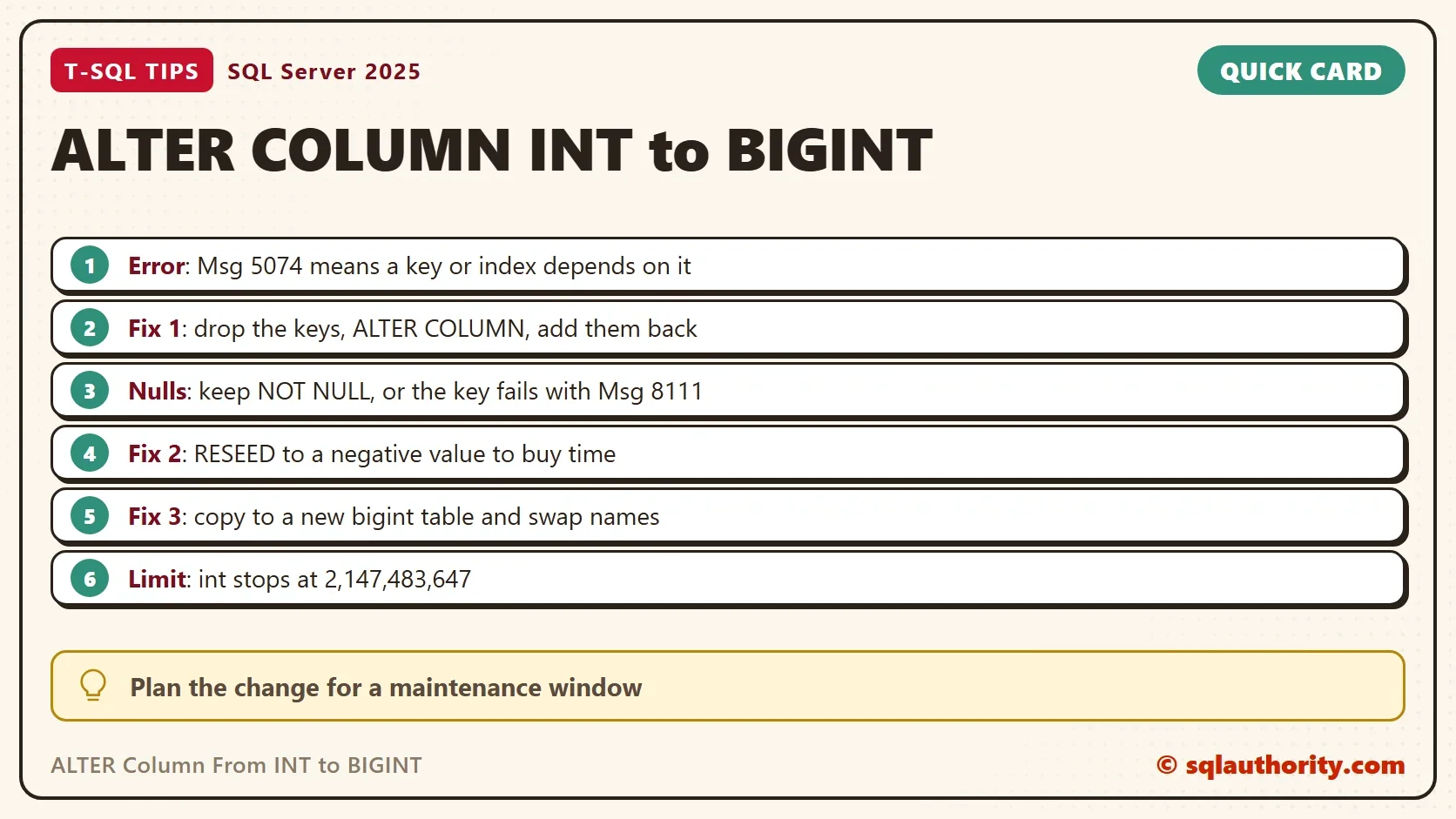
To change a column from INT to BIGINT, you must first drop every key and index that depends on it. ALTER COLUMN refuses otherwise. The fix is a short script, and the real work is planning the downtime.

Why an INT Column Fills Up Early
An int stops at 2,147,483,647. That sounds like a lot, until you count how an identity column spends its numbers. A rolled back insert uses a value and never gives it back. A failed insert does the same. Rollbacks make it worse. At a million inserts a day, an int identity lasts about six years, and every rollback shortens that.
A bigint stops at 9,223,372,036,854,775,807, which no table reaches. It takes 8 bytes against 4, and every index on the table carries the key, so the move costs space. Make the change from INT to BIGINT before the column is full, not after the insert fails.
Set Up a Small Ticket System
The demo has two tables. Tickets has an identity primary key. TicketNotes has a foreign key that points to it. That’s the usual shape of a key that needs to grow.
IF DB_ID(N'IntToBigintDemo') IS NULL CREATE DATABASE IntToBigintDemo;
GO
USE IntToBigintDemo;
GO
DROP TABLE IF EXISTS dbo.TicketNotes;
DROP TABLE IF EXISTS dbo.Tickets;
CREATE TABLE dbo.Tickets (
    TicketID int IDENTITY(1,1) NOT NULL CONSTRAINT PK_Tickets PRIMARY KEY,
    Title    nvarchar(60) NOT NULL
);
CREATE TABLE dbo.TicketNotes (
    NoteID   int IDENTITY(1,1) NOT NULL PRIMARY KEY,
    TicketID int NOT NULL CONSTRAINT FK_TicketNotes_Tickets REFERENCES dbo.Tickets (TicketID),
    Note     nvarchar(100) NOT NULL
);
INSERT INTO dbo.Tickets (Title) VALUES (N'Printer jam'), (N'Password reset'), (N'New laptop');
INSERT INTO dbo.TicketNotes (TicketID, Note) VALUES (1, N'Paper tray cleaned'), (3, N'Laptop ordered');
The Error When You Change INT to BIGINT
Try the direct route first.
ALTER TABLE dbo.Tickets ALTER COLUMN TicketID bigint NOT NULL;
Msg 5074, Level 16, State 1, Line 1
The object 'PK_Tickets' is dependent on column 'TicketID'.
Msg 5074, Level 16, State 1, Line 1
The object 'FK_TicketNotes_Tickets' is dependent on column 'TicketID'.
Msg 4922, Level 16, State 9, Line 1
ALTER TABLE ALTER COLUMN TicketID failed because one or more objects access this column.
Msg 5074 appears once for every object that depends on the column, and Msg 4922 closes the list. Here the culprits are the primary key and the foreign key in the child table. Both must go before the type can change.
Find What Depends on the Column
On a real table, the list can be long. This query finds the foreign keys that point at the column. It also finds the indexes on the parent table that contain it. It doesn’t look at the child tables. List the indexes and statistics on the referencing column in every child table too. They block the change as well, so script them and recreate them afterwards. It doesn’t cover check constraints, computed columns, statistics or schema bound views. They also block the change, so read the error messages too.
SELECT 'Foreign key' AS Kind, fk.name AS Name, OBJECT_NAME(fkc.parent_object_id) AS OnTable
FROM sys.foreign_key_columns fkc JOIN sys.foreign_keys fk ON fk.object_id = fkc.constraint_object_id
WHERE fkc.referenced_object_id = OBJECT_ID(N'dbo.Tickets') AND fkc.referenced_column_id = COLUMNPROPERTY(OBJECT_ID(N'dbo.Tickets'), N'TicketID', 'ColumnId')
UNION ALL
SELECT 'Index', i.name, OBJECT_NAME(i.object_id)
FROM sys.index_columns ic JOIN sys.indexes i ON i.object_id = ic.object_id AND i.index_id = ic.index_id
WHERE ic.object_id = OBJECT_ID(N'dbo.Tickets') AND ic.column_id = COLUMNPROPERTY(OBJECT_ID(N'dbo.Tickets'), N'TicketID', 'ColumnId');
| Kind | Name | OnTable |
|---|---|---|
| Foreign key | FK_TicketNotes_Tickets | TicketNotes |
| Index | PK_Tickets | Tickets |
Solution 1: Drop, Alter and Recreate
Drop the foreign key, drop the primary key, change the type in both tables, and put the constraints back. Run all of it in one transaction with XACT_ABORT on. Then a failure in step four doesn’t leave the keys missing.
SET XACT_ABORT ON;
BEGIN TRANSACTION;
ALTER TABLE dbo.TicketNotes DROP CONSTRAINT FK_TicketNotes_Tickets;
ALTER TABLE dbo.Tickets DROP CONSTRAINT PK_Tickets;
ALTER TABLE dbo.Tickets ALTER COLUMN TicketID bigint NOT NULL;
ALTER TABLE dbo.TicketNotes ALTER COLUMN TicketID bigint NOT NULL;
ALTER TABLE dbo.Tickets ADD CONSTRAINT PK_Tickets PRIMARY KEY CLUSTERED (TicketID);
ALTER TABLE dbo.TicketNotes ADD CONSTRAINT FK_TicketNotes_Tickets FOREIGN KEY (TicketID) REFERENCES dbo.Tickets (TicketID);
COMMIT TRANSACTION;
Keep NOT NULL in both ALTER COLUMN lines. Without it the column becomes nullable, and adding the primary key back fails with Msg 8111. The identity property survives the change. This query confirms both columns, and a new ticket proves the counter still works.
SELECT OBJECT_NAME(c.object_id) AS TableName, c.name AS ColumnName, TYPE_NAME(c.user_type_id) AS DataType, c.is_identity
FROM sys.columns c WHERE c.object_id IN (OBJECT_ID(N'dbo.Tickets'), OBJECT_ID(N'dbo.TicketNotes')) AND c.name = N'TicketID'
ORDER BY TableName DESC;
INSERT INTO dbo.Tickets (Title) VALUES (N'Monitor flicker');
SELECT TicketID, Title FROM dbo.Tickets ORDER BY TicketID;
| TableName | ColumnName | DataType | is_identity |
|---|---|---|---|
| Tickets | TicketID | bigint | 1 |
| TicketNotes | TicketID | bigint | 0 |
| TicketID | Title |
|---|---|
| 1 | Printer jam |
| 2 | Password reset |
| 3 | New laptop |
| 4 | Monitor flicker |
This route rewrites every row, takes locks on the table and grows the transaction log. Those costs are small here and large on a table with a billion rows. Schedule it for a maintenance window, and test it on a restored copy first. SQL Server 2016 and later also accepts WITH (ONLINE = ON) on ALTER COLUMN. That keeps the table readable while it runs. The dependent keys must still be dropped first, so plan the downtime unless the online option fits.
Why Adding a New Column Fails
A common alternative is to add a new bigint column, fill it, drop the old one and rename. The first step fails on a table with rows if the column is NOT NULL and has no default.
ALTER TABLE dbo.Tickets ADD Extra bigint NOT NULL;
Msg 4901, Level 16, State 1, Line 1
ALTER TABLE only allows columns to be added that can contain nulls, or have a DEFAULT definition specified, or the column being added is an identity or timestamp column, or alternatively if none of the previous conditions are satisfied the table must be empty to allow addition of this column. Column 'Extra' cannot be added to non-empty table 'Tickets' because it does not satisfy these conditions.
Add the column as nullable, fill it in batches, then make it NOT NULL. A column added this way can’t become an identity column later. For an identity key, this route loses the counter. That’s why Solution 1 or Solution 3 suits identity keys better.
Solution 2: Buy Time With a Negative Seed
An identity column doesn’t have to start at 1. If the positive range is nearly gone, reseed to the bottom of the int range. The column then counts upward through 2.1 billion unused negative values. The keys stay int, no foreign key changes, and nobody waits for a rewrite. The script uses a small table and pretends it is almost full.
DROP TABLE IF EXISTS dbo.Receipts;
CREATE TABLE dbo.Receipts (ReceiptID int IDENTITY(1,1) NOT NULL PRIMARY KEY, Amount decimal(9,2) NOT NULL);
INSERT INTO dbo.Receipts (Amount) VALUES (4.50), (12.00);
DBCC CHECKIDENT (N'dbo.Receipts', RESEED, 2147483646);
INSERT INTO dbo.Receipts (Amount) VALUES (7.25);
INSERT INTO dbo.Receipts (Amount) VALUES (3.10);
Msg 8115, Level 16, State 1, Line 6
Arithmetic overflow error converting IDENTITY to data type int.
Arithmetic overflow occurred.
The third insert gets 2,147,483,647, and the fourth overflows. Now reseed to the bottom of the range.
DBCC CHECKIDENT (N'dbo.Receipts', RESEED, -2147483648);
INSERT INTO dbo.Receipts (Amount) VALUES (3.10);
SELECT ReceiptID, Amount FROM dbo.Receipts ORDER BY ReceiptID;
| ReceiptID | Amount |
|---|---|
| -2147483647 | 3.10 |
| 1 | 4.50 |
| 2 | 12.00 |
| 2147483647 | 7.25 |
The new row gets -2,147,483,647. On a table that already holds rows, the next value is the reseed value plus the increment. The negative range ends at -1, so the key has about 2.1 billion new values. A reseed doesn’t check for clashes, so make sure the negative range is empty first. It delays the problem and doesn’t solve it. Before you reseed, check that no code assumes a positive key. Check that no code assumes a higher key is a newer row.
Solution 3: Copy to a New Table
For a huge table, the shortest downtime comes from a new table. Create it with a bigint key. Copy the rows in batches with IDENTITY_INSERT on, while the old table stays in use. Catch up the last rows, then swap the names with sp_rename inside one short transaction. Reseed the new identity, and rebuild the foreign keys. The work is longer, and the outage is only the swap. The method is described here and isn’t demonstrated.
Which One to Choose
You could argue that a negative reseed is a trick that only delays the work. It is. On a table with dozens of referencing foreign keys, the delay buys years and costs one command. Use it when the change window is far away. Use Solution 1 when the table is small enough to rewrite, and Solution 3 when it isn’t.
What to Remember
Find the dependent objects first, and change everything inside one transaction. Keep NOT NULL, test on a restored copy, and check how much log space the rewrite needs. Watch the identity value of every int key. Plan the change from INT to BIGINT long before the insert fails.
When you finish with the demo, drop the test database.
USE master;
GO
ALTER DATABASE IntToBigintDemo SET SINGLE_USER WITH ROLLBACK IMMEDIATE;
DROP DATABASE IntToBigintDemo;
A full integer column is not an emergency, it is a deadline you can still choose.
Published by Pinal Dave on SQLAuthority. More of my work at pinaldave.com.
Discover more from SQL Authority with Pinal Dave
Subscribe to get the latest posts sent to your email.



5 Comments. Leave new
When the integer range 1 through 2,147,483,647 is exhausted, using negative values may allow more time for restructuring the tables to use bigint.
For example, if the integer is an identity column then reseeding to -2,147,483,648 allows the insertion of another 2 billion rows before restructuring is required.
dbcc checkident( OneTable, reseed, -2147483648 )
I would also prefer to reseed the identity because a PK that maxes out is probably referenced by dozens of foreign keys, each of which would require dropping the constraint and changing the fk column’s data type in the referencing table. Reseeding is much faster than writing a script for dozens of constraints and tables and would avoid the issue for another 2 billion records. I could see management/support griping about unsightly negative keys, but keys are only supposed to be meaningful to the system – not aesthetically pleasing to managers.
Any reason dropping the constraints, alter the column and putting the constraints back in place wouldn’t be an option?
From the performance respective, which is better solution for a table to convert the primary key column?
Add new column -> Rename column VS Add new table -> Rename table?
Solution 1, as-is, doesn’t work at “ALTER TABLE OneTable ADD NewColumn BIGINT NOT NULL” because you cannot add a NOT NULL column without a default value… at least, if you have entries in the table such that you’d need to have some kind of values therein. As Scott Frigard pointed out, you can remove the constraint, alter the column, then add the constraint again to work around that issue. For this example, it looks like this:
ALTER TABLE OneTable DROP CONSTRAINT PK_OneTable
GO
ALTER TABLE OneTable ALTER COLUMN ID BIGINT
GO
ALTER TABLE OneTable ADD CONSTRAINT PK_OneTable PRIMARY KEY (ID)
GO
This said, my database was offline when I did these steps. I do not think I would want to try this while the database is live.