
A nonclustered primary key test shows that a heap keeps the last page insert waits. A different key layout removes them.

The Idea and the Question
Before SQL Server 2019 had a built-in option, one fix for PAGELATCH_EX was a nonclustered primary key. The table becomes a heap. The original test saw a clear gain. A reader then asked the obvious question. If you choose another column for the clustered index, doesn’t the problem come back?
This post tests three layouts on SQL Server 2025 and answers both. For the option that arrived in 2019, read OPTIMIZE_FOR_SEQUENTIAL_KEY: Test the Last Page Insert Fix. For the waits themselves, read Insert Workload Waits: WRITELOG and PAGELATCH_EX.
Three Layouts
The nonclustered primary key test uses the same columns in every layout. The first layout is the usual one, a clustered primary key on an identity column. The second makes the primary key nonclustered, so the table is a heap. New rows go wherever space is free, and the key index still orders the identity values.
The third layout puts a lane column first. The lane is the session ID modulo 16, so sessions insert into up to 16 different places in the b-tree. The identity column follows the lane in the key.
Set Up the Test
IF DB_ID(N'HotPageKeyDemo') IS NULL CREATE DATABASE HotPageKeyDemo;
GO
ALTER DATABASE HotPageKeyDemo MODIFY FILE (NAME = HotPageKeyDemo, SIZE = 256MB);
ALTER DATABASE HotPageKeyDemo MODIFY FILE (NAME = HotPageKeyDemo_log, SIZE = 256MB);
GO
USE HotPageKeyDemo;
GO
DROP TABLE IF EXISTS dbo.GateLog, dbo.WorkerRuns, dbo.WorkerWaits, dbo.RunSummary;
CREATE TABLE dbo.WorkerRuns  (SessionId int NOT NULL, StartedAt datetime2(3) NOT NULL, EndedAt datetime2(3) NULL);
CREATE TABLE dbo.WorkerWaits (SessionId int NOT NULL, WaitType nvarchar(60) NOT NULL, WaitMs bigint NOT NULL);
CREATE TABLE dbo.RunSummary (
    RunNo            int           IDENTITY(1,1) NOT NULL,
    Layout           varchar(40)   NOT NULL,
    ElapsedSeconds   decimal(8,1)  NOT NULL,
    PageLatchSeconds decimal(8,1)  NOT NULL,
    WriteLogSeconds  decimal(8,1)  NOT NULL
);
Create the first layout. The same worker and the same 24 connections run against every layout. Each connection inserts 6,000 rows, one row per transaction.
DROP TABLE IF EXISTS dbo.GateLog;
CREATE TABLE dbo.GateLog (
    GateLogId int          IDENTITY(1,1) NOT NULL CONSTRAINT PK_GateLog PRIMARY KEY CLUSTERED,
    Note      varchar(500) NOT NULL CONSTRAINT DF_GateLog_Note DEFAULT ('Visitor counted at the gate')
);
SET NOCOUNT ON;
INSERT dbo.WorkerRuns (SessionId, StartedAt) VALUES (@@SPID, SYSDATETIME());
GO
INSERT dbo.GateLog DEFAULT VALUES;
GO 6000
UPDATE dbo.WorkerRuns SET EndedAt = SYSDATETIME() WHERE SessionId = @@SPID AND EndedAt IS NULL;
INSERT dbo.WorkerWaits (SessionId, WaitType, WaitMs)
SELECT @@SPID, wait_type, wait_time_ms
FROM sys.dm_exec_session_wait_stats
WHERE session_id = @@SPID;
$server  = '.\SQLDEV'
$workers = 24
$watch = [Diagnostics.Stopwatch]::StartNew()
1..$workers | ForEach-Object {
    Start-Process sqlcmd -ArgumentList "-S $server -E -C -d HotPageKeyDemo -i worker.sql -o NUL" -WindowStyle Hidden -PassThru
} | Wait-Process
'{0:N1} seconds with {1} workers' -f $watch.Elapsed.TotalSeconds, $workers
After the workers finish, save the round under a label. Change the label in the first line for each layout.
DECLARE @Layout varchar(40) = 'Clustered identity key';   -- change this label for each layout
INSERT dbo.RunSummary (Layout, ElapsedSeconds, PageLatchSeconds, WriteLogSeconds)
SELECT @Layout,
       (SELECT DATEDIFF(MILLISECOND, MIN(StartedAt), MAX(EndedAt)) / 1000.0 FROM dbo.WorkerRuns),
       (SELECT COALESCE(SUM(WaitMs), 0) / 1000.0 FROM dbo.WorkerWaits WHERE WaitType = N'PAGELATCH_EX'),
       (SELECT COALESCE(SUM(WaitMs), 0) / 1000.0 FROM dbo.WorkerWaits WHERE WaitType = N'WRITELOG');
TRUNCATE TABLE dbo.WorkerRuns;
TRUNCATE TABLE dbo.WorkerWaits;
Next, create the heap layout. Repeat the launch and the save with the label Nonclustered key on a heap.
DROP TABLE IF EXISTS dbo.GateLog;
CREATE TABLE dbo.GateLog (
    GateLogId int          IDENTITY(1,1) NOT NULL CONSTRAINT PK_GateLog PRIMARY KEY NONCLUSTERED,
    Note      varchar(500) NOT NULL CONSTRAINT DF_GateLog_Note DEFAULT ('Visitor counted at the gate')
);
Then do the same with the lane layout, using the label Lane first, then identity. The test ran the three layouts twice, in the same order both times.
DROP TABLE IF EXISTS dbo.GateLog;
CREATE TABLE dbo.GateLog (
    Lane      tinyint      NOT NULL CONSTRAINT DF_GateLog_Lane DEFAULT (CAST(@@SPID % 16 AS tinyint)),
    GateLogId int          IDENTITY(1,1) NOT NULL,
    Note      varchar(500) NOT NULL CONSTRAINT DF_GateLog_Note DEFAULT ('Visitor counted at the gate'),
    CONSTRAINT PK_GateLog PRIMARY KEY CLUSTERED (Lane, GateLogId)
);
SELECT RunNo, Layout, ElapsedSeconds, PageLatchSeconds, WriteLogSeconds
FROM dbo.RunSummary
ORDER BY RunNo;
The Result
| RunNo | Layout | ElapsedSeconds | PageLatchSeconds | WriteLogSeconds |
|---|---|---|---|---|
| 1 | Clustered identity key | 24.9 | 95.4 | 41.2 |
| 2 | Nonclustered key on a heap | 10.1 | 117.9 | 37.5 |
| 3 | Lane first, then identity | 14.3 | 0.2 | 61.3 |
| 4 | Clustered identity key | 10.1 | 101.3 | 53.0 |
| 5 | Nonclustered key on a heap | 33.3 | 99.6 | 86.3 |
| 6 | Lane first, then identity | 14.9 | 0.3 | 64.0 |
The wait seconds add up across all 24 sessions. The PageLatchSeconds column tells the story. The clustered key waited about 95 to 101 seconds. The heap with a nonclustered key waited about 100 to 118 seconds, which is no better. The lane layout waited 0.2 and 0.3 seconds.
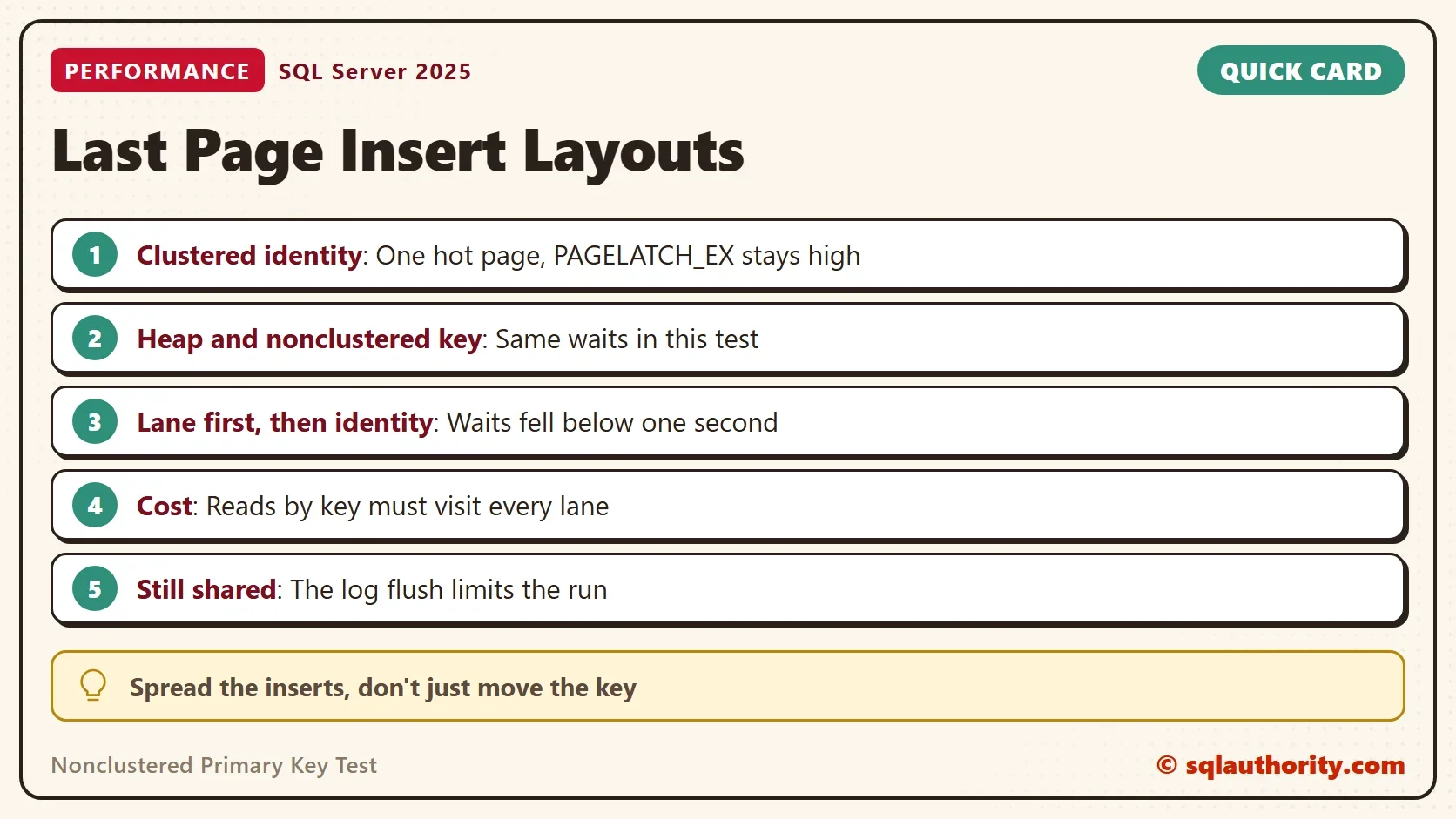
The original test saw the heap finish 48 seconds faster. PAGELATCH_EX fell from 3,503 to 2,234 seconds at 100 threads. This test doesn’t reproduce that gain. A heap has no data b-tree, but the primary key is still an index on a rising number. Its last leaf page is the likely place for the latch wait. The test does not name the page.
Elapsed time varied too much to rank the layouts. The server ran other work, and the same layout took 10 and 25 seconds in two rounds. Even the lane layout, with almost no latch wait, wasn’t faster than the best clustered run. The log flush was the next limit, and WRITELOG took 38 to 86 seconds in every round.
Does the Problem Come Back?
It comes back for any key that rises with time. A clustered index on a date or an identity column has a last page. A key that spreads the inserts, such as the lane layout, has no last page. The test shows the latch wait gone. A random key also spreads inserts, but it splits pages and fragments the index.
The lane layout has a price. Rows are ordered by lane first, so a query for the newest rows must visit every lane. The key now has two columns, and a foreign key must carry both. Expect a unique index on the identity column alone to bring the hot page back. That index rises again.
You could argue that a heap is the simpler fix, and the original post reported a significant improvement. It isn’t a quick win on this server. A table without a clustered index also loses ordered reads and makes lookups follow row IDs. Choose another clustered key if you can find a good one.
What to Remember
In this nonclustered primary key test, a heap kept the hot page, because the key index still rises. Spreading the inserts removes the latch wait. Moving the key doesn’t.
Measure the waits on your own table before you change a key. Expect the log to be the next limit. When you finish, drop the demo database.
USE master;
GO
ALTER DATABASE HotPageKeyDemo SET SINGLE_USER WITH ROLLBACK IMMEDIATE;
DROP DATABASE HotPageKeyDemo;
A hot page is not fixed by moving the key, it is fixed by spreading the inserts.
Published by Pinal Dave on SQLAuthority. More of my work at pinaldave.com.
Discover more from SQL Authority with Pinal Dave
Subscribe to get the latest posts sent to your email.




1 Comment. Leave new
But if you choose another column for clustered index, the problem is not coming back?!