Question: What is a TempDB spill in SQL Server?
Answer: A query operator such as a Sort or Hash Join may need working memory. When its work does not fit in the memory available to it, SQL Server can write intermediate data to tempdb and read it back. That is a spill. The query can still return the right answer, but the extra I/O and work may make it slower.

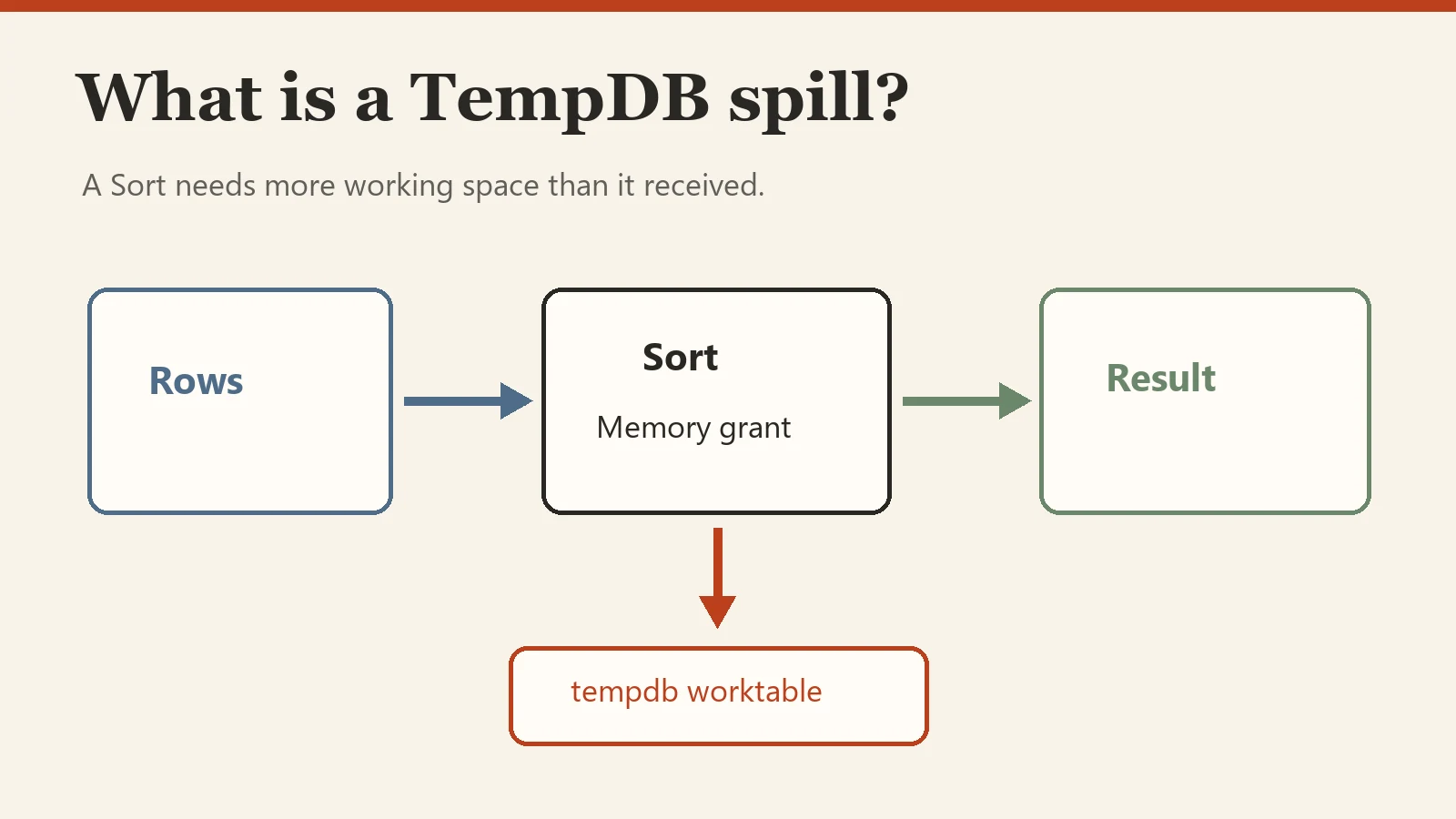
In my original answer, I connected spills to inaccurate row estimates and a small memory grant. That is a common cause, not a complete definition. The actual row count, row width, memory grant, and workload all matter. The useful first step is to inspect the actual execution plan, identify the spilling operator, and compare estimated with actual rows and the grant. A yellow warning on a Sort or Hash operator is a lead to investigate, not an instruction to change every query in the same way.
I still start with the query itself before reaching for a server-wide change. Depending on the evidence, current statistics, a suitable index, a narrower row, a different query shape, or a better plan for the parameter values may help. Do not automatically use FULLSCAN statistics, add a covering index, split a query, or move data to a temp table merely because you saw a spill. Each option has cost and can make another workload worse.
Parameter sensitivity is one possible reason the same query gets a poor grant for a particular execution. I have a simple parameter sniffing example and a summary of recompilation approaches if the actual plan points in that direction. In a Comprehensive Database Performance Health Check, I look for the measured bottleneck before choosing a fix.
Interview answer in one sentence: A TempDB spill is an operator’s temporary write to tempdb when its work does not fit in available working memory; inspect the actual plan and the workload before deciding how to reduce it.
Further reading from the original series: local variables, OPTIMIZE FOR UNKNOWN, database-scoped parameter sniffing and OPTION (RECOMPILE). These are choices to evaluate, rather than universal cures for a spill.
Published by Pinal Dave on SQLAuthority. More of my work at pinaldave.com.
Discover more from SQL Authority with Pinal Dave
Subscribe to get the latest posts sent to your email.