Schema change reports show which tables, views and indexes were created, altered or dropped recently. After my post about finding tables created last week, readers asked for a short demonstration. I recorded this episode to show the report in SSMS.

Open the Report
In Management Studio, right-click the database. Choose Reports, then Standard Reports, then Schema Changes History. The report lists object changes with the time, the object and the login. I did not click through the report for this post. Everything below reads the same data with T-SQL.
Where the Data Comes From
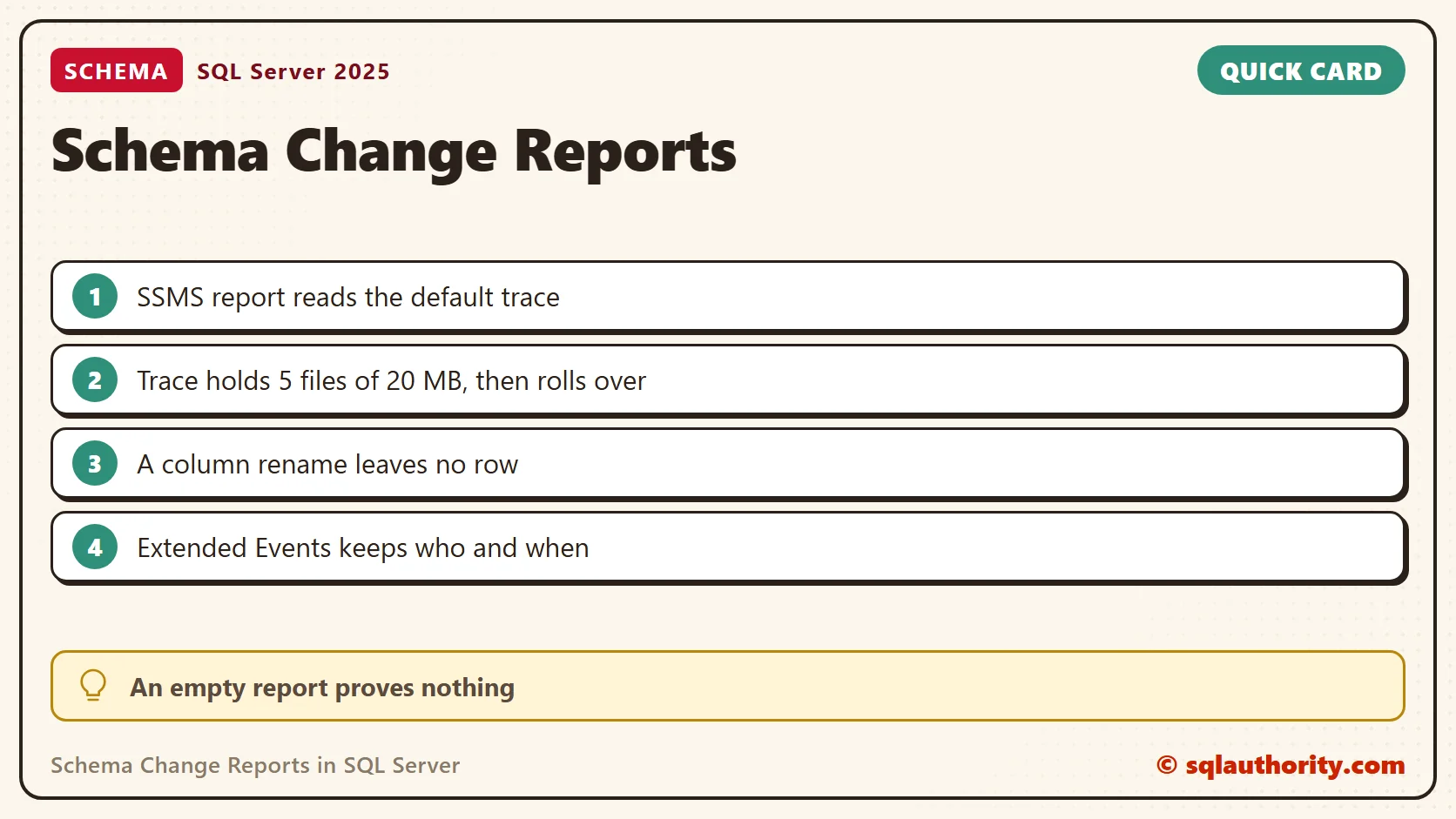
The report reads the default trace, a small trace that SQL Server runs on its own. On my SQL Server 2025 server the setting default trace enabled was 1. The trace keeps at most five files of 20 MB, then it rolls over and the oldest file goes.
SELECT id, max_size, max_files, is_rollover FROM sys.traces WHERE is_default = 1;
| id | max_size (MB) | max_files | is_rollover |
|---|---|---|---|
| 1 | 20 | 5 | 1 |
Make Some Changes to Look For
Create a scratch database called SchemaDemo, switch to it and run this script. It creates, alters and drops a few objects. The GO lines matter, because CREATE VIEW must start its own batch.
CREATE TABLE dbo.Teas (TeaId int PRIMARY KEY, TeaName varchar(50) NOT NULL);
ALTER TABLE dbo.Teas ADD Category varchar(20) NULL;
CREATE INDEX IX_Teas_Name ON dbo.Teas (TeaName);
GO
CREATE VIEW dbo.TeaList AS SELECT TeaId, TeaName FROM dbo.Teas;
GO
DROP INDEX IX_Teas_Name ON dbo.Teas;
EXEC sp_rename 'dbo.Teas.Category', 'TeaCategory', 'COLUMN';
DROP VIEW dbo.TeaList;
CREATE TABLE dbo.Cups (CupId int PRIMARY KEY);
DROP TABLE dbo.Cups;
GO
Read the Trace With T-SQL
The query below reads the trace files and keeps the schema events for the current database. Those events are created, deleted and altered. It groups the rows and looks back one hour. Change the HOUR and the number to look further back.
DECLARE @path nvarchar(260) = (SELECT path FROM sys.traces WHERE is_default = 1);
DECLARE @Since datetime = DATEADD(HOUR, -1, GETDATE());
SELECT te.name AS Change, sv.subclass_name AS ObjectKind, t.ObjectName,
       MIN(t.StartTime) AS FirstSeen, MIN(t.LoginName) AS LoginName, COUNT(*) AS TraceRows
FROM sys.fn_trace_gettable(@path, DEFAULT) AS t
JOIN sys.trace_events AS te ON te.trace_event_id = t.EventClass
JOIN sys.trace_subclass_values AS sv
  ON sv.trace_event_id = 46 AND sv.trace_column_id = 28 AND sv.subclass_value = t.ObjectType
WHERE t.DatabaseName = DB_NAME()
  AND t.EventClass IN (46, 47, 164)
  AND t.ObjectType IN (8277, 8278, 22601)
  AND t.StartTime >= @Since
GROUP BY te.name, sv.subclass_name, t.ObjectName
ORDER BY MIN(t.StartTime);
Event class 46 is Object:Created, 47 is Object:Deleted and 164 is Object:Altered. Object types 8277, 8278 and 22601 are tables, views and indexes. The query returned one row for each change.
| Change | ObjectKind | ObjectName | TraceRows |
|---|---|---|---|
| Object:Created | U (table) | Teas | 2 |
| Object:Created | IX | PK__Teas__… | 2 |
| Object:Created | V (view) | TeaList | 2 |
| Object:Altered | U (table) | Teas | 2 |
| Object:Created | IX | IX_Teas_Name | 2 |
| Object:Deleted | IX | IX_Teas_Name | 2 |
| Object:Deleted | V (view) | TeaList | 2 |
| Object:Created | U (table) | Cups | 2 |
| Object:Created | IX | PK__Cups__… | 2 |
| Object:Deleted | U (table) | Cups | 2 |
Every change appeared twice, so the query groups the pairs. Extended Events documents the same pair. One row marks the start of the operation, and one marks its commit or rollback. Rows from the same millisecond can appear in a different order than you ran them.
The same event classes also record other objects. In a separate test, CREATE DATABASE and DROP DATABASE appeared as object kind DB. The statistics that SQL Server creates for itself appeared as kind ST, with names that begin _WA_Sys. The object type list in the query keeps only tables, views and indexes, so that noise stays out.
What the Report Cannot Tell You
The column rename in the script left no row. The ALTER TABLE ... ADD shows up as Object:Altered. The sp_rename call added nothing to those three event classes. A change can happen and never reach the report.
The trace also forgets. On my server the files held 5,096 events from one day, and the oldest was from 27 October 2026. A busy server rolls over faster. An empty report does not prove that nothing changed, and it is not a permanent record.
Use Extended Events for Longer Memory
Default trace is deprecated. Extended Events has three matching events, object_created, object_altered and object_deleted. This session watches one database and keeps the events in memory. For real retention, add a file target and keep the files.
CREATE EVENT SESSION SchemaChanges ON SERVER
ADD EVENT sqlserver.object_created (ACTION (sqlserver.server_principal_name) WHERE sqlserver.database_name = N'SchemaDemo'),
ADD EVENT sqlserver.object_altered (ACTION (sqlserver.server_principal_name) WHERE sqlserver.database_name = N'SchemaDemo'),
ADD EVENT sqlserver.object_deleted (ACTION (sqlserver.server_principal_name) WHERE sqlserver.database_name = N'SchemaDemo')
ADD TARGET package0.ring_buffer (SET max_memory = 4096)
WITH (MAX_DISPATCH_LATENCY = 1 SECONDS, STARTUP_STATE = OFF);
ALTER EVENT SESSION SchemaChanges ON SERVER STATE = START;
After I created and dropped a table with a primary key in SchemaDemo, the ring buffer held eight event rows. The login appeared in every row. Read the buffer with this query, and drop the session when you finish the test.
SELECT x.ev.value('(@name)[1]', 'varchar(40)') AS EventName,
       x.ev.value('(data[@name="object_name"]/value)[1]', 'varchar(60)') AS ObjectName,
       x.ev.value('(action[@name="server_principal_name"]/value)[1]', 'varchar(60)') AS WhoDidIt
FROM (SELECT CAST(st.target_data AS xml) AS d
      FROM sys.dm_xe_sessions AS s
      JOIN sys.dm_xe_session_targets AS st ON st.event_session_address = s.address
      WHERE s.name = N'SchemaChanges' AND st.target_name = 'ring_buffer') AS q
CROSS APPLY q.d.nodes('//RingBufferTarget/event') AS x (ev);
ALTER EVENT SESSION SchemaChanges ON SERVER STATE = STOP;
DROP EVENT SESSION SchemaChanges ON SERVER;
Keep Your Own Record
No report replaces a deployment script. Keep the scripts that change your schema and a note of who approved them. Use the report to narrow an investigation, then confirm with those records.
Related Reading
- The SSMS Schema Change History report
- Tracking Recent Object Changes With modify_date
- Refresh the SSMS IntelliSense cache
- Plan caching and schema changes
- Comparing Two Schemas With sys.columns and a FULL OUTER JOIN
Schema change reports are not an audit trail, they are a short memory.
Published by Pinal Dave on SQLAuthority. More of my work at pinaldave.com.
Discover more from SQL Authority with Pinal Dave
Subscribe to get the latest posts sent to your email.