You can filter memory-optimized tables in SSMS to find them among your disk-based tables. After my introduction to In-Memory OLTP, a colleague asked how to identify these tables in Object Explorer. This episode demonstrates the filter.
I also wrote a step-by-step SSMS filtering guide with screenshots and a query. The video is a short companion to that walkthrough.
Use the Table Filter
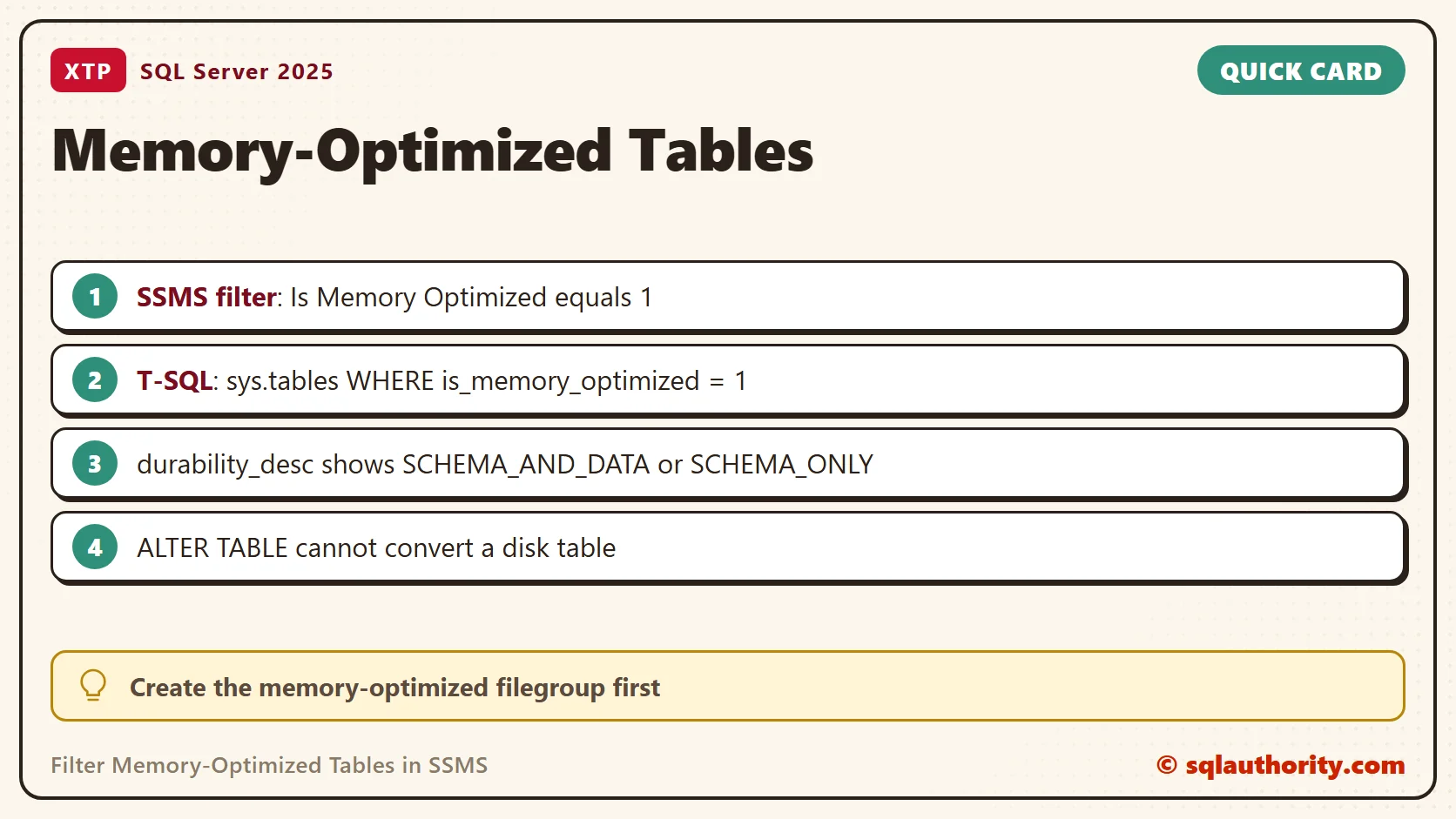
In Object Explorer, right-click Tables, then choose Filter and Filter Settings. Set Is Memory Optimized to equal 1. This filters the displayed list. It does not convert any table or change any data. I took these steps from my earlier guide and did not drive the SSMS screen for this post.
Find Them With T-SQL
A query gives the same answer and works in scripts. First build a scratch database that has the filegroup memory-optimized tables need. The script reads the default data folder of your instance, so it needs no path edits.
DECLARE @dir nvarchar(260) = CAST(SERVERPROPERTY('InstanceDefaultDataPath') AS nvarchar(260));
DECLARE @sql nvarchar(max) = N'CREATE DATABASE XtpDemo ON PRIMARY (NAME = XtpDemo_data, FILENAME = ''' + @dir + N'XtpDemo.mdf''),
  FILEGROUP XtpDemo_mod CONTAINS MEMORY_OPTIMIZED_DATA (NAME = XtpDemo_mod, FILENAME = ''' + @dir + N'XtpDemo_mod'')
  LOG ON (NAME = XtpDemo_log, FILENAME = ''' + @dir + N'XtpDemo_log.ldf'');';
EXEC (@sql);
Now create one disk-based table and two memory-optimized tables.
USE XtpDemo;
GO
CREATE TABLE dbo.TeaOrders_Disk (OrderId int NOT NULL PRIMARY KEY, TeaName varchar(30) NOT NULL);
CREATE TABLE dbo.TeaCart_Durable (CartId int NOT NULL PRIMARY KEY NONCLUSTERED, TeaName varchar(30) NOT NULL)
  WITH (MEMORY_OPTIMIZED = ON, DURABILITY = SCHEMA_AND_DATA);
CREATE TABLE dbo.TeaSession_Temp (SessionId int NOT NULL PRIMARY KEY NONCLUSTERED, LastTea varchar(30) NULL)
  WITH (MEMORY_OPTIMIZED = ON, DURABILITY = SCHEMA_ONLY);
The catalog view sys.tables has a column named is_memory_optimized. That column is what the Object Explorer filter checks.
SELECT name, is_memory_optimized, durability_desc
FROM sys.tables
ORDER BY is_memory_optimized DESC, name;
| name | is_memory_optimized | durability_desc |
|---|---|---|
| TeaCart_Durable | 1 | SCHEMA_AND_DATA |
| TeaSession_Temp | 1 | SCHEMA_ONLY |
| TeaOrders_Disk | 0 | SCHEMA_AND_DATA |
Add WHERE is_memory_optimized = 1 to list only the memory-optimized tables. The query returned TeaCart_Durable and TeaSession_Temp.
Read the Durability
The durability_desc column tells you what survives a restart. A SCHEMA_AND_DATA table keeps its rows. A SCHEMA_ONLY table keeps the table and loses its rows. The disk-based table reads SCHEMA_AND_DATA too, so filter on is_memory_optimized first.
See How Much Memory They Use
Rows of these tables live in memory, so check the size before you add data. I inserted 50,000 rows into the durable table and 1,000 into the schema-only table, then asked for memory use.
INSERT dbo.TeaCart_Durable (CartId, TeaName)
SELECT TOP (50000) ROW_NUMBER() OVER (ORDER BY (SELECT NULL)), 'Assam' FROM sys.all_objects AS a CROSS JOIN sys.all_objects AS b;
INSERT dbo.TeaSession_Temp (SessionId, LastTea)
SELECT TOP (1000) ROW_NUMBER() OVER (ORDER BY (SELECT NULL)), 'Sencha' FROM sys.all_objects AS a CROSS JOIN sys.all_objects AS b;
SELECT OBJECT_NAME(object_id) AS TableName, memory_allocated_for_table_kb, memory_used_by_table_kb, memory_allocated_for_indexes_kb
FROM sys.dm_db_xtp_table_memory_stats
WHERE object_id > 0
ORDER BY TableName;
| TableName | allocated for table (KB) | used by table (KB) | allocated for indexes (KB) |
|---|---|---|---|
| TeaCart_Durable | 2368 | 2343 | 9472 |
| TeaSession_Temp | 64 | 54 | 3072 |
The 50,000 row table used about 2.3 MB for its rows and 9.3 MB for its index memory. Even the small table reserved 3 MB for indexes. SQL Server printed a warning about join order when I ran the query, and it still returned both rows.
Other Ways to Spot Them
The filegroup itself shows in sys.data_spaces, where type FX marks a memory-optimized data filegroup. The primary key of my durable table showed in sys.indexes as NONCLUSTERED, next to a HEAP row. My tables used nonclustered keys, so sys.hash_indexes returned no rows.
Which Databases Use Them
To find databases with In-Memory OLTP across the whole instance, look for the container. The container of a memory-optimized filegroup shows up as a FILESTREAM file in sys.master_files. A real FILESTREAM filegroup looks the same, so confirm with sys.tables inside the database.
SELECT d.name
FROM sys.databases AS d
WHERE EXISTS (SELECT 1 FROM sys.master_files AS mf WHERE mf.database_id = d.database_id AND mf.type_desc = 'FILESTREAM')
ORDER BY d.name;
On my instance it returned WideWorldImporters and XtpDemo. For one table, a property function gives a yes or no answer.
SELECT OBJECTPROPERTY(OBJECT_ID('dbo.TeaCart_Durable'), 'TableIsMemoryOptimized') AS CartIsMemoryOptimized,
       OBJECTPROPERTY(OBJECT_ID('dbo.TeaOrders_Disk'), 'TableIsMemoryOptimized') AS DiskIsMemoryOptimized;
The first column returned 1 and the second returned 0.
Filter or Query
The filter suits a quick look at one database. The query suits everything else. It runs in a script, works for many databases and leaves a record you can paste into documentation. Use the filter to see the tables, and use the query to prove it.
Gotchas
An existing disk-based table cannot switch with ALTER TABLE ... SET (MEMORY_OPTIMIZED = ON). SQL Server answered with Msg 102, incorrect syntax. You build a new memory-optimized table and copy the rows. The database also needs the memory-optimized filegroup before the first CREATE TABLE of this kind.
The filter and the catalog queries only read. After my queries, the durable table still held 50,000 rows.
Related Reading
- Filter In-Memory OLTP tables in SSMS
- Beginning In-Memory OLTP with a sample example
- When In-Memory OLTP Helps and When It Does Not
A filter is not a conversion, it is a way to see the tables you already have.
Published by Pinal Dave on SQLAuthority. More of my work at pinaldave.com.
Discover more from SQL Authority with Pinal Dave
Subscribe to get the latest posts sent to your email.