
To add an XML column to a table, use ALTER TABLE with the xml data type. Each row can then carry a list of related values in one cell. This post adds a Labels column to a Recipes table and queries it. Then it compares the design with a child table.
The Sample Table
Recipes has five rows. Each recipe can have a different number of labels, such as Drink or Quick. Some have several and some have none. Run this in any test database. Every result in this post comes from SQL Server 2025.
CREATE TABLE Recipes (RecipeID INT PRIMARY KEY, RecipeName VARCHAR(30) NOT NULL);
GO

INSERT INTO Recipes (RecipeID, RecipeName) VALUES (1, 'Mint Tea'), (2, 'Garden Salad'), (3, 'Plain Rice'), (4, 'Berry Smoothie'), (5, 'Bread and Butter');
GO
Add the Column
ALTER TABLE adds the column. Declare it NULL, so the five existing rows stay valid.
ALTER TABLE Recipes ADD Labels XML NULL;Every existing row gets NULL in the new column. A SELECT shows it.
SELECT RecipeID, RecipeName, Labels FROM Recipes ORDER BY RecipeID;Fill It
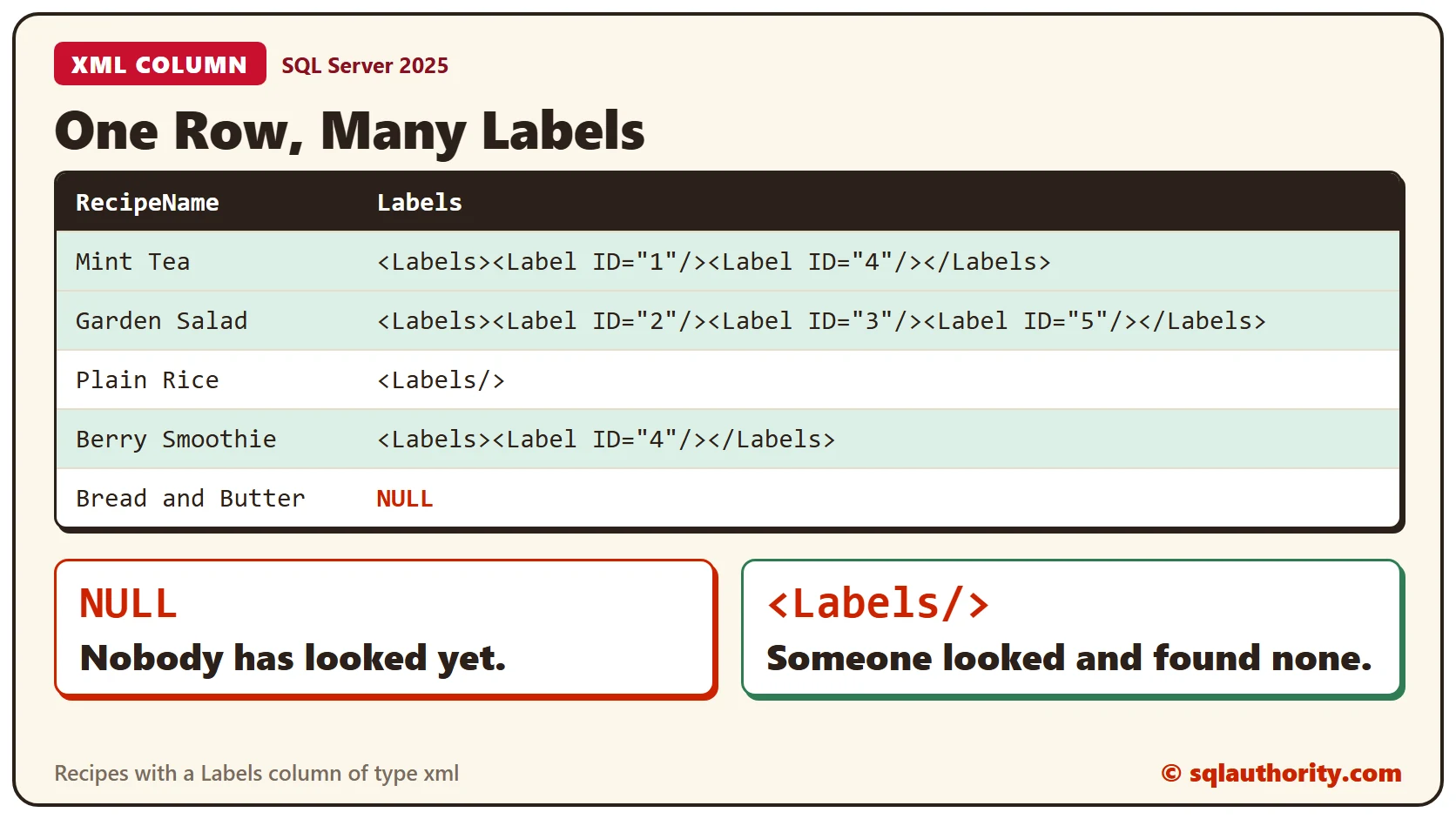
Store each list as a small document. Every Label element carries an ID. Mint Tea gets two labels and Garden Salad gets three. Plain Rice gets an empty Labels element, and Berry Smoothie gets one.
UPDATE Recipes SET Labels = '<Labels><Label ID="1"/><Label ID="4"/></Labels>' WHERE RecipeID = 1;
UPDATE Recipes SET Labels = '<Labels><Label ID="2"/><Label ID="3"/><Label ID="5"/></Labels>' WHERE RecipeID = 2;
UPDATE Recipes SET Labels = '<Labels/>' WHERE RecipeID = 3;
UPDATE Recipes SET Labels = '<Labels><Label ID="4"/></Labels>' WHERE RecipeID = 4;
Bread and Butter stays untouched. Run the SELECT again.
SELECT RecipeID, RecipeName, Labels FROM Recipes ORDER BY RecipeID;Plain Rice shows an empty element, and Bread and Butter shows NULL. They mean different things. An empty element says someone checked and found no labels. NULL says nobody has looked. In SSMS an XML cell appears as a link that opens the document, and sqlcmd prints it as text.
The Column Checks the XML
The xml type accepts only well-formed text. A bad document is refused, and the row keeps its old value.
UPDATE Recipes SET Labels = '<Labels><Label ID="2"></Labels>' WHERE RecipeID = 5;That’s Msg 9436, an end tag that doesn’t match its start tag. This query confirms that Bread and Butter still has NULL.
SELECT RecipeName FROM Recipes WHERE RecipeID = 5 AND Labels IS NULL;What Is XML in SQL Server: Tags, Attributes and Well-Formed Rules lists the other rules of well-formed XML.
Ask Questions of the Column
Two methods answer most questions. The value() method with count() returns how many labels each recipe has. The exist() method finds the recipes that carry a given label.
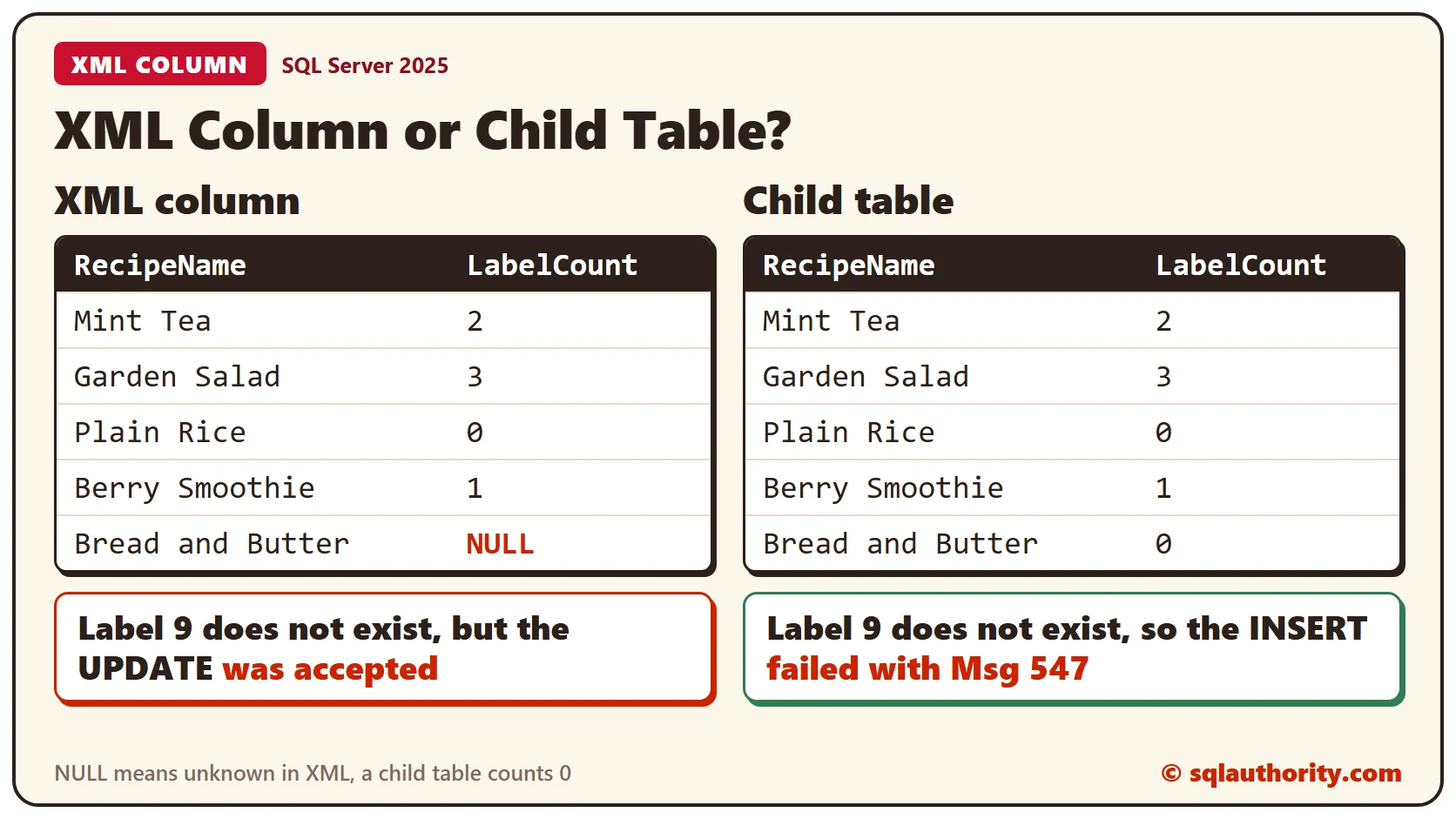
SELECT RecipeName, Labels.value('count(/Labels/Label)', 'int') AS LabelCount FROM Recipes ORDER BY RecipeID;SELECT RecipeName FROM Recipes WHERE Labels.exist('/Labels/Label[@ID="4"]') = 1 ORDER BY RecipeID;The counts are 2, 3, 0 and 1, and NULL for the recipe nobody has labeled. The exist() query returned Mint Tea and Berry Smoothie, which both carry label 4. Introduction to Discovering XML Data Type Methods covers the rest of the methods.
The Same Data in a Child Table
The usual alternative is a separate table with one row for each label. This script builds it, with a Label table behind it.
CREATE TABLE Label (LabelID INT PRIMARY KEY, LabelName VARCHAR(20) NOT NULL);
CREATE TABLE RecipeLabel (RecipeID INT NOT NULL REFERENCES Recipes (RecipeID), LabelID INT NOT NULL REFERENCES Label (LabelID), PRIMARY KEY (RecipeID, LabelID));
GO

INSERT INTO Label (LabelID, LabelName) VALUES (1, 'Drink'), (2, 'Cold'), (3, 'Light'), (4, 'Quick'), (5, 'Fresh');
INSERT INTO RecipeLabel (RecipeID, LabelID) VALUES (1, 1), (1, 4), (2, 2), (2, 3), (2, 5), (4, 4);
GO
Now count the labels and find label 4.
SELECT r.RecipeName, COUNT(rl.LabelID) AS LabelCount
FROM Recipes AS r
LEFT JOIN RecipeLabel AS rl ON rl.RecipeID = r.RecipeID
GROUP BY r.RecipeID, r.RecipeName
ORDER BY r.RecipeID;
SELECT r.RecipeName
FROM Recipes AS r
INNER JOIN RecipeLabel AS rl ON rl.RecipeID = r.RecipeID
WHERE rl.LabelID = 4
ORDER BY r.RecipeID;The find query returns the same two recipes. The count returns 0 for Bread and Butter, where the XML column returned NULL. A child table can’t tell nobody looked from no labels.
What Each Design Can Enforce
The child table refuses a label that doesn’t exist.
INSERT INTO RecipeLabel (RecipeID, LabelID) VALUES (5, 9);That’s Msg 547, a foreign key conflict. The XML column has no such check. It accepts a label 9 without a complaint.
UPDATE Recipes SET Labels = '<Labels><Label ID="9"/></Labels>' WHERE RecipeID = 5;Use an XML column when you store and read the list as a whole. Use a child table when you filter and join on the values a lot. Use one too when the database must enforce them.
Clean Up
Remove the sample tables when you finish.
DROP TABLE RecipeLabel;
DROP TABLE Label;
DROP TABLE Recipes;
What to Remember
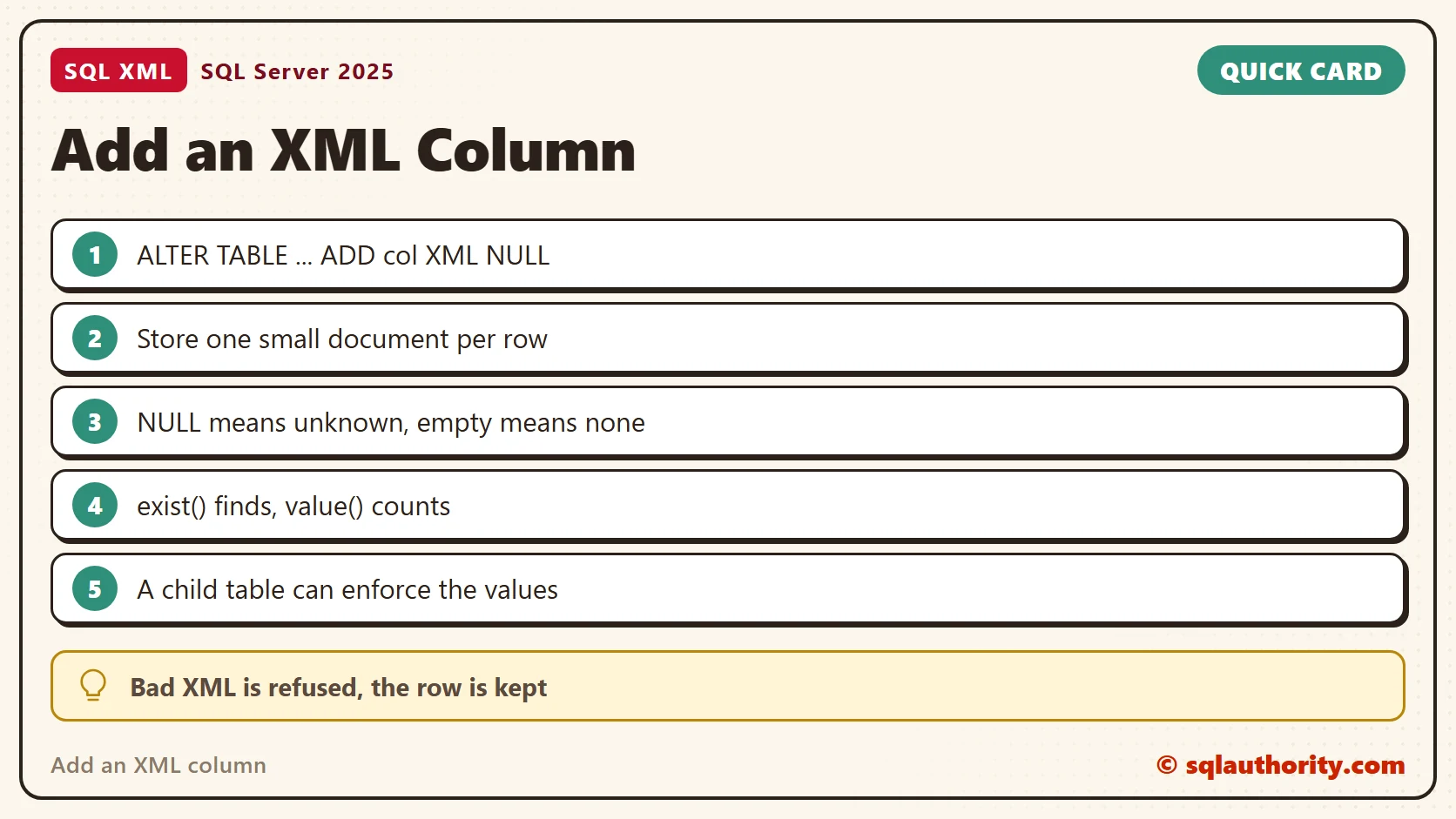
ALTER TABLE adds an xml column, and existing rows get NULL. The type refuses bad XML. NULL means unknown and an empty element means none. A child table enforces the values, and an XML column doesn’t.
To go further, read What Is XML in SQL Server: Tags, Attributes and Well-Formed Rules, Shredding XML in SQL Server: Turn XML Back Into Rows and XML modify(): Inserting, Replacing and Deleting Nodes.
An XML column is not a shortcut around a table, it is a list you keep inside one row.
Published by Pinal Dave on SQLAuthority. More of my work at pinaldave.com.
Discover more from SQL Authority with Pinal Dave
Subscribe to get the latest posts sent to your email.




1 Comment. Leave new
Actually there are several ways to treat XML in SQL Server. Recently I wrote a blog post about XML.