
To run a string as SQL, you pass it to EXEC or to sp_executesql. SQL Server then treats the text as code and runs it. This post builds a string from pieces, adds a parameter, and shows four traps.
The Sample Tables
Two small tables: five books and six members. Run this in any test database. Every result in this post comes from SQL Server 2025.
CREATE TABLE Books (BookID INT PRIMARY KEY, Title VARCHAR(30) NOT NULL, Pages INT NOT NULL);
CREATE TABLE Members (MemberID INT PRIMARY KEY, LastName VARCHAR(20) NOT NULL, FirstName VARCHAR(20) NOT NULL, City VARCHAR(20) NOT NULL);
GO

INSERT INTO Books (BookID, Title, Pages) VALUES (1, 'Tea Gardens', 220), (2, 'Kite Season', 180), (3, 'Reading Maps', 260), (4, 'Bread and Butter', 300), (5, 'Paper Boats', 90);
INSERT INTO Members (MemberID, LastName, FirstName, City) VALUES (1, 'Smith', 'Sam', 'Austin'), (2, 'Brown', 'Ben', 'Denver'), (3, 'Smith', 'Jan', 'Austin'), (4, 'Adams', 'Asha', 'Boston'), (5, 'Brown', 'Chloe', 'Denver'), (6, 'Rao', 'Dev', 'Austin');
GO
A Statement Needs All Its Parts
SQL Server runs complete statements. A fragment fails, and so does a statement that’s wrapped in quotes. Each query below returns an error.
SELECT *;

FROM Books;

'SELECT * FROM Books';
The first returns Msg 263, because there’s no table. The second returns Msg 156 near FROM. The third returns Msg 102, because a quoted statement is only text.
Turn the Text Into a Statement
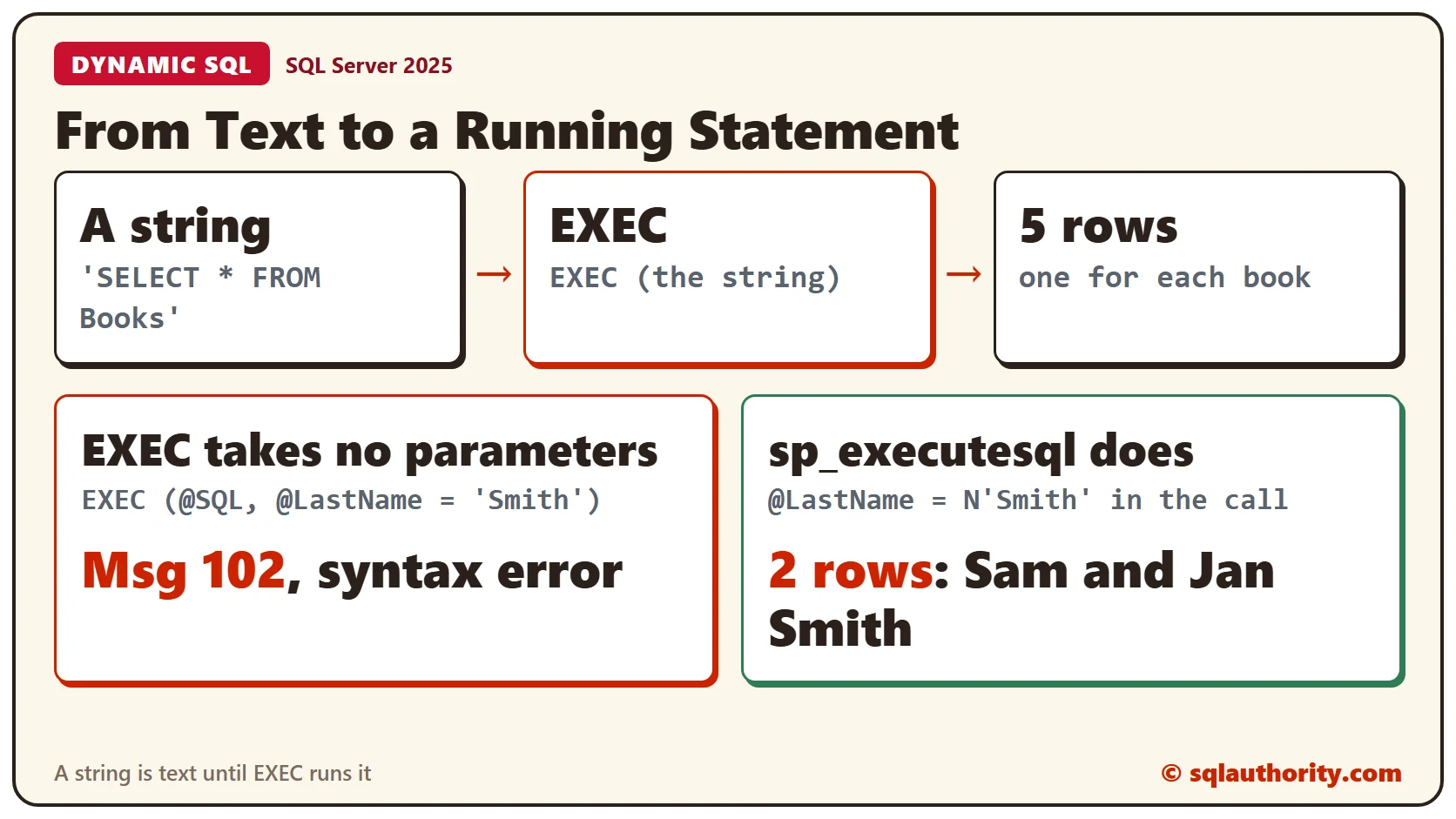
EXEC takes a string in parentheses and runs it as code.
EXEC ('SELECT * FROM Books');It returned all 5 books. The words inside the quotes are now a statement.
Build the String From Pieces
You can build the string in variables. Print it first, so you can read exactly what will run. Then execute it.
DECLARE @Select NVARCHAR(50) = 'SELECT * ';
DECLARE @From NVARCHAR(50) = 'FROM Books';
PRINT @Select + @From;
EXEC (@Select + @From);
PRINT showed SELECT * FROM Books, and EXEC ran it. If a string is wrong, you want to see it before SQL Server does.
EXEC Doesn’t Take Parameters
Sometimes you want to change a value in the string. EXEC accepts only the string, so a parameter fails.
DECLARE @SQL NVARCHAR(200) = 'SELECT * FROM Members WHERE LastName = @LastName';
EXEC (@SQL, @LastName = 'Smith');
That’s Msg 102, incorrect syntax near the closing parenthesis.
sp_executesql Does
The system procedure sp_executesql takes the string, a list of parameter definitions and the values. The string must be NVARCHAR, so these examples use the N prefix.
DECLARE @SQL NVARCHAR(200) = N'SELECT MemberID, LastName, FirstName FROM Members WHERE LastName = @LastName';
EXEC sp_executesql @SQL, N'@LastName NVARCHAR(20)', @LastName = N'Smith';
It returned the 2 Smith rows. Change the value in the call and the same string finds a different last name. A VARCHAR variable fails with Msg 214, which says the procedure expects ntext, nchar or nvarchar.
Trap 1: The String Cannot See Your Variables
The string runs as its own batch. A variable you declared outside it doesn’t exist inside.
DECLARE @MinPages INT = 200;
EXEC ('SELECT Title FROM Books WHERE Pages > @MinPages');
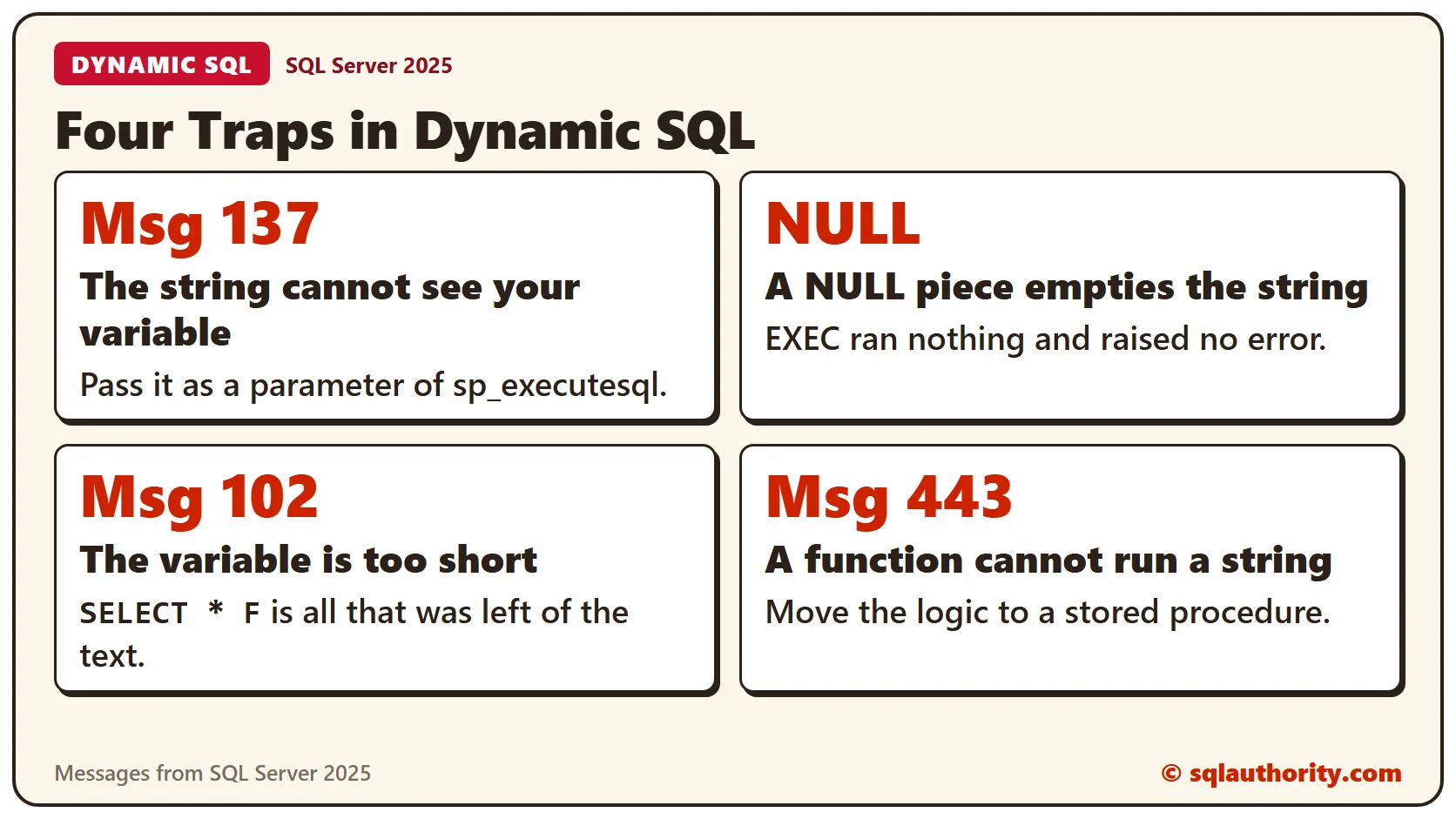
Msg 137 says to declare @MinPages. Pass the value through sp_executesql instead.
DECLARE @MinPages INT = 200;
EXEC sp_executesql N'SELECT Title FROM Books WHERE Pages > @MinPages', N'@MinPages INT', @MinPages = @MinPages;
Now 3 books come back. A reader hit the same wall with an XML variable and got the same Msg 137. The fix is the same: declare the variable in the parameter list as N’@x XML’.
DECLARE @x XML = N'<Root><SiteID>7</SiteID></Root>';
DECLARE @SQL NVARCHAR(200) = N'SELECT Node.Data.value(''(SiteID)[1]'', ''int'') AS SiteID FROM @x.nodes(''/Root'') AS Node(Data)';
EXEC sp_executesql @SQL, N'@x XML', @x = @x;
Trap 2: A NULL Empties the String
Adding NULL to text gives NULL. This string is built from a variable that has no value yet.
DECLARE @Col NVARCHAR(20);
DECLARE @SQL NVARCHAR(100) = N'SELECT ' + @Col + N' = 1';
SELECT @SQL AS TheString;
EXEC (@SQL);
TheString is NULL. EXEC ran nothing and raised no error, so the failure is silent. PRINT the string before you run it, and you’ll see the NULL.
Trap 3: A Variable That Is Too Short
A VARCHAR(10) variable can’t hold a longer string. SQL Server cuts the text without a warning.
DECLARE @SQL VARCHAR(10) = 'SELECT * FROM Books';
SELECT @SQL AS TheString;
EXEC (@SQL);
Only SELECT * F was left, and EXEC returned Msg 102. Use NVARCHAR(MAX) for long statements.
Trap 4: A Function Cannot Run a String
A reader tried dynamic SQL inside a function. SQL Server refuses to create it.
CREATE FUNCTION dbo.CountRows() RETURNS INT
AS
BEGIN
  EXEC ('SELECT 1');
  RETURN 1;
END;
The error is Msg 443, an invalid use of a side-effecting operator, EXECUTE STRING. Put the logic in a stored procedure instead.
A Table Name Isn’t a Parameter
A parameter can stand for a value, not for a table name.
EXEC sp_executesql N'SELECT * FROM @T', N'@T SYSNAME', @T = N'Books';That’s Msg 1087. Build the name into the string and wrap it in QUOTENAME, which adds the brackets.
DECLARE @TableName SYSNAME = N'Books';
DECLARE @SQL NVARCHAR(200) = N'SELECT COUNT(*) AS Total FROM ' + QUOTENAME(@TableName);
PRINT @SQL;
EXEC sp_executesql @SQL;
The printed string shows the brackets, and the count is 5. Never paste user text into a string without QUOTENAME or a parameter. Safe Dynamic SQL With sp_executesql and QUOTENAME covers safe dynamic SQL.
Clean Up
Remove the sample tables when you finish.
DROP TABLE Members;
DROP TABLE Books;
What to Remember
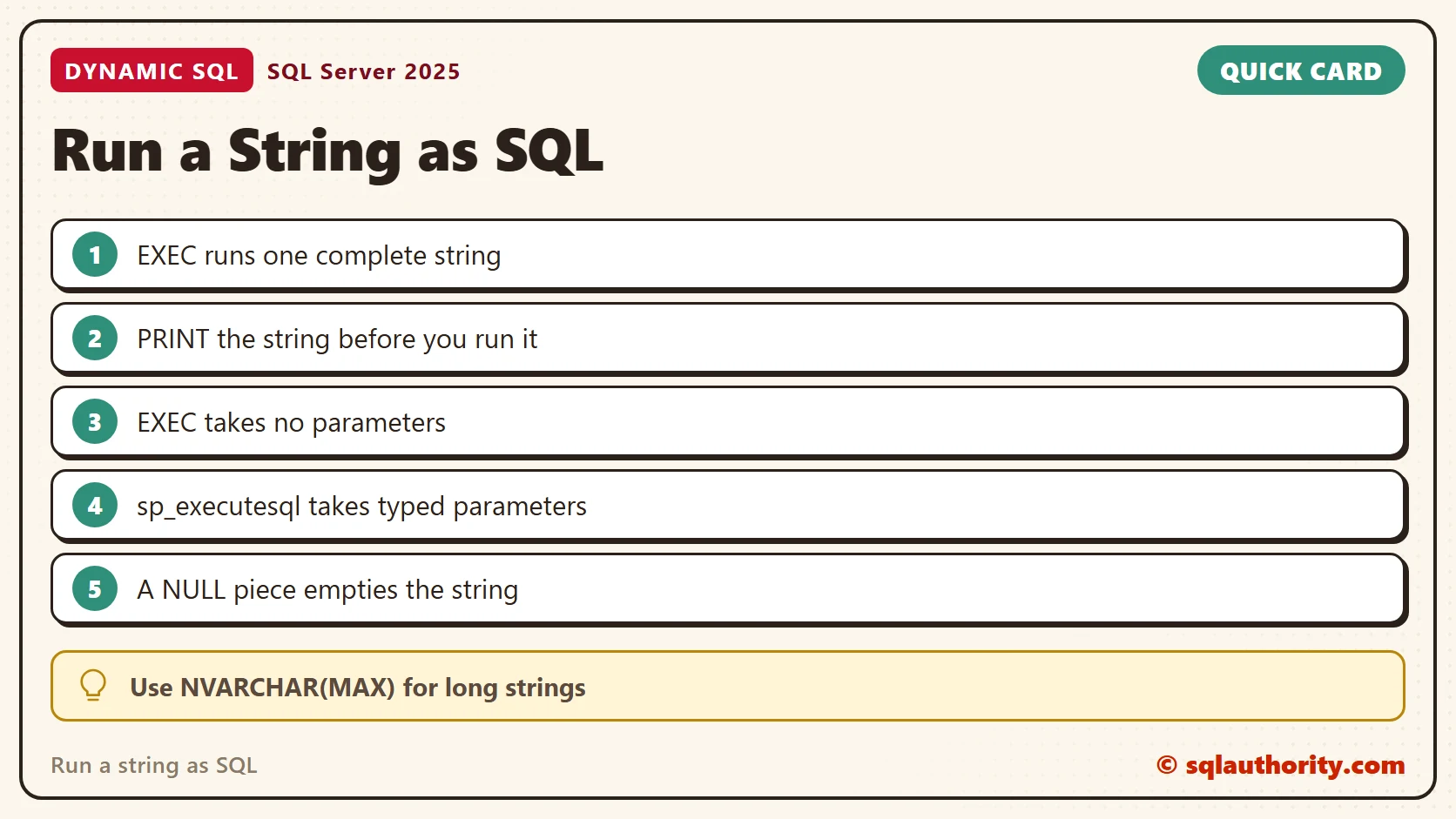
EXEC runs one complete string and takes no parameters. sp_executesql takes typed parameters. Print the string first, keep variables long enough and watch for NULL. A function can’t run a string.
To go further, read Safe Dynamic SQL With sp_executesql and QUOTENAME, sp_executesql Output Parameters: Getting Values Back From Dynamic SQL and SQL SERVER – 2005 Comparison SP_EXECUTESQL vs EXECUTE/EXEC.
A string is not a statement, it is text until you ask SQL Server to run it.
Published by Pinal Dave on SQLAuthority. More of my work at pinaldave.com.
Discover more from SQL Authority with Pinal Dave
Subscribe to get the latest posts sent to your email.



7 Comments. Leave new
Hello Sir, I have a query in my mind, what i would like to ask. Sir can we execute a procedure with sql statement.
Like
Exec Proc_Name (select param1,param2,param3….. from table_name)
Hopefully u will help me out..
Thank you
Hi,
Nice one,
declare @x xml
and haveing data in xml form
I am building dynamic query like
set @strsql = ‘select SiteID = Node.Data.value(‘(SiteID)[1]’ , ‘int’) from @x.nodes(”/Root”) Node(Data)’
Giveing me truble like Must declare the scalar variable “@x”.
Any one know how to overcome from this?
Thanks
i have a dynamic query which throws error as “Unknown error” in catch? Its actually a error due to insertion of NULL value into NOT NULL column however the same error message is not displayed in Catch. Please let me know the reason for the same. Cant we do error handling for dynamic queries?
ALTER FUNCTION [dbo].[UNIQUE_COLUMN_VALUE] (@var_pool_key INT,
@var_in_table_name VARCHAR,
@var_in_field_name VARCHAR)
RETURNS NVARCHAR(25)
AS
BEGIN
DECLARE @return_value_argument NVARCHAR(25)
DECLARE @sql VARCHAR(250)
SET @sql = ‘SELECT ‘ + @return_value_argument + ‘= MAX(@var_in_field_name) + 1 FROM ‘ + @var_in_table_name + ‘AS A WHERE A.POOL_KEY = ‘ + CONVERT(VARCHAR,@var_pool_key)
EXECUTE @SQL
if (@return_value_argument = NULL)
begin
SET @return_value_argument = 1
end
RETURN @return_value_argument
END
——————–Execute function
SELECT [CCMS].[dbo].[UNIQUE_COLUMN_VALUE] (
1625
,’INSTRUMENT_10001′
,’SESSION_ROW_KEY’)
GO
Error
======
Msg 557, Level 16, State 2, Line 1
Only functions and some extended stored procedures can be executed from within a function.
———————————————————————————
How to dynamic sql query execute in function any other solution?
Is it possible to delete dbo and sys user from sql server 2005 .
iam using name location and panno i get empid.but in that name r location or pan no not there how to get….my condition is SELECT EmpId FROM Employees WHERE Name=@Name and PanNo=@PanNo and Location=@Location.if empid=1 thenupdate else insert
declare @SQL varchar(max)
declare @returnvalueArgument nvarchar(5)
declare @TableName varchar(max)
set @TableName = ‘Author’ –Where “Author” is correct table
SET @SQL = ‘SELECT ‘ + @returnvalueArgument + ‘= 1 FROM sysobjects where name = ‘ + @TableName + ‘ and xtype = ”U”’
Execute(@SQL)
if @returnvalueArgument is not null
(
select 1
)
ELSE
(
select 2
)
–even though correct table it show 2, it should show 1