CONTEXT_INFO hangs a small value on a session. Any code in that session can read it back, even a trigger. It holds 128 bytes, which is enough to answer the question every audit trail asks. Who changed this row? Let’s set it, read it and put it to work.

The Problem It Solves
A web application usually connects to SQL Server with one account for all its users. When a trigger asks who made the change, every answer is that same account. The person who clicked the button is invisible to the database.
The application can fix this. Right after it opens the connection, it stores the user’s name in the session. The trigger reads the name back. Nothing travels through the table or the query, so no column or parameter changes.
Why Not Add a Parameter?
You can add a ChangedBy column to every table and a parameter to every procedure. That works when you own all the code. It breaks down for old code and for tools that write back to tables. It also breaks for triggers, which take no parameters at all.
A session value reaches all of them without changing one signature. Stored procedures, functions and triggers run in the session of the caller, so they all see the same value. Another connection never sees it. A new session starts with nothing, as the first test below shows.
Build a Test Database
I ran everything here on SQL Server 2025. The script creates a database with a product table and a price log.
IF DB_ID(N'ContextInfoDemo') IS NULL CREATE DATABASE ContextInfoDemo;
USE ContextInfoDemo;
GO
DROP TABLE IF EXISTS dbo.PriceLog;
DROP TABLE IF EXISTS dbo.Products;
CREATE TABLE dbo.Products
(
    ProductID int NOT NULL PRIMARY KEY,
    Name varchar(40) NOT NULL,
    Price decimal(8,2) NOT NULL
);
CREATE TABLE dbo.PriceLog
(
    LogID int IDENTITY(1,1) PRIMARY KEY,
    ProductID int NOT NULL,
    OldPrice decimal(8,2) NOT NULL,
    NewPrice decimal(8,2) NOT NULL,
    ChangedByApp varchar(30) NOT NULL,
    ChangedByDbUser sysname NOT NULL DEFAULT USER_NAME()
);
INSERT INTO dbo.Products (ProductID, Name, Price)
VALUES (1, 'Masala tea', 4.50), (2, 'Almond cookies', 3.00), (3, 'Mango juice', 5.75);
Set It and Read It
A new session has no value. CONTEXT_INFO() returns NULL until someone sets it.
SELECT CONTEXT_INFO() AS BeforeSet, DATALENGTH(CONTEXT_INFO()) AS Bytes;
| BeforeSet | Bytes |
|---|---|
| NULL | NULL |
Both columns are NULL, because nothing was set yet.
SET CONTEXT_INFO takes a binary value. We turn the text ‘Dana’ into bytes with CAST, store it, and read it back.
DECLARE @who varbinary(128) = CAST('Dana' AS varbinary(128));
SET CONTEXT_INFO @who;
SELECT CONTEXT_INFO() AS RawValue, DATALENGTH(CONTEXT_INFO()) AS Bytes;| RawValue | Bytes |
|---|---|
| 0x44616E61 followed by 124 zero bytes | 128 |
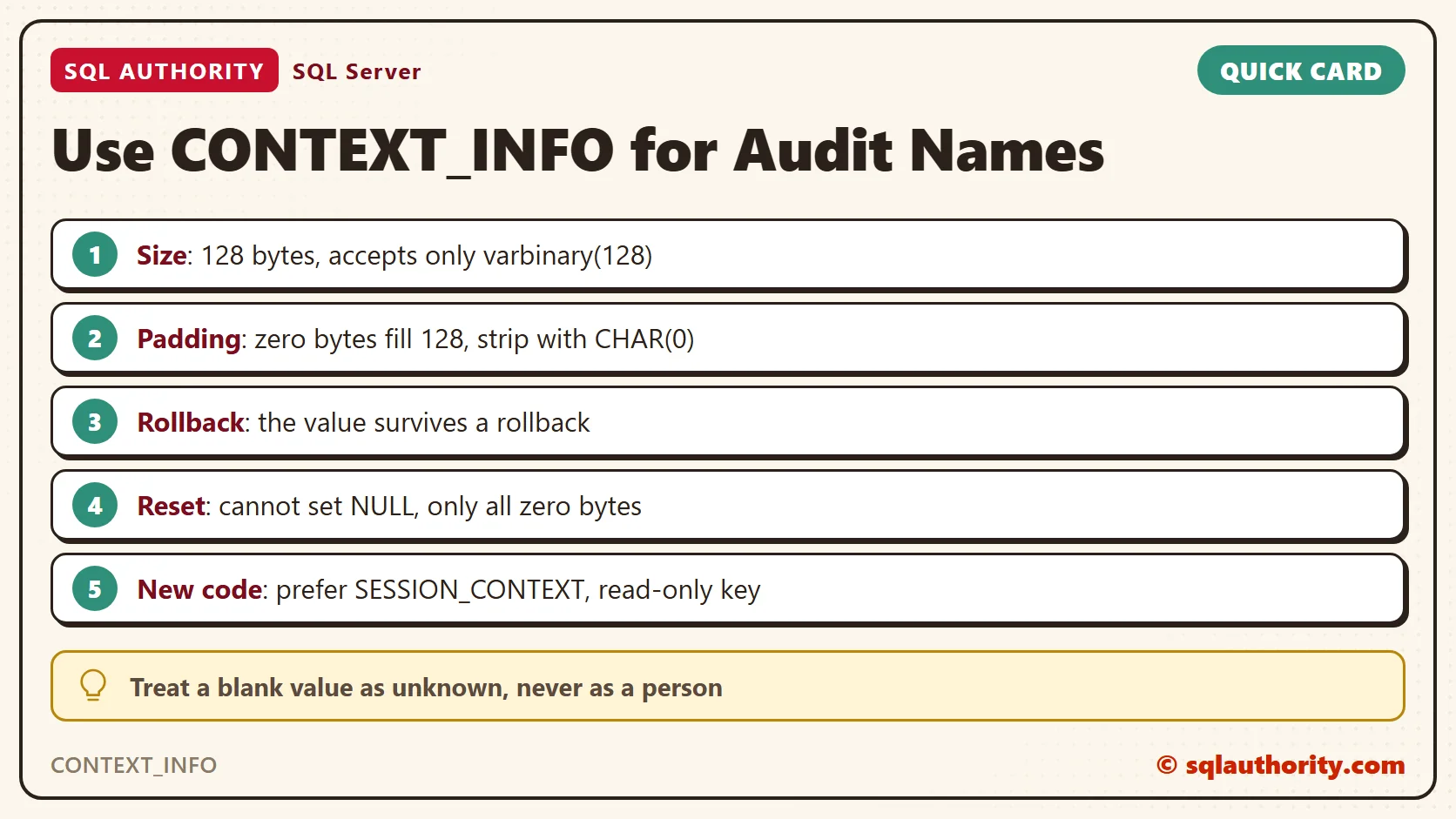
SQL Server padded our four bytes to 128. The value starts with 0x44616E61, which is Dana in bytes, and 124 zero bytes follow. Once you set it, the value always comes back at full size.
SELECT CAST(CONTEXT_INFO() AS varchar(128)) AS AsText,
       LEN(CAST(CONTEXT_INFO() AS varchar(128))) AS TextLen,
       REPLACE(CAST(CONTEXT_INFO() AS varchar(128)), CHAR(0), '') AS Cleaned,
LEN(REPLACE(CAST(CONTEXT_INFO() AS varchar(128)), CHAR(0), '')) AS CleanLen;| AsText | TextLen | Cleaned | CleanLen |
|---|---|---|---|
| Dana | 128 | Dana | 4 |
The text looks like Dana, but it is 128 characters long. The 124 extra characters are the zero bytes, and they are invisible. REPLACE with CHAR(0) strips them, and the length drops to 4. Do this every time you read the value as text.
Lay Out the Bytes Yourself
The 128 bytes are yours. SQL Server doesn’t care what they mean. You can put a number in the first four bytes and a name in the next twenty. Position and length are your own contract.
DECLARE @c varbinary(128) = CAST(1042 AS binary(4)) + CAST('Dana' AS binary(20));
SET CONTEXT_INFO @c;
SELECT CAST(SUBSTRING(CONTEXT_INFO(), 1, 4) AS int) AS UserID,
REPLACE(CAST(SUBSTRING(CONTEXT_INFO(), 5, 20) AS varchar(20)), CHAR(0), '') AS UserName;| UserID | UserName |
|---|---|
| 1042 | Dana |
Use varchar for the text part. Unicode takes two bytes per character, so 128 bytes hold only 64 characters.
Four Traps
Four details trip people up. The first one is the type. The command accepts only a value of type varbinary(128). A text literal fails.
SET CONTEXT_INFO 'Dana';
A variable must be exactly varbinary(128) as well. A longer value must be cast down first, and the cast cuts it at 128 bytes without a warning. SQL Server answers the literal like this.
Msg 2743, Level 16, State 3, Line 1
SET CONTEXT_INFO option requires varbinary (128) NOT NULL parameter.
The second trap is the transaction. The next test starts a transaction, sets a value and rolls back.
BEGIN TRAN;
DECLARE @t varbinary(128) = CAST('InsideTran' AS varbinary(128));
SET CONTEXT_INFO @t;
ROLLBACK;
SELECT REPLACE(CAST(CONTEXT_INFO() AS varchar(128)), CHAR(0), '') AS AfterRollback;| AfterRollback |
|---|
| InsideTran |
The value survived the rollback. It belongs to the session, not to the transaction. The third trap is that you can’t set it back to NULL. The closest you get is all zero bytes.
SET CONTEXT_INFO 0x0;
SELECT CONTEXT_INFO() AS Cleared, DATALENGTH(CONTEXT_INFO()) AS Bytes;
The result is 128 zero bytes, so code that reads the value must treat a blank name as unknown. The fourth trap is trust. Nothing protects the value. Any statement in the session can overwrite it, including an ad hoc query a developer runs on the same connection.
Use It in a Trigger
A trigger runs in the session that made the change, so it can read the value. This trigger logs every price change with the name it finds. A blank value is logged as unknown.
The trigger joins the inserted and deleted tables. They hold the new and the old version of each changed row. The WHERE clause skips rows whose price did not change, so the log stays short and useful.
CREATE OR ALTER TRIGGER dbo.trg_Products_PriceLog ON dbo.Products AFTER UPDATE AS
BEGIN
    SET NOCOUNT ON;
    DECLARE @app varchar(30) = REPLACE(CAST(SUBSTRING(CONTEXT_INFO(), 1, 30) AS varchar(30)), CHAR(0), '');
    INSERT INTO dbo.PriceLog (ProductID, OldPrice, NewPrice, ChangedByApp)
    SELECT i.ProductID, d.Price, i.Price, ISNULL(NULLIF(@app, ''), 'unknown')
    FROM inserted AS i
    JOIN deleted AS d ON d.ProductID = i.ProductID
    WHERE i.Price <> d.Price;
END;
The test changes three prices. The first change has no name set. Dana makes the second, and Raj makes the third.
SET CONTEXT_INFO 0x0;
UPDATE dbo.Products SET Price = 5.00 WHERE ProductID = 1;
DECLARE @who varbinary(128) = CAST('Dana' AS varbinary(128));
SET CONTEXT_INFO @who;
UPDATE dbo.Products SET Price = 3.25 WHERE ProductID = 2;
SET @who = CAST('Raj' AS varbinary(128));
SET CONTEXT_INFO @who;
UPDATE dbo.Products SET Price = 6.10 WHERE ProductID = 3;
SELECT LogID, ProductID, OldPrice, NewPrice, ChangedByApp, ChangedByDbUser FROM dbo.PriceLog ORDER BY LogID;| LogID | ProductID | OldPrice | NewPrice | ChangedByApp | ChangedByDbUser |
|---|---|---|---|---|---|
| 1 | 1 | 4.50 | 5.00 | unknown | dbo |
| 2 | 2 | 3.00 | 3.25 | Dana | dbo |
| 3 | 3 | 5.75 | 6.10 | Raj | dbo |
Row 1 says unknown, because nobody set a name. Rows 2 and 3 carry Dana and Raj. The database user is dbo in all three rows, because every change came through one account. That column shows the problem we set out to solve.
How It Compares With SESSION_CONTEXT
SQL Server 2016 added SESSION_CONTEXT. It stores key and value pairs instead of one block of bytes, so you don’t count bytes or strip zeros. A key can also be marked read-only.
EXEC sys.sp_set_session_context @key = N'AppUser', @value = N'Dana', @read_only = 1;
SELECT SESSION_CONTEXT(N'AppUser') AS AppUser;
The read comes back as plain text, with no padding. Now try to change the read-only key.
EXEC sys.sp_set_session_context @key = N'AppUser', @value = N'Raj';
Msg 15664, Level 16, State 1, Procedure sys.sp_set_session_context, Line 1
Cannot set key 'AppUser' in the session context. The key has been set as read_only for this session.
SQL Server refuses. That is the biggest difference between the two. The table sums up the rest.
| CONTEXT_INFO | SESSION_CONTEXT | |
|---|---|---|
| Size | 128 bytes | 256 KB for all keys |
| Shape | One binary value | Key and value pairs |
| Padding | Always padded to 128 bytes | None |
| Read-only option | None, any statement can overwrite it | Yes, set per key |
| Survives a rollback | Yes | Not tested here |
CONTEXT_INFO has one more place to show up. The value is visible in sys.dm_exec_sessions, so a DBA sees which app user owns a session. No function call is needed.
SELECT session_id, context_info, DATALENGTH(context_info) AS Bytes
FROM sys.dm_exec_sessions
WHERE session_id = @@SPID;
| session_id | context_info | Bytes |
|---|---|---|
| 52 | 0x52616A | 3 |
The bytes 0x52616A spell Raj, the last name we set. The view shows 3 bytes, because it leaves off the zero padding.
You could say CONTEXT_INFO is the old way, so use SESSION_CONTEXT everywhere. Fair point. For new code, I’d do exactly that. It needs no byte math, and a read-only key protects the value. The older value still earns its place in code written before 2016. It also helps in monitoring, where it sits one column away.
A Short Checklist
- Set the value first thing after your code takes a connection, before any statement runs.
- Keep a fixed layout, use varchar for names and strip the zero bytes when you read.
- Treat a blank value as unknown, never as a person.
- Use it to label audit rows, not to grant permissions.
- For new code, prefer SESSION_CONTEXT with a read-only key.
Clean Up
USE master;
GO
ALTER DATABASE ContextInfoDemo SET SINGLE_USER WITH ROLLBACK IMMEDIATE;
DROP DATABASE ContextInfoDemo;
CONTEXT_INFO is not a lock, it is a name tag.
Published by Pinal Dave on SQLAuthority. More of my work at pinaldave.com.
Discover more from SQL Authority with Pinal Dave
Subscribe to get the latest posts sent to your email.