sys.dm_os_waiting_tasks lists every task that is waiting right now and tells you what it waits for. When someone says “the app is stuck”, this view answers two questions in one query. Who is waiting, and who is in the way? Let’s build a real blocking chain and read it.

What the View Shows
A task is a piece of work that runs on a thread. A simple query uses one task, and a parallel query uses many. When a task can’t go on, it waits, and sys.dm_os_waiting_tasks holds one row for that wait.
Four columns matter most. The wait_type column says what kind of wait it is. The wait_duration_ms column says how long the task has waited. The blocking_session_id column names the session that holds the thing the task needs. The resource_description column describes that thing, such as a lock on one row.
A row disappears the moment its wait ends, so the view is a snapshot, not a history. You need the VIEW SERVER PERFORMANCE STATE permission to read it on SQL Server 2022 and later. Older versions ask for VIEW SERVER STATE.
Build a Test Database
I ran everything here on SQL Server 2025. The script creates a small database with a pantry table of three rows.
IF DB_ID(N'WaitingTasksDemo') IS NULL CREATE DATABASE WaitingTasksDemo;
GO
USE WaitingTasksDemo;
GO
DROP TABLE IF EXISTS dbo.Pantry;
CREATE TABLE dbo.Pantry
(
    ItemID int NOT NULL PRIMARY KEY,
    Item varchar(30) NOT NULL,
    Quantity int NOT NULL
);
INSERT INTO dbo.Pantry (ItemID, Item, Quantity)
VALUES (1, 'Basmati rice', 40), (2, 'Red lentils', 25), (3, 'Rolled oats', 30);
Build a Blocking Chain
Open three query windows. Run USE WaitingTasksDemo; in each one, then run the steps below in order. Steps 3 and 4 will hang. That is the point, so leave them alone.
| Step | Window | Statement |
|---|---|---|
| 1 | 1 | BEGIN TRAN; UPDATE dbo.Pantry SET Quantity = Quantity - 1 WHERE ItemID = 1; |
| 2 | 2 | BEGIN TRAN; UPDATE dbo.Pantry SET Quantity = Quantity - 1 WHERE ItemID = 2; |
| 3 | 2 | UPDATE dbo.Pantry SET Quantity = Quantity - 1 WHERE ItemID = 1; |
| 4 | 3 | BEGIN TRAN; UPDATE dbo.Pantry SET Quantity = Quantity - 1 WHERE ItemID = 2; |
Window 1 locks row 1 and stays idle with its transaction open. Window 2 locks row 2, then asks for row 1 and has to wait. Window 3 asks for row 2 and waits for Window 2. The chain reads 3 waits for 2, and 2 waits for 1.
I started the three windows from a script with sqlcmd. Each got a host name, which keeps the output easy to read. The sessions behave like three SSMS windows.
Read the Waiting Tasks
Now open a fourth window. The query joins the view to the session and request views. Each wait then gets a window name and a command.
SELECT wt.session_id, s.host_name, r.command, wt.wait_type, wt.wait_duration_ms,
       wt.blocking_session_id, wt.resource_description
FROM sys.dm_os_waiting_tasks AS wt
JOIN sys.dm_exec_sessions AS s ON s.session_id = wt.session_id
LEFT JOIN sys.dm_exec_requests AS r ON r.session_id = wt.session_id
WHERE s.is_user_process = 1 AND wt.session_id <> @@SPID
ORDER BY wt.wait_duration_ms DESC;| session_id | host_name | command | wait_type | wait_duration_ms | blocking_session_id | resource_description |
|---|---|---|---|---|---|---|
| 112 | Window2 | UPDATE | LCK_M_X | 6,059 | 96 | keylock hobtid=72057594047234048 dbid=21 id=lock1fb77359d80 mode=X associatedObjectId=72057594047234048 |
| 113 | Window3 | UPDATE | LCK_M_X | 5,060 | 112 | keylock hobtid=72057594047234048 dbid=21 id=lock1fb82bf6e00 mode=X associatedObjectId=72057594047234048 |
Two rows, two waits. Session 112 is Window 2. It has waited about six seconds for an exclusive lock (LCK_M_X) that session 96 holds. Session 113 is Window 3. It waits for session 112, not for 96.
The resource_description column tells you what the lock is on. A keylock is a lock on one index key, in other words one row. The dbid is the database. The mode is X, an exclusive lock. The two rows carry different lock ids, so they wait for two different rows.
Find the Head of the Chain
Look at the blocking_session_id column again. It names 96 and 112. Session 112 appears in the list as a waiter, but session 96 does not. Nothing makes 96 wait, so it never gets a row. It is the head of the chain, and the only session worth your attention.
A head can be invisible in this view, because it sits idle. It has no running request and no wait. This query finds it from the sessions view instead.
SELECT s.session_id, s.status, s.host_name, s.open_transaction_count, t.text AS last_statement
FROM sys.dm_exec_sessions AS s
JOIN sys.dm_exec_connections AS c ON c.session_id = s.session_id
OUTER APPLY sys.dm_exec_sql_text(c.most_recent_sql_handle) AS t
WHERE s.session_id IN (SELECT blocking_session_id FROM sys.dm_os_waiting_tasks WHERE blocking_session_id IS NOT NULL)
  AND s.session_id NOT IN (SELECT session_id FROM sys.dm_os_waiting_tasks WHERE blocking_session_id IS NOT NULL);
| session_id | status | host_name | open_transaction_count | last_statement |
|---|---|---|---|---|
| 96 | sleeping | Window1 | 1 | BEGIN TRAN; UPDATE dbo.Pantry SET Quantity = Quantity – 1 WHERE ItemID = 1; |
The query asks for sessions that block someone but wait for nobody. It found Window 1. The status is sleeping, so the session runs nothing. It still has one open transaction, and that transaction holds the lock.
This is why killing the waiters doesn’t help. If you kill 112 and 113, the next update from the app waits behind 96 again. Ask the owner of the head to commit or roll back. If you can’t reach them, KILL 96 rolls the transaction back for you. A large transaction can take a long time to roll back.
Why the Head Holds a Transaction
The head is a session that began a transaction and never finished it. The usual causes are plain. Someone ran BEGIN TRAN in a query window and went to lunch. An application opened a transaction and waited for a user to click. A script hit an error and kept the transaction open.
None of these shows as slow code. The head runs nothing, so a look at the running queries misses it. This is the case where sys.dm_os_waiting_tasks earns its place.
Name the Locked Table
The hobt id in the resource description is a number. This query matches it to a partition, and the partition knows its table.
SELECT wt.session_id, OBJECT_NAME(p.object_id) AS locked_table
FROM sys.dm_os_waiting_tasks AS wt
JOIN sys.partitions AS p ON wt.resource_description LIKE '%associatedObjectId=' + CAST(p.hobt_id AS varchar(20))
WHERE wt.wait_type LIKE 'LCK%';
| session_id | locked_table |
|---|---|
| 112 | Pantry |
| 113 | Pantry |
Both waits are on dbo.Pantry. On a busy server, this answers “which table is hot” in seconds. It works here because the resource description of a key lock ends with the object id of the index.
What Quiet Looks Like
Before I opened the windows, the first query returned no rows on my test server. That is the normal picture. Sessions rarely wait for long, and short waits are gone before you can run the query. A row that stays is the one to look at.
Look Twice
A wait that shows up once means little. Many waits last a few milliseconds and vanish. Run the first query again a few seconds later. In my test, session 112 had waited 9,197 ms and session 113 had waited 8,197 ms. The same sessions, the same blockers and a growing duration mean real blocking.
You could say sys.dm_exec_requests already has wait_type and blocking_session_id. Fair point. For one blocked query, it is enough. This is where sys.dm_os_waiting_tasks goes further. A request shows one wait, while this view shows a row for each waiting task. A parallel query that waits on several threads lists them all, each with its exec_context_id.
A Short Checklist
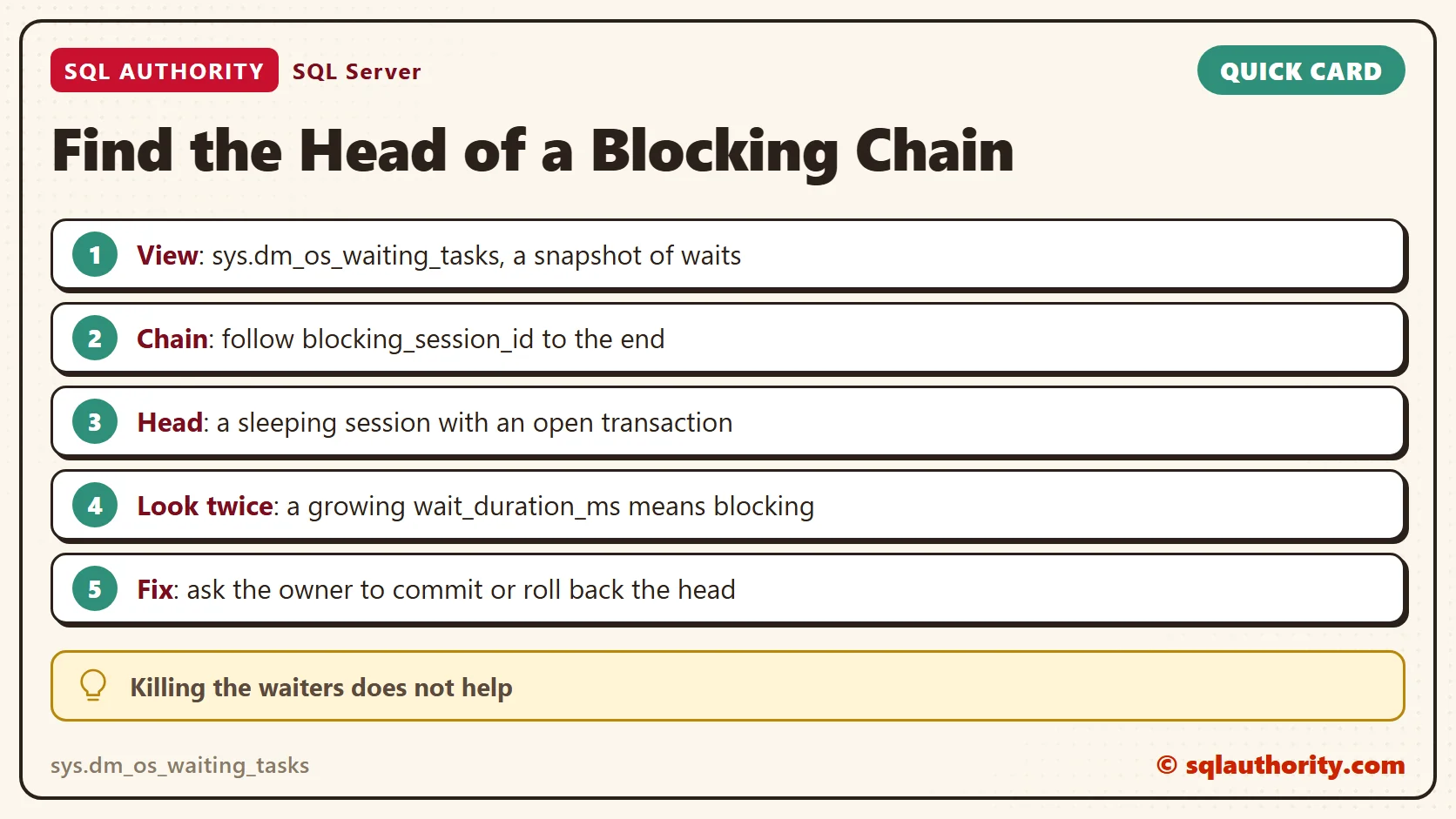
- Run the waiting tasks query twice, a few seconds apart.
- Follow blocking_session_id until you reach a session that is not waiting.
- Check that session’s status and open_transaction_count. Sleeping with an open transaction is the classic head.
- Read resource_description to learn which table and which kind of lock.
- Fix the cause in the app: keep transactions short and never wait for a user inside one.
Clean Up
Roll back Window 1 first, then Window 2, then Window 3. Each rollback releases the next waiter.
USE master;
GO
ALTER DATABASE WaitingTasksDemo SET SINGLE_USER WITH ROLLBACK IMMEDIATE;
DROP DATABASE WaitingTasksDemo;
A blocked session is not the problem, it is the witness.
Published by Pinal Dave on SQLAuthority. More of my work at pinaldave.com.
Discover more from SQL Authority with Pinal Dave
Subscribe to get the latest posts sent to your email.