SQL Server lessons stick when you can run them in a minute. This page has five: errors, security, XML, hierarchies and query hints. Each lesson asks one question and answers it with a short script. Every script runs in any test database, and every result comes from SQL Server 2025.
Lesson 1: Catch an Error and Read It
A failed statement doesn’t always stop your code, so you need a way to see what went wrong. Wrap the statement in TRY and CATCH. Inside CATCH, the ERROR functions describe the failure. This script inserts a duplicate key and writes the details to a log table.
CREATE TABLE dbo.Seed (SeedId int NOT NULL CONSTRAINT PK_Seed PRIMARY KEY, SeedName varchar(20) NOT NULL);
CREATE TABLE dbo.ErrorLog (LogId int IDENTITY(1,1) PRIMARY KEY, ErrNumber int, ErrMessage nvarchar(300), ErrLine int);
INSERT INTO dbo.Seed VALUES (1, 'Basil');
BEGIN TRY
INSERT INTO dbo.Seed VALUES (1, 'Mint');
END TRY
BEGIN CATCH
INSERT INTO dbo.ErrorLog (ErrNumber, ErrMessage, ErrLine)
VALUES (ERROR_NUMBER(), ERROR_MESSAGE(), ERROR_LINE());
END CATCH;
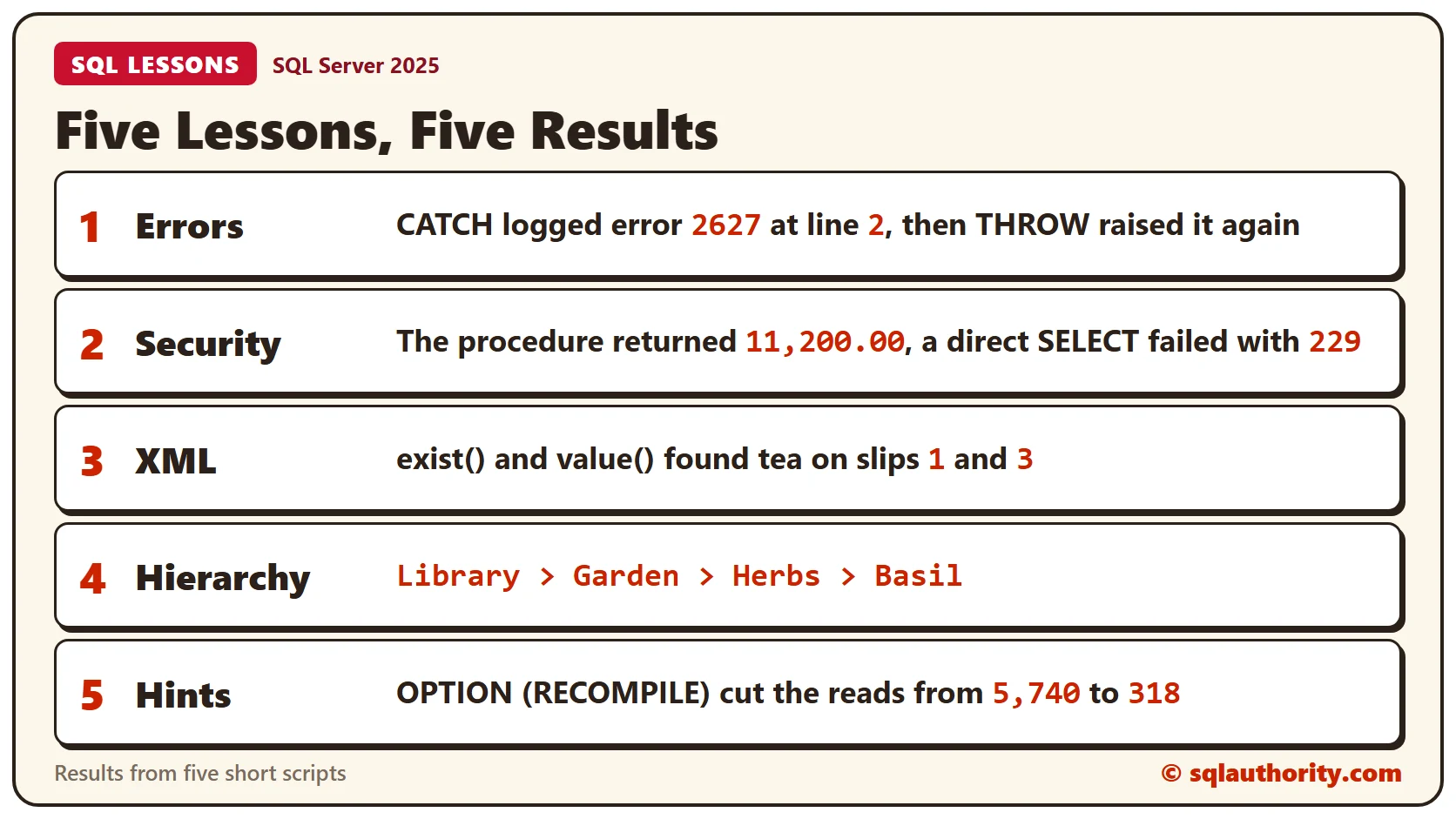
SELECT ErrNumber, ErrMessage, ErrLine FROM dbo.ErrorLog;The log row shows error 2627, the full message and line 2, which is the INSERT inside TRY. CATCH handles run-time errors of severity 11 and higher that don’t close the connection. The ERROR functions return values only inside the CATCH block.
A CATCH block that only logs hides the failure from whoever called your code. Add THROW with no arguments to raise the same error again.
BEGIN TRY
    INSERT INTO dbo.Seed VALUES (1, 'Sage');
END TRY
BEGIN CATCH
    THROW;
END CATCH;
The caller now sees Msg 2627 as if nothing had caught it. For the rules on what each error stops, read SQL Error Actions: What SQL Server Does After an Error.
Lesson 2: Give Access Through a Procedure
Every security question has three parts. The principal is who asks, the securable is what they want, and the permission is what they’re allowed to do. A stored procedure shows all three in one small example.
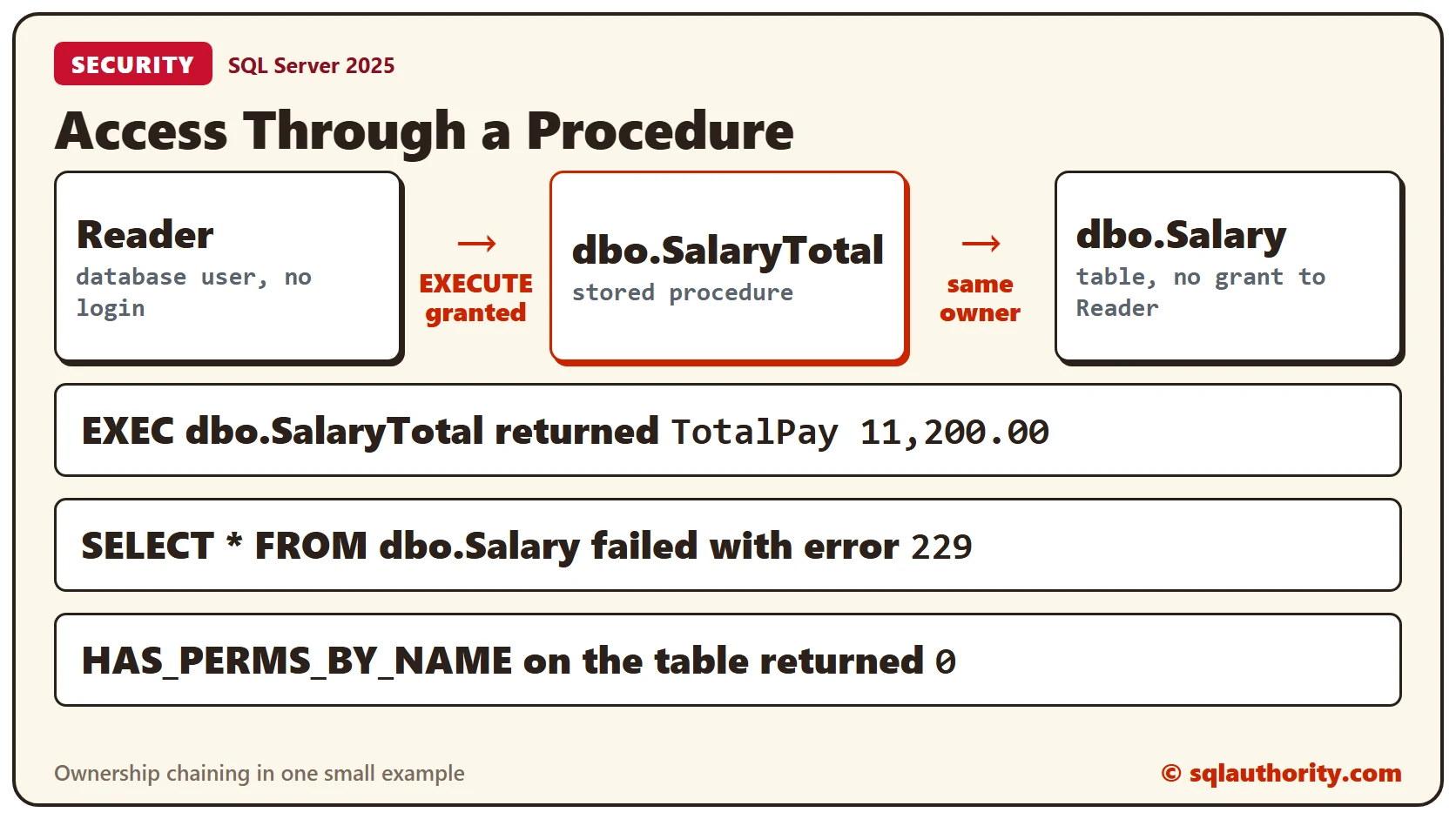
Reader is a database user with no login. Reader gets EXECUTE on a procedure and nothing on the table underneath. The procedure and the table share an owner. SQL Server therefore skips the permission check on the table inside the procedure. This is called ownership chaining.
CREATE TABLE dbo.Salary (EmployeeId int PRIMARY KEY, Amount decimal(10,2) NOT NULL);
INSERT INTO dbo.Salary VALUES (1, 5000), (2, 6200);
GO

CREATE PROCEDURE dbo.SalaryTotal AS SELECT SUM(Amount) AS TotalPay FROM dbo.Salary;
GO

CREATE USER Reader WITHOUT LOGIN;
GRANT EXECUTE ON dbo.SalaryTotal TO Reader;
EXECUTE AS USER = 'Reader';
EXEC dbo.SalaryTotal;
BEGIN TRY
SELECT * FROM dbo.Salary;
END TRY
BEGIN CATCH
SELECT ERROR_NUMBER() AS DirectSelectError;
END CATCH;
SELECT HAS_PERMS_BY_NAME('dbo.Salary', 'OBJECT', 'SELECT') AS CanSelectTable;
REVERT;Reader received the total, 11,200.00, from the procedure. A direct SELECT on the table failed with error 229, and HAS_PERMS_BY_NAME returned 0. Reader gets the answer and never sees a row. Grant only what a user needs, and wrap the rest in a procedure.
To see how permissions flow from the server down to a column, read The SQL Server Permission Hierarchy.
Lesson 3: Ask an XML Column a Question
The xml data type comes with five methods. The query() method returns XML, value() returns one typed value and exist() returns 1 or 0. The modify() method changes the document, and nodes() turns nodes into rows. Here exist() and value() read a column where each row holds one packing slip.
CREATE TABLE dbo.PackingSlip (SlipId int PRIMARY KEY, Items xml NOT NULL);
INSERT INTO dbo.PackingSlip VALUES
 (1, N'<items><item sku="TEA1" qty="2"/><item sku="BIS2" qty="5"/></items>'),
 (2, N'<items><item sku="MNT3" qty="1"/></items>'),
 (3, N'<items><item sku="TEA1" qty="4"/><item sku="MNT3" qty="2"/></items>');
SELECT SlipId,
Items.exist('/items/item[@sku="TEA1"]') AS HasTea,
Items.value('(/items/item[@sku="TEA1"]/@qty)[1]', 'int') AS TeaQty
FROM dbo.PackingSlip
ORDER BY SlipId;Slip 1 has tea with a quantity of 2, and slip 3 has 4. Slip 2 has no tea, so exist() returns 0 and value() returns NULL. The path ends in [1] because value() accepts a single value only.
Because exist() returns 1 or 0, it works as a filter. This query returns only the slips that contain tea.
SELECT SlipId, Items.value('(/items/item[@sku="TEA1"]/@qty)[1]', 'int') AS TeaQty
FROM dbo.PackingSlip
WHERE Items.exist('/items/item[@sku="TEA1"]') = 1
ORDER BY SlipId;
Slips 1 and 3 came back. To turn nodes into rows, read Shredding XML in SQL Server: Turn XML Back Into Rows.
Lesson 4: Walk Up a Tree
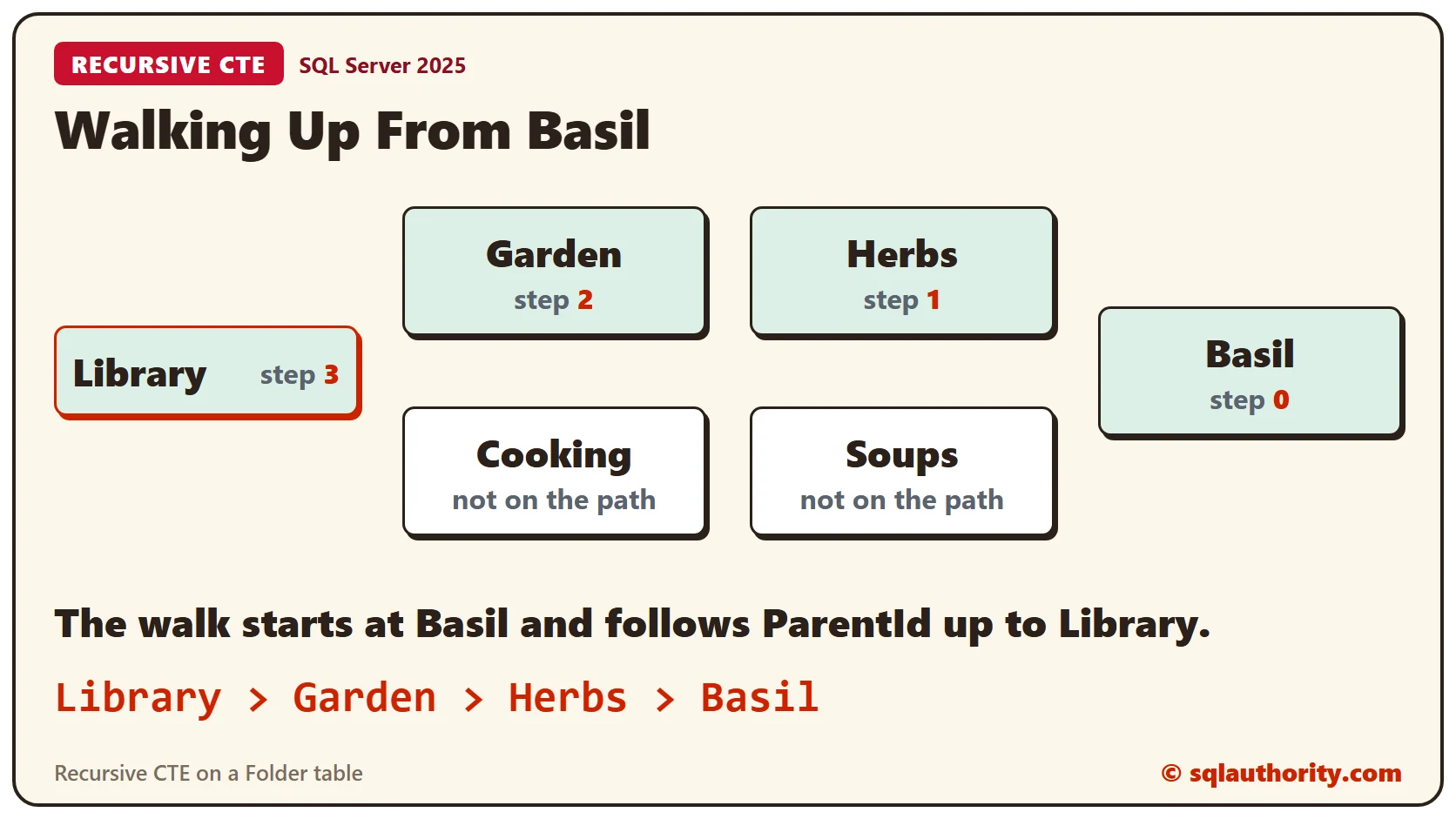
A recursive CTE has an anchor query that picks the starting row. A second part repeats until no row is left, and UNION ALL joins the two. Most examples walk down from a manager to the reports. This one walks up from Basil to the top folder.
CREATE TABLE dbo.Folder (FolderId int PRIMARY KEY, FolderName varchar(20) NOT NULL, ParentId int NULL);
INSERT INTO dbo.Folder VALUES (1, 'Library', NULL), (2, 'Garden', 1), (3, 'Herbs', 2),
                              (4, 'Basil', 3), (5, 'Cooking', 1), (6, 'Soups', 5);
WITH Up AS
(
SELECT FolderId, FolderName, ParentId, 0 AS Steps FROM dbo.Folder WHERE FolderName = 'Basil'
UNION ALL
SELECT f.FolderId, f.FolderName, f.ParentId, u.Steps + 1
FROM dbo.Folder AS f JOIN Up AS u ON f.FolderId = u.ParentId
)
SELECT Steps, FolderName FROM Up ORDER BY Steps DESC;Basil sits at step 0. Each step moves one folder closer to Library. Library has no parent, so the walk stops there.
STRING_AGG turns the steps into a breadcrumb. It needs SQL Server 2017 or later.
WITH Up AS
(
    SELECT FolderId, FolderName, ParentId, 0 AS Steps FROM dbo.Folder WHERE FolderName = 'Basil'
    UNION ALL
    SELECT f.FolderId, f.FolderName, f.ParentId, u.Steps + 1
    FROM dbo.Folder AS f JOIN Up AS u ON f.FolderId = u.ParentId
)
SELECT STRING_AGG(FolderName, ' > ') WITHIN GROUP (ORDER BY Steps DESC) AS Breadcrumb FROM Up;
The result reads Library > Garden > Herbs > Basil. If your data could loop back on itself, read Recursive CTE Cycles: Detect Loops and Depth Boundaries first.
Lesson 5: Test a Hint Before You Keep It
A hint tells the optimizer how to run a query. It can fix a bad guess, and it can make a good plan worse. Measure before and after. This table holds 200,000 closed tickets and 100 open ones. A query that filters on a local variable is compiled before SQL Server knows the value. It works from an average instead.
CREATE TABLE dbo.Ticket (TicketId int IDENTITY(1,1) PRIMARY KEY, Status varchar(10) NOT NULL,
                         Amount decimal(8,2) NOT NULL, Pad char(200) NOT NULL DEFAULT 'x');
CREATE INDEX IX_Ticket_Status ON dbo.Ticket (Status);
INSERT INTO dbo.Ticket (Status, Amount)
SELECT TOP (200000) 'Closed', 5 FROM sys.all_objects AS a CROSS JOIN sys.all_objects AS b;
INSERT INTO dbo.Ticket (Status, Amount) SELECT TOP (100) 'Open', 5 FROM sys.all_objects;
UPDATE STATISTICS dbo.Ticket WITH FULLSCAN;
SET STATISTICS IO ON;
DECLARE @Status varchar(10) = 'Open';
SELECT COUNT(*) AS N, SUM(Amount) AS Total FROM dbo.Ticket WHERE Status = @Status;
SELECT COUNT(*) AS N, SUM(Amount) AS Total FROM dbo.Ticket WHERE Status = @Status OPTION (RECOMPILE);
SET STATISTICS IO OFF;Both queries returned 100 rows. Without the hint, the query read 5,740 pages. With OPTION (RECOMPILE) it read 318, because the optimizer saw the value Open. The hint costs a compile on every run. Keep it for a query that runs rarely and whose best plan depends on the value. Write down why it’s there.
For a comparison of two hints that deal with this guess, read OPTIMIZE FOR and RECOMPILE Hints Compared.
Clean Up
Remove the sample objects when you finish.
DROP USER Reader;
DROP PROCEDURE dbo.SalaryTotal;
DROP TABLE dbo.Ticket;
DROP TABLE dbo.Folder;
DROP TABLE dbo.PackingSlip;
DROP TABLE dbo.Salary;
DROP TABLE dbo.ErrorLog;
DROP TABLE dbo.Seed;
What to Remember
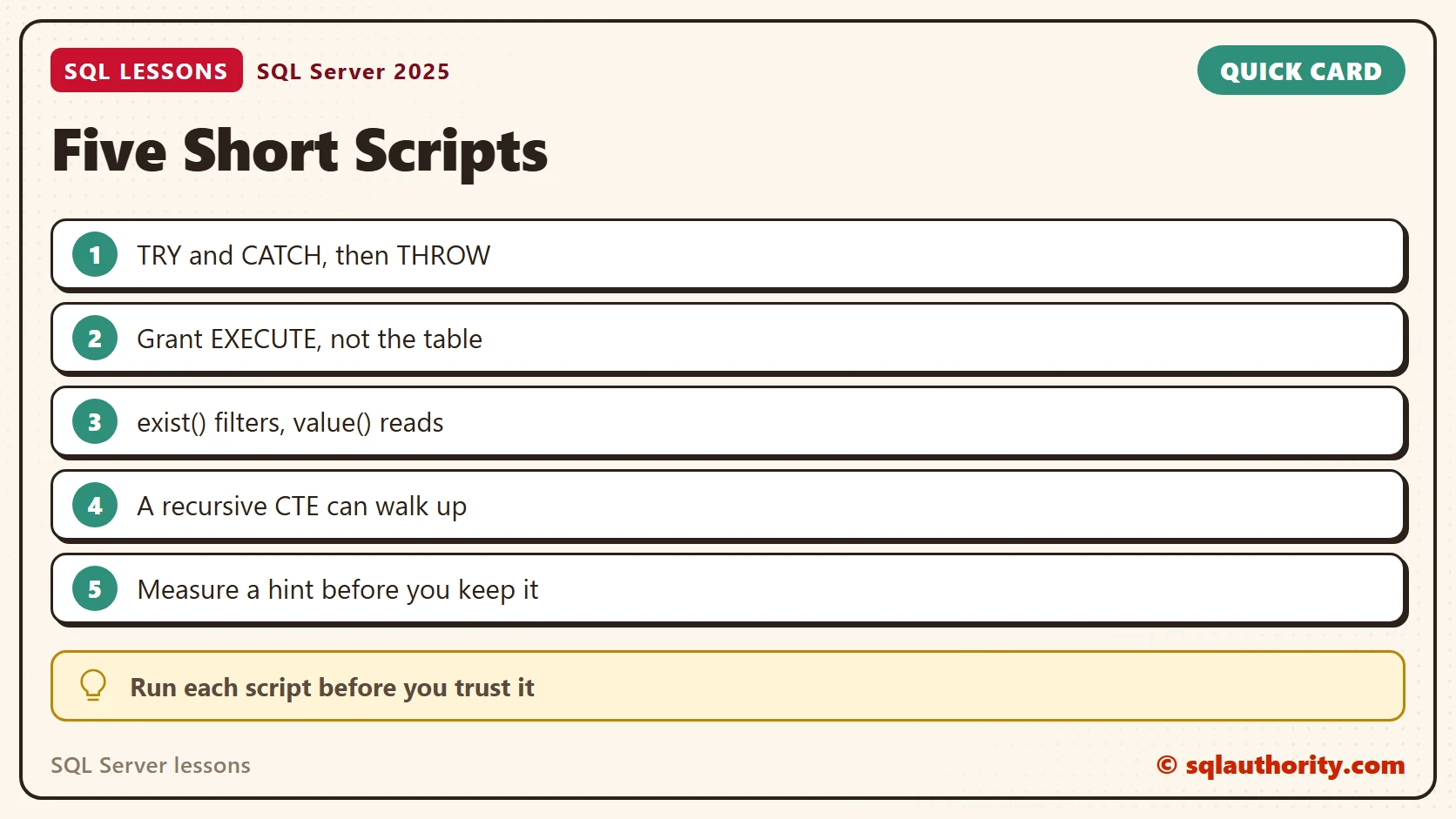
Each lesson fits in a sentence. Log an error and throw it again. Give access through a procedure and keep the table closed. Let exist() filter XML rows, and walk a tree up as easily as down. Measure every hint before it stays in your code.
To go further, read SQL Server Pitfalls: Five Short Lessons With the Fix for Each. It covers the same five topics and starts each one from a common mistake. XACT_ABORT: Why a Half-Done Transaction Can Survive an Error and Why Queries Recompile are good next reads.
A lesson is not finished when you read it, it is finished when you run it.
Published by Pinal Dave on SQLAuthority. More of my work at pinaldave.com.
Discover more from SQL Authority with Pinal Dave
Subscribe to get the latest posts sent to your email.