
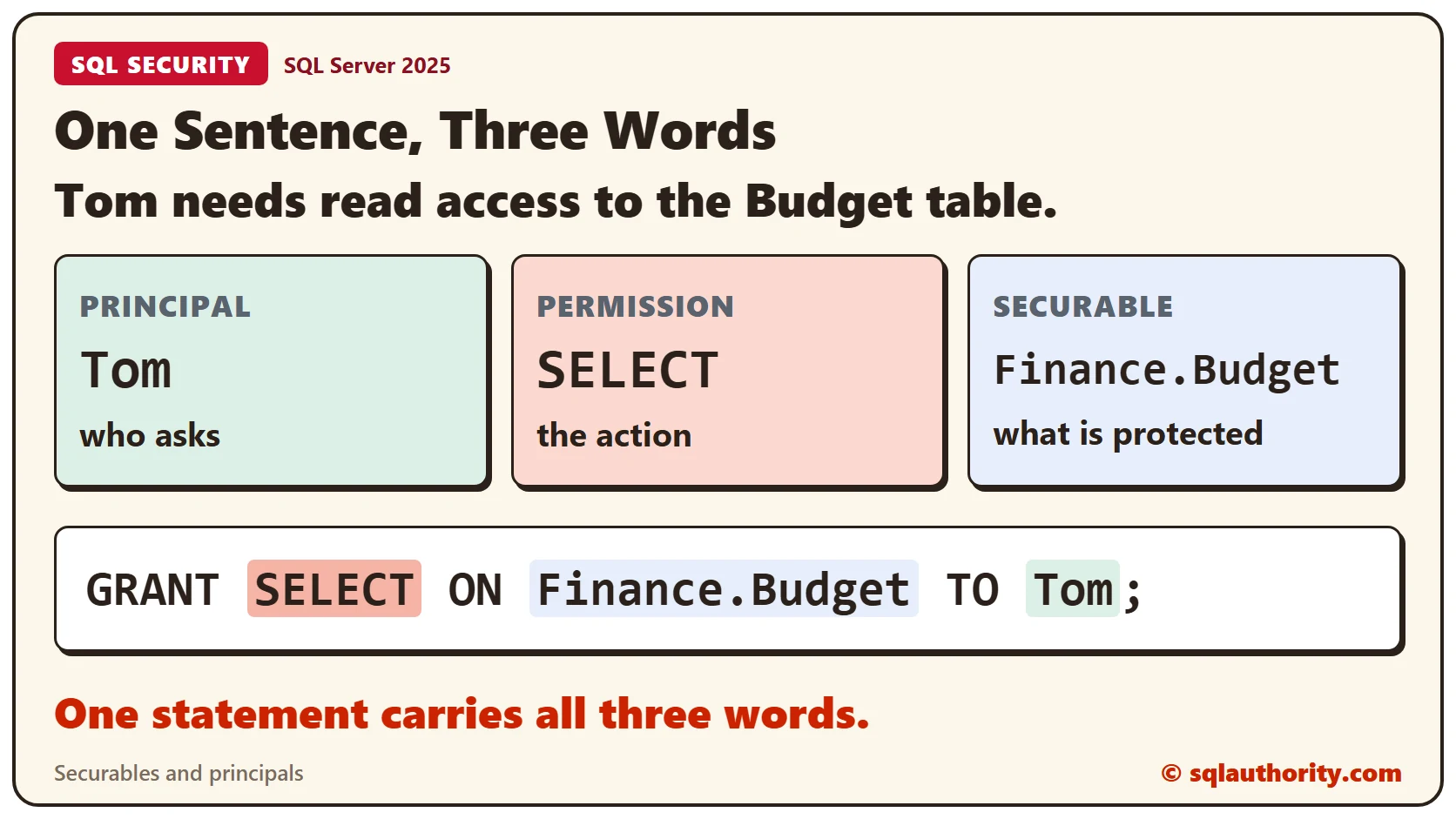
Securables and principals are the two nouns of SQL Server security, and a permission is the verb that joins them. Take one sentence: Tom needs read access to the Financial Folder. Tom is the principal, read is the permission and the folder is the securable. Every permission question has these three parts.
The Three Words
A principal is anything that asks for access: a user, a login or a role. A securable is anything that access can be given for: a server, a database, a schema or a table. A permission is the action, such as SELECT or INSERT.
In T-SQL the three words sit in one statement. GRANT names the permission, ON names the securable and TO names the principal.
The Sample Setup
Two small tables in a Finance schema and two database users. WITHOUT LOGIN creates a user that exists only inside the database, which is enough for a test. Run this in any test database. Every result in this post comes from SQL Server 2025.
CREATE SCHEMA Finance;
GO

CREATE TABLE Finance.Budget (BudgetID INT PRIMARY KEY, Item VARCHAR(30) NOT NULL, Amount DECIMAL(9,2) NOT NULL);
CREATE TABLE Finance.Payroll (PayID INT PRIMARY KEY, Role VARCHAR(30) NOT NULL, Amount DECIMAL(9,2) NOT NULL);
GO

INSERT INTO Finance.Budget (BudgetID, Item, Amount) VALUES (1, 'Office tea', 120.00), (2, 'Garden tools', 310.50), (3, 'Printer paper', 85.25);
INSERT INTO Finance.Payroll (PayID, Role, Amount) VALUES (1, 'Gardener', 2400.00), (2, 'Librarian', 2900.00);
GO

CREATE USER Tom WITHOUT LOGIN;
CREATE USER Sara WITHOUT LOGIN;
GO
Before Any Permission
Tom has no permissions yet. EXECUTE AS runs the next statements as another user, and REVERT switches back.
EXECUTE AS USER = 'Tom';
SELECT BudgetID, Item, Amount FROM Finance.Budget;
REVERT;
Message 229 says the SELECT permission was denied on the object Budget in the schema Finance. The message names the permission and the securable. The principal is the user who ran the query.
GRANT: Give a Permission
Give Tom the permission with one statement. Then run the query as Tom again.
GRANT SELECT ON Finance.Budget TO Tom;

EXECUTE AS USER = 'Tom';
SELECT BudgetID, Item, Amount FROM Finance.Budget;
REVERT;
Tom now gets 3 rows: Office tea, Garden tools and Printer paper.
The Permission List
SQL Server keeps every permission as a row in sys.database_permissions. This query turns the rows back into the three words, plus the state. It skips the CONNECT row that every new user gets.
SELECT pr.name AS Principal,
  CASE p.class WHEN 1 THEN OBJECT_SCHEMA_NAME(p.major_id) + '.' + OBJECT_NAME(p.major_id) WHEN 3 THEN 'Schema ' + SCHEMA_NAME(p.major_id) END AS Securable,
  p.permission_name AS Permission, p.state_desc AS State
FROM sys.database_permissions AS p
JOIN sys.database_principals AS pr ON pr.principal_id = p.grantee_principal_id
WHERE pr.name IN ('Tom', 'Sara') AND p.permission_name <> 'CONNECT'
ORDER BY pr.name, Securable, p.permission_name;
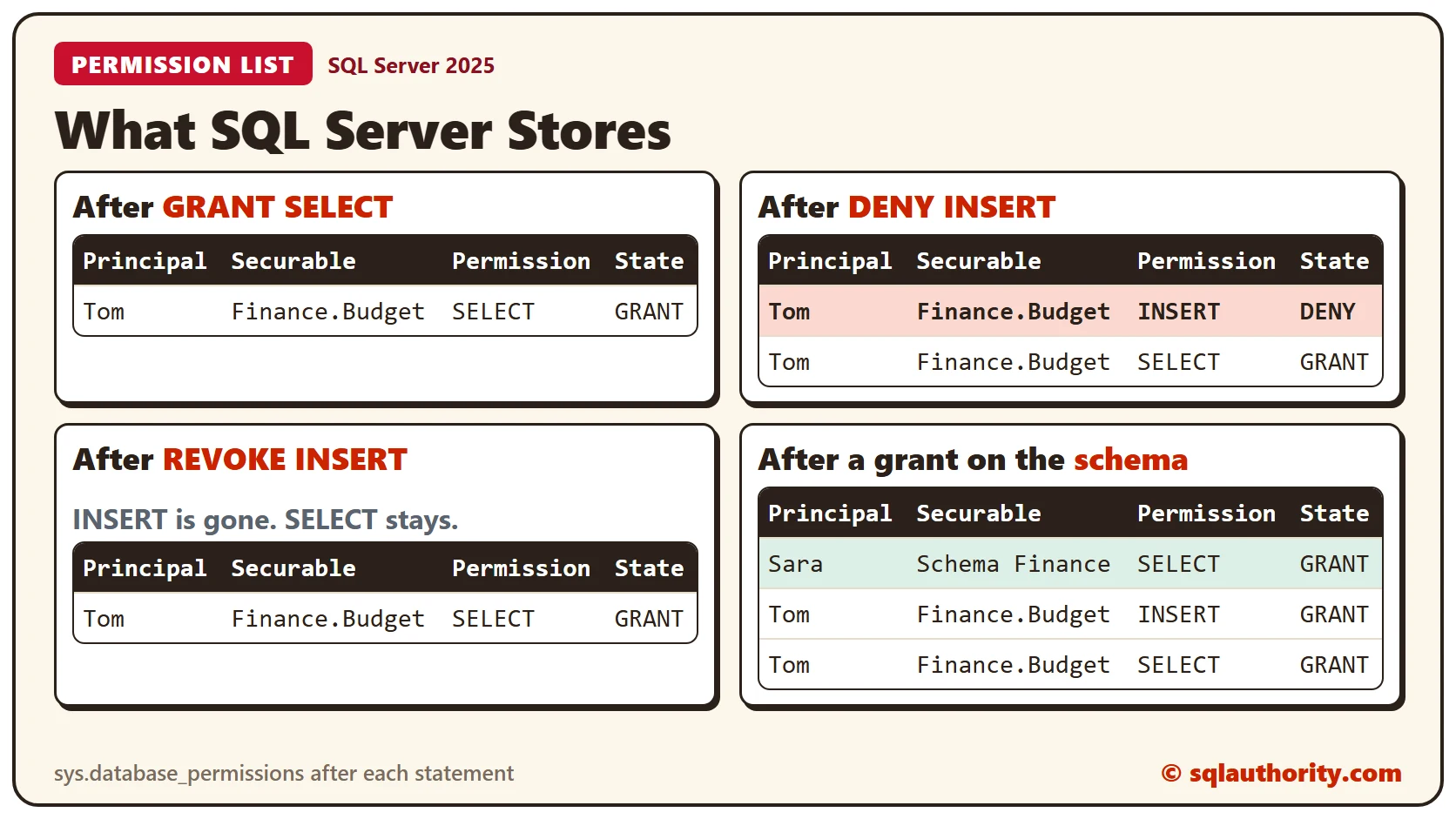
One row comes back: Tom, Finance.Budget, SELECT, GRANT. Principal, securable and permission are all there.
DENY: Say No in Writing
Give Tom INSERT first, then deny it. Run the list query again after the two statements.
GRANT INSERT ON Finance.Budget TO Tom;

DENY INSERT ON Finance.Budget TO Tom;
The list shows INSERT with the state DENY and SELECT with the state GRANT. SQL Server stores one row for each principal, securable and permission, so the DENY replaced the earlier GRANT. Now an insert as Tom fails.
EXECUTE AS USER = 'Tom';
INSERT INTO Finance.Budget (BudgetID, Item, Amount) VALUES (4, 'Seed packets', 40.00);
REVERT;
Message 229 comes back again, this time for the INSERT permission.
REVOKE: Erase the Row
REVOKE removes the row. It doesn’t say yes, and it doesn’t say no.
REVOKE INSERT ON Finance.Budget FROM Tom;The list shows only SELECT again. An insert as Tom still fails with message 229, because INSERT isn’t granted. The permission is missing now, not forbidden. A new GRANT works at once.
GRANT INSERT ON Finance.Budget TO Tom;

EXECUTE AS USER = 'Tom';
INSERT INTO Finance.Budget (BudgetID, Item, Amount) VALUES (4, 'Seed packets', 40.00);
SELECT COUNT(*) AS BudgetRows FROM Finance.Budget;
REVERT;
The insert goes through, and the table has 4 rows.
A Bigger Securable
Securables nest. A server holds databases, a database holds schemas and a schema holds tables. A permission on the container covers everything inside it. Sara gets SELECT on the whole Finance schema.
GRANT SELECT ON SCHEMA::Finance TO Sara;

EXECUTE AS USER = 'Sara';
SELECT (SELECT COUNT(*) FROM Finance.Budget) AS BudgetRows, (SELECT COUNT(*) FROM Finance.Payroll) AS PayrollRows;
REVERT;
Sara reads 4 rows from Budget and 2 from Payroll, with one grant. The list shows a single row for Sara, and its securable is the schema.
Clean Up
Remove the sample objects when you finish.
DROP USER Sara;
DROP USER Tom;
DROP TABLE Finance.Payroll;
DROP TABLE Finance.Budget;
DROP SCHEMA Finance;
What to Remember
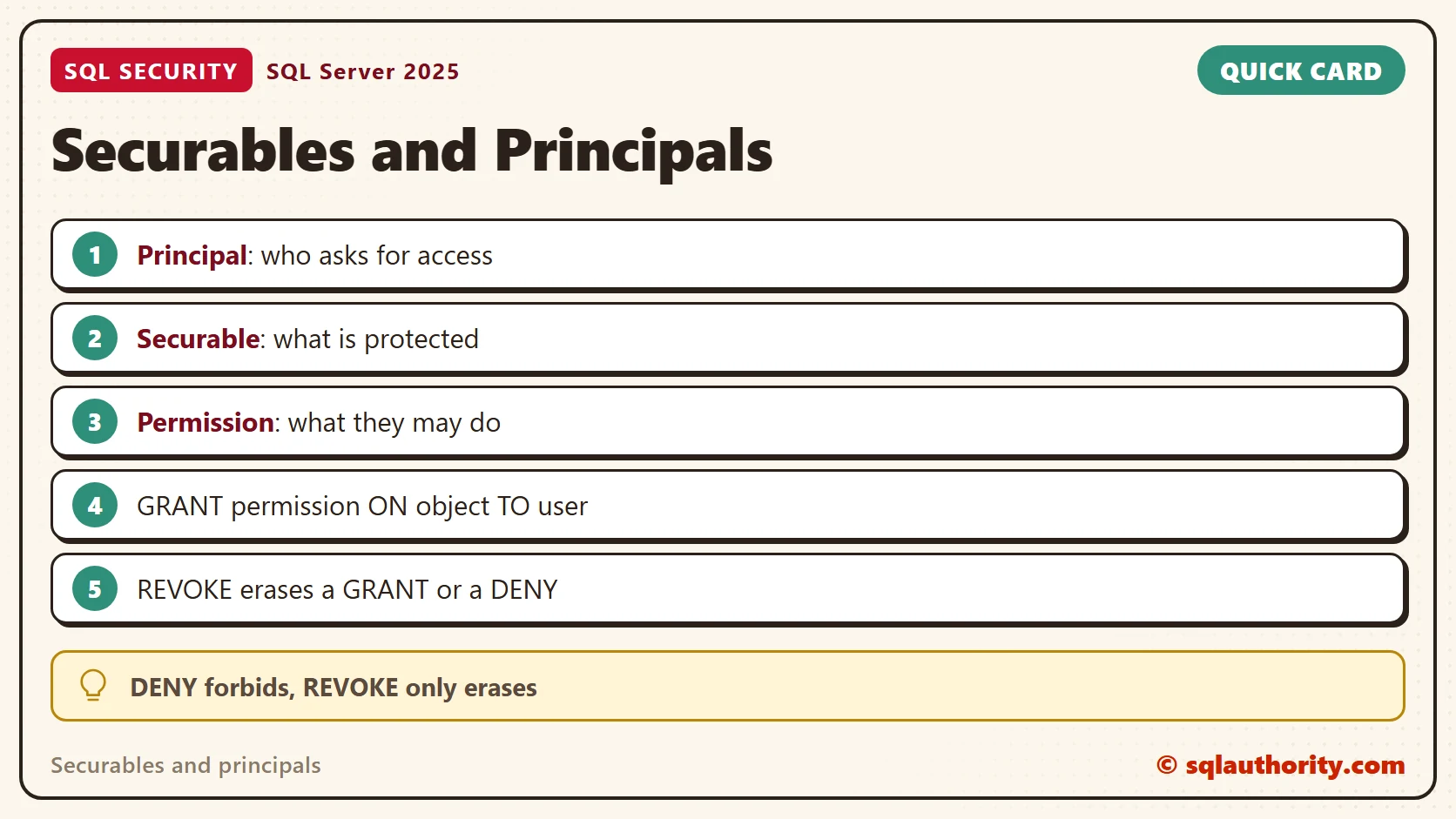
Name the principal, the permission and the securable before you write the statement. GRANT gives, DENY forbids and REVOKE erases. Read sys.database_permissions to see what is stored.
To go further, read Effective Permissions in SQL Server: When GRANT, DENY and REVOKE Meet, DENY vs REVOKE: Why a Removed Permission Still Works and The SQL Server Permission Hierarchy.
A permission is not a locked door, it is a sentence with three parts.
Published by Pinal Dave on SQLAuthority. More of my work at pinaldave.com.
Discover more from SQL Authority with Pinal Dave
Subscribe to get the latest posts sent to your email.




3 Comments. Leave new
This was a good article, I was waiting for you to write articles on security topic.
I still have lot of things open in my mind on how to create a user, role so that I can assign same level of permission to multiple users by just adding him to a specific role. I tried using Windows principal but could’nt figure out due to less knowledge on windows user group side. Can you write some more articles covering such topics and Execute AS CALLER|SELF|Owner depicting the difference.
This is one of your best and clearest articles to date. Very helpful. Thanks PD.
Very nice explanation. Thanks.