
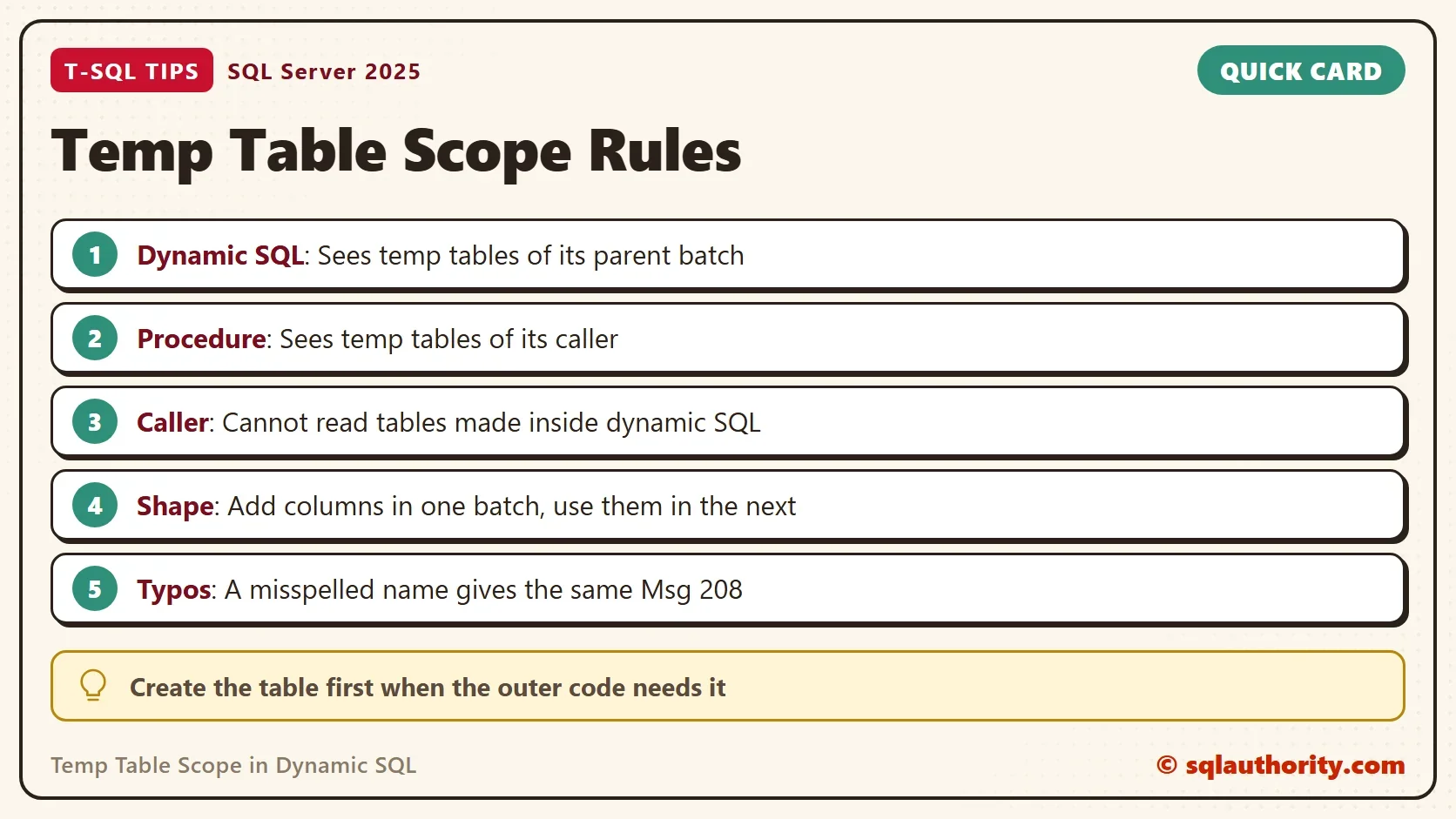
Temp table scope decides what dynamic SQL can see. A child batch reads the temp tables of its parent, and the parent sees nothing the child created. The same rule covers stored procedures.

Parent and Child
Dynamic SQL runs as a child of the batch that starts it. A stored procedure runs as a child of its caller. A local temp table has one hash sign. It belongs to the batch or procedure that created it, and to every child below it. The rule has a direction. Children see up. Parents never see down.
The question that matters most runs the other way. The temp table is created outside, and the dynamic SQL must read it. That works, and the first demo shows it. The demo creates a database named TempScopeDemo, because a later step needs a stored procedure.
IF DB_ID(N'TempScopeDemo') IS NULL CREATE DATABASE TempScopeDemo;
GO
USE TempScopeDemo;
GO
CREATE TABLE #Shipments (ShipmentID int, Destination nvarchar(30));
INSERT INTO #Shipments VALUES (1, N'Portland'), (2, N'Austin');
DECLARE @sql nvarchar(max) = N'SELECT COUNT(*) AS ShipmentsSeenInside FROM #Shipments;';
EXEC sys.sp_executesql @sql;
| ShipmentsSeenInside |
|---|
| 2 |
The dynamic batch counted the two rows of a table it never created. The temp table lives in tempdb, and the child batch finds it through its parent. Three things start a child scope: sp_executesql, EXEC with a string, and a stored procedure call. All three read the temp tables of the caller.
A Procedure Sees Its Caller’s Tables
A stored procedure follows the same rule. The next procedure reads #Shipments, although it never creates it. SQL Server accepts the procedure, because it checks temp table names when the procedure runs.
CREATE OR ALTER PROCEDURE dbo.CountShipments AS
BEGIN
    SET NOCOUNT ON;
    SELECT COUNT(*) AS ShipmentsSeenByProcedure
    FROM #Shipments;
END;
EXEC dbo.CountShipments;
| ShipmentsSeenByProcedure |
|---|
| 2 |
This is how a nested procedure uses the temp table of its caller. It also hides a risk. The procedure only works when the caller has made the table. Drop the table and call the procedure again to see the failure.
DROP TABLE #Shipments;
EXEC dbo.CountShipments;
Msg 208, Level 16, State 1, Procedure dbo.CountShipments, Line 4
Invalid object name '#Shipments'.
Document the dependency. Put a comment at the top of any procedure that expects a temp table from its caller. Name the table and its columns. Without it, the next person finds the dependency only at run time, from the error above.
The Other Direction
The parent cannot see what the child creates. A temp table made inside dynamic SQL is dropped when the dynamic batch ends. Dynamic SQL Temp Table: Why It Disappears and How to Keep It covers that direction, including global temp tables.
The safer pattern follows from the temp table scope rule. Create the table in the outer batch first, and let the dynamic SQL fill it. The outer batch then owns the table, and no global name is needed.
When the Shape Is Not Known
A common need is a table whose columns change from run to run. Take one procedure that creates, fills, deletes from and returns a table of unknown shape. The simplest fix there is one dynamic batch that does all four steps, because the table lives inside it. When the outer code needs the table, the outer batch can create a stub with one placeholder column.
Dynamic SQL then adds the real columns to the table it can see. Add the columns in one batch, and use them in a second batch.
CREATE TABLE #Report (Placeholder int NULL);
DECLARE @add nvarchar(max) = N'ALTER TABLE #Report ADD Region nvarchar(20), Total decimal(10,2);';
DECLARE @fill nvarchar(max) = N'INSERT INTO #Report (Region, Total) VALUES (N''West'', 125.50), (N''South'', 80.00);';
EXEC sys.sp_executesql @add;
EXEC sys.sp_executesql @fill;
SELECT Region, Total FROM #Report;
| Region | Total |
|---|---|
| West | 125.50 |
| South | 80.00 |
The split matters. SQL Server compiles a whole batch before it runs the first statement. A batch that adds a column and then uses it fails, because the column does not exist at compile time. This script shows the failure when both statements share one batch.
CREATE TABLE #Report2 (Placeholder int NULL);
DECLARE @both nvarchar(max) = N'ALTER TABLE #Report2 ADD Region nvarchar(20);
INSERT INTO #Report2 (Region) VALUES (N''West'');';
EXEC sys.sp_executesql @both;
Msg 207, Level 16, State 1, Line 2
Invalid column name 'Region'.
If the shape is fixed, there is a simpler route. INSERT ... EXEC runs the dynamic SQL and loads its result into a table that the outer batch owns. The columns must match in number and type.
CREATE TABLE #Totals (Region nvarchar(20), Total decimal(10,2));
DECLARE @sql nvarchar(max) = N'SELECT N''West'', 125.50 UNION ALL SELECT N''South'', 80.00;';
INSERT INTO #Totals EXEC sys.sp_executesql @sql;
SELECT Region, Total FROM #Totals;
| Region | Total |
|---|---|
| West | 125.50 |
| South | 80.00 |
Check the Spelling Before the Scope
A temp table scope error and a typo give the same message. A SELECT from #Shipmentz instead of #Shipments returns the same Msg 208 as a scope error. Spell the name the same way in every statement before you blame scope.
DECLARE @sql nvarchar(max) = N'SELECT COUNT(*) FROM #Shipmentz;';
EXEC sys.sp_executesql @sql;
Msg 208, Level 16, State 1, Line 1
Invalid object name '#Shipmentz'.
You could argue that dynamic SQL should avoid temp tables altogether. A table variable or a CTE works only when the whole job stays inside one dynamic batch. Dynamic SQL cannot see a table variable of its caller, and the attempt fails with Msg 1087. Temp tables earn their place when the data is large. They also fit when several statements reuse it, or when the outer code needs it.
What to Remember
Temp table scope runs from parent to child. Dynamic SQL and procedures read the temp tables of their callers. Callers cannot read what a child created. When the outer code needs the data, create the table in the outer batch. Use INSERT … EXEC when the shape is fixed, and the stub with ALTER when it is not.
Name the table the same way everywhere, and drop it when you finish. Run the cleanup script to remove the demo.
DROP TABLE IF EXISTS #Report;
DROP TABLE IF EXISTS #Report2;
DROP TABLE IF EXISTS #Totals;
DROP TABLE IF EXISTS #Shipments;
USE master;
GO
DROP DATABASE IF EXISTS TempScopeDemo;
A temp table is not private to a query, it is private to a scope.
Published by Pinal Dave on SQLAuthority. More of my work at pinaldave.com.
Discover more from SQL Authority with Pinal Dave
Subscribe to get the latest posts sent to your email.




5 Comments. Leave new
What about ## temp tables? Those can be generated dynamically and referenced after the executed query.
I’ve used modified guid strings as names for these global temp tables to avoid possible contention. Is there a better way?
BEGIN
— Fix/Workaround/Solution:
IF OBJECT_ID(‘tempdb.dbo.#temp’, N’U’) IS NOT NULL
DROP TABLE dbo.#temp;
CREATE TABLE #temp(id INT )
END
In my scenario, the temp table itself needs to be dynamic because its definition isn’t fixed. So I have several dynamic sql strings to execute in the same procedure to handle the same operations on different tables. First I create a temp table, then I insert records into it, then I delete those records from the main table and finally I return the contents from the temp table to the client. But it isn’t recognizing the temp table name.
TempTable Inside Ad-Hoc SQL – Error
Msg 208, Level 16, State 0, Line 9
Invalid object name ‘#TempTable’.
The correct syntax is:
IF OBJECT_ID(‘tempdb..##temp1’) IS NOT NULL
DROP TABLE ##temp1
BEGIN
DECLARE @SQL_Str VARCHAR(MAX) =
‘
CREATE TABLE ##temp1
(
Col1 VARCHAR(1),
Col2 VARCHAR(1)
)
‘
EXECUTE (@SQL_Str)
— If you want to check output created by dynamic SQL, comment above execute and use print as below.
— PRINT @SQL_Str
END
— SELECT * FROM ##temp1
Thank you,
Parth Shah