
Installing AdventureWorks is one RESTORE statement, and three short checks before it prevent the common failures.

This page keeps SQL in Sixty Seconds episode #010 from 2012. The recording shows the workflow of its time, so follow the current guide for a new setup. The checks below come from restoring a practice backup on SQL Server 2025.
Use the Current Installation Guide
Start with Install AdventureWorks and WideWorldImporters: Updated 2026. I keep the current sample database steps there. Choose the sample that matches the lesson you follow. AdventureWorks, AdventureWorksDW and AdventureWorksLT have different schemas. The lightweight version does not hold every table an OLTP example uses.
Check the Engine First
SSMS connects you, and the engine restores the backup. Updating SSMS does not teach an older engine to read a newer backup. A backup from a newer SQL Server version cannot be restored on an older one. This query shows your engine version and any sample database already on the instance.
SELECT CAST(SERVERPROPERTY('ProductVersion') AS nvarchar(30)) AS EngineVersion;
SELECT name AS DatabaseName, state_desc AS DatabaseState, compatibility_level AS CompatibilityLevel
FROM sys.databases WHERE name LIKE N'AdventureWorks%' ORDER BY name;
My instance listed one sample database, online at level 170. An empty second result means no sample database is visible to your login. A name that is already there is a reason to restore under a different name.
Read the Backup Before You Restore It
Two statements tell you what a backup file holds without restoring it. I ran them on a small practice backup, and they work the same on the sample backup from the guide. Put the path of your own file in place of mine.
RESTORE HEADERONLY FROM DISK = N'C:\SQLBackups\SampleDb.bak';
RESTORE FILELISTONLY FROM DISK = N'C:\SQLBackups\SampleDb.bak';
HEADERONLY returned the database name, a software version major of 17 and a compatibility level of 150. The version major is the engine that wrote the backup, so it must not be newer than yours. FILELISTONLY returned two logical names, SampleData and SampleLog, with the paths they had on the source server. You need those logical names for the restore.
Verify the File
A third statement checks that the backup is complete and readable.
RESTORE VERIFYONLY FROM DISK = N'C:\SQLBackups\SampleDb.bak';
It answered that the backup set on file 1 is valid. That is a good sign and not a promise. Only a real restore proves the file restores.
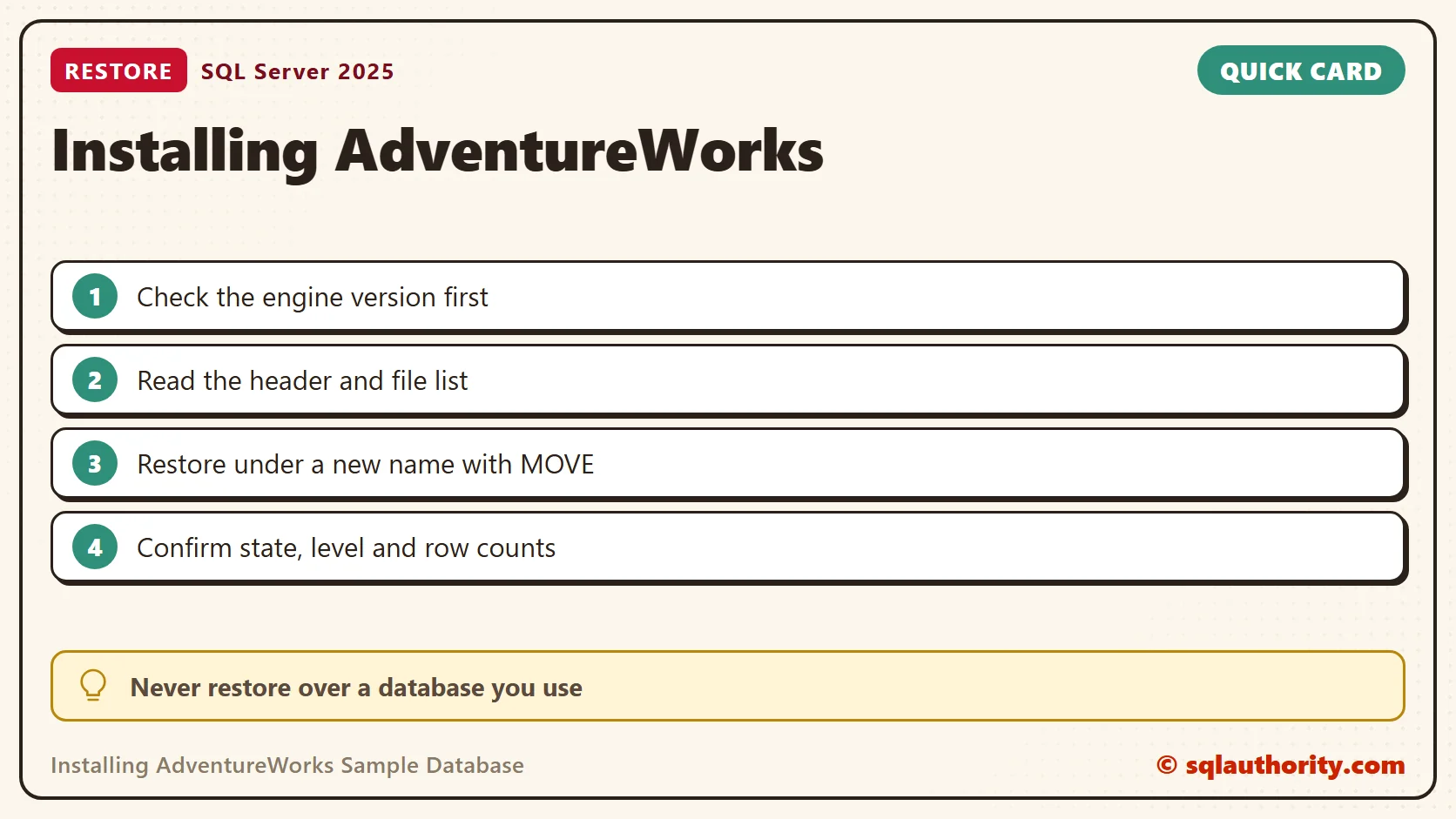
Restore Under a New Name
I restored under the name SamplePractice, so nothing I use was overwritten. The first try, without MOVE, failed with Msg 1834 and Msg 3156. SQL Server tried to put the files back at their old paths, and a database still owned them. MOVE sends each logical file to a new path. I built the paths from the instance’s default folders.
DECLARE @Data nvarchar(260) = CONVERT(nvarchar(260), SERVERPROPERTY('InstanceDefaultDataPath')) + N'SamplePractice.mdf';
DECLARE @Log nvarchar(260) = CONVERT(nvarchar(260), SERVERPROPERTY('InstanceDefaultLogPath')) + N'SamplePractice_log.ldf';
RESTORE DATABASE SamplePractice FROM DISK = N'C:\SQLBackups\SampleDb.bak'
WITH MOVE N'SampleData' TO @Data, MOVE N'SampleLog' TO @Log, RECOVERY;
It finished without errors. For the real sample, copy the logical names from your own FILELISTONLY result, because they will differ from mine.
Confirm the Practice Database
A restore that finishes is only the start. I check the state, the compatibility level and the table counts, and then I run a consistency check.
USE SamplePractice;
SELECT name, state_desc, compatibility_level, recovery_model_desc, page_verify_option_desc
FROM sys.databases WHERE name = DB_NAME();
SELECT s.name AS SchemaName, t.name AS TableName, SUM(p.row_count) AS RowsFound
FROM sys.tables AS t JOIN sys.schemas AS s ON s.schema_id = t.schema_id
JOIN sys.dm_db_partition_stats AS p ON p.object_id = t.object_id AND p.index_id IN (0, 1)
GROUP BY s.name, t.name ORDER BY s.name, t.name;
DBCC CHECKDB (SamplePractice) WITH NO_INFOMSGS;
The database was online. Its compatibility level stayed at 150, the level stored in the backup, although my engine runs at 170. A feature that needs a higher level stays unavailable until you raise it. The two tables held 2 and 3 rows, as expected. CHECKDB printed nothing, which means it found no errors.
I use sample data because it makes experiments repeatable. A sample workload still differs from a production workload, so test on your own data before you trust a conclusion.
Remove the Practice Copy
When you finish practicing, drop the copy so its files do not linger. Drop only a database you created for practice. A DROP DATABASE cannot be undone, so read the name twice.
USE master;
ALTER DATABASE SamplePractice SET SINGLE_USER WITH ROLLBACK IMMEDIATE;
DROP DATABASE SamplePractice;

Watch the Original Episode #010
This is the 2012 recording. Its dialogs and file names belong to that period, so follow the current guide for a new setup.
A sample database is not production data, it is a place to learn before touching production.
Published by Pinal Dave on SQLAuthority. More of my work at pinaldave.com.
Discover more from SQL Authority with Pinal Dave
Subscribe to get the latest posts sent to your email.




8 Comments. Leave new
Hi pinal,
When i try to view the Video, it’s showing “The video is currently Unavailable”.
Can you please suggest me from where can i see the videos’s?
Regards
Sreeram
It is working just fine. Try to watch it after clearing the Cache of your browser.
Msg 5133, Level 16, State 1, Line 1
Directory lookup for the file “C:\Users\gowdes\Downloads\AdventureWorks2012_Data.mdf” failed with the operating system error 5(Access is denied.).
Hi Pinal, when i tried to install AdventureWorks sample database its giving me an error regarding the DatabaseInstaller and secondly, I couldnt get the default instance in the Installation Instance dropdown list. I have SQL Server 2008. Thanks for reply in advance.
Hi Pinal,
I tried installing AdventureWorks_SR4 but I couldn’t succeed. Everytime i try and it gives me an error page as “DatabaseInstaller has encountered a problem and needs to close”. What should I do?? Please help me out in fixing this issue. Thanks for the help in advance.
Thanku Sooo much its very useful for me
Thanks i installed it successfully on my win7 laptop. At first it said Access denied. When i copied the MDF to the DATA directory i clicked Yes when it said make directory available. works. you were much clearer than the MS pseudo-Help.
Worked, very clear directions. Thank You!