XML element names in SQL Server come from your query. FOR XML PATH lets you choose every one of them. The row element, the root, the attributes and the text all follow the aliases and options you write. Get them right, and the output matches the format another program expects.
The Sample Table
Four packets of garden seeds, each with a price. Run this in any test database. Every result in this post comes from SQL Server 2025.
CREATE TABLE Seeds (SeedID INT PRIMARY KEY, SeedName VARCHAR(20) NOT NULL, Price DECIMAL(5,2) NOT NULL);
INSERT INTO Seeds (SeedID, SeedName, Price) VALUES (1, 'Basil', 3.50), (2, 'Marigold', 2.25), (3, 'Sunflower', 4.00), (4, 'Zinnia', 2.75);
GO
The Default: Elements Named row
FOR XML PATH with no name writes one element per row, named row. Every column becomes a child element, and there is no root.
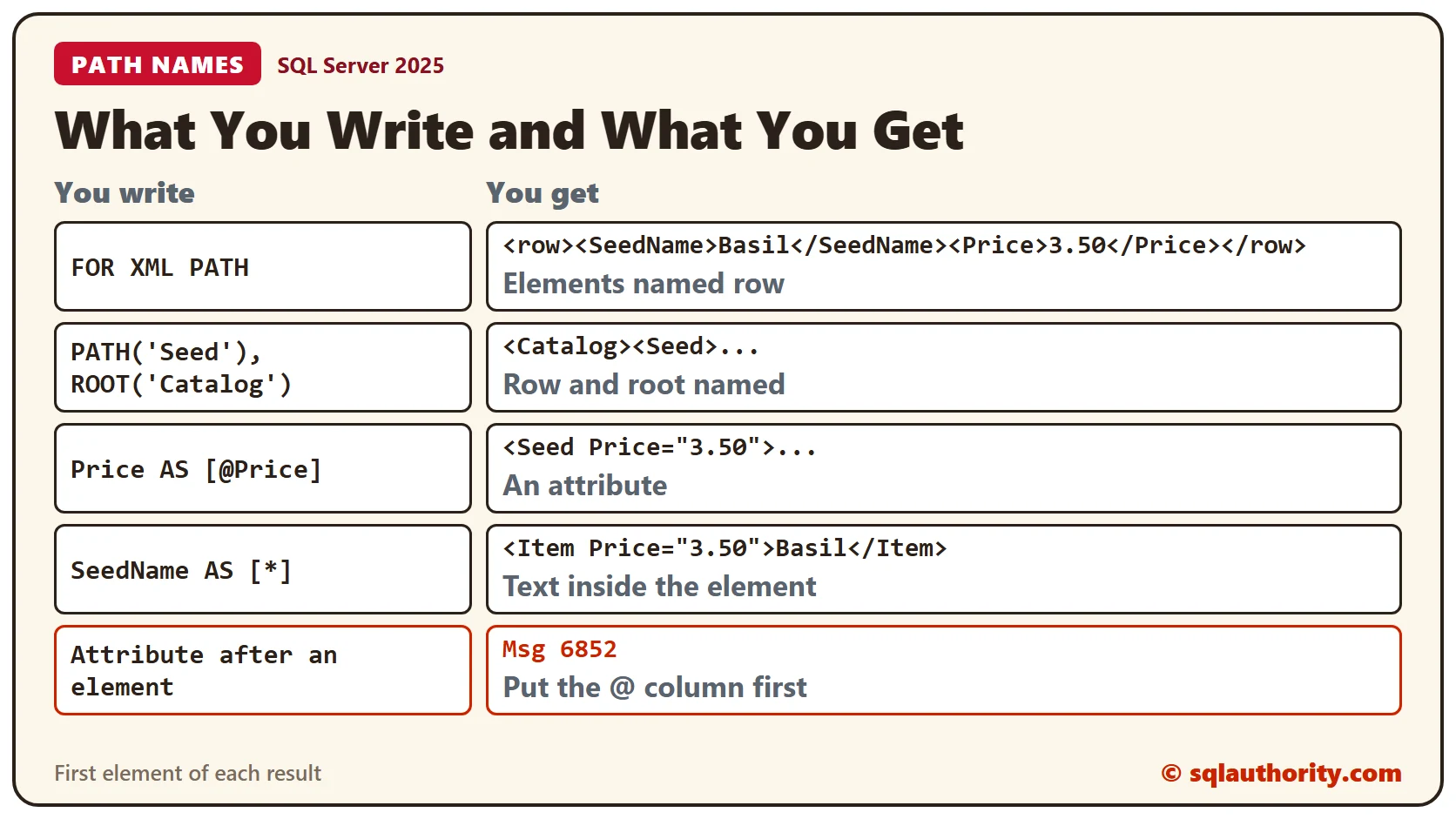
SELECT SeedName, Price FROM Seeds ORDER BY SeedID FOR XML PATH;That is the main difference from the other modes. RAW writes attributes, and so does AUTO. PATH writes elements, and the aliases in your SELECT list decide the rest.
SELECT SeedName, Price FROM Seeds ORDER BY SeedID FOR XML RAW;Name the Row and the Root
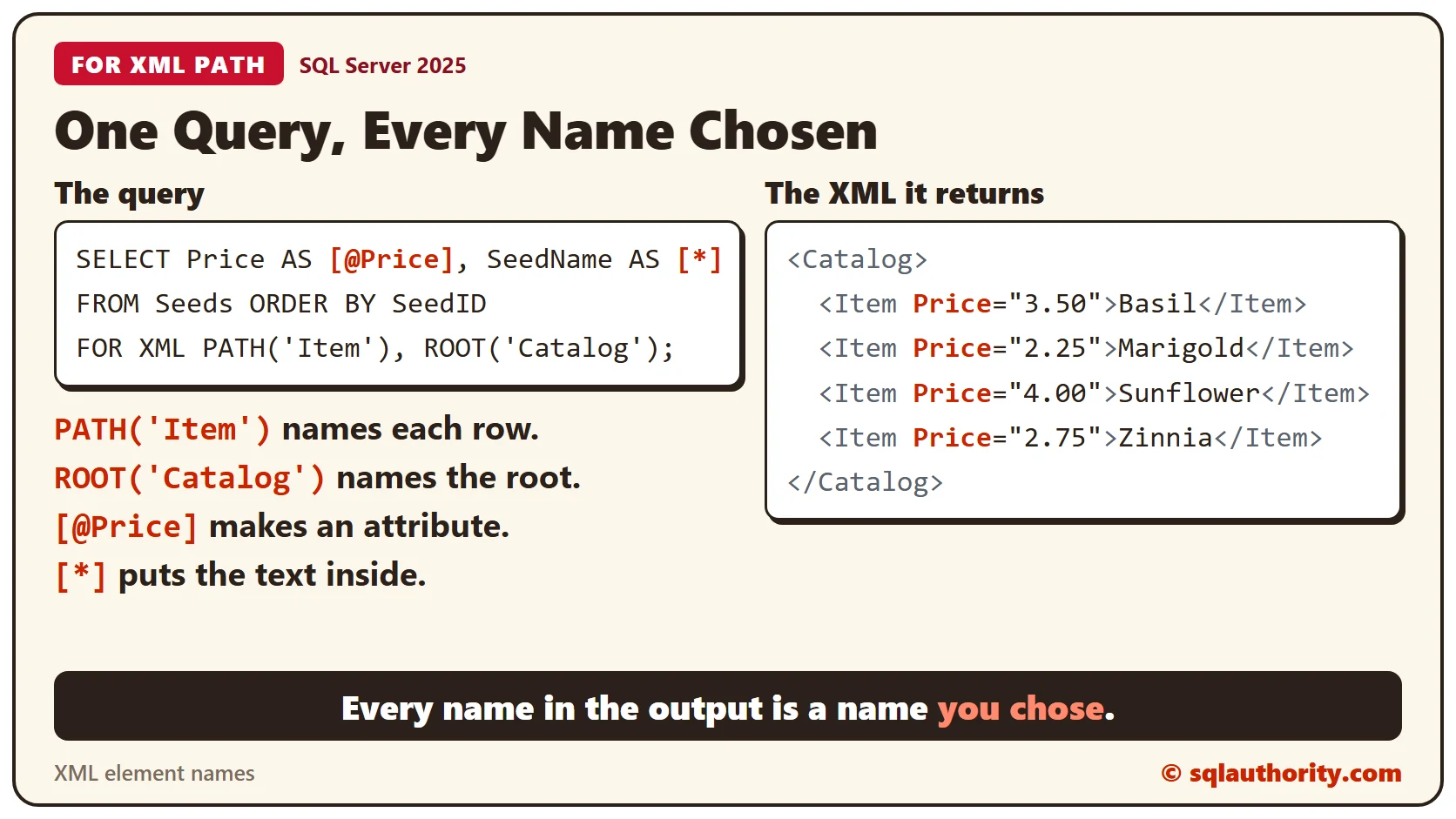
The name in PATH(‘Seed’) replaces row. ROOT(‘Catalog’) adds one outer element, so the output becomes a complete document. Both names are plain text that you choose, and they have nothing to do with the table name. The ORDER BY decides the order of the Seed elements, because FOR XML doesn’t sort for you.
SELECT SeedName, Price FROM Seeds ORDER BY SeedID FOR XML PATH('Seed'), ROOT('Catalog');Make an Attribute With @
An alias that starts with @ makes an attribute on the row element. Price now sits inside the Seed tag, and SeedName stays a child element. The price keeps its two decimals, because the column is DECIMAL(5,2).
SELECT Price AS [@Price], SeedName FROM Seeds ORDER BY SeedID FOR XML PATH('Seed'), ROOT('Catalog');Put Text Inside the Element
Some formats want the value inside the element itself. An example is an Item with a Price attribute and the seed name as its text. The alias [*] writes a column as the content of the row element. [text()] does the same, and the second query below compares the two.
SELECT Price AS [@Price], SeedName AS [*] FROM Seeds ORDER BY SeedID FOR XML PATH('Item'), ROOT('Catalog');DECLARE @Star xml = (SELECT Price AS [@Price], SeedName AS [*] FROM Seeds ORDER BY SeedID FOR XML PATH('Item'), ROOT('Catalog'), TYPE);
DECLARE @Text xml = (SELECT Price AS [@Price], SeedName AS [text()] FROM Seeds ORDER BY SeedID FOR XML PATH('Item'), ROOT('Catalog'), TYPE);
SELECT CASE WHEN CAST(@Star AS nvarchar(max)) = CAST(@Text AS nvarchar(max)) THEN 'same output' ELSE 'different output' END AS StarVersusText;The check prints same output, so use whichever spelling you find easier to read.
Attributes Come First
SQL Server needs the attribute columns before the element columns in the SELECT list. Put Price AS [@Price] after SeedName, and the query fails.
SELECT SeedName, Price AS [@Price] FROM Seeds ORDER BY SeedID FOR XML PATH('Seed');The message is 6852. It says an attribute-centric column must not come after a non-attribute-centric sibling. Move the @ column to the front.
Leave Out the Row Element
An empty name removes the row element. The query below returns four SeedName elements with no wrapper and no root. That isn’t a complete document, so treat it as a building block.
SELECT SeedName FROM Seeds ORDER BY SeedID FOR XML PATH('');Use the Result as XML
FOR XML returns text unless you add TYPE. TYPE returns the xml data type, so you can query the result right away. This check counts the seeds and reads the first name.
DECLARE @Catalog xml = (SELECT SeedName, Price FROM Seeds ORDER BY SeedID FOR XML PATH('Seed'), ROOT('Catalog'), TYPE);
SELECT
  @Catalog.value('count(/Catalog/Seed)', 'int') AS SeedCount,
  @Catalog.value('(/Catalog/Seed/SeedName)[1]', 'varchar(20)') AS FirstSeed;
The count is 4 and the first seed is Basil. A check of the result column types shows nvarchar(max) without TYPE and xml with it.
Clean Up
Remove the sample table when you finish.
DROP TABLE Seeds;What to Remember
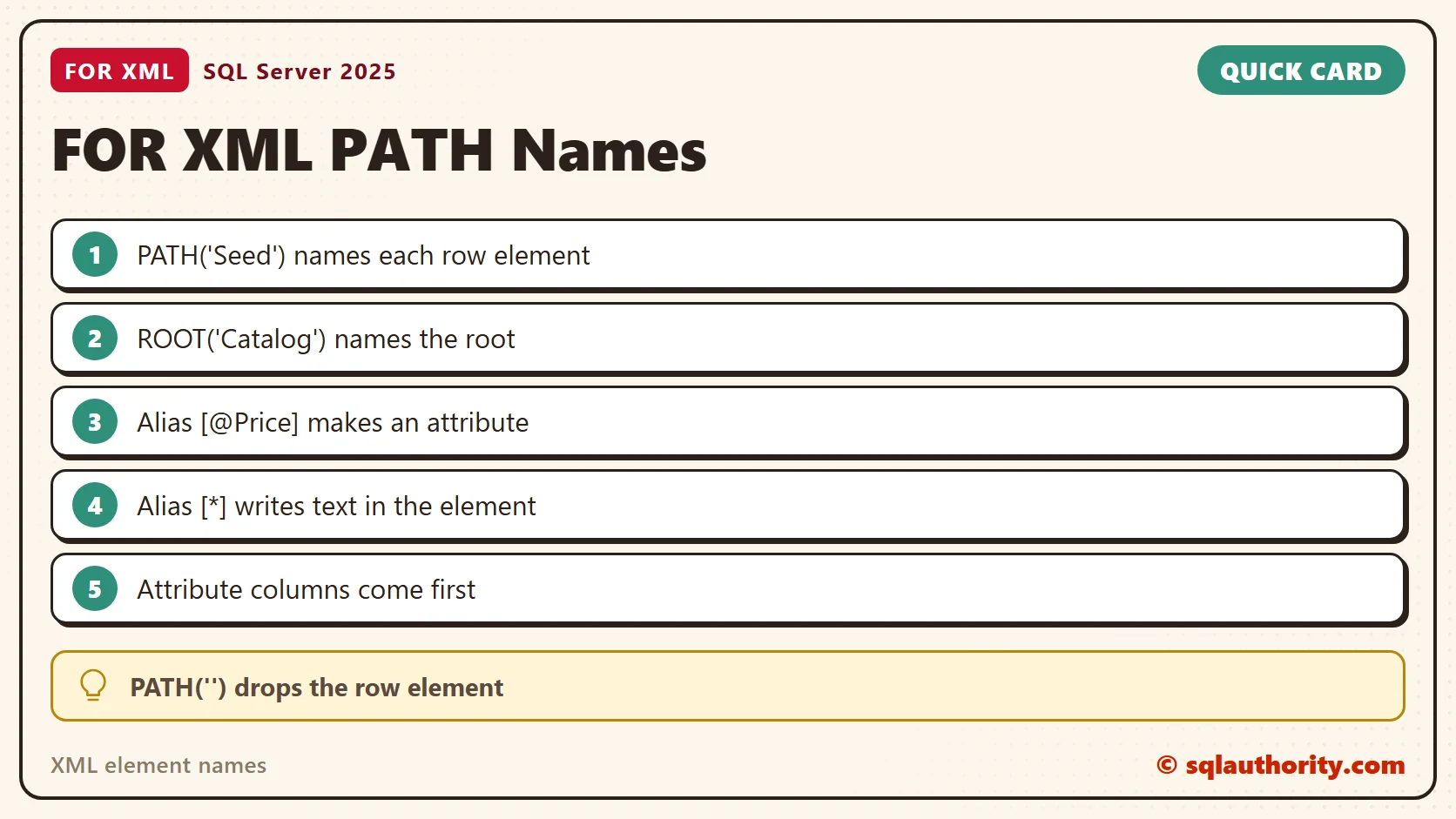
Use PATH when you need a specific shape. Name the row, name the root, start an alias with @ for an attribute, and use [*] for text. Keep the attribute columns first.
To go further, read FOR XML PATH: Choose Attributes and Nested Elements With Aliases, Group by Rows and Columns Using XML PATH and FOR XML PATH: Decode Escaped Text Through TYPE.
An XML name is not a column name, it is a choice you make in the query.
Published by Pinal Dave on SQLAuthority. More of my work at pinaldave.com.
Discover more from SQL Authority with Pinal Dave
Subscribe to get the latest posts sent to your email.