
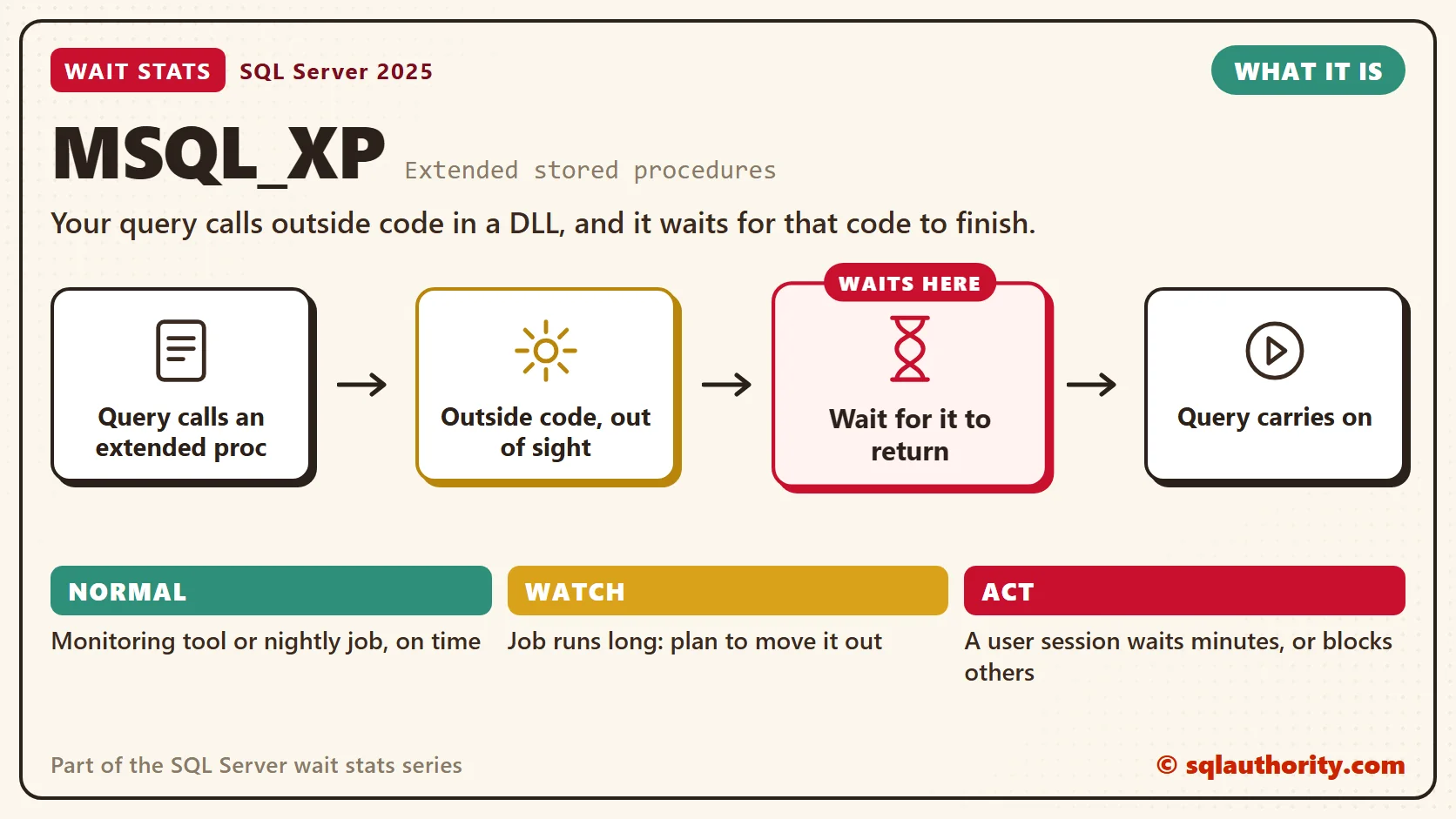
MSQL_XP wait stats measure the time a query waits for an extended stored procedure to finish. An extended stored procedure is outside code from a DLL that runs inside the SQL Server process. SQL Server can time it, but it can’t see inside it.

This post is part of my wait stats series, told as one story at the Clipboard Diner. Every post is listed in the series guide.
Night 20 at the Clipboard Diner
The night after Kit’s long call to town hall, Casey let a stranger into the kitchen. A caterer from two towns over made a pepper sauce people drove an hour for. The deal was easy. The caterer would run a small station by the back door. The cooks would ask for sauce when a ticket needed it.
At 8:10 PM a ticket for smothered lentil loaf came up. Jesse browned two thick slices, plated them, and turned to the station. The caterer nodded, pulled a canvas curtain across, and went to work. A card on the curtain said Caterer Only. Jesse waited at the curtain while the loaf cooled.
Casey started the stopwatch. Behind the curtain a pot lid rattled and a burner hissed. Twice the caterer slipped out the back door to a white van in the lot. Nobody in the kitchen knew what was in that van. Fourteen minutes later the curtain opened, and one ladle of sauce landed on the loaf.
The other cooks had kept cooking the whole time, so the kitchen never stopped. But Jesse and that one ticket were stuck. Casey looked at the curtain for a while, then wrote on the clipboard: Caterer: 14 minutes. I can time it. I can’t see it.
What MSQL_XP Means
That’s what SQL Server does when a query calls an extended stored procedure. The session hands control to the outside code and waits for it to return. The whole time, the request shows the wait type MSQL_XP.
An extended stored procedure is a function in a DLL that SQL Server loads into its own process. Most of their names start with xp_. Because the code isn’t part of the engine, SQL Server can’t tell what it’s stuck on. A slow file share, a hung program and a slow network all look the same from inside: MSQL_XP.
The caller doesn’t hog a scheduler while it waits. The worker steps off the burner schedule, like Kit on the wall phone in PREEMPTIVE Wait Stats. Other queries keep running. The calling session still waits for the answer, though, and it keeps its worker thread until then.
In my health checks, MSQL_XP comes from a short list of usual suspects.
- xp_cmdshell runs a Windows command and waits for it to finish. A file copy, a batch file or an export tool all count.
- xp_dirtree and xp_fileexist list a folder or check for a file, sometimes on a network share.
- Registry readers such as xp_instance_regread, called by management and monitoring tools.
- Some SQL Server Agent and replication system procedures, which call extended procedures under the covers.
- Third-party extended procedures, such as old backup or compression add-ons.
The wait time equals the run time of that outside code. MSQL_XP has no cause of its own inside SQL Server. It tells you which door to knock on.
Normal or a Problem?
| Situation | What it means | What to do |
|---|---|---|
| MSQL_XP grows each night while an Agent job copies files with xp_cmdshell | The job’s own run time. | Fine if the job ends in its window. Plan to move it out (see Fix It). |
| Small, frequent MSQL_XP waits from a monitoring tool | The tool reads the registry or file system. | Normal. Leave it alone. |
| A user session sits in MSQL_XP for minutes | The outside code is stuck or slow. | Find the session and the call now. |
| Other sessions are blocked by a session in MSQL_XP | The call runs inside an open transaction and keeps its locks. | Move the call outside the transaction. |
See It on Your Server
This first query shows who is waiting on an extended procedure right now, and what they called. Run it while the slow job or report is running.
-- Sessions waiting on an extended stored procedure right now
SELECT r.session_id,
       DATEDIFF(SECOND, r.start_time, GETDATE()) AS running_sec,
       r.open_transaction_count,
       s.login_name,
       s.program_name,
       t.text AS batch_text
FROM sys.dm_exec_requests AS r
JOIN sys.dm_exec_sessions AS s
    ON s.session_id = r.session_id
CROSS APPLY sys.dm_exec_sql_text(r.sql_handle) AS t
WHERE r.wait_type = N'MSQL_XP';
The batch_text column shows the batch or procedure that made the call. If the call sits inside another procedure, open that code to find the exact command. The running_sec column is clock time since the request started. I skip wait_time here, because this view leaves out time spent in outside code.
The program_name column tells you who made the call. Agent job steps show a name that starts with SQLAgent. Check open_transaction_count too: above zero means the session holds its locks while the outside code runs.
The second block shows the history since the last restart, and whether xp_cmdshell is turned on at all.
-- MSQL_XP totals since the last restart
SELECT wait_type,
       waiting_tasks_count,
       wait_time_ms,
       max_wait_time_ms,
       CAST(1.0 * wait_time_ms / NULLIF(waiting_tasks_count, 0) AS decimal(18, 2)) AS avg_wait_ms
FROM sys.dm_os_wait_stats
WHERE wait_type = N'MSQL_XP';

-- Is xp_cmdshell turned on? (1 = on)
SELECT name, value_in_use
FROM sys.configurations
WHERE name = N'xp_cmdshell';
Look at the average and the maximum together. A few long waits point at one job or one stuck call. Many short waits point at a tool that calls an extended procedure all day. For a busy hour instead of all-time totals, use the snapshot method from Wait Stats Over Time.
Whose Problem Is It?
You could say MSQL_XP is someone else’s problem, because the time is spent outside SQL Server. Fair point. But the session is still yours. It still holds a worker thread and any locks it took, and the user still stares at a spinner.
The usual reflex is to kill the session. One that has sat in MSQL_XP for an hour goes to KILLED/ROLLBACK and stays there. SQL Server can’t stop the outside program, so the session keeps waiting for it. The way out is to find the stuck command on the Windows side and end it there.
Fix It
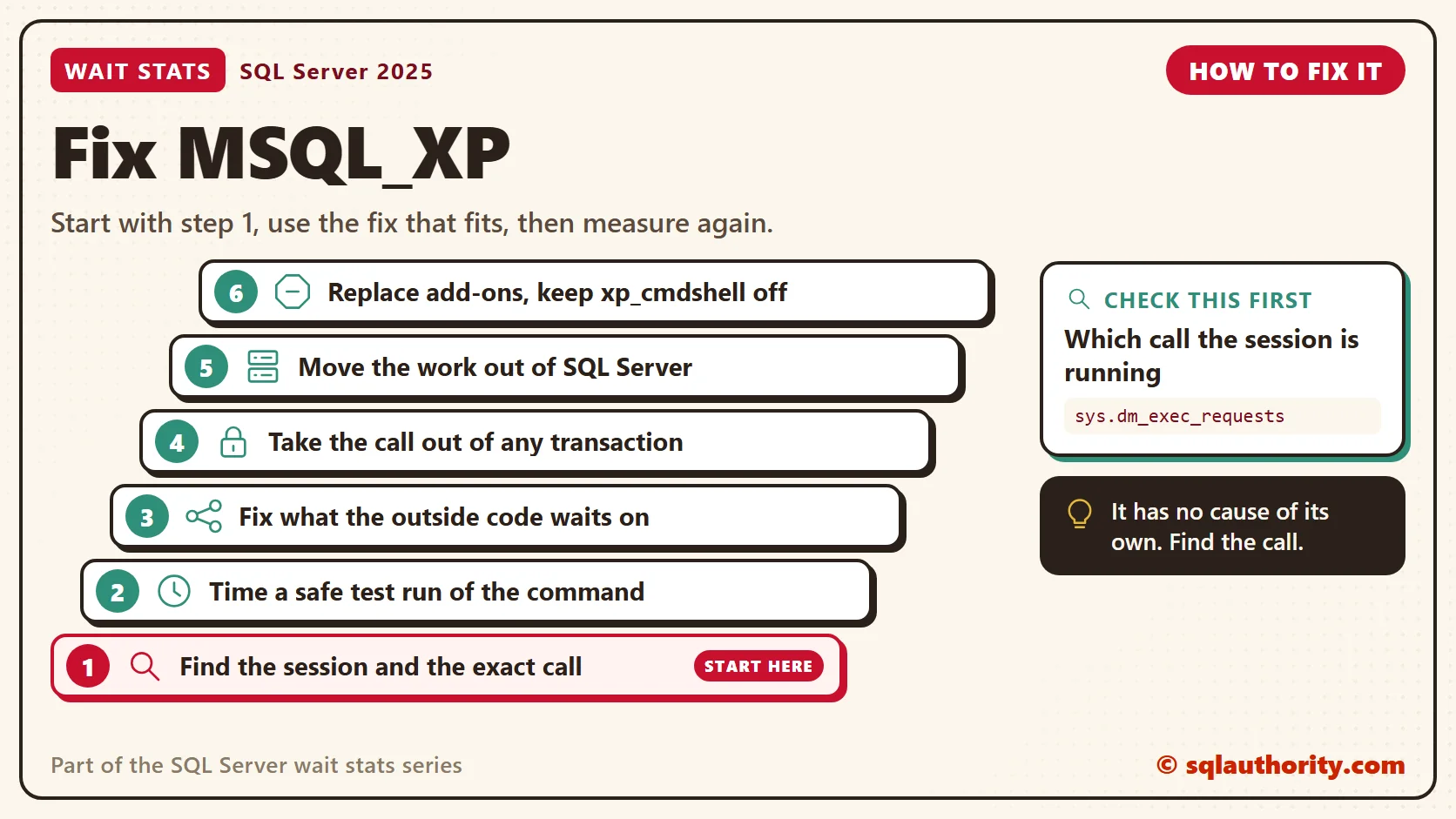
- Find the session and the exact call with the first query. Write down the command line, path or procedure name.
- Time the command outside SQL Server, but only when a repeat is safe. Never rerun a command that moves, deletes or sends something. Use a test copy under the same Windows account the call runs as. If it’s slow there too, SQL Server isn’t the problem.
- Fix what the outside code waits on: the network share, the program, or the remote folder.
- Take the call out of any transaction. Do the outside work before you open the transaction or after you commit.
- Move the work out of SQL Server. A file copy belongs in an Agent job step of type PowerShell or CmdExec, or in a Windows scheduled task. Those run outside the engine, so no query waits on them.
- Replace third-party extended procedures with application code or CLR. Extended procedures are deprecated, and they’ll be removed in a future version.
- Keep xp_cmdshell turned off unless a job needs it, because it hands Windows commands to anyone who can run it.
New in SQL Server 2022 and 2025
Nothing in SQL Server 2022 or 2025 changes what MSQL_XP means. Extended stored procedures still work, and they’re still marked for removal in a future version. What still matters is the same: find the call, then move the work to a place built for it.
Related Reading
The Clipboard Diner, a wait stats series. Previous: PREEMPTIVE Wait Stats: Calls Outside SQL Server. Next: ASYNC_NETWORK_IO Wait Stats: When the Application Is Slow. Every post is listed in the series guide.
Tomorrow night, the plates come out hot and fast. Quinn is the one who’s slow.
MSQL_XP is not a SQL Server problem, it is a stopwatch on someone else’s code.
Published by Pinal Dave on SQLAuthority. More of my work at pinaldave.com.
Discover more from SQL Authority with Pinal Dave
Subscribe to get the latest posts sent to your email.




5 Comments. Leave new
Hi Pinal,
May be my question is little Stupid but , how could you find out that the wait type MSQL_XP was because of the third-party backup tool.
Thanks
raj
Pardon my ignorance here, but my question is around the following line in the post: “SQL Server uses this wait state to detect potential MARS application deadlocks”.
How does MARS get involved with extended stored procedures?
Hi Pinal,
I have to questions:
First ,how did you find that the issue was caused by extended stored procedure and what’s the name(s) of the extended stored procedure(s)?
Second,why the extended stored procedure(s) can cause the issue?
Thanks
genhua
Hello all,
Thanx 4 the article, I had faced the same situation with the same wait type while using a database monitor tool, I managed to release the hanging sessions by restarting the SQL Server service instead of rebooting the whole server.
Contacted the vendor of course but the provided solution to change some configuration, disable some metrics collection, and restart the Application service did not solve the problem.
Thanx.
Hany
Ver: Sql Server 2014
We were using the below code snippet to send sms to customers directly from database. The code was written inside a trigger on a transaction table. Random locks were generating during transaction approval. We found out the wait type was MSSQL_XP
Declare @Object as Int;
Declare @ResponseText as Varchar(8000);
Exec sp_OACreate ‘MSXML2.XMLHTTP’, @Object OUT;
Exec sp_OAMethod @Object, ‘open’, NULL, ‘get’,
@URL, –Your Web Service Url of sms provider
‘false’
Exec sp_OAMethod @Object, ‘send’
Exec sp_OAMethod @Object, ‘responseText’, @ResponseText OUTPUT
Exec sp_OADestroy @Object
Later we found out that sp_OACreate and sp_OAMethod are extended stored procedures using the below query:
SELECT SystemObject.name AS [Extended storedProcedure]
FROM master.dbo.sysobjects AS SystemObject
JOIN master.dbo.syspermissions AS SystemPermissionObject
ON SystemObject.id = SystemPermissionObject.id
WHERE (SystemObject.type = ‘X’)
ORDER BY SystemObject.name;
We changed our code and were able to resolve the locking issue.