
Following quick tutorial demonstrates how to create T-SQL script to copy database schema and all of its objects such as Stored Procedure, Functions, Triggers, Tables, Views, Constraints etc. You can review your schema, backup for reference or use it to compare with previous backup.

Please note: the screenshots in this walkthrough are from SQL Server 2005 Management Studio. The wizard is still there in every version since, and it still does the same job, but the screens look different and one step moved. The section at the end of this post covers the current version, so read that first if you are on anything newer.
The walkthrough, step by step
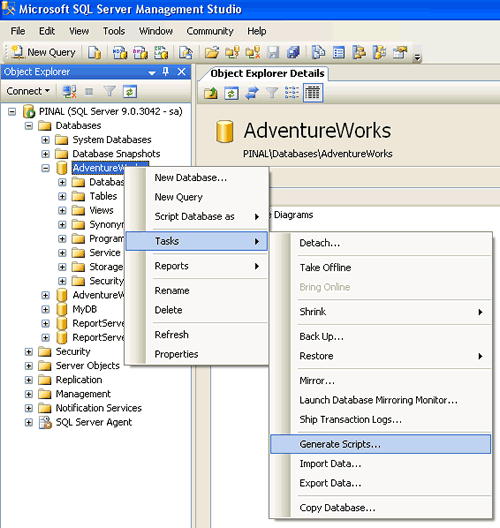
Step 1 : Start
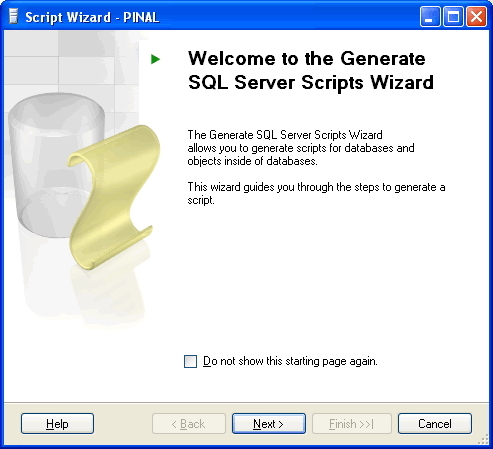
Step 2 : Welcome Screen
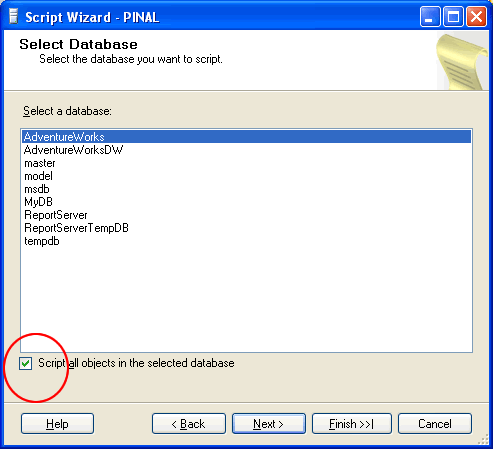
Step 3 : Select One or Multiple Database
If Script all objects in the selected database checkbox is not selected it will give options to selected individual objects on respective screen. (e.g. Stored Procedure, Triggers and all other object will have their own screen where they can be selected)
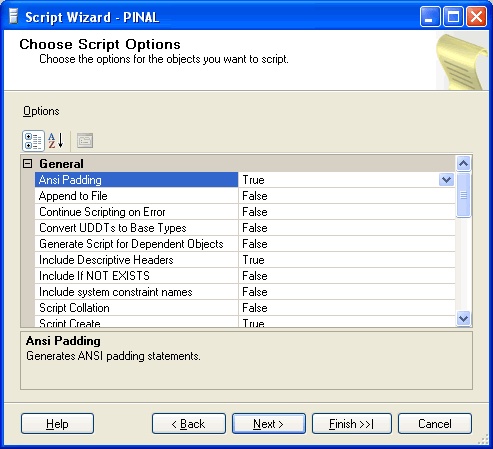
Step 4 : Select database options
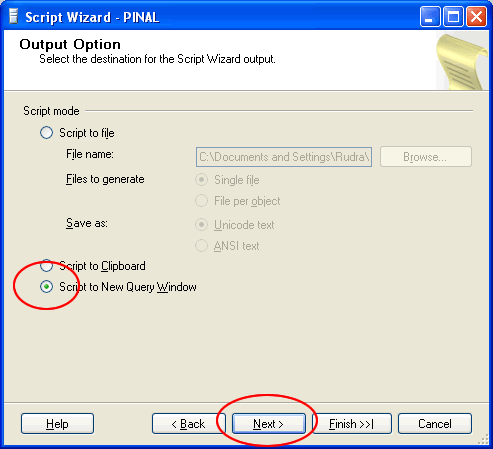
Step 5 : Select output option
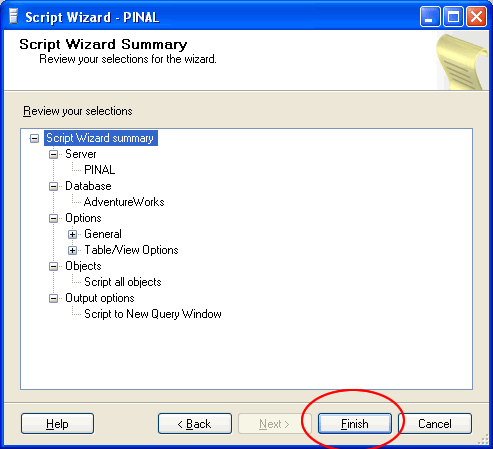
Step 6 : Review Summary
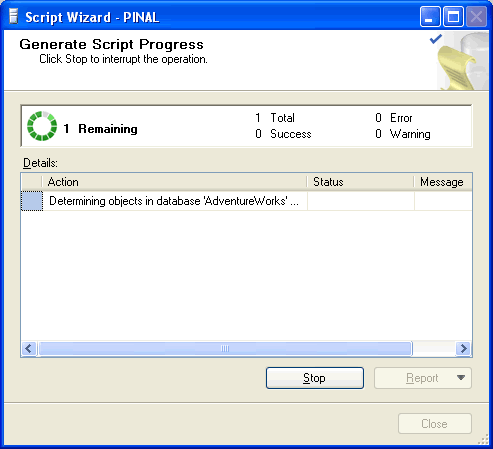
Step 7 : Observe script generation process
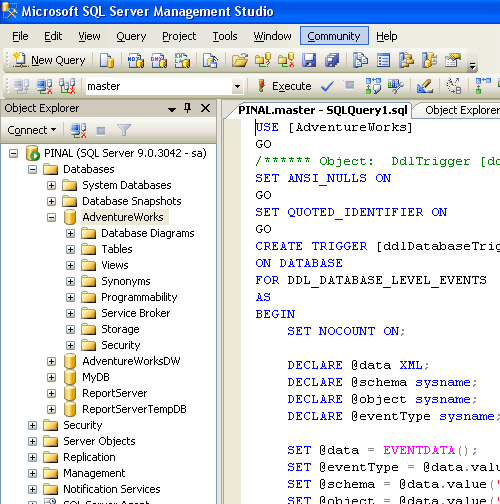
Step 8 : Database object script generation completed in new query window
How to do the same thing in a current SSMS
The route is shorter now. Right click the database in Object Explorer, choose Tasks, then Generate Scripts. From there it is four screens.
Choose Objects. Script the entire database, or tick only the tables and procedures you want. Picking a few objects is much quicker than it used to be, because they are all on one screen instead of one screen each.
Set Scripting Options. Decide where the script goes: a file, the clipboard, or a new query window. There is also a Save to single file per object option, which is the one you want if the script is going into source control.
The Advanced button. This is the step people miss, and it holds the settings that actually matter. Two of them in particular.
Summary, then Finish. Same as steps 6 to 8 above.
The two Advanced settings worth knowing
Types of data to script. The default is Schema only, which gives you empty tables. Change it to Schema and data if you want the rows as well, or Data only if the tables already exist on the other side. This single setting is the difference between copying a database and copying its shape, and it is the thing people come back to this post looking for.
Script for Server Version. If the script is going to an older SQL Server than the one you are on, set this. Otherwise the script may use syntax the older server does not understand, and it fails halfway through, having already created half your tables.
Two more that save trouble later. Set Script Indexes and Script Triggers to True, because both default to False and people are surprised when their new copy is slow and their triggers are missing. And if the target server is empty, set Script DROP and CREATE to Create only, so a rerun does not quietly drop what is already there.
When this is not the right tool
Generate Scripts is perfect for reviewing a schema, keeping a copy for reference, or comparing against an older one. For a large database with real data in it, a backup and restore is far faster than running a script with millions of inserts in it. And if you are doing this regularly to keep two databases in step, a schema comparison tool will do it better than a wizard and a text file.
Update: This article is re-written with a SQL Server 2008 R2 instance over here: SQL SERVER – 2008 – 2008 R2 – Create Script to Copy Database Schema and All The Objects
Published by Pinal Dave on SQLAuthority. More of my work at pinaldave.com.
Discover more from SQL Authority with Pinal Dave
Subscribe to get the latest posts sent to your email.




673 Comments. Leave new
Did you get an answer to your question here?
hello pinal,
i want to create script with data in sql server 2005 express as u shown. but i m not getting data.
Msg 15401, Level 16, State 1, Line 2
Windows NT user or group ‘ALWAR-BAGH-PC\Guest’ not found. Check the name again.
15401, Level 16, State 1, Line 2
Windows NT user or group ‘ARYANIWAS\Guest’ not found. Check the name again.
Msg 15023, Level 16, State 1, Line 2
User, group, or role ‘BUILTIN\Administrators’ already exists in the current database.
Msg 15023, Level 16, State 1, Line 2
User, group, or role ‘BUILTIN\Users’ already exists in the current database.
Msg 15401, Level 16, State 1, Line 2
Windows NT user or group ‘EBOX5\Dinesh’ not found. Check the name again.
Msg 15401, Level 16, State 1, Line 2
Windows NT user or group ‘EBOX5\Guest’ not found. Check the name again.
Msg 15401, Level 16, State 1, Line 2
Windows NT user or group ‘EBOX5\SQLServer2005MSFTEUser$EBOX5$SQLEXPRESS’ not found. Check the name again.
these errors are happens pls tell me the solution
i got one requirement Iike I want collect all dependencies like tables,functions, storedprocedures, views,triggers, constrains and so on by using PIVOT table can any one give the same SQL script.
Hi, Is it possible to backup original SP name as usp_updBuy to usp_updBuy _YYYYMMDD in same database with script?
you need to change that manually in the script which is generated.
how can db schema including Partition in SQL 2005
hii Pinal,
I want scheduled database backup in a drive.I am using SQL server 2005 . please send me solution ..
i have addscheduletask but after that what i have to to i dont know please send me the solution immediately.
Thanks in advance!
Vandana – You can use maintenance plan to schedule backup. Go to search.sqlauthority.com
How can script out particular schema dependent objects without selecting one by one db objects in Generate script wizard.?
hello pinal,
how are you?
I have a question … i have three database and having a single table in each have the same name like table name is “customer amount”. which contains date and amount. and i want that whenever i choose the date from calender the sum(amount) from all the three db come in a grid in different column.
how do i do so with database query.
thank you in advance!
Without schema and sample data, it would be difficult to provide query.
Pinal, awesome tutorial.
Could you send to me how to automate this process?
I need export data of 300 databases
i want to copy all tables,preocedures,packages,functions etc from a database user(Oracle10g) to a different location so that i can restore the database structure in my home m/c and work on the database
But the indexes were missing. How to get them too?
Hi Pinal,
It was really an awesome tutorial and more helpful.
I also wanted the scripts to be generated automatically. So could you please send me an copy of how to automate this process?
Thanks in advance,
Girish
how to restore sql server 2008 R2 64 bit database on sql server 2005 32 bit database ?
Is it possible?
How do you automate this process?
how can we get this script through t-sql[without uI]