

One of my clients asked few interesting questions during my performance tuning consultation. If you are interested, you can check more details here SQL Server Performance Tuning and Optimization. In this blog, we would discuss how to execute the query without SQL Server Management Studio (SSMS).

SQL SERVER – Empty Startup Parameter in SQL Cluster on One Node
While working with many clients, I learned that “there could be many problems leading to same symptoms”. In this blog, we would learn about a reason which can cause empty startup parameter in SQL Cluster.
Long ago, I worked with a client and found that registry permission can cause empty startup parameter in SQL Server Configuration Manager.
SQL SERVER – Install Error: Standalone SQL Server on WFC Cluster Cannot Have Files on Shared Disk Locations
During one of my consultancy related to Always On availability group deployment, I faced an interesting issue. They wanted to install two standalone SQL Server instances on both nodes of the Windows Server 2008 R2 cluster for a specific reason. Interestingly, they informed that this used to work fine with SQL server 2008 R2 but in SQL server 2014 is failing with an error.
I checked the summary file and found the message about install error.

SQL SERVER – Installation Wizard Hang Forever – Please Wait on Feature Selection Page
Here is one of the situations which I encountered with SQL Server 2014 on Windows Server 2012 R2. I wanted to add “Analysis Services” features to an existing installation. I came up with the feature selection screen on SQL setup and pressed next it hangs with “Please Wait”. I click on it and went for lunch, when I came back, it was still in the same state. Let us learn how to fix the issue related to Installation Wizard Hang Forever.

SQL SERVER – Unable to Start SQL Server Agent. Error – Driver’s SQLAllocHandle on SQL_HANDLE_ENV failed
If someone tells me any situation, the first question which I always ask is “What is the error message?”. Now to get the right error message, it is important to look at the right log file. In this blog, we would learn about SQL Server Agent startup issue.

SQL SERVER – Unable to Start Jobs – Error: Enumerate Target Servers Failed for Job
They showed me below error when they were trying to run a job. Let us see how we can fix the error Enumerate Target Servers Failed for Job.
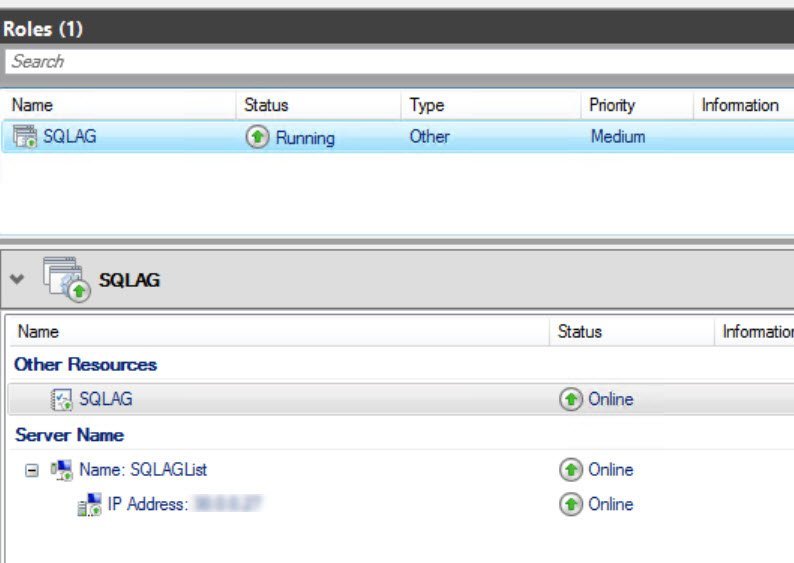
SQL SERVER- Unable to Failover AlwaysOn Availability Group to Disaster Recovery Site
One of my clients took my assistance to deploy Always On availability group. After few months, they added a Disaster Recovery node to windows cluster and availability group also. Later, they contacted me that they are not able to move availability group to DR node. They were getting an error like below in event viewer.