

A couple of weeks back, I was at the GIDS (Great Indian Developer Conference) speaking on my favorite topic of performance. Often as a speaker I make sure I attend a couple of sessions from friends or from people in the industry to learn something completely new. It is easier to learn from someone who has done all the hard work of doing research compared to investing that time all by yourself to learn the nuances of the topic. Let us learn about SSMS Tip.

SQL SERVER – Why DBAs Need to Know about Kerberos – Notes from the Field #126
Not everyone knows about Kerberos. Many think it is a two headed dog from mythology, well that is true but when we talk about database,

SQL SERVER – What is Trace Flag – An Introduction
Last week I published below blog where I talked about a trace flag. Backup Randomly Failing with Error 112 (There is not enough space on the disk.) One of the reader commented, whether he needs to enable trace flag every time SQL Server is restarted?

SQL Server 2016 – Introducing AutoGrow and Mixed_Page_Allocations Options – TraceFlags
I have been playing around with SQL Server 2016 for a while now and I have seemed to have learnt a number of interesting options when playing around with the new version. One of the readers after reading – SQL Server 2016 – Enhancements with TempDB asked me if the option of TraceFlags of 1117 and 1118 not available when working with user defined normal databases. This was a valid and appropriate question for sure. I was not sure where to start. Let us see traceflags related to AutoGrow and Mixed_Page_Allocations.
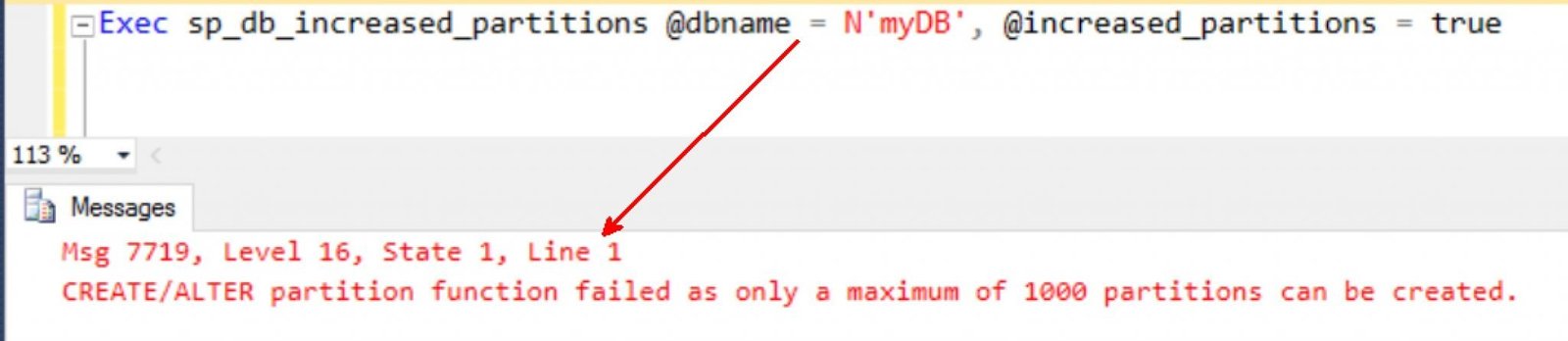
SQL SERVER – Disabling 15000 Partitions (15k)
I am really having fun working with customers who are pushing the learning barrier in my new consulting role. The more customers I meet; merrier I am because I am getting interesting challenges that push me from the normal comfort zone I am in. Learning is never stopped, but the learning can never be facilitated if we are not in that zone to learn. This customer had a requirement of upgrading to a newer release and in the process was looking at disabling the 15k partitions he had enabled on the DB because this was out-of-box supported in the latest versions. I thought this was important to bring to life am I talking here. In this blog we will learn about Disabling 15000 Partitions.

SQL SERVER – Handling XML Documents – Notes from the Field #125
[Note from Pinal]: This is a 125th episode of Notes from the Field series. Handing XML documents is not an easy task. Trust me till today I see lots of experts struggling when they have to deal with XML. In my early career I used to be scared with the XML as well. Well, now I have proper understanding of the XML documents and I am no longer worried about this subject.
In this episode of the Notes from the Field series database expert Stuart Ainsworth explains about how to work with XML documents.

SQL SERVER – Steps to Migrate Clustered Disk / LUN
This was a clustered instance, so we need to take care of dependency also. Here are the steps which I have outlined for Migrate Clustered Disk.