All Articles physicalrename-600x200

SQL SERVER – Rename Physical Database File Name for Any Database

During the recent Comprehensive Database Performance Health Check, I was asked is there any way we can rename the logical database file name. I have blogged about it here: SQL SERVER – Rename Logical Database File Name for Any Database. Right after the blog post, I received another question where the user wanted to know if there is an easy way to rename the physical file. In this blog post, we will learn about how to rename the physical database files name.

Read More
All Articles logicalrename-600x201

SQL SERVER – Rename Logical Database File Name for Any Database

During recent we Comprehensive Database Performance Health Check, we had to restore a database on a server. When we restored a database, we realized that the logical file name of the database was incorrect and we had to change that to something more consistent with the organization’s naming convention. Let us see how we changed logical database file name in a few quick steps.

Read More
All Articles worktable-600x286

SQL SERVER- High CPU and Transaction Type WorkFileGroup_fake_worktable and Workfile

As a part of my  SQL Server Performance Tuning and Optimization consultancy, I face interesting situations and every time I am able to resolve them. This was one of the more interesting ones where I was not getting any hint from the internet. Since it was a new thing to me, I am sharing it via this blog. In this blog, we would learn about the cause of WorkFileGroup_fake_worktable and Workfile.

Read More
All Articles errorfile-600x205

SQL SERVER – FIX: CREATE FILE Encountered Operating System Error 5 (Access is Denied.)

One of my existing clients performed migration of disk in SQL Server failover cluster. After completing their planned activity, they found that SQL Server was not coming online in the cluster. In this blog, we would learn how to fix error CREATE FILE encountered operating system error 5(Access is denied.) on TempDB during SQL Server startup process.

Read More
All Articles BackupUrl-err-50-1-600x292

SQL SERVER – FIX: Backup to URL Error: Operating System Error 50(The Request is Not Supported.)

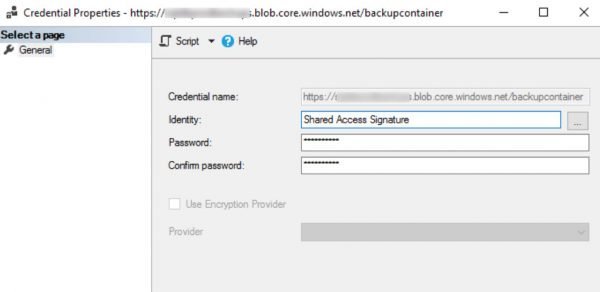
It is always fun to work with “Backup to URL” feature of SQL Server. The error messages which are raised are from Azure storage side and an SQLDBA won’t be able to understand the meaning. While I was working with my VM to learn something about Backup to URL feature, I realized that my backups were failing. In this blog, let us learn how to fix the back to URL error: Operating system error 50(The request is not supported.). Here are the exact messages which I was getting in ERRORLOG.

Read More