
Compound assignment operators such as += and *= combine an operation with an assignment in T-SQL. In SQL in Sixty Seconds #009, Vinod Kumar returns to demonstrate this syntax. It will look familiar to developers who use compound assignment in other languages.

Readers had asked for another episode after the declaration and initialization demonstration. This time the focus is changing a value already stored in a variable. The original video remains below.
Watch the Original Demonstration
Add or Multiply, Then Assign the Result
For numeric variables, += adds to the current value and assigns the result back. The *= operator multiplies the current value and assigns that result. This companion example uses a quantity and an amount.
DECLARE @Quantity int = 4,
        @Total decimal(10,2) = 12.50;
SET @Quantity += 2;
SET @Total *= @Quantity;
SELECT @Quantity AS Quantity, @Total AS TotalAmount;

DECLARE @Unassigned int;
SET @Unassigned += 1;
SELECT @Unassigned AS StillNull;
Quantity becomes 6 after adding 2. Multiplying 12.50 by 6 gives a TotalAmount of 75.00. The later example remains NULL because adding 1 to an uninitialized integer does not produce a number.
All Eight Operators
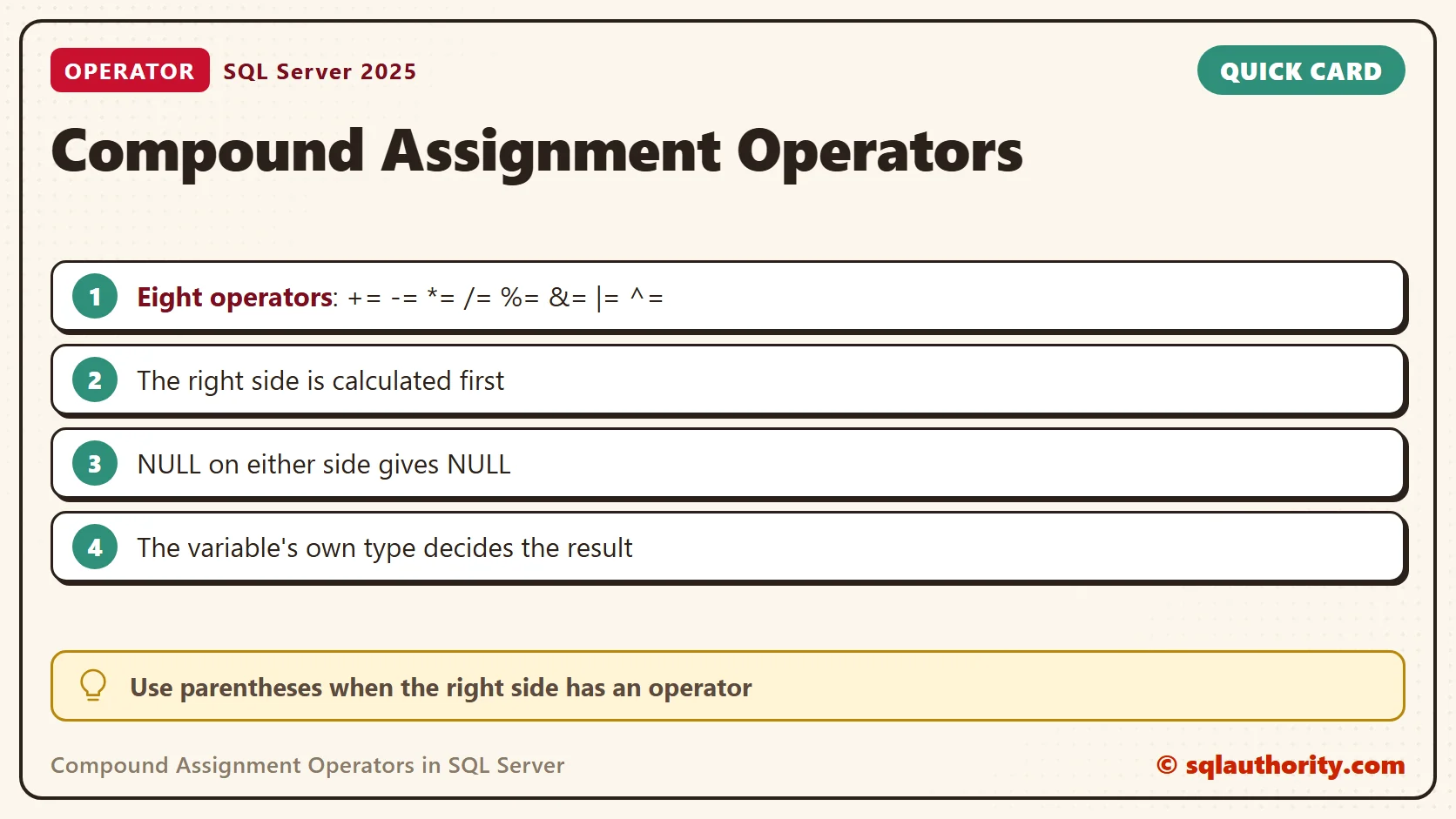
There are eight compound operators, and they have worked since SQL Server 2008. I ran each one on a variable in sequence, and the table shows the results. The first five start from 20. The bit operators start again from 12.
DECLARE @n int = 20;
SET @n += 5;  SELECT @n AS AfterPlus;
SET @n -= 3;  SELECT @n AS AfterMinus;
SET @n *= 2;  SELECT @n AS AfterTimes;
SET @n /= 4;  SELECT @n AS AfterDivide;
SET @n %= 4;  SELECT @n AS AfterModulo;
SET @n = 12;
SET @n &= 10; SELECT @n AS AfterAnd;
SET @n |= 5;  SELECT @n AS AfterOr;
SET @n ^= 7;  SELECT @n AS AfterXor;
| Operator | Meaning | Result |
|---|---|---|
| += | add | 25 |
| -= | subtract | 22 |
| *= | multiply | 44 |
| /= | divide | 11 |
| %= | modulo | 3 |
| &= | bitwise AND | 8 |
| |= | bitwise OR | 13 |
| ^= | bitwise XOR | 10 |
The Right Side Is Calculated First
For these numeric examples, SET @Quantity += 2 expresses SET @Quantity = @Quantity + 2. That equivalence breaks when the right side has its own operator. With @x at 10, SET @x *= 2 + 3 returned 50, because the whole right side became 5 first. The long form SET @y = @y * 2 + 3 returned 23. If the expression is hard to read, add parentheses.
DECLARE @x int = 10;
SET @x *= 2 + 3;
SELECT @x AS TimesTwoPlusThree;
DECLARE @y int = 10;
SET @y = @y * 2 + 3;
SELECT @y AS LongFormWithoutParentheses;
The Variable’s Own Type Wins
The shorter spelling does not change the data type. Dividing the integer 7 by 2 with /= returned 3, while a decimal(9,2) returned 3.50. Adding 2.7 to an integer 10 returned 12, because the result goes back into an int. Check the destination type before you rely on the answer.
DECLARE @i int = 7;
SET @i /= 2;
SELECT @i AS IntDivide;
DECLARE @d decimal(9,2) = 7;
SET @d /= 2;
SELECT @d AS DecimalDivide;
DECLARE @k int = 10;
SET @k += 2.7;
SELECT @k AS IntPlusDecimal;
Overflow and Truncation
Two failures behave differently. A number that does not fit stops with Msg 8115. Both an int at its maximum plus 1 and a decimal(5,2) at 99999.00 plus 1 failed that way. Text that does not fit is cut silently. A varchar(8) holding ‘Assam’ ended as ‘Assam, S’ after += ', Sencha', with no error.
DECLARE @t varchar(8) = 'Assam';
SET @t += ', Sencha';
SELECT @t AS Truncated, LEN(@t) AS Len;
GO
DECLARE @big int = 2147483647;
SET @big += 1;
NULL Wipes the Value
A NULL on the right side turns the result into NULL, for numbers and for text. A variable that held ‘Assam’ became NULL after += NULL. Wrap a nullable value in ISNULL when a missing value should count as zero or as an empty string.
DECLARE @z varchar(20) = 'Assam';
SET @z += NULL;
SELECT @z AS AfterNull;
DECLARE @r int = 5;
SET @r += ISNULL(NULL, 0);
SELECT @r AS IntAfterIsnull;
In an UPDATE and in a Collecting SELECT
The operators work on columns in an UPDATE. One statement raised the quantities by 1 and the prices by 10 percent. The prices rounded to two decimals, as the column type requires.
CREATE TABLE dbo.Cart (ItemId int PRIMARY KEY, Item varchar(20), Quantity int NOT NULL, Price decimal(6,2) NOT NULL);
INSERT dbo.Cart VALUES (1, 'Assam', 2, 3.75), (2, 'Sencha', 1, 4.50), (3, 'Rooibos', 3, 3.25);
UPDATE dbo.Cart SET Quantity += 1, Price *= 1.10;
SELECT ItemId, Item, Quantity, Price FROM dbo.Cart ORDER BY ItemId;
A SELECT can also fill variables, and += then accumulates a total and a list. It returned 9 and Assam;Sencha;Rooibos; for my three rows. For a list, I prefer STRING_AGG, because the order of a collected variable is not guaranteed.
DECLARE @sum int = 0, @list varchar(100) = '';
SELECT @sum += Quantity, @list += Item + ';' FROM dbo.Cart;
SELECT @sum AS TotalQuantity, @list AS Items;
Two Things That Look Similar
The operators belong to variables and to SET clauses. SELECT Quantity += 1 FROM dbo.Cart failed with Msg 102. And the old *= from SQL Server 2000 was a left outer join in the WHERE clause, not an assignment. It no longer parses at compatibility level 170. Write joins with LEFT JOIN.
SELECT Quantity += 1 FROM dbo.Cart;
GO
SELECT c.Item FROM dbo.Cart AS c, dbo.Cart AS d WHERE c.ItemId *= d.ItemId;
Is the Short Form Faster
Do not assume that shorter syntax makes a query faster. This tip concerns readability and convenience. I timed one million loop iterations of each form. The short form took 1,144 and 1,265 ms. The long form took 1,185 and 1,258 ms. The difference is noise.
DECLARE @a int = 0, @i int = 0, @t0 datetime2 = SYSDATETIME();
WHILE @i < 1000000 BEGIN SET @a += 1; SET @i += 1; END;
SELECT @a AS ShortForm, DATEDIFF(MILLISECOND, @t0, SYSDATETIME()) AS Ms;
SELECT @a = 0, @i = 0, @t0 = SYSDATETIME();
WHILE @i < 1000000 BEGIN SET @a = @a + 1; SET @i = @i + 1; END;
SELECT @a AS LongForm, DATEDIFF(MILLISECOND, @t0, SYSDATETIME()) AS Ms;

Related Variable Tips
Compound assignment is not a different arithmetic rule, it is a shorter way to assign a result.
Published by Pinal Dave on SQLAuthority. More of my work at pinaldave.com.
Discover more from SQL Authority with Pinal Dave
Subscribe to get the latest posts sent to your email.




3 Comments. Leave new
Can you give me other article site to refer more about T-SQL constructs?
this is nice one
I really like your SQL in 60 Seconds idea, very cool and to the point. Cudos to you and your team!
CASE WHEN a IN (1,2,3,4,5) THEN ‘ok’ ELSE ‘Not-OK’ END