
Question: Why can Query Store’s actual mode differ from its requested mode? The request is the desired setting; the actual state also reflects conditions that prevent Query Store from writing. Check readonly_reason before trying to change it.

A bank hired me to investigate query regression. After tuning the queries and teaching their team how to use Query Store, I heard from the DBA three days later. Requested mode said Read Write; actual mode said Read Only. They had even restarted the server while looking for an answer.
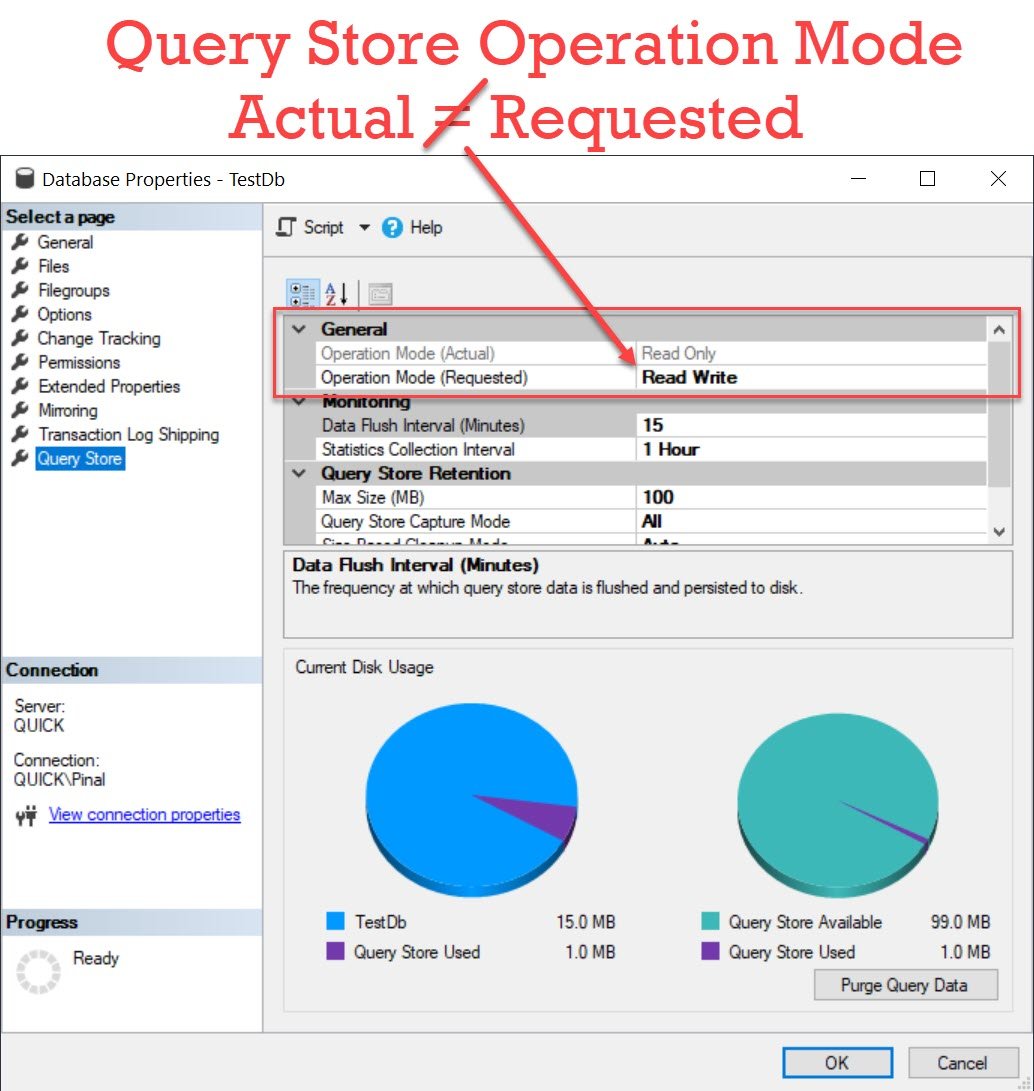
In this case the database itself had been marked read-only. Query Store keeps its data in that database, so it couldn’t continue writing its history. The second original capture reveals the cause.

SELECT name, is_read_only
FROM sys.databases
WHERE database_id = DB_ID();

SELECT desired_state_desc, actual_state_desc, readonly_reason,
       current_storage_size_mb, max_storage_size_mb
FROM sys.database_query_store_options;

-- Historical example only: change a disposable TestDb deliberately,
-- after confirming it should be writable. These commands are not run here.
-- USE master;
-- ALTER DATABASE TestDb SET READ_ONLY WITH NO_WAIT;
-- ALTER DATABASE TestDb SET READ_WRITE WITH NO_WAIT;
Run the diagnostic queries in the affected database. readonly_reason is a bitmap: bit 1 indicates a read-only database, while bit 65536 indicates the configured Query Store storage limit. Other documented reasons include a secondary replica, single-user mode and internal memory limits. The two properties alone do not identify which cause applies.
For this particular case, making the database writable again removed the obstacle, provided its intended design was read-write. Don’t change a deliberate read-only database or secondary just to satisfy the requested Query Store mode. A storage-limit problem needs a different remedy.
The commented TestDb commands preserve the original illustration. NO_WAIT can fail rather than waiting for required locks; it isn’t a general repair button. A service restart didn’t address the client’s database setting and also discarded some transient troubleshooting history.
Published by Pinal Dave on SQLAuthority. More of my work at pinaldave.com.
Discover more from SQL Authority with Pinal Dave
Subscribe to get the latest posts sent to your email.




1 Comment. Leave new
Nice post Pinal! This happened to me on and Amazon RDS instance. My DB was not in ReadOnly state, but following your notes, I moved my DB to ReadOnly and then back to ReadWrite state, and that solved the Query Store operation mode issue. Thanks!