A log file not shrinking means SQL Server still needs part of the log. One column in sys.databases says which part.
Reading that column takes seconds. Running the shrink command again, without a log backup, changes nothing.

Ask the Database Why
The transaction log is a circle of virtual log files. SQL Server writes at one point and frees the oldest part behind it. A shrink can only cut free space at the end of the file. With a log file not shrinking, something still needs the part you want to release. The column log_reuse_wait_desc names that something.
The demo builds a database in FULL recovery with a small table. The first backup goes to NUL, a null device that keeps nothing, so no file is created. It starts the log chain, and the log then waits for log backups. Never use NUL for a backup that matters. The script grows the log in 8 MB steps, so the log has several virtual log files. The insert then writes 60,000 rows.
IF DB_ID(N'ShrinkLogReasonDemo') IS NULL CREATE DATABASE ShrinkLogReasonDemo;
GO
ALTER DATABASE ShrinkLogReasonDemo SET RECOVERY FULL;
ALTER DATABASE ShrinkLogReasonDemo MODIFY FILE (NAME = ShrinkLogReasonDemo_log, FILEGROWTH = 8MB);
GO
USE ShrinkLogReasonDemo;
GO
DROP TABLE IF EXISTS dbo.Readings;
CREATE TABLE dbo.Readings (ReadingID int IDENTITY(1,1) PRIMARY KEY, Note char(200) NOT NULL);
GO
BACKUP DATABASE ShrinkLogReasonDemo TO DISK = N'NUL' WITH INIT;
GO
INSERT dbo.Readings (Note) SELECT TOP (60000) 'x' FROM sys.all_columns AS a CROSS JOIN sys.all_columns AS b;
Now ask the question. The checkpoint makes SQL Server look at the log again, so the answer is current.
CHECKPOINT;
SELECT name, log_reuse_wait_desc FROM sys.databases WHERE name = N'ShrinkLogReasonDemo';
SELECT name, CAST(size * 8 / 1024.0 AS decimal(9,1)) AS SizeMB FROM sys.database_files WHERE type_desc = N'LOG';
SELECT CAST(total_log_size_in_bytes / 1048576.0 AS decimal(9,1)) AS TotalMB, CAST(used_log_space_in_bytes / 1048576.0 AS decimal(9,1)) AS UsedMB, CAST(used_log_space_in_percent AS decimal(5,1)) AS UsedPercent FROM sys.dm_db_log_space_usage;
| name | log_reuse_wait_desc |
|---|---|
| ShrinkLogReasonDemo | LOG_BACKUP |
| name | SizeMB |
|---|---|
| ShrinkLogReasonDemo_log | 32.0 |
| TotalMB | UsedMB | UsedPercent |
|---|---|---|
| 32.0 | 20.3 | 63.4 |
The reason is LOG_BACKUP, and the log has grown to 32 MB. Of that, 20.3 MB is in use, and a shrink cannot take the space in use. Under FULL recovery SQL Server keeps every log record until a log backup takes it. It is the first reason to rule out. Log Space Usage DMV: Check Transaction Log Space in T-SQL explains the DMV used above.
The Common Reasons in One Table
These are the values to know first. The meaning and the action come from the documentation of the column. Two values are measured in the demos that follow: LOG_BACKUP and ACTIVE_TRANSACTION.
| Value | What it means | What to do |
|---|---|---|
| NOTHING | Nothing holds the log | The shrink can work |
| CHECKPOINT | A checkpoint has not run yet | Run CHECKPOINT and read again |
| LOG_BACKUP | The log waits for a backup | Back up the log |
| ACTIVE_BACKUP_OR_RESTORE | A backup or restore is running | Wait for it to end |
| ACTIVE_TRANSACTION | A transaction is still open | Commit it or roll it back |
| REPLICATION | Replication has not read the records | Check the log reader |
| AVAILABILITY_REPLICA | A secondary replica is behind | Check the lag |
| DATABASE_MIRRORING | The mirror is behind | Check the mirroring state |
| OLDEST_PAGE | An indirect checkpoint has not caught up | Run CHECKPOINT |
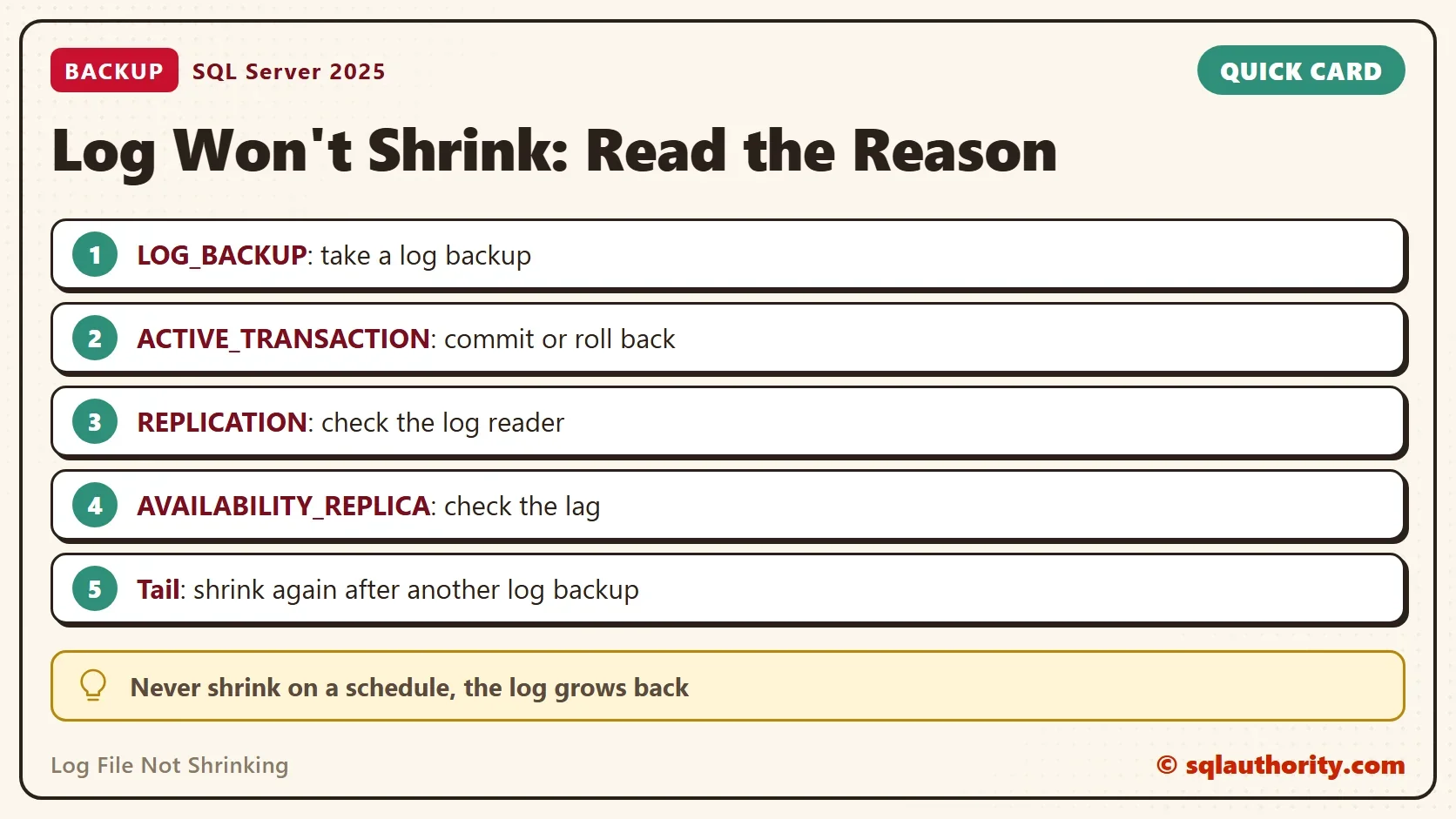
Read the table from the top. NOTHING means the log is free. CHECKPOINT, OLDEST_PAGE and LOG_BACKUP name a command that clears the wait. The other values name a feature or a session, so the fix lies outside the database. Find that feature first, because a shrink cannot move what it still reads.
Reason One: The Log Was Never Backed Up
Run a log backup, then read the reason and try the shrink. The target is 8 MB.
BACKUP LOG ShrinkLogReasonDemo TO DISK = N'NUL';
SELECT log_reuse_wait_desc FROM sys.databases WHERE name = N'ShrinkLogReasonDemo';
DBCC SHRINKFILE (N'ShrinkLogReasonDemo_log', 8);
SELECT name, CAST(size * 8 / 1024.0 AS decimal(9,1)) AS SizeMB FROM sys.database_files WHERE type_desc = N'LOG';
The reason is now NOTHING, yet the shrink only took the file from 32 MB to 24 MB. It printed this message in the Messages tab.
Cannot shrink log file 2 (ShrinkLogReasonDemo_log) because the logical log file located at the end of the file is in use.
The log is circular, and an active virtual log file still sits at the end. A shrink can move nothing out of an active virtual log file. The fix is one more turn of the circle: back up the log again, then shrink again.
BACKUP LOG ShrinkLogReasonDemo TO DISK = N'NUL';
DBCC SHRINKFILE (N'ShrinkLogReasonDemo_log', 8);
SELECT name, CAST(size * 8 / 1024.0 AS decimal(9,1)) AS SizeMB FROM sys.database_files WHERE type_desc = N'LOG';
| Step | log_reuse_wait_desc | Log size (MB) |
|---|---|---|
| After the load | LOG_BACKUP | 32.0 |
| First log backup and shrink | NOTHING | 24.0 |
| Second log backup and shrink | NOTHING | 8.0 |
The log now holds 8 MB. A log file not shrinking after the first try is not an error. Repeat the log backup and the shrink until the size reaches your target.
Reason Two: An Open Transaction
The second common reason is a transaction that never ended. Nothing after its first log record can be freed, no matter how many log backups you run. Test it with two query windows. The first window opens a transaction and leaves it open.
USE ShrinkLogReasonDemo;
BEGIN TRANSACTION;
UPDATE TOP (1) dbo.Readings SET Note = 'y';
The second window writes more rows and forces a checkpoint. It backs up the log, forces another checkpoint, and asks the question again. Until the log backup runs, the answer stays LOG_BACKUP, because that reason comes first.
USE ShrinkLogReasonDemo;
INSERT dbo.Readings (Note) SELECT TOP (60000) 'x' FROM sys.all_columns AS a CROSS JOIN sys.all_columns AS b;
CHECKPOINT;
BACKUP LOG ShrinkLogReasonDemo TO DISK = N'NUL';
CHECKPOINT;
SELECT log_reuse_wait_desc FROM sys.databases WHERE name = N'ShrinkLogReasonDemo';
| log_reuse_wait_desc |
|---|
| ACTIVE_TRANSACTION |
Close the first window with a ROLLBACK, back up the log twice and shrink again. To find a stuck transaction on a real server, run DBCC OPENTRAN; in the database. It prints the oldest open transaction with its session id and start time. The post Implicit Transactions in SQL Server: The Setting That Leaves Work Open shows one common source of them. For the log space behind an open transaction, read How an Open Transaction Uses Free Log Space.
A Shrink Is a Repair, Not a Habit
You could argue that the simplest cure is SIMPLE recovery, because the log then empties itself at each checkpoint. That is true. It also ends point in time restore, so keep it for databases you can rebuild from the last full backup.
Shrinking has a price too. The log grows back to the size the workload needs, and each growth costs time. The cost depends on the step size, as Log File Growth and Instant File Initialization: The 64 MB Rule shows. Many small growth steps also create many virtual log files. VLF Growth Rules: How Many Virtual Log Files One Growth Adds counts them.
What to Remember
When you face a log file not shrinking, read log_reuse_wait_desc before you run any shrink. Fix the reason it names, then back up the log until the end of the file is free. Size the log for the workload once, and shrink it only after an event that grew it far beyond normal. Write down the size before and after each step, as the table above does. That record shows whether a step helped.
When you finish, run the cleanup script. It drops the demo database and removes the backup history rows that the NUL backups left in msdb.
USE master;
GO
IF DB_ID(N'ShrinkLogReasonDemo') IS NOT NULL
BEGIN
    ALTER DATABASE ShrinkLogReasonDemo SET SINGLE_USER WITH ROLLBACK IMMEDIATE;
    DROP DATABASE ShrinkLogReasonDemo;
END;
EXEC msdb.dbo.sp_delete_database_backuphistory @database_name = N'ShrinkLogReasonDemo';
A shrink command is not a fix, it is a question the log answers with a reason.
Published by Pinal Dave on SQLAuthority. More of my work at pinaldave.com.
Discover more from SQL Authority with Pinal Dave
Subscribe to get the latest posts sent to your email.