
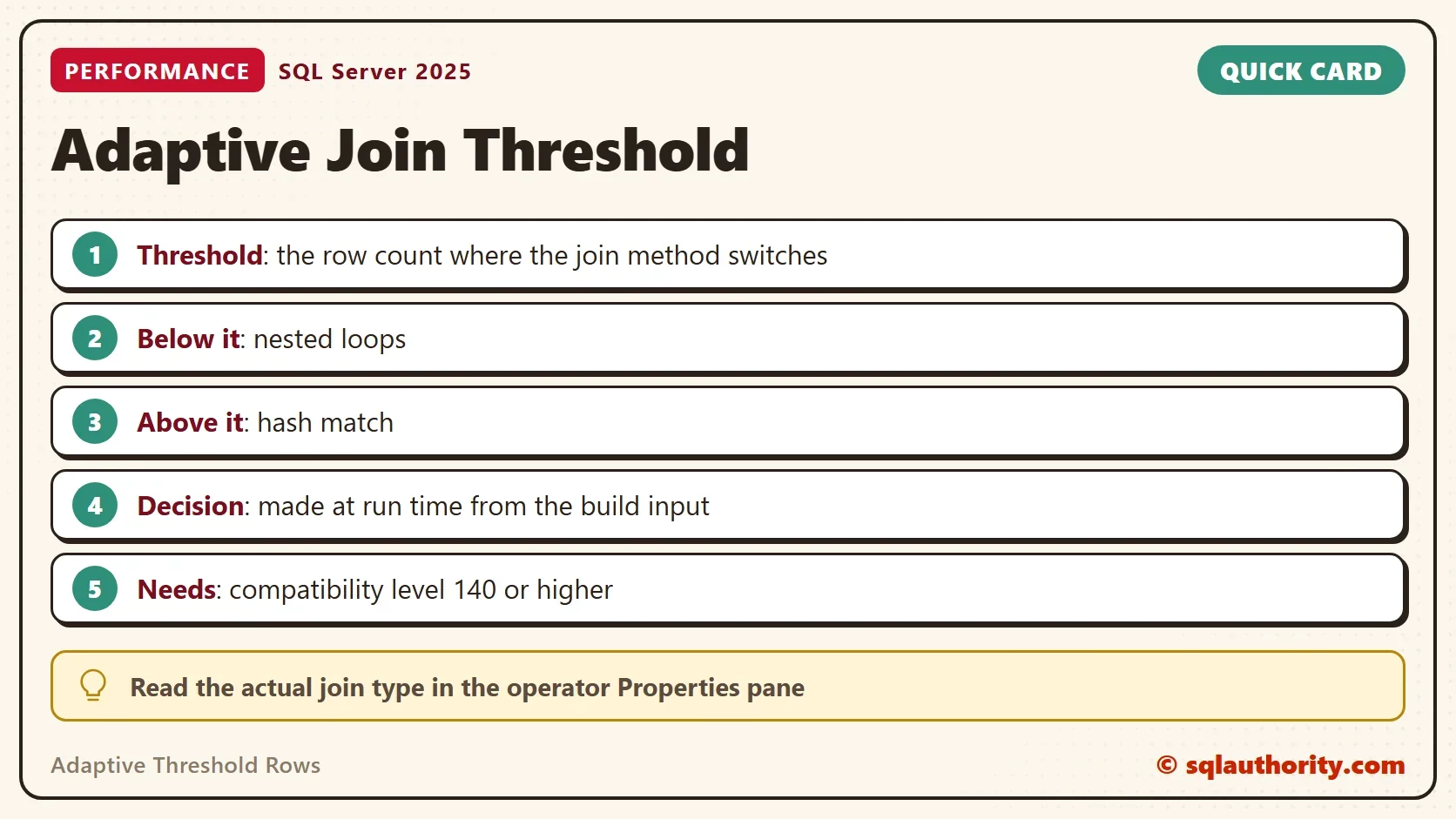
Adaptive threshold rows is the row count at which an adaptive join switches from nested loops to a hash join. SQL Server compares that number with the rows it finds at run time. The plan holds both join methods, and only one of them runs.

What an Adaptive Join Does
A normal plan fixes the join method when the query compiles. If the row estimate is wrong, the method is wrong. An adaptive join postpones the decision. It reads the first input, the build input, and counts the rows. Few rows mean nested loops. Many rows mean a hash join. The adaptive threshold rows value is the dividing line. The optimizer calculates it at compile time from the cost of each method.
The operator started in batch mode in SQL Server 2017, at compatibility level 140. It needed a columnstore index in the query. SQL Server 2019 added batch mode on rowstore tables at level 150. A query no longer needs a columnstore index to be eligible, but the optimizer still decides. In the post on enabling adaptive joins, the join stayed an ordinary join on rowstore tables alone.
Set Up the Two Queries
The demo uses the WideWorldImporters sample database. If you need it, install AdventureWorks and WideWorldImporters first. Both queries only read. Check the compatibility level of your own copy before you run the queries.
USE WideWorldImporters;
GO
SELECT name, compatibility_level FROM sys.databases WHERE name = DB_NAME();
| name | compatibility_level |
|---|---|
| WideWorldImporters | 130 |
This copy of the sample database is at level 130. Instead of changing the database, each query below asks for level 150 with a hint. The hint affects one query and leaves the database alone. The comment at the end of each query only labels it.
SELECT ol.OrderID, ol.StockItemID, ol.Description, ol.OrderLineID, o.Comments, o.CustomerID
FROM Sales.OrderLines AS ol
INNER JOIN Sales.Orders AS o ON ol.OrderID = o.OrderID
WHERE ol.StockItemID = 226
OPTION (USE HINT('QUERY_OPTIMIZER_COMPATIBILITY_LEVEL_150')); -- stock 226
This query returns 150 rows. Run the second query for stock item 168 next. It returns 972 rows.
SELECT ol.OrderID, ol.StockItemID, ol.Description, ol.OrderLineID, o.Comments, o.CustomerID
FROM Sales.OrderLines AS ol
INNER JOIN Sales.Orders AS o ON ol.OrderID = o.OrderID
WHERE ol.StockItemID = 168
OPTION (USE HINT('QUERY_OPTIMIZER_COMPATIBILITY_LEVEL_150')); -- stock 168
Read the Adaptive Threshold Rows From the Plan
Both plans contain an Adaptive Join operator. The cached plan stores its threshold and the join method the optimizer expected. The next query reads them. On a busy server, run it once and outside the busiest hour. It needs the VIEW SERVER STATE permission, which is VIEW SERVER PERFORMANCE STATE on SQL Server 2022 and later.
WITH XMLNAMESPACES (DEFAULT 'http://schemas.microsoft.com/sqlserver/2004/07/showplan')
SELECT CASE WHEN st.text LIKE N'%-- stock 226%' THEN 226 ELSE 168 END AS StockItemID,
       j.value('@EstimatedJoinType', 'nvarchar(30)') AS EstimatedJoinType,
       CONVERT(decimal(12,3), j.value('@AdaptiveThresholdRows', 'float')) AS AdaptiveThresholdRows
FROM sys.dm_exec_cached_plans AS cp
CROSS APPLY sys.dm_exec_sql_text(cp.plan_handle) AS st
CROSS APPLY sys.dm_exec_query_plan(cp.plan_handle) AS qp
CROSS APPLY qp.query_plan.nodes('//RelOp[@PhysicalOp="Adaptive Join"]') AS x(j)
WHERE st.text LIKE N'%-- stock %' AND st.text NOT LIKE N'%dm_exec_cached_plans%'
ORDER BY StockItemID;| StockItemID | EstimatedJoinType | AdaptiveThresholdRows |
|---|---|---|
| 168 | Hash Match | 327.082 |
| 226 | Nested Loops | 202.129 |
Each query has its own threshold, because each has its own estimates. The first has 202.129 and the second has 327.082. The estimate for stock item 226 was about 107 rows, below its threshold. The estimate for 168 was about 934, above its own. That produced the expected methods you see in the table.
See Which Branch Ran
The expected method is a guess. The decision at run time uses the actual rows. Switch on the actual execution plan with Ctrl+M and run each query again. Click the Adaptive Join operator and read its Properties pane. It shows the Adaptive Threshold Rows, the Estimated Join Type and the Actual Join Type.
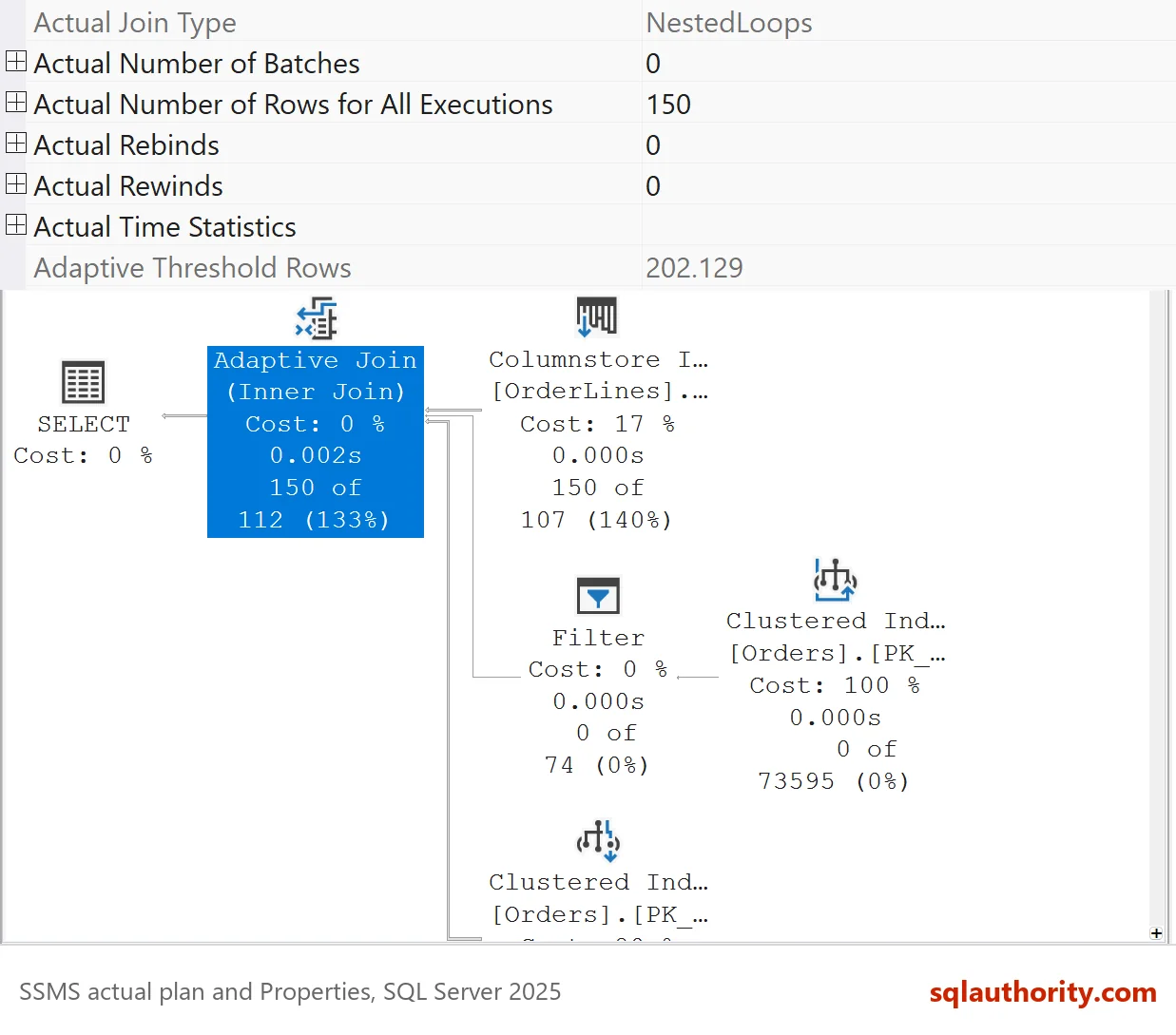
The first query read 150 rows from the build input. That is below 202.129, so SQL Server used nested loops. It sought into the Orders table 150 times, and the scan branch returned 0 rows. The second query read 972 rows, which is above 327.082. SQL Server used a hash match. The scan of Orders returned 73,595 rows, and the seek branch ran 0 times.
| Query | Rows from the build input | Threshold | Actual join type |
|---|---|---|---|
| Stock item 226 | 150 | 202.129 | Nested Loops |
| Stock item 168 | 972 | 327.082 | Hash Match |
The unused branch is part of the plan, and its operators show zero rows. That is not an error. It is the sign that the plan chose the other branch.
Why the Threshold Matters
You could argue that the threshold is too technical to care about. For one query, that is fair. It matters when one cached plan serves callers with different row counts. A plain plan suits one size. An adaptive join suits both, within the limits of its threshold. The related posts on how to enable an adaptive join and how to disable it cover the switches around it.
When the estimated and the actual join type differ, the estimate was wrong, and the adaptive join corrected for it. In both queries here the two types match, so the estimates held.
What to Remember
Adaptive threshold rows is a number in the plan, set at compile time. At run time, the rows from the build input decide the join method. A count below the threshold gives nested loops, and a higher count gives a hash match. Read the threshold in the Properties pane, and read the actual rows to see which branch ran. Every script here only reads, so there is nothing to clean up.
An adaptive join is not a better guess, it is a guess that waits for the data.
Published by Pinal Dave on SQLAuthority. More of my work at pinaldave.com.
Discover more from SQL Authority with Pinal Dave
Subscribe to get the latest posts sent to your email.



2 Comments. Leave new
Hello Pinal Sir,
I have saw a typo in the below statement –
“In the execution plan, we can see that the Adaptive Threshold Rows is less than an actual number of rows. SQL Server Engine has preferred nested loop join.”
It should be –
“In the execution plan, we can see that the Adaptive Threshold Rows is less than an actual number of rows. SQL Server Engine has preferred Hash Match Join.”
Thanks & Regards,
One of your good reader.
You are 100% correct. I fixed it. Thank you.