CHECKPOINT covers one database, so to flush data to disk you run it in each database. A server with twenty databases needs twenty checkpoints. A demo with two databases shows the scope. A short script then flushes every database in one pass, so you do not type twenty.

What Flush Means Here
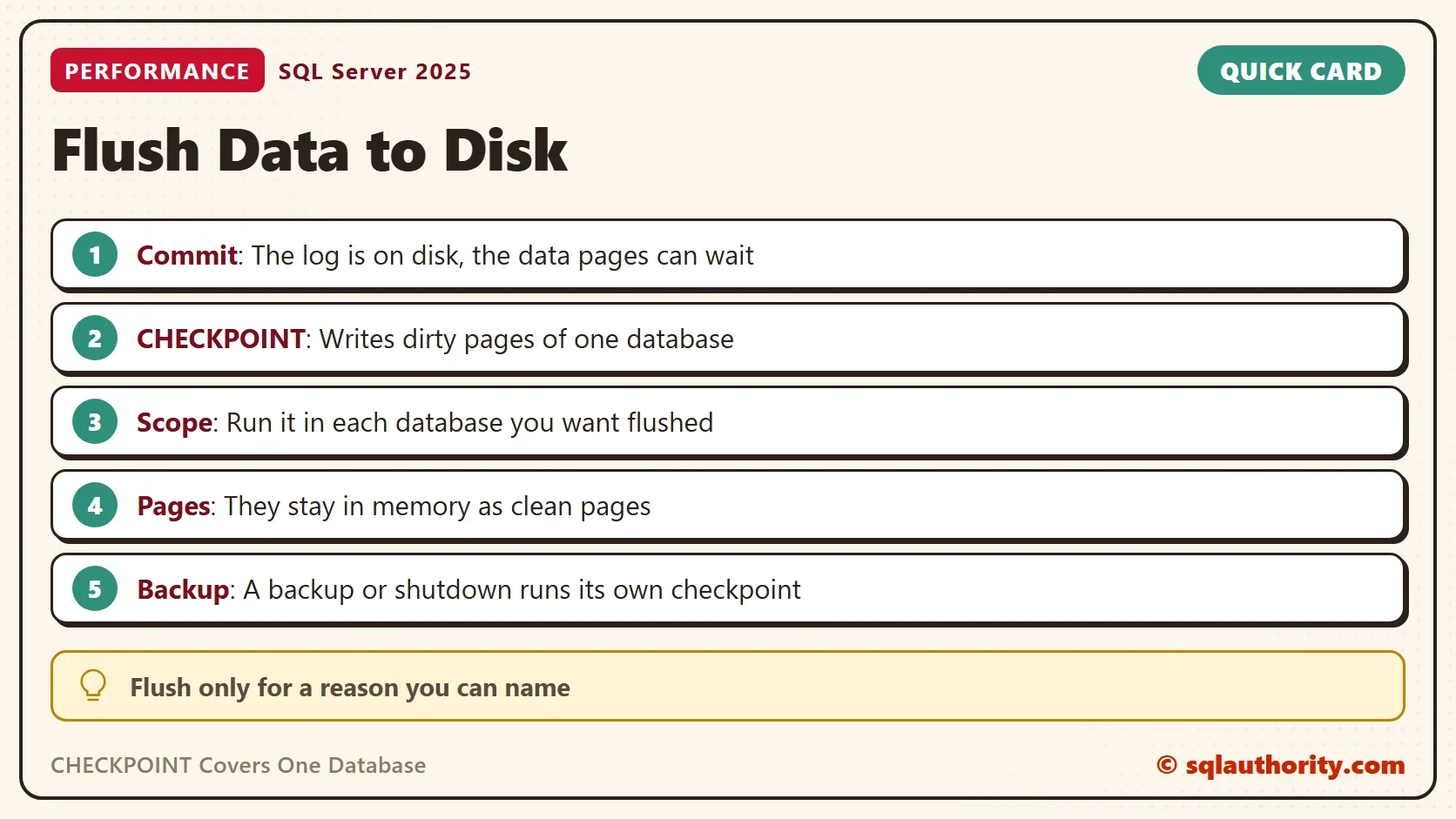
A committed change is already safe. SQL Server writes the log to disk before a commit returns, unless delayed durability is on. The log is enough to rebuild the change after a crash. The data pages stay in memory, marked dirty, until a checkpoint writes them to the data file. So the question to ask is not whether your data is safe. It is whether you need the data file to be current right now.
SQL Server runs checkpoints on its own, so a manual one has few uses. In my years of tuning, I have needed a manual checkpoint only a couple of times. CHECKPOINT Impact on Memory: Watch Dirty Pages Go to Zero follows one database in detail.
CHECKPOINT Covers One Database: A Two Database Demo
The demo creates two databases named FlushAlphaDemo and FlushBetaDemo, each with one table. The line with TARGET_RECOVERY_TIME = 0 SECONDS turns off the indirect checkpoint of these two databases. Background flushing then does not hide the effect. Run it on a test server.
IF DB_ID(N'FlushAlphaDemo') IS NULL CREATE DATABASE FlushAlphaDemo;
IF DB_ID(N'FlushBetaDemo') IS NULL CREATE DATABASE FlushBetaDemo;
GO
ALTER DATABASE FlushAlphaDemo SET TARGET_RECOVERY_TIME = 0 SECONDS;
ALTER DATABASE FlushBetaDemo SET TARGET_RECOVERY_TIME = 0 SECONDS;
GO
USE FlushAlphaDemo;
DROP TABLE IF EXISTS dbo.Visits;
CREATE TABLE dbo.Visits (VisitID int IDENTITY(1,1) PRIMARY KEY, Page varchar(40) NOT NULL, Seconds int NOT NULL, Agent char(80) NOT NULL);
CHECKPOINT;
GO
USE FlushBetaDemo;
DROP TABLE IF EXISTS dbo.Visits;
CREATE TABLE dbo.Visits (VisitID int IDENTITY(1,1) PRIMARY KEY, Page varchar(40) NOT NULL, Seconds int NOT NULL, Agent char(80) NOT NULL);
CHECKPOINT;
The next script loads 10,000 rows into each table. Every row is changed in memory and not yet written to the data file.
USE FlushAlphaDemo;
INSERT INTO dbo.Visits (Page, Seconds, Agent)
SELECT 'page' + CONVERT(varchar(6), n % 100), n % 300, 'browser'
FROM (SELECT TOP (10000) ROW_NUMBER() OVER (ORDER BY (SELECT NULL)) AS n FROM sys.all_objects AS a CROSS JOIN sys.all_objects AS b) AS t;
GO
USE FlushBetaDemo;
INSERT INTO dbo.Visits (Page, Seconds, Agent)
SELECT 'page' + CONVERT(varchar(6), n % 100), n % 300, 'browser'
FROM (SELECT TOP (10000) ROW_NUMBER() OVER (ORDER BY (SELECT NULL)) AS n FROM sys.all_objects AS a CROSS JOIN sys.all_objects AS b) AS t;
The query below counts the pages of both databases in memory by state. The view sys.dm_os_buffer_descriptors lists every page in the buffer pool. It needs the VIEW SERVER STATE permission, which is VIEW SERVER PERFORMANCE STATE on SQL Server 2022 and later.
SELECT DB_NAME(database_id) AS DatabaseName,
       SUM(CASE WHEN is_modified = 1 THEN 1 ELSE 0 END) AS DirtyPages,
       SUM(CASE WHEN is_modified = 0 THEN 1 ELSE 0 END) AS CleanPages
FROM sys.dm_os_buffer_descriptors
WHERE database_id IN (DB_ID(N'FlushAlphaDemo'), DB_ID(N'FlushBetaDemo'))
GROUP BY database_id
ORDER BY DatabaseName;| DatabaseName | DirtyPages | CleanPages |
|---|---|---|
| FlushAlphaDemo | 281 | 243 |
| FlushBetaDemo | 281 | 243 |
Both databases hold about 281 dirty pages. The page counts differ by a few from run to run. Now run CHECKPOINT in the Alpha database only, and count again.
USE FlushAlphaDemo;
CHECKPOINT;
SELECT DB_NAME(database_id) AS DatabaseName,
       SUM(CASE WHEN is_modified = 1 THEN 1 ELSE 0 END) AS DirtyPages,
       SUM(CASE WHEN is_modified = 0 THEN 1 ELSE 0 END) AS CleanPages
FROM sys.dm_os_buffer_descriptors
WHERE database_id IN (DB_ID(N'FlushAlphaDemo'), DB_ID(N'FlushBetaDemo'))
GROUP BY database_id
ORDER BY DatabaseName;| DatabaseName | DirtyPages | CleanPages |
|---|---|---|
| FlushAlphaDemo | 0 | 524 |
| FlushBetaDemo | 288 | 239 |
Alpha has no dirty pages left, and its 524 pages are still in memory as clean pages. Beta still has 288 dirty pages. The checkpoint did not touch it. A manual CHECKPOINT covers one database and nothing else. Run it in each database that you want to flush.
Flush Every Database in One Pass
To flush data to disk in every database, let a script write the CHECKPOINT statements. The query below builds one batch with a USE and a CHECKPOINT for each database whose name matches a pattern. It skips offline databases, read-only databases and snapshots. It prints the batch before it runs it, so you can read it.
DECLARE @pattern nvarchar(128) = N'Flush%Demo';
DECLARE @sql nvarchar(max) = (
    SELECT STRING_AGG(CAST(N'USE ' + QUOTENAME(name) + N'; CHECKPOINT;' AS nvarchar(max)), N' ')
    FROM sys.databases
    WHERE name LIKE @pattern AND state_desc = N'ONLINE' AND is_read_only = 0 AND source_database_id IS NULL);
PRINT @sql;
EXEC (@sql);
The pattern in the demo matches only the two demo databases. Use the pattern N’%’ to flush every database on the instance. Do that at a quiet time, because the write burst competes with your users for the disk. The permission is db_owner or db_backupoperator in each database, or sysadmin. Count the pages again to see the result.
SELECT DB_NAME(database_id) AS DatabaseName,
       SUM(CASE WHEN is_modified = 1 THEN 1 ELSE 0 END) AS DirtyPages,
       SUM(CASE WHEN is_modified = 0 THEN 1 ELSE 0 END) AS CleanPages
FROM sys.dm_os_buffer_descriptors
WHERE database_id IN (DB_ID(N'FlushAlphaDemo'), DB_ID(N'FlushBetaDemo'))
GROUP BY database_id
ORDER BY DatabaseName;| DatabaseName | DirtyPages | CleanPages |
|---|---|---|
| FlushAlphaDemo | 0 | 527 |
| FlushBetaDemo | 0 | 527 |
Both databases are clean now, and no page left the memory. A few pages can be dirty again by the time you count, so a small number is normal. A flush writes pages to disk. It does not empty the cache. To empty the cache for a cold start, you need a second command. The post DBCC DROPCLEANBUFFERS Impact on Memory: See a Cold Cache in Action covers it.
Do You Need to Flush at All?
You could argue that a flush before a backup is a good habit. It is not needed. A backup runs its own checkpoint, and so does a clean shutdown. A manual flush before either one only moves work that SQL Server would do anyway. A flush helps in a few cases. One is a cold cache test. Another is a tool that reads the data file and expects it to be current. A third is a disk under pressure, where you want to control when the write happens.
The last case uses the duration option. CHECKPOINT 10 gives the checkpoint a time target of ten seconds. It paces the writes toward that target. The post CHECKPOINT Duration: Can You Speed Up a Manual CHECKPOINT? tests it.
What to Remember
CHECKPOINT covers one database, so run it in each database that you want to flush. It writes dirty pages and keeps them in memory. A commit never waits for it, and backups and shutdowns do their own. Use the script for the instance, and run it when the server is quiet.
When you finish, run the cleanup script. It removes both demo databases.
USE master;
GO
ALTER DATABASE FlushAlphaDemo SET SINGLE_USER WITH ROLLBACK IMMEDIATE;
DROP DATABASE FlushAlphaDemo;
ALTER DATABASE FlushBetaDemo SET SINGLE_USER WITH ROLLBACK IMMEDIATE;
DROP DATABASE FlushBetaDemo;
A flush is not a save, it is a change of where the pages live.
Published by Pinal Dave on SQLAuthority. More of my work at pinaldave.com.
Discover more from SQL Authority with Pinal Dave
Subscribe to get the latest posts sent to your email.