The WITH NORECOMPUTE option stops automatic statistics updates on one table. SQL Server refreshes a statistic by itself when enough rows change, and it reads only a sample to do it. For most tables that is fine. For a huge table that needs a full scan to plan well, the sample can make plans worse.

When the Automatic Update Fires
A client had a table close to one terabyte. Its plans were good right after a full scan update and poor after an automatic one. The table changed constantly. The threshold was crossed again and again, and each crossing replaced the good statistic with a sampled one. The request was to stop the automatic update for that one table.
At compatibility level 130 and higher, the threshold is the smaller of two numbers. One is 500 plus 20 percent of the rows. The other is the square root of 1,000 times the rows. A table of 50,000 rows crosses it after 7,071 changes.
Create the Demo
The database is NoRecomputeDemo. It has two identical tables, one to freeze and one to leave alone as a control. Each has a clustered primary key and an index on SensorID. The script can run twice.
IF DB_ID(N'NoRecomputeDemo') IS NULL CREATE DATABASE NoRecomputeDemo;
GO
USE NoRecomputeDemo;
GO
DROP TABLE IF EXISTS dbo.Readings;
DROP TABLE IF EXISTS dbo.ReadingsControl;
CREATE TABLE dbo.Readings (
    ReadingID int NOT NULL CONSTRAINT PK_Readings PRIMARY KEY,
    SensorID  int NOT NULL,
    Value     decimal(9,2) NOT NULL
);
CREATE TABLE dbo.ReadingsControl (
    ReadingID int NOT NULL CONSTRAINT PK_ReadingsControl PRIMARY KEY,
    SensorID  int NOT NULL,
    Value     decimal(9,2) NOT NULL
);
INSERT INTO dbo.Readings (ReadingID, SensorID, Value)
SELECT n, n % 100 + 1, n % 997
FROM (SELECT TOP (50000) ROW_NUMBER() OVER (ORDER BY (SELECT NULL)) AS n
      FROM sys.all_objects AS a CROSS JOIN sys.all_objects AS b) AS x;
INSERT INTO dbo.ReadingsControl (ReadingID, SensorID, Value)
SELECT ReadingID, SensorID, Value FROM dbo.Readings;
CREATE INDEX IX_Readings_SensorID ON dbo.Readings (SensorID);
CREATE INDEX IX_ReadingsControl_SensorID ON dbo.ReadingsControl (SensorID);
Set the Flag
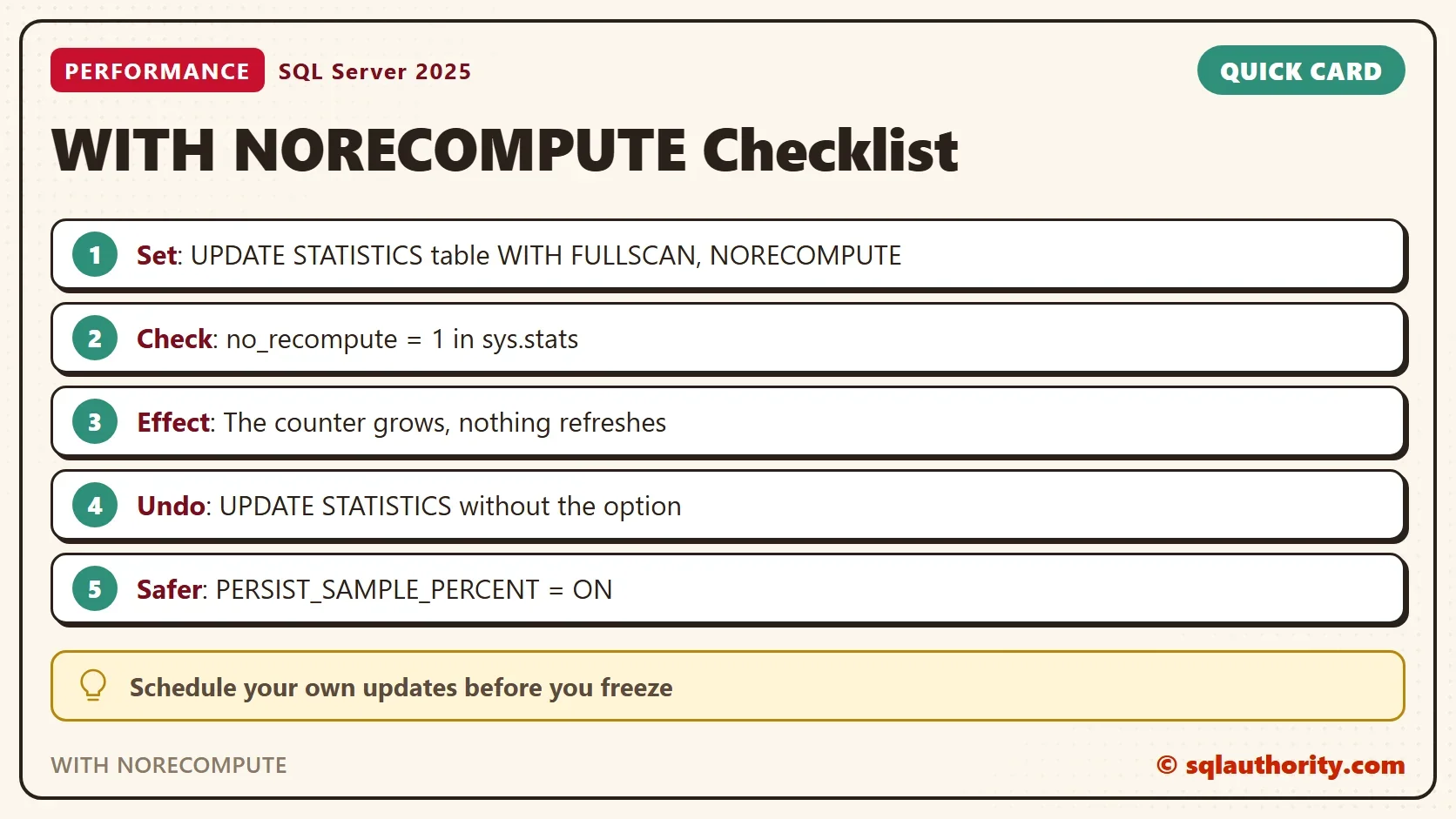
The WITH NORECOMPUTE flag belongs to the statistic, and the view sys.stats shows it in the column no_recompute. The command below updates every statistic of the table with a full scan. It sets the flag at the same time.
UPDATE STATISTICS dbo.Readings WITH FULLSCAN, NORECOMPUTE;
SELECT s.name, s.no_recompute, sp.rows_sampled, sp.modification_counter
FROM sys.stats AS s
CROSS APPLY sys.dm_db_stats_properties(s.object_id, s.stats_id) AS sp
WHERE s.object_id = OBJECT_ID(N'dbo.Readings')
ORDER BY s.name;
| name | no_recompute | rows_sampled | modification_counter |
|---|---|---|---|
| IX_Readings_SensorID | 1 | 50000 | 0 |
| PK_Readings | 1 | 50000 | 0 |
Both statistics carry the flag, because no statistic name was given. To flag one statistic only, name it after the table.
Prove It Holds
Now change 20,000 rows in the frozen table and in the control table. Each query below needs the statistic on SensorID. It runs in its own batch, because SQL Server checks a statistic when it compiles a query.
UPDATE dbo.Readings SET SensorID = SensorID + 100 WHERE ReadingID <= 20000;
UPDATE dbo.ReadingsControl SET SensorID = SensorID + 100 WHERE ReadingID <= 20000;
GO
SELECT AVG(Value) AS AverageValue FROM dbo.Readings WHERE SensorID = 5;
GO
SELECT AVG(Value) AS AverageValue FROM dbo.ReadingsControl WHERE SensorID = 5;
GO
SELECT OBJECT_NAME(s.object_id) AS TableName, s.name, s.no_recompute, sp.modification_counter
FROM sys.stats AS s
CROSS APPLY sys.dm_db_stats_properties(s.object_id, s.stats_id) AS sp
WHERE s.name IN (N'IX_Readings_SensorID', N'IX_ReadingsControl_SensorID')
ORDER BY s.name;
| TableName | name | no_recompute | modification_counter |
|---|---|---|---|
| Readings | IX_Readings_SensorID | 1 | 20000 |
| ReadingsControl | IX_ReadingsControl_SensorID | 0 | 0 |
The control table’s statistic was refreshed by the query, so its counter went back to 0. The frozen table’s counter reads 20,000. It keeps counting changes, and nothing acts on them.
Turn It Back On
The way back is UPDATE STATISTICS without the option, or sp_autostats, which has its own post. The command below updates the table’s statistics and clears the flag on all of them.
UPDATE STATISTICS dbo.Readings WITH FULLSCAN;
SELECT s.name, s.no_recompute
FROM sys.stats AS s
WHERE s.object_id = OBJECT_ID(N'dbo.Readings')
ORDER BY s.name;
| name | no_recompute |
|---|---|
| IX_Readings_SensorID | 0 |
| PK_Readings | 0 |
Set the Flag on an Index
An index can carry the flag from the day it is created. Add STATISTICS_NORECOMPUTE = ON to the index options and its statistic starts frozen. The primary key statistic is not touched.
CREATE INDEX IX_Readings_Value ON dbo.Readings (Value) WITH (STATISTICS_NORECOMPUTE = ON);
SELECT s.name, s.no_recompute
FROM sys.stats AS s
WHERE s.object_id = OBJECT_ID(N'dbo.Readings')
ORDER BY s.name;
| name | no_recompute |
|---|---|
| IX_Readings_SensorID | 0 |
| IX_Readings_Value | 1 |
| PK_Readings | 0 |
A rebuild of a flagged index refreshes its statistic and keeps the flag. The last section links a post that lists the commands.
A Safer First Try
Freezing is a heavy answer to a sampling problem. The story points at the sample: plans were good after a full scan and poor after a sampled update. SQL Server can remember a sample size and reuse it for every automatic update of that statistic. That keeps the automatic update and fixes the sample. The demo uses a bigger table, because small tables are read in full anyway.
DROP TABLE IF EXISTS dbo.BigReadings;
CREATE TABLE dbo.BigReadings (
    ReadingID int IDENTITY(1,1) NOT NULL CONSTRAINT PK_BigReadings PRIMARY KEY,
    SensorID  int NOT NULL,
    Value     decimal(9,2) NOT NULL
);
INSERT INTO dbo.BigReadings (SensorID, Value)
SELECT n % 500 + 1, n % 997
FROM (SELECT TOP (3000000) ROW_NUMBER() OVER (ORDER BY (SELECT NULL)) AS n
      FROM sys.all_objects AS a CROSS JOIN sys.all_objects AS b CROSS JOIN sys.all_objects AS c) AS x;
CREATE INDEX IX_BigReadings_SensorID ON dbo.BigReadings (SensorID);
GO
UPDATE dbo.BigReadings SET SensorID = SensorID + 1000 WHERE ReadingID <= 400000;
GO
SELECT AVG(Value) AS AverageValue FROM dbo.BigReadings WHERE SensorID = 7;
GO
SELECT sp.rows, sp.rows_sampled, sp.modification_counter, sp.persisted_sample_percent
FROM sys.stats AS s
CROSS APPLY sys.dm_db_stats_properties(s.object_id, s.stats_id) AS sp
WHERE s.name = N'IX_BigReadings_SensorID';| rows | rows_sampled | modification_counter | persisted_sample_percent |
|---|---|---|---|
| 3000000 | 418416 | 0 | 0 |
The automatic update sampled 418,416 of 3,000,000 rows. The exact number changes from run to run. Now store a full scan as the sample size and repeat the change.
UPDATE STATISTICS dbo.BigReadings IX_BigReadings_SensorID WITH FULLSCAN, PERSIST_SAMPLE_PERCENT = ON;
UPDATE dbo.BigReadings SET SensorID = SensorID + 1000 WHERE ReadingID BETWEEN 400001 AND 800000;
GO
SELECT AVG(Value) AS AverageValue FROM dbo.BigReadings WHERE SensorID = 8;
GO
SELECT sp.rows, sp.rows_sampled, sp.modification_counter, sp.persisted_sample_percent
FROM sys.stats AS s
CROSS APPLY sys.dm_db_stats_properties(s.object_id, s.stats_id) AS sp
WHERE s.name = N'IX_BigReadings_SensorID';
| rows | rows_sampled | modification_counter | persisted_sample_percent |
|---|---|---|---|
| 3000000 | 3000000 | 0 | 100 |
The automatic update now read every row. The option exists from SQL Server 2017 CU1, and Microsoft also lists a SQL Server 2016 update for it. A full sample costs more on each update. For a table of a terabyte that cost can be too high. Then a frozen statistic with your own schedule is the answer.
The Price of Freezing
You could argue that a frozen statistic is safe because you know the table. It is safe until the data changes shape. From then on, the optimizer estimates from old numbers, and nobody notices until a plan turns bad. Freezing moves the job from SQL Server to you.
If you freeze a statistic, schedule its update after the loads that change it. Keep a record of which tables are frozen. Statistics That Never Auto Update: Find the NORECOMPUTE Flag shows the query and the damage. The system procedure version is in sp_autostats: See and Undo Automatic Statistics Updates.
What to Remember
Use the WITH NORECOMPUTE option only when a sampled update hurts and a persisted sample is too expensive. Set it, verify it in sys.stats, and put your own update on a schedule. To undo it, run UPDATE STATISTICS without the option. When you finish testing, drop the example database.
USE master;
GO
ALTER DATABASE NoRecomputeDemo SET SINGLE_USER WITH ROLLBACK IMMEDIATE;
DROP DATABASE NoRecomputeDemo;
A frozen statistic is not a fix, it is a debt you now pay by hand.
Published by Pinal Dave on SQLAuthority. More of my work at pinaldave.com.
Discover more from SQL Authority with Pinal Dave
Subscribe to get the latest posts sent to your email.