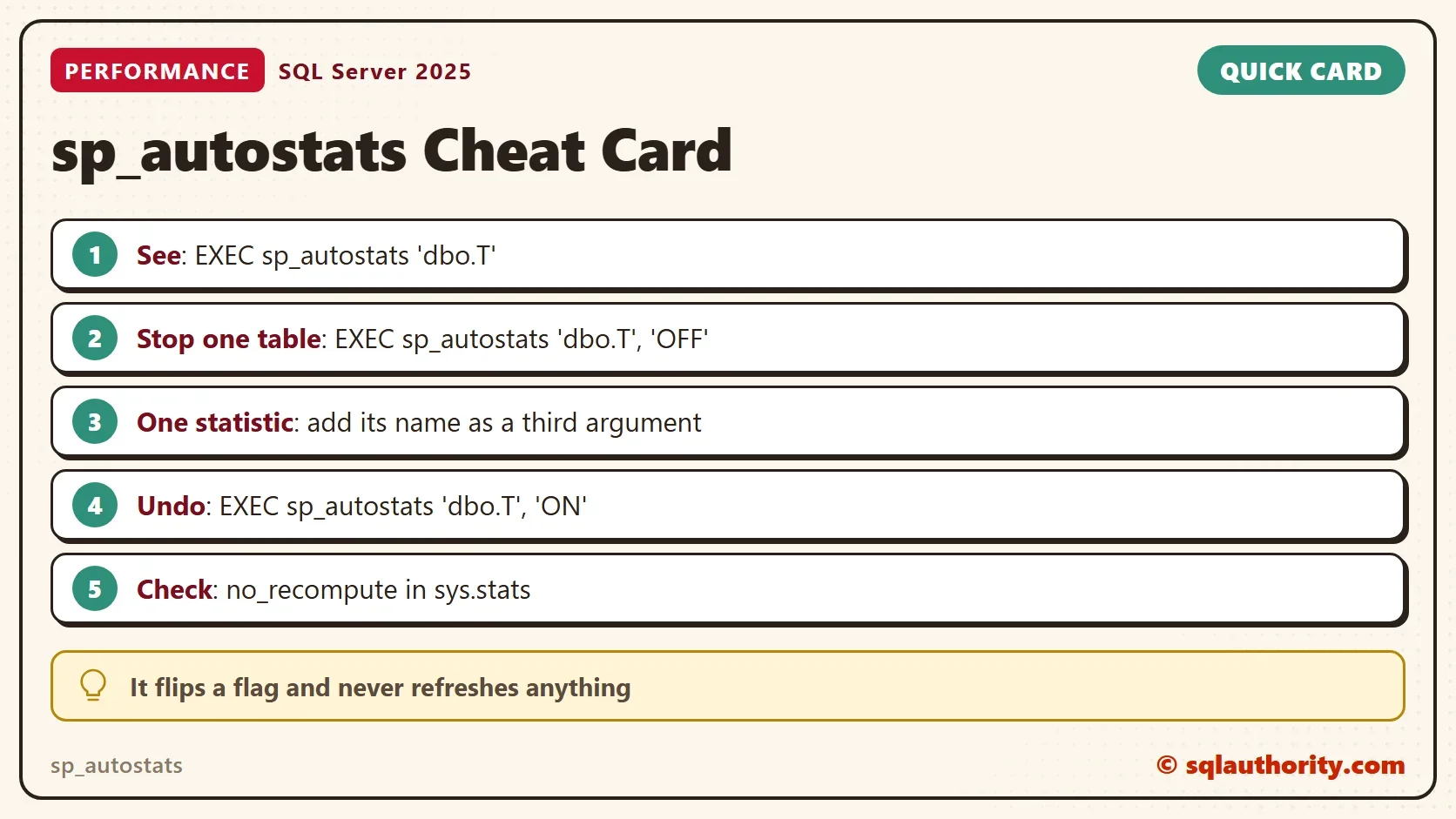
The sp_autostats procedure shows and changes the automatic statistics update setting of one table, one index or one statistic. It is the shortest way to stop automatic updates for a single table and the shortest way to undo it. This post shows both, and what the procedure leaves alone.

What sp_autostats Does
SQL Server updates a statistic by itself when enough rows have changed. That setting is on for the whole database by default, and almost always it should stay that way. Now and then a single table needs different treatment. The flag that turns automatic updates off lives on each statistic as no_recompute.
The sp_autostats procedure reads and writes that flag. You can give it a table, a table and an index, or a table and a statistic name. The other way to stop automatic updates for a table is UPDATE STATISTICS with NORECOMPUTE, which also refreshes the statistics. The sibling post WITH NORECOMPUTE: Stop Auto Updates on One Table covers that route. The sp_autostats route only flips the flag.
Set Up the Demo
The demo database is AutoStatsSwitchDemo. The table has a primary key and an index on Plant. The last query below makes SQL Server create a statistic for the BedRows column. Run it on a test server.
IF DB_ID(N'AutoStatsSwitchDemo') IS NULL CREATE DATABASE AutoStatsSwitchDemo;
GO
USE AutoStatsSwitchDemo;
GO
DROP TABLE IF EXISTS dbo.GardenBeds;
CREATE TABLE dbo.GardenBeds (
    BedID   int NOT NULL CONSTRAINT PK_GardenBeds PRIMARY KEY,
    Plant   varchar(20) NOT NULL,
    BedRows int NOT NULL
);
INSERT INTO dbo.GardenBeds (BedID, Plant, BedRows)
SELECT n, CHOOSE(n % 3 + 1, 'Tomato', 'Basil', 'Kale'), n % 7
FROM (SELECT TOP (5000) ROW_NUMBER() OVER (ORDER BY (SELECT NULL)) AS n
      FROM sys.all_objects AS a CROSS JOIN sys.all_objects AS b) AS x;
CREATE INDEX IX_GardenBeds_Plant ON dbo.GardenBeds (Plant);
GO
SELECT COUNT(*) AS BedsInRowThree FROM dbo.GardenBeds WHERE BedRows = 3;
Read the Setting
Call the procedure with the table name only. It prints the database level setting first. Then it lists every statistic of the table with its AUTOSTATS state and its last update time.
EXEC sp_autostats N'dbo.GardenBeds';
The first two lines say that automatic update statistics and automatic create statistics are both ON for the database. The list that follows looks like this. The Last Updated column is left out here, because its dates differ on every run.
| Index Name | AUTOSTATS |
|---|---|
| [PK_GardenBeds] | ON |
| [IX_GardenBeds_Plant] | ON |
| [_WA_Sys_00000003_…] | ON |
The primary key shows NULL for Last Updated. It was created with the empty table, and nothing has read it since. The third name belongs to the statistic that SQL Server created for BedRows. The hexadecimal digits at its end differ from server to server.
Turn It Off for One Table
The next batch switches the table off. It reads the update time of the index statistic first and compares it afterwards. Then it lists the no_recompute flag of every statistic.
DECLARE @before datetime2 = (SELECT sp.last_updated
                             FROM sys.stats AS s
                             CROSS APPLY sys.dm_db_stats_properties(s.object_id, s.stats_id) AS sp
                             WHERE s.object_id = OBJECT_ID(N'dbo.GardenBeds') AND s.name = N'IX_GardenBeds_Plant');
EXEC sp_autostats N'dbo.GardenBeds', N'OFF';
SELECT CASE WHEN sp.last_updated = @before THEN 'No' ELSE 'Yes' END AS StatisticRefreshed
FROM sys.stats AS s
CROSS APPLY sys.dm_db_stats_properties(s.object_id, s.stats_id) AS sp
WHERE s.object_id = OBJECT_ID(N'dbo.GardenBeds') AND s.name = N'IX_GardenBeds_Plant';
SELECT CASE WHEN s.auto_created = 1 THEN N'(auto-created statistic)' ELSE s.name END AS StatisticName,
       s.no_recompute
FROM sys.stats AS s
WHERE s.object_id = OBJECT_ID(N'dbo.GardenBeds')
ORDER BY s.stats_id;| StatisticRefreshed |
|---|
| No |
| StatisticName | no_recompute |
|---|---|
| PK_GardenBeds | 1 |
| IX_GardenBeds_Plant | 1 |
| (auto-created statistic) | 1 |
All three statistics carry the flag, the primary key and the automatic one too. Nothing was refreshed, so sp_autostats moved only the switch. That is the difference from UPDATE STATISTICS with NORECOMPUTE.
One Statistic at a Time
Add the index name as a third argument to change one statistic only. This batch turns the index statistic back on and leaves the other two off. A second call without an index name then switches every statistic of the table back on.
EXEC sp_autostats N'dbo.GardenBeds', N'ON', N'IX_GardenBeds_Plant';
SELECT s.name, s.no_recompute FROM sys.stats AS s
WHERE s.object_id = OBJECT_ID(N'dbo.GardenBeds') AND s.auto_created = 0 ORDER BY s.stats_id;
EXEC sp_autostats N'dbo.GardenBeds', N'ON';
SELECT s.name, s.no_recompute FROM sys.stats AS s
WHERE s.object_id = OBJECT_ID(N'dbo.GardenBeds') AND s.auto_created = 0 ORDER BY s.stats_id;
| name | no_recompute (after the index call) |
|---|---|
| PK_GardenBeds | 1 |
| IX_GardenBeds_Plant | 0 |
| name | no_recompute (after the table call) |
|---|---|
| PK_GardenBeds | 0 |
| IX_GardenBeds_Plant | 0 |
A Plain UPDATE STATISTICS Undoes the Switch
This one catches people. Your own maintenance job updates the statistics, and the flag disappears. UPDATE STATISTICS without NORECOMPUTE sets the flag back to 0 on every statistic it touches. The batch below switches the table off, runs a plain update and reads the flags. Then it switches off again and runs the update with NORECOMPUTE.
EXEC sp_autostats N'dbo.GardenBeds', N'OFF';
UPDATE STATISTICS dbo.GardenBeds WITH FULLSCAN;
SELECT CASE WHEN s.auto_created = 1 THEN N'(auto-created statistic)' ELSE s.name END AS AfterPlainUpdate,
       s.no_recompute
FROM sys.stats AS s
WHERE s.object_id = OBJECT_ID(N'dbo.GardenBeds')
ORDER BY s.stats_id;
EXEC sp_autostats N'dbo.GardenBeds', N'OFF';
UPDATE STATISTICS dbo.GardenBeds WITH FULLSCAN, NORECOMPUTE;
SELECT CASE WHEN s.auto_created = 1 THEN N'(auto-created statistic)' ELSE s.name END AS AfterNorecomputeUpdate,
       s.no_recompute
FROM sys.stats AS s
WHERE s.object_id = OBJECT_ID(N'dbo.GardenBeds')
ORDER BY s.stats_id;| AfterPlainUpdate | no_recompute |
|---|---|
| PK_GardenBeds | 0 |
| IX_GardenBeds_Plant | 0 |
| (auto-created statistic) | 0 |
| AfterNorecomputeUpdate | no_recompute |
|---|---|
| PK_GardenBeds | 1 |
| IX_GardenBeds_Plant | 1 |
| (auto-created statistic) | 1 |
The plain update turned automatic updates back on for all three. The update with NORECOMPUTE kept them off. So add NORECOMPUTE to every scheduled update of a switched-off table, or call sp_autostats again after the job. Naming one statistic in the update changes the flag of that statistic only.
The Database Setting Stays On
The procedure never touches the database option AUTO_UPDATE_STATISTICS. This check reads it after all the calls above.
SELECT is_auto_update_stats_on FROM sys.databases WHERE name = DB_NAME();
| is_auto_update_stats_on |
|---|
| 1 |
The other tables of the database keep updating by themselves. Only the flags on the statistics of this one table changed.
The Price of Switching It Off
You could argue that one switch per table is easy to forget. It is. A frozen statistic keeps counting changes and never acts on them. The optimizer plans from old numbers until someone updates it. Keep a list of the tables you switched off, and schedule your own update for each. The post Statistics That Never Auto Update: Find the NORECOMPUTE Flag shows the query that finds every flagged statistic.
What to Remember
Use sp_autostats when you need to see or flip the setting for one table without refreshing anything. Run it with only the table name to read the state. Run it with OFF to stop updates and with ON to undo them. Check the result in sys.stats.
Reach for the switch only after a persisted sample percentage (UPDATE STATISTICS ... WITH SAMPLE 50 PERCENT, PERSIST_SAMPLE_PERCENT = ON) or a better schedule has failed. When you finish the demo, drop the database.
USE master;
GO
DROP DATABASE AutoStatsSwitchDemo;
A switch is not a plan, it is a promise that you will update the statistics yourself.
Published by Pinal Dave on SQLAuthority. More of my work at pinaldave.com.
Discover more from SQL Authority with Pinal Dave
Subscribe to get the latest posts sent to your email.