Compute Scalar operators appear whenever a plan calculates a value, and a computed column makes two of them appear. The second operator looks like a mistake. It isn’t, and the plan text explains it.

The Question
Add a computed column to a table, select it, and look at the plan. A reader of that plan expects one calculation and sees two Compute Scalar operators. The natural question is why a single column needs two. The demo below answers it with three small tables, so that the plans can be compared.
The database is ComputeScalarDemo. The first table has no computed column. The second has a computed column, and the third has the same column persisted. All three hold the same three boxes. The script can run twice.
IF DB_ID(N'ComputeScalarDemo') IS NULL CREATE DATABASE ComputeScalarDemo;
GO
USE ComputeScalarDemo;
GO
DROP TABLE IF EXISTS dbo.BoxesPlain, dbo.BoxesLive, dbo.BoxesStored;
CREATE TABLE dbo.BoxesPlain (
    BoxID int NOT NULL CONSTRAINT PK_BoxesPlain PRIMARY KEY,
    Width int NOT NULL, Height int NOT NULL, Label varchar(20) NOT NULL);
CREATE TABLE dbo.BoxesLive (
    BoxID int NOT NULL CONSTRAINT PK_BoxesLive PRIMARY KEY,
    Width int NOT NULL, Height int NOT NULL, Label varchar(20) NOT NULL,
    Area AS Width * Height);
CREATE TABLE dbo.BoxesStored (
    BoxID int NOT NULL CONSTRAINT PK_BoxesStored PRIMARY KEY,
    Width int NOT NULL, Height int NOT NULL, Label varchar(20) NOT NULL,
    Area AS Width * Height PERSISTED);
INSERT INTO dbo.BoxesPlain VALUES (1, 4, 5, 'Small'), (2, 10, 12, 'Large'), (3, 7, 7, 'Square');
INSERT INTO dbo.BoxesLive (BoxID, Width, Height, Label) SELECT BoxID, Width, Height, Label FROM dbo.BoxesPlain;
INSERT INTO dbo.BoxesStored (BoxID, Width, Height, Label) SELECT BoxID, Width, Height, Label FROM dbo.BoxesPlain;
Read the Plan as Text
The plan text is easier to compare than three pictures. SET SHOWPLAN_TEXT shows the plan without running the query, and each setting needs a batch of its own.
SET SHOWPLAN_TEXT ON;
GO
SELECT BoxID, Width * Height AS Area FROM dbo.BoxesPlain;
GO
SELECT BoxID, Area FROM dbo.BoxesLive;
GO
SELECT BoxID, Area FROM dbo.BoxesStored;
GO
SET SHOWPLAN_TEXT OFF;
GO
The plan for the table with the computed column reads like this. The operators are listed from the top down.
  |--Compute Scalar(DEFINE:([ComputeScalarDemo].[dbo].[BoxesLive].[Area]=[ComputeScalarDemo].[dbo].[BoxesLive].[Area]))
       |--Compute Scalar(DEFINE:([ComputeScalarDemo].[dbo].[BoxesLive].[Area]=[ComputeScalarDemo].[dbo].[BoxesLive].[Width]*[ComputeScalarDemo].[dbo].[BoxesLive].[Height]))
            |--Clustered Index Scan(OBJECT:([ComputeScalarDemo].[dbo].[BoxesLive].[PK_BoxesLive]))
The lower operator, next to the scan, does the arithmetic. Its DEFINE part says that Area equals Width times Height. The upper operator defines Area as Area. It does no arithmetic. It passes the finished value up under the column’s name, so the rest of the plan sees a column.
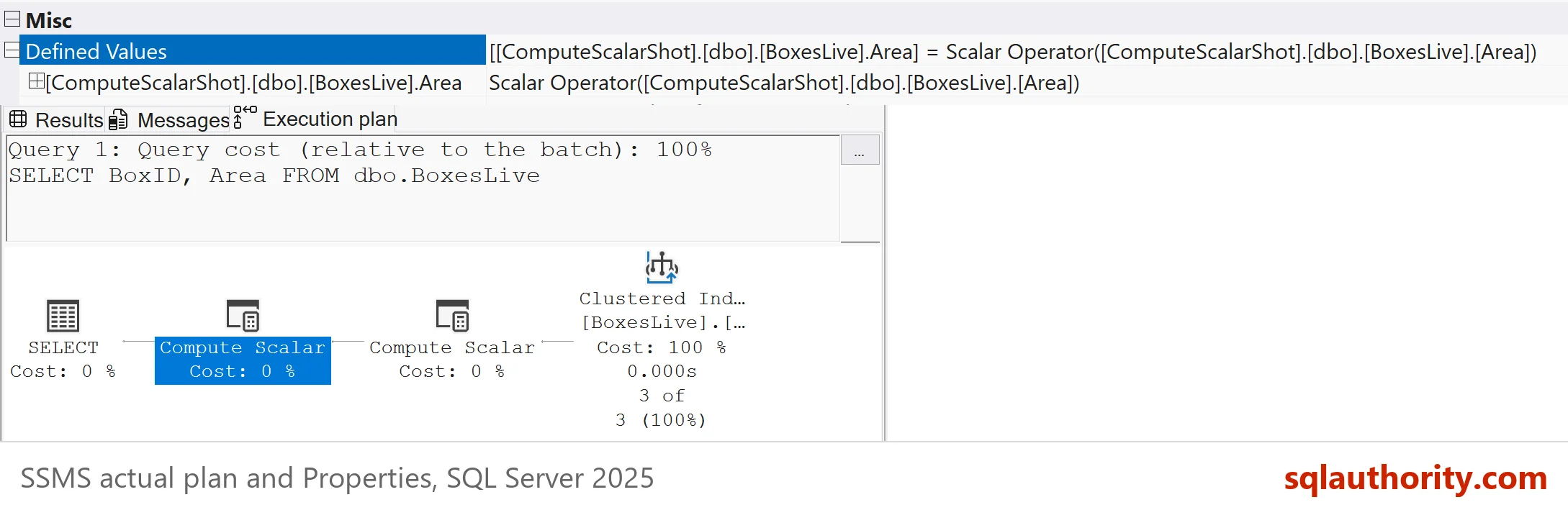
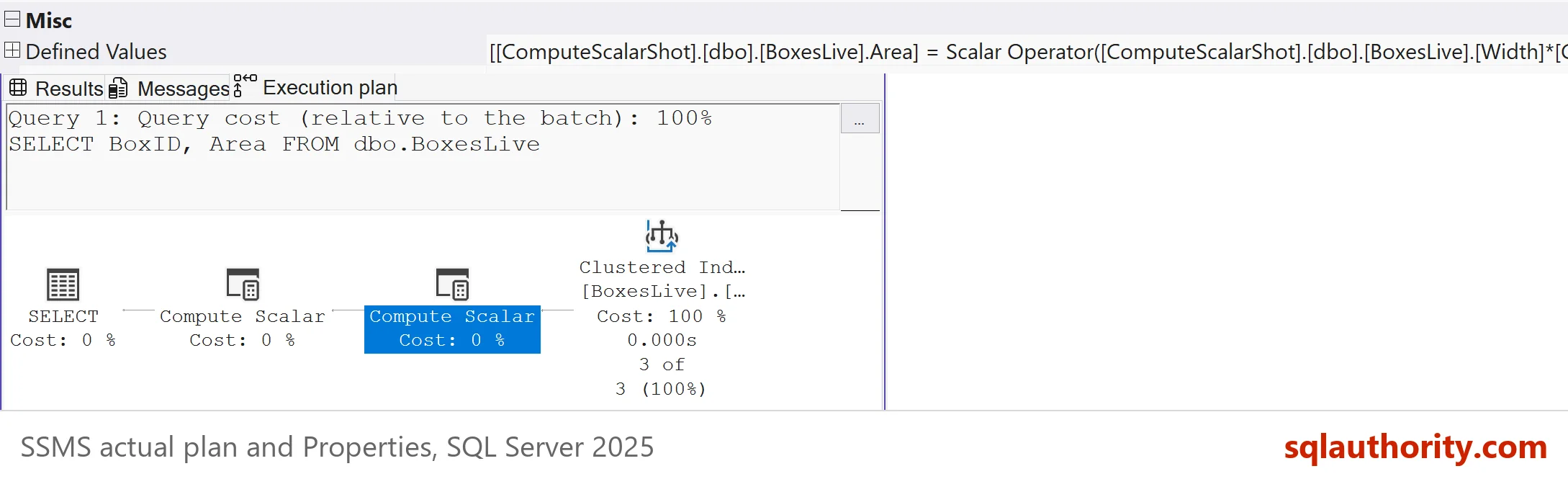
You can confirm this in Management Studio. Run the query with Include Actual Execution Plan switched on, click each operator in the graphical plan, and press F4. The Properties window lists the Defined Values, which are the same expressions that the plan text prints. SSMS writes them out in full, as a Scalar Operator over the column. These steps follow the SSMS 22 menus.
When the Column Is Not Selected
Filter on the computed column without selecting it, and the operators disappear. The next query reads only BoxID.
SET SHOWPLAN_TEXT ON;
GO
SELECT BoxID FROM dbo.BoxesLive WHERE Area > 30;
GO
SET SHOWPLAN_TEXT OFF;
GO
|--Clustered Index Scan(OBJECT:([ComputeScalarDemo].[dbo].[BoxesLive].[PK_BoxesLive]), WHERE:([ComputeScalarDemo].[dbo].[BoxesLive].[Width]*[ComputeScalarDemo].[dbo].[BoxesLive].[Height]>CONVERT_IMPLICIT(int,[@1],0)))
No Compute Scalar appears. SQL Server replaced the column with its expression and moved the test into the scan. The scan multiplies Width by Height for each row and keeps the rows above the limit. The value 30 shows as @1 because SQL Server parameterized this simple query. A Compute Scalar exists only when a calculated value must travel up the plan.
Compare the Three Tables
| Query | Operators from the top down |
|---|---|
| Expression in the query on a plain table | Compute Scalar (Expr1002 = Width * Height), Clustered Index Scan |
| Computed column | Compute Scalar (Area = Area), Compute Scalar (Area = Width * Height), Clustered Index Scan |
| Persisted computed column | Compute Scalar (Area = Area), Clustered Index Scan |
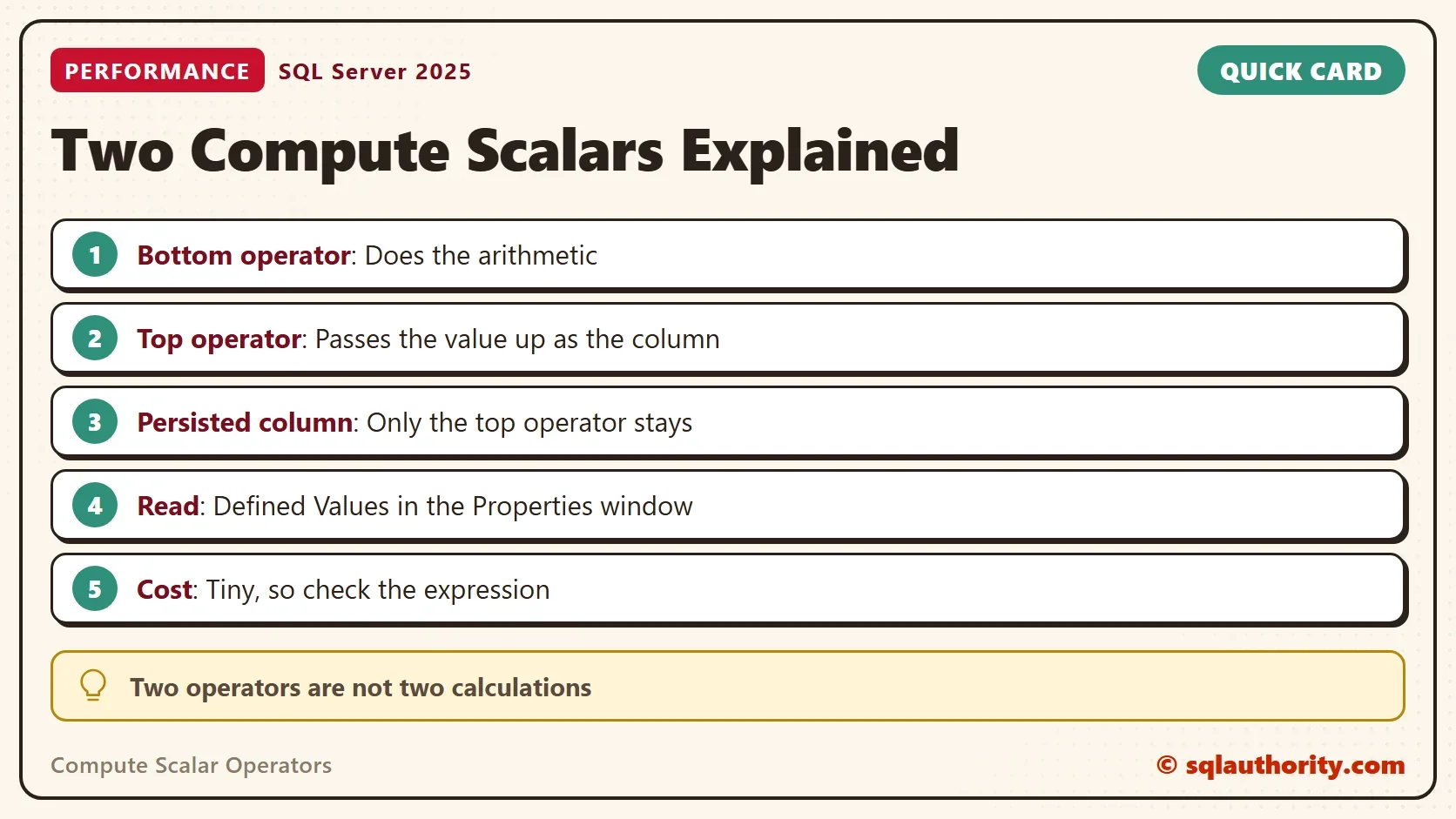
A calculation in the query is one operator. A computed column is two, the calculation and the pass-through. A persisted column keeps only the pass-through, because the value already sits in the table and nothing needs calculating. Two operators are not two calculations.
Does the Extra Operator Cost Anything?
You could argue that two operators must cost more than one. The test below fills the two computed tables with three million rows and aggregates the column. MAXDOP 1 keeps the plans serial, so the timings compare fairly.
SET NOCOUNT ON;
INSERT INTO dbo.BoxesLive (BoxID, Width, Height, Label)
SELECT TOP (3000000) 100 + ROW_NUMBER() OVER (ORDER BY (SELECT NULL)), n % 90 + 1, n % 70 + 1, 'Box'
FROM (SELECT ROW_NUMBER() OVER (ORDER BY (SELECT NULL)) AS n
      FROM sys.all_objects AS a CROSS JOIN sys.all_objects AS b CROSS JOIN sys.all_objects AS c) AS x;
INSERT INTO dbo.BoxesStored (BoxID, Width, Height, Label)
SELECT BoxID, Width, Height, Label FROM dbo.BoxesLive WHERE BoxID > 3;
GO
SET STATISTICS TIME ON;
SELECT MAX(Area) AS MaxArea FROM dbo.BoxesLive OPTION (MAXDOP 1);
SELECT MAX(Area) AS MaxArea FROM dbo.BoxesStored OPTION (MAXDOP 1);
SET STATISTICS TIME OFF;
The test ran six alternating pairs after a warm-up. The computed column used 172 to 218 milliseconds of CPU, and the persisted column used 156 to 187. The persisted table was never slower, and its elapsed time was 29 to 60 milliseconds lower every time. The values move from run to run. The test can’t separate the second operator from the arithmetic, because the persisted table drops both from the query. Together they cost a few tens of milliseconds over three million rows.
A persisted column pays in a different place. It takes space in every row and costs a little on every write. Choose it when you filter or index on the column, not to remove a Compute Scalar.
Where the Cost Hides
The operator is cheap. The expression inside it is the part to watch. A scalar user defined function in a computed column runs once for every row. The plan’s cost for the operator does not include the work inside the function. If a plan with a Compute Scalar is slow, read the expression, not the operator count. Two checks tell you where you stand. Read the Defined Values for the expression, and measure the real CPU time with SET STATISTICS TIME, as above.
What to Remember
Compute Scalar operators calculate values or pass them along. A computed column gives you both, one calculation and one pass-through, and a persisted column leaves only the pass-through. Open the Properties window and read Defined Values before you worry.
When you count Compute Scalar operators in a plan, count the calculations, not the boxes. When you finish testing, drop the example database.
USE master;
GO
ALTER DATABASE ComputeScalarDemo SET SINGLE_USER WITH ROLLBACK IMMEDIATE;
DROP DATABASE ComputeScalarDemo;
A Compute Scalar is not a mistake, it is a place where a value gets a name.
Published by Pinal Dave on SQLAuthority. More of my work at pinaldave.com.
Discover more from SQL Authority with Pinal Dave
Subscribe to get the latest posts sent to your email.